An empty radio booth has its ON AIR lamp lit. In an imagined AI short film, the night operator sees it from the hall but hears no one inside. The camera could approach her, circle her, rise above the room, or hold her face steady while the background shifts.
AI camera control begins with that choice, because each path changes what the audience learns. This guide follows that fictional scene through four camera movements in film: the path, its possible meaning, and what to check in a generated take.
Camera Movement Changes the Question in AI Camera Control
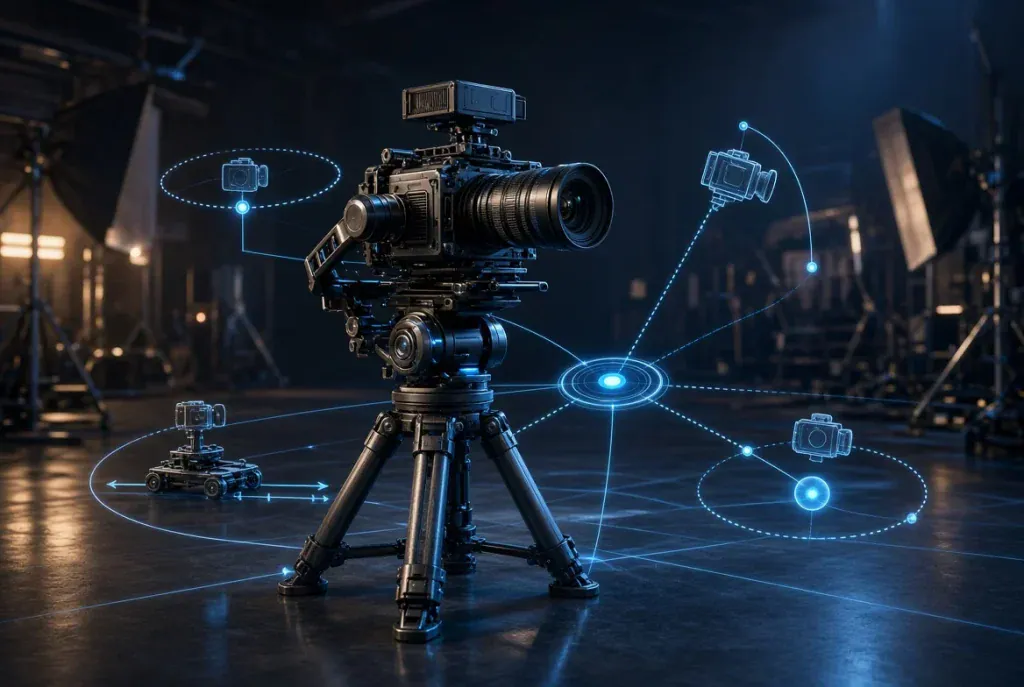
Mark the operator, booth door, and lamp on a floor plan. A push-in changes distance; an orbit changes the side from which we see her; a crane changes height. A dolly zoom couples distance and focal length so the background changes while a subject stays roughly the same size. None carries a fixed emotion. Performance and editing help give movement meaning. For an AI shot, choose one primary move before adding other instructions.

Four hypothetical camera paths around a fictional radio booth. The sketches show intended movement, not generated footage, a WaveSpeed interface, or a tested result.
Push In: Make the Discovery Visible
A push-in brings the camera closer to a subject. Unlike enlarging a stationary image, the move can change foreground and background relationships. It suits an observation becoming a decision; a fast approach might feel threatening instead.
Begin with a waist-up view of the operator in the hall. Describe a slow forward move as she notices the lit booth; end nearer her face, lamp still over her shoulder. Keep the door on the same side.
The hallway should recede naturally as the camera approaches; that spatial shift gives the move its force. If the result only crops tighter, drops the lamp, or changes her identity, it loses the intended discovery.
An AI cinema studio built for directing shots offers Push in alongside look and lighting controls. Its Camera panel lists 18 options, including Static, which holds the camera still. The page says you can open the expanded prompt sent to the model. Compare that instruction with the intended move, then judge the clip. A hand-drawn storyboard and editing tools offer another route.
Orbit: Let the Background Tell on the Subject
An orbit travels around a point of interest, changing which side of the subject and room is visible. A pan turns the camera from one position. This story needs to reveal the far side of the booth, which a pan from one spot cannot show.
Keep the operator near frame center and describe a slow arc toward the booth window. The opposite side reveals an empty chair beneath the lamp. Her stillness might make it unsettling, while different sound and editing could turn the same reveal into curiosity.
Watch the window cross behind her and compare the final view with the floor plan. Reject a take if the chair changes sides, the booth rotates, or her jacket changes. Check even a plausible orbit against the next shot’s geography.
Crane Down: Move From the Room to a Clue
The American Society of Cinematographers’ account of the crane shot in Hitchcock’s Notorious follows a camera descending from a second-floor balcony to the key in Alicia’s hand. The descent narrows a crowded party to one object that matters, and a crane, or jib, carries the camera through it.
The radio story needs its own clue. Start above the empty booth, with desk, chair, and door legible. Describe a steady crane down ending at the mixing console, where an untouched fader sits beside the glowing ON AIR switch. That move shifts attention from the room to the detail that matters: who left the switch on?
Check fixed landmarks. The console stays beneath the window; the chair cannot jump across the desk. A same-height digital crop misses the reveal. Crane up would expose the room after the detail, so choose one direction for this beat.
Dolly Zoom: Keep the Face, Shift the World
For a dolly zoom, the camera moves while the lens zooms in the opposite direction. The subject stays roughly the same size as the background seems to expand or compress.
That paired action, rather than a crop, creates the perspective change. It can suggest a shift in perception without dictating the feeling.
The ASC account also describes Jaws: the camera moves away from Chief Brody while zooming in, holding him in frame as the beach background closes in. In the original radio scene, the operator hears a voice from the empty booth. Describe a backward track and inward zoom that keep her face nearly the same size while the hallway compresses. The borrowed idea is the mechanism, not the film image.
Compare the operator’s head size at the first, middle, and last frames, then check the hallway’s apparent depth. If she merely grows larger, it is a push or zoom. If her face mutates or the door relocates, the trick has cost continuity. Dolly zoom is a Studio option, not proof of a precise optical trajectory in every take.
Choose a Take, Then Check What Changed
Keep a shot card beside the clips. Choose the move that reveals information without breaking the room’s geography.
| Move | Camera path | New information | Reject when |
| Push-in | Forward toward operator | Her notice of the lamp | Lamp vanishes or subject becomes a crop |
| Orbit | Around operator | Empty chair beyond her | Chair or window changes sides implausibly |
| Crane down | High room view to console | Switch is on | Desk geography changes |
| Dolly zoom | Travel plus opposite zoom | Hallway shifts behind her | Face size drifts or only the frame enlarges |
WaveSpeedAI’s AI Cinema Studio page says one generation can yield up to four takes. Treat them as alternatives under one setting rather than four shots of a finished sequence. Compare frames and motion, select one, then set up the next shot separately. A rejected take shows what the prompt failed to hold steady.
The page allows image, video, and audio references, addressed in the prompt with @. Use material you own or have permission to use, and check the chosen model’s reference handling. A booth sketch may establish the window and console, but each generated frame still needs review, and a person still decides continuity, sound rights, and whether the camera told the intended story. The shot card also works for a filmed or edited version.
Keep the Film Yours
Classic films make camera geometry easier to notice. Use that knowledge for an original character, room, and dramatic question.
Before keeping a candidate, compare its people and imagery with reference sources and the shot card. If it resembles a protected scene or cannot keep the booth consistent, change the setup and make another shot. Carry forward what the movement does for the story and leave the famous image behind.

Sandra Larson is a writer with the personal blog at ElizabethanAuthor and an academic coach for students. Her main sphere of professional interest is the connection between AI and modern study techniques. Sandra believes that digital tools are a way to a better future in the education system.