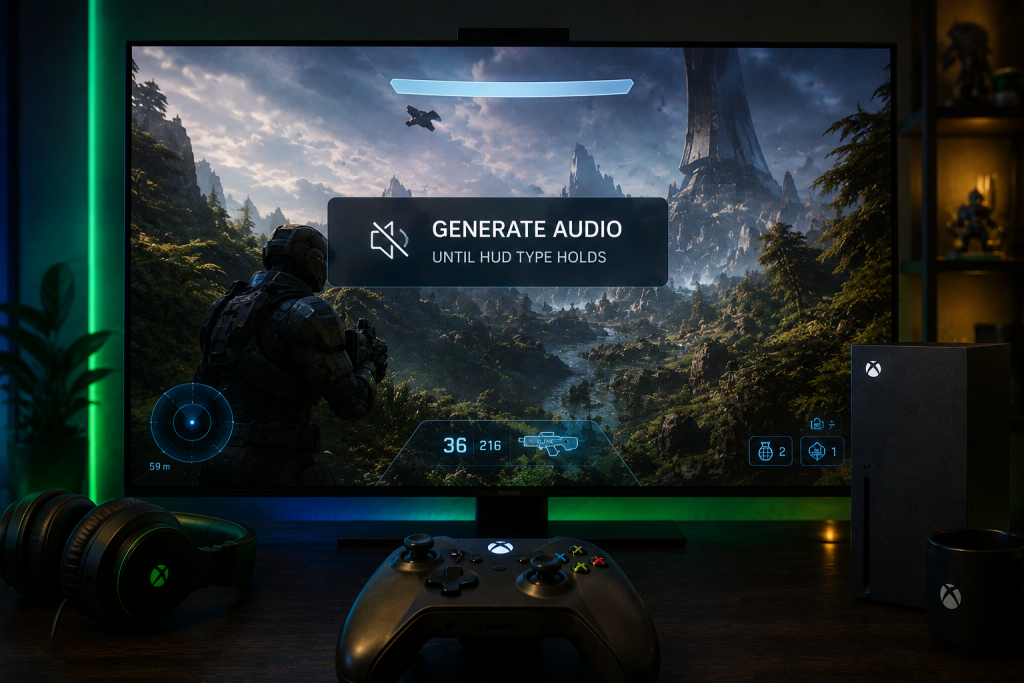
Trailer week buries a promo still when Generate audio starts before the HUD can hold its type. A games or film social producer cannot halt a studio still because a checkbox looked useful. Image to video AI is the path that keeps that still as the plate, if audio stays off until the health bar and the title card survive the first silent pass.
Promo teams already know the still cannot be reshot on a lock date. The algorithm will bury a clip that looks like motion and reads like mush. Generate audio defaults to off. That is the useful factory setting. The failure is turning it on to “finish” a poster that has not yet proved it can hold lettering.

Trailer Week Dies When HUD Type Softens
A trailer still is a signed frame that already carries a health bar, a score bug, or a title card the studio locked. Social producers cut that frame into a 15-second tease. If the motion pass invents a second bar or melts the title into the plate, the clip cannot go on the account. The still was expensive. The mush is free to post and expensive to explain.
Designers usually see the miss on frame one. The preview can look loud. The health bar that was a clean red slab on the still becomes a wedge. The title card that held a film name becomes a smear. On the desk that is a reject. Trailer week does not have a day to argue about vibe.
The algorithm bury is the next cost. A clip with broken HUD reads as a fan edit, not a studio asset. Comments ask which build it is. The still cannot answer because the type left the plate. Image To Video AI will still hand back a file. The producer has to refuse it.
Trailer week also has a lock date the still cannot move. If the health bar fails on Thursday, the Friday post still has to ship something. That pressure is how audio gets flipped on as a finish. The mix does not put the bar back. It only makes the failed card louder in the comments.
Old Sound First Habit Burns The Still
The old habit is to add sound as soon as the still is loaded. Someone wants a whoosh under the title. Someone else wants a sting on the logo. The checkbox is right there. Generate audio starts off. Turning it on before the lettering is stable spends the pass on a mix the cut cannot use.
If the clip loses the title card, the type fails first. Audio on a failed card does not rescue the lettering. It makes the reject louder. The producer then sits in a comment thread defending a smear that should never have left the workspace. That is how a studio still gets treated like a casual render. The desk already paid for the still. The extra noise only spends the lock date.
Web search sits on the same panel for prompts that need a current-event hook. Mention it once and leave it. Trailer week is not a news prompt. The still already knows the title. Do not send the model hunting a headline while the HUD is still the job.
Hold Lettering Before Sound Gets Allowed
The new pass is mute first. Leave Generate audio off. Load the HUD still or the title card. Write the camera move in one sentence. Generate. Read the lettering. Only then decide whether sound is allowed. Image To Video AI saves the result to Library after generate. Pull that silent file into the cut before anyone asks for a mix.
-
Leave Generate audio off and load the HUD still or the title card.
-
Write one camera move, generate, then read the health bar on frame one.
-
Open the Library file and refuse any card that left the plate.
-
Turn audio on only after the silent pass holds and the cut still needs a sting.

A Free Image to video AI pass earns the slot when the still can hold type without help from a soundtrack. Sound is a second decision. It is not a way to hide a soft health bar. If the first file cannot hold the card, do not spend the next pass on audio.
Leave Generate Audio Off On First Pass
The checkbox defaults to off. Keep it there until the title card can be read at the size it will play. Designers usually write that as a desk rule: silent pass, then sound pass. Mixing the two jobs is how a signed still becomes a noisy miss.
If someone turns audio on because the timeline feels empty, stop. The emptiness is the point. A silent clip that holds the HUD can take a licensed sting in the editor. A loud clip that lost the HUD cannot. The studio still is not a placeholder for a better poster.
Read The Health Bar After The File Lands
Pause on the first readable frame. Find the health bar. Find the title. If either one drifted, the file is dead for the account. Do not scrub for a prettier middle frame and ignore the card. Trailer week posts the frame the still promised, not a lucky smear.
On the desk the reject is short. The producer holds the studio still and the clip. If a player would think the build changed, the clip does not ship. No mood note repairs a bar that turned into a wedge. Kill the file and keep the still.
Judge Title Cards Before The Audio Pass
The second pass is allowed only after the silent file holds. Turn Generate audio on when the card is stable and the cut actually needs a sting that the editor does not already have. If the timeline already has the official trailer mix, leave the checkbox off. Do not grow a second soundtrack the legal team did not clear.

Paid seats can download without a watermark. Free Daily Check-in gives 1 credit for 31 days and does not unlock a watermark-free download. That sentence is a publish gate, not this thesis. Trailer week still dies on mush type, watermark or not.
Add Sound Only After Type Survives
Write the audio ask as a single sting or room tone, not a new scene. If the prompt starts describing a different title, the still is no longer the plate. Stop and go back to the silent file. The useful clip is the one that still looks like the poster the studio signed.
If the silent pass already holds, many desks never need the checkbox. They drop the Library file on the official mix. That is cheaper than a second generate and safer than a model-made whoosh under a logo legal already locked.
Pull The Clip From Library For The Cut
Library is where the file actually lives after generate. Do not screenshot the workspace and call it a delivery. Open the clip, read the card, then hand the file to the editor. If the type failed, the Library copy is the reject, not a draft to “fix in color.”
A social producer can write that handoff in one line. Silent Library file. Card holds. Then sound, if the cut still needs it. Anything else is a fan render wearing a studio still.
Refuse The File If Type Leaves The Plate
Refuse the clip when the health bar melts, when the title invents a second line, or when the logo turns into paint. Those are the fails a trailer week cannot absorb. The still was the asset. The motion pass is only useful if it keeps that asset readable.
Refuse the audio pass when the silent file already failed. Image To Video AI will still run the checkbox. The producer has to treat that run as a waste of the lock date. A loud mush file is a second reject, never a backup.
Refuse a news-shaped prompt on a locked still. The Web search box is for current-event language, not for a title card the studio already wrote. If the still has the name, keep the name. Do not let a sidebar hunt rewrite the plate.
Keep Trailer Week On A Silent First Pass
Keep Generate audio off until the HUD and the title card survive a silent pass. Pull the Library file. Read the health bar. Add sound only if the cut still lacks a cleared sting. Image To Video AI is useful on that order because the checkbox starts off and the still can stay the plate.
Trailer week stays calmer when the social producer refuses a loud file that lost the type. The studio still cannot halt. The algorithm will bury mush. Mute first, then decide whether sound is even the next job.

Caroline is doing her graduation in IT from the University of South California but keens to work as a freelance blogger. She loves to write on the latest information about IoT, technology, and business. She has innovative ideas and shares her experience with her readers.