AI tools are changing how we build slides. Today, an AI PPT maker can turn ideas into clean slides in minutes.
In this guide, we list the best AI presentation maker tools for 2026.
1. Dokie AI
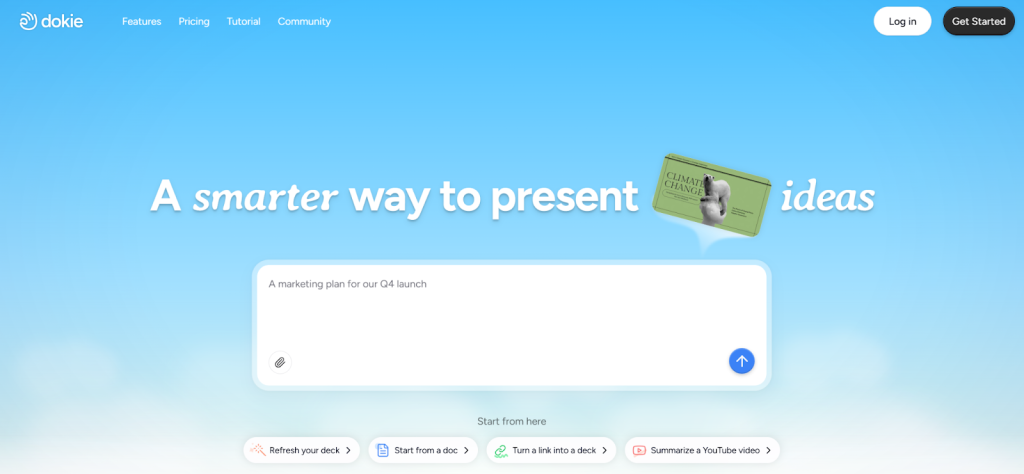
Dokie AI is a trending AI PPT maker built for people who need clear and useful slides fast. It focuses on real business and school use. You can enter a topic, paste notes, or upload a file, and it will create a full slide deck with a strong outline. The slides follow a normal PowerPoint style, so they are easy to edit later.
Unlike some tools that feel like web pages, Dokie AI builds slides that look ready for meetings. It helps with titles, bullet points, charts, and simple design. You can also adjust tone, length, and style. For teams that create weekly reports, marketing plans, or class projects, this AI slides generator saves hours of work.
It works well for people who want a balance between smart writing and clean slide design.
Pros
- Strong slide structure
- Easy to edit and export
- Good for business and school use
- Saves time on outlines
Cons
- Fewer fancy design themes than some tools
- Needs small edits for very detailed topics
2. Gamma APP
Gamma APP is a modern AI presentation maker that feels more like a website than a normal slide tool. It is great for sharing ideas online. You type a prompt, and Gamma builds a clean, scroll-based presentation.
It is fast and simple. Many users like its smooth layout and easy sharing links. You can add images, charts, and text blocks with one click. Gamma also supports teamwork, so you can edit with others at the same time.
However, the format is not always like a classic PPT. If you need a traditional slide deck for a formal meeting, you may need to adjust the layout after export.
Gamma APP is a good AI slides generator for quick drafts, startup ideas, and online reports.
Pros
- Clean and modern design
- Easy to share with links
- Fast content generation
- Good for team work
Cons
- Not always PPT-friendly
- May need changes before formal use
3. SlidesGPT
SlidesGPT is a simple AI PPT maker that focuses on turning text into slides. You enter a topic, and it creates a short presentation in seconds. It works well for students and teachers who need quick class slides.
The design is basic but clear. You can export to PowerPoint or Google Slides. SlidesGPT is not heavy on design tools, but it does a good job with content structure.
If you want a fast AI presentation maker for simple topics like book reports, science lessons, or short talks, this tool can help. It is not the most advanced AI slides generator, but it is easy to use.
For quick and basic slide decks, SlidesGPT does the job.
Pros
- Very easy to use
- Fast slide creation
- Works with Google Slides
- Good for school use
Cons
- Simple design
- Limited style options
4. Beautiful AI
Beautiful AI is known for design. It is an AI presentation maker that keeps slides clean and well spaced. The tool uses smart layout rules, so your text and images stay balanced.
You choose a template, add content, and the system adjusts the layout. This makes it great for people who care about design but do not have design skills.
It is often used for pitch decks, sales slides, and team reports. The focus is more on layout and style than deep AI writing. So, you may still need to prepare your own content first.
As an AI PPT maker, Beautiful AI helps make slides look polished and neat.
Pros
- Strong design support
- Clean templates
- Easy to keep slides balanced
- Good for business decks
Cons
- Less focus on AI writing
- Limited free plan
5. GenPPT
GenPPT is an AI slides generator that turns prompts into full slide decks. It is easy to start. Just type your topic, and it creates titles and bullet points.
The design is simple but works well for school and work use. It supports basic charts and images. Many users like it because it saves time on first drafts.
GenPPT is not the most advanced AI presentation maker, but it is helpful when you need something fast. You can export your slides and make more changes in PowerPoint later.
For users who want a basic AI PPT maker with clear structure, GenPPT is a solid choice.
Pros
- Quick setup
- Clear slide outlines
- Easy export
- Good for beginners
Cons
- Basic design
- Fewer advanced features
6. Canva
Canva now includes AI tools inside its slide builder. It mixes templates, drag-and-drop design, and AI writing.
You can use its AI PPT maker features to create content and then style it with thousands of templates. Canva is popular with students, teachers, and social media teams.
The tool is strong in visuals. You can add icons, photos, and simple animations. However, the AI writing part is not as deep as some other AI slides generator tools.
If you care more about design and branding, Canva is a good AI presentation maker.
Pros
- Huge template library
- Easy drag-and-drop
- Good for branding
- Free version available
Cons
- AI writing is basic
- Can feel crowded
7. Tome
Tome is an AI presentation maker that feels creative and story-driven. It builds slides with a focus on flow and storytelling.
You enter a topic, and Tome creates sections with text and images. It works well for creative pitches and idea sharing.
The layout is smooth and web-based. Like Gamma, it is not always a classic PPT format. If you need a strict slide style, you may need edits.
As an AI slides generator, Tome is best for creative work and early ideas.
Pros
- Great storytelling flow
- Clean design
- Easy image support
- Good for creative teams
Cons
- Not always PPT-ready
- Limited deep editing
8. Pitch
Pitch is a team-focused slide tool with AI support. It helps teams build and edit slides together.
Its AI PPT maker features help with writing and layout ideas. Pitch is strong in teamwork and sharing. Many startups use it for pitch decks and updates.
The design is modern and clean. However, the AI writing part is not as detailed as some other AI presentation maker tools.
Pitch works best for teams that want smooth teamwork more than deep AI content.
Pros
- Strong team tools
- Clean interface
- Good for startups
- Easy sharing
Cons
- AI writing is limited
- May need manual edits
9. Simplified
Simplified is an all-in-one tool with design, writing, and slide features. Its AI slides generator can turn text into slides fast.
It is useful for marketing teams that need posts, ads, and slides in one place. The tool supports templates and simple layouts.
The slide builder is not as deep as a full AI PPT maker, but it is helpful for quick projects.
Simplified is a good choice if you want many tools in one platform.
Pros
- All-in-one tool
- Fast content creation
- Good for marketing
- Easy templates
Cons
- Slide tool is basic
- Fewer pro slide features
10. Visme
Visme is a design tool that also supports AI writing. It is strong in charts and data slides.
If you create reports with many graphs, Visme can help. The AI presentation maker part helps with text ideas and layout tips.
It is more design-focused than writing-focused. So you may need to prepare your own outline.
Visme works well as an AI PPT maker for reports and data-heavy slides.
Pros
- Strong charts
- Clean design
- Good for reports
- Many templates
Cons
- AI writing is simple
- Can feel complex at first
11. Presentations.AI
Presentations.AI is built around smart slide creation. You enter a topic, and it creates structured slides with design support.
The tool aims to mix strong AI writing with clean layout. It supports export to common slide formats.
As an AI slides generator, it works well for business users. The slides look neat and easy to read.
It may not have as many brand templates as some big design tools, but it is simple and useful.
Pros
- Good slide structure
- Clean layout
- Easy export
- Fast setup
Cons
- Fewer design themes
- Limited free use
12. Zoho Show
Zoho Show is part of the Zoho office suite. It includes basic AI support for writing and layout.
It works well for teams already using Zoho tools. You can create slides online and edit with others.
The AI PPT maker features are not as strong as tools built only for AI slides. However, it is stable and simple.
Zoho Show is a solid AI presentation maker for small teams.
Pros
- Easy teamwork
- Part of Zoho suite
- Online editing
- Stable platform
Cons
- Basic AI tools
- Fewer smart writing features
FAQs
1. What is an AI PPT maker?
An AI PPT maker is a tool that uses AI to create slides from text, topics, or files. It helps with outlines, bullet points, and design.
2. Are AI presentation makers good for business use?
Yes. Many AI presentation maker tools are built for reports, pitch decks, and marketing slides.
3. Can I edit slides after using an AI slides generator?
Yes. Most tools let you export to PowerPoint or Google Slides and edit later.
4. Which is the best AI PPT maker in 2026?
It depends on your needs. Dokie AI is strong for structure. Gamma APP is great for modern web style. Others focus more on design.
AI tools make slide building faster and easier. The best AI PPT makers in 2026 can help you save time and create better presentations with less effort. Choose the one that fits your needs.

Caroline is doing her graduation in IT from the University of South California but keens to work as a freelance blogger. She loves to write on the latest information about IoT, technology, and business. She has innovative ideas and shares her experience with her readers.