

Creating a product video with AI is easier than ever. But to make it look natural, you need more than appealing images or a digital presenter. A natural-looking AI product video needs consistent product details, believable movement, and a conversational voice-over. Packaging and labels should stay accurate across shots, and demonstrations should reflect how the product actually works.
AI tools can help brands create videos in the style of UGC, using generated scenes, digital presenters, or existing footage. Below, we compare five AI UGC video tools to help you choose the right option for planning, creating, and editing your product videos.
What Makes an AI Product Video Look Natural?
Compare each generated shot with the real product. Check that the packaging, colors, labels, and proportions stay accurate, especially in close-ups or during movement.
Keep the script focused on the product’s main benefit. Use conversational narration and show the product in use so viewers can understand what it does and how it fits their needs.
Review the video for distorted shapes, unnatural movement, and details that change between shots. Do not present AI-generated testimonials as genuine customer reviews.
5 AI UGC Video Tools for Product Videos
1. Flova AI: Best for Planning and Refining Product Scenes
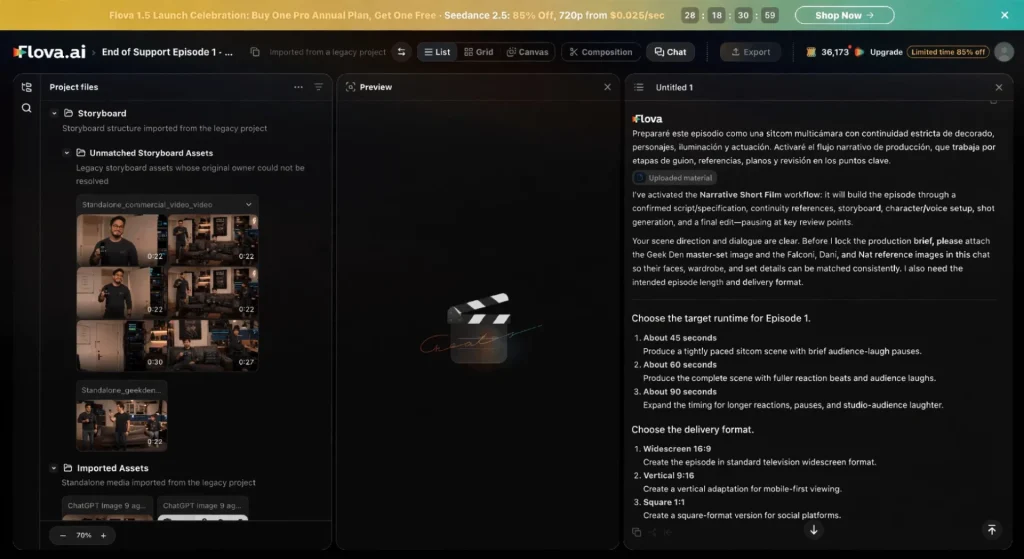
What it handles: Flova AI helps you plan and produce an AI UGC video with several connected shots. Its Agent can develop a storyboard, generate media assets, and assemble an editable timeline within one project. You can also reuse Flova Skills to follow the same production workflow across videos, using different product images or scenes for each version.
What you provide: Share your product brief, target audience, and product images. Add a script or visual references if you have them, and explain which product details must stay unchanged.
Why choose it: Flova keeps planning, generation, and revisions connected. It uses your product images as references to help keep the product’s shape, colors, and packaging consistent across shots. You can review the storyboard and ask the Agent to revise a specific shot while keeping approved scenes in place.
When it may not fit: Flova’s built-in editor handles basic edits. For more precise editing, export your video and finish it in professional video editing software.
2. Pictory: Best for Turning Scripts into Product Videos
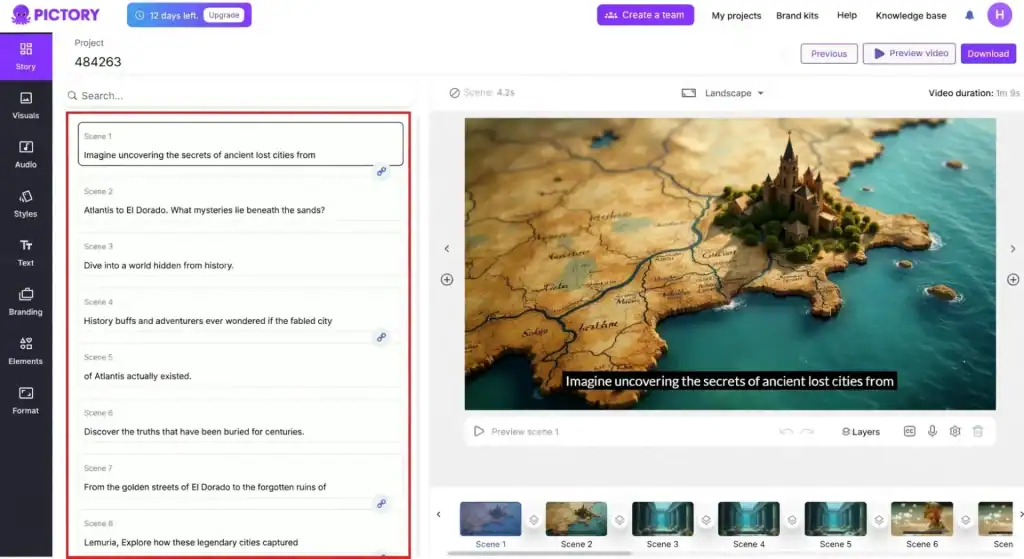
What it handles: Pictory turns scripts and marketing copy into video drafts. It breaks your text into scenes, matches them with visuals, and adds voiceovers and captions.
What you provide: Start with a short, conversational script for your AI UGC video. Add your own product photos or clips to show the actual item rather than relying entirely on stock footage.
Why choose it: You can build on product descriptions, ad copy, or other content you’ve already written. Pictory handles the initial scene assembly, while you can replace visuals, edit scene text, and adjust pacing in the storyboard.
When it may not fit: A video built mainly from stock footage may not suit detailed product demonstrations. If viewers need to see how your product looks or works, use your own product footage and check that every scene matches the narration.
3. Runway: Best for Creative Product Visuals

What it handles: Runway helps generate and edit footage for advertising campaigns. For an AI UGC video, you could use it to create supporting shots, change backgrounds, or explore different visual styles.
What you provide: Describe the scene, lighting, and movement you want. Add product images or existing footage to guide the look, and explain which details need to stay consistent.
Why choose it: You can experiment with lighting, settings, and visual effects without filming every variation. A perfume brand, for example, could explore a misty backdrop or dramatic lighting around its bottle. These shots could sit alongside a spoken introduction or real product demonstration.
When it may not fit: Runway may be less practical for projects with tight deadlines and little room for experimentation. Getting the movement and style right can take several attempts, so allow time to test results and adjust your prompts.
4. Synthesia: Best for Product Explainers with AI Presenters
What it handles: Synthesia turns scripts into videos with AI presenters. You can combine the presenter with screen recordings or product footage to explain features, introduce services, or walk viewers through a process.
What you provide: Prepare a script, choose a presenter and voice, and upload any supporting visuals. For an AI UGC video, keep the script conversational and include footage that shows the product in use.
Why choose it: If product details change, you can edit the script and generate an updated version without filming a presenter again. This is useful for product FAQs and software walkthroughs that need regular updates.
When it may not fit: A presenter-led format may not suit videos built around hands-on unboxings, spontaneous reactions, or first-hand customer experiences. Use real creator footage when those moments are central to your message.
5. VEED: Best for Editing and Finishing Product Videos
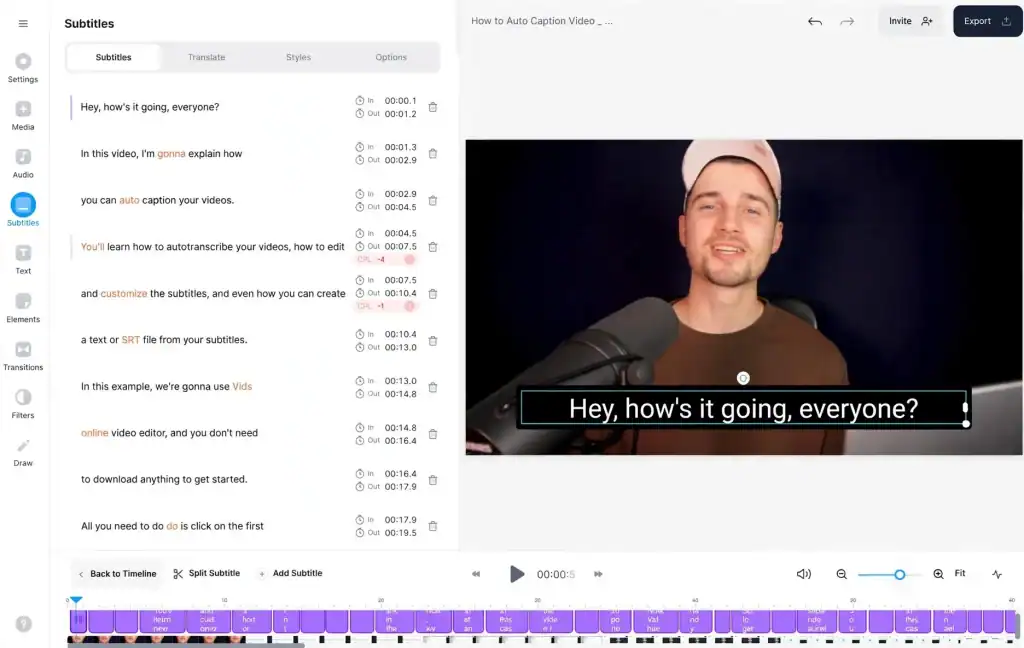
What it handles: VEED combines online video editing with AI generation. You can use it to finish an AI UGC video with product footage, captions, branding, and a call to action.
What you provide: Upload your product clips, images, and audio. If you need an AI presenter, add a script. For additional generated footage, describe the scene you want.
Why choose it: You can generate a new clip and add it directly to your timeline, then edit it alongside your existing footage. This keeps clip creation and final adjustments in the same workspace.
When it may not fit: VEED may not suit a fully offline workflow. Some functions, including exporting and accessing web projects, require an internet connection.
How to Make AI UGC Product Videos More Convincing
Start with clear product references. Upload photos you own or have permission to use, and specify which details must stay consistent, such as packaging, labels, and colors. Keep your script focused on one main benefit rather than listing every feature.
Build the video around a simple sequence: introduce a problem, show the product in use, explain how it helps, and end with a clear call to action. Keep the narration conversational and give each shot a purpose. Show how a feature works instead of simply describing it as “easy to use.”
Before exporting, watch the video from start to finish. Check product details, voice delivery, scene transitions, and captions. Make sure the visuals support the narration and the claims match what the product actually does. Edit or regenerate any shot with distorted details, awkward movement, or mismatched audio.
Which AI UGC Video Tool Should You Choose?
Flova is a good fit for planning and refining product videos with several connected shots. Pictory is useful for turning scripts and existing marketing copy into videos. Runway suits creative product visuals and supporting footage. Synthesia works well for presenter-led product explainers, while VEED combines AI video generation with editing tools for captions, branding, and final adjustments.
Before choosing, compare costs, export options, commercial-use terms, and how easily you can revise individual scenes. Test the tool with your own product images or footage to see whether the results match your needs.
Final Thoughts
A convincing AI UGC video needs clear product references, a focused script, and careful review. Choose a tool that fits your workflow, and check that the visuals and claims reflect the real product. AI can speed up production, but you still decide what to show and how to tell the story. Start with one short video using your own product materials, then refine the result before creating more versions.

Sandra Larson is a writer with the personal blog at ElizabethanAuthor and an academic coach for students. Her main sphere of professional interest is the connection between AI and modern study techniques. Sandra believes that digital tools are a way to a better future in the education system.