

A boss fight needs a theme, a stream needs a loop that does not get muted, and a devlog needs something better than the same three free tracks everyone else uses. AI music generators have become a real option for all of it. Here is what they are good at, where they still fall short, and how to use them without trouble later.
Why music is the part that gets left for last
Small game teams and gaming creators usually have someone who can draw, someone who can code and someone who can edit video. A composer is rarer. So music gets left until the end, and then it is solved with whatever is free: a track from a stock library that thousands of other videos already use, or a song lifted from somewhere that later brings a copyright claim, a muted VOD or a takedown on a store page.
The cost of a custom score is the reason. A few minutes of original music from a freelance composer is a fair price for the work involved, but it is often more than the whole budget of a jam game or a growing channel.
What has changed
AI music generators now produce tracks that hold up in a real project. You describe the sound you want, the mood, the instruments and the tempo, and a minute later you have a full track: a tense synth loop for a stealth level, a heroic orchestral piece for a title screen, a lo-fi bed for a cozy stream, or a complete song with vocals for a trailer.
The quality jump of the last two years matters most for games and streams, because these are places where music plays for a long time. Early generators gave you short clips with smeared instruments and endings that stopped mid-bar. Current ones keep a structure, hold a steady tempo and finish properly, which is what you need for a menu theme that plays on repeat.
Where AI music works best
-
Background and ambient tracks. Exploration music, menu themes, shop music, stream beds. These need a clear mood more than a memorable melody, and that is exactly what a good prompt gives you.
-
Variations. Need the same theme in a calm and a tense version for two phases of a level? Describe both and compare.
-
Short pieces. Stingers for a victory screen, a 15 second intro for a Short, a jingle for a channel. Most generators handle lengths from a few seconds to several minutes.
-
Prototypes. Even if you plan to hire a composer later, a generated track in the build helps everyone feel the game and gives the composer a clear reference.
Where it still needs a human
AI music is weaker at things that depend on the exact moment in your game or video: a sting that lands on a specific frame, adaptive music that changes layer by layer with the action, or a leitmotif that returns in ten different arrangements across a campaign. You can get close by generating several versions and editing them, but a composer is still the better tool for a tightly scored narrative game.
It also helps to keep expectations honest about vocals. Generated vocals are much better than they were, but a song that carries the emotional peak of your story deserves a careful listen on good headphones before it ships.
The question that matters most: rights
The biggest risk with any music in a game or a monetized video is not the sound, it is the license. Before you use a generated track, check three things:
-
Commercial use. Some tools allow only personal use on free tiers. A game on a store, or a monetized channel, is commercial use.
-
Exclusivity and Content ID. Find out whether the track is private to you, and whether the service registers its output in Content ID. If it does, your own stream may receive a claim for music you made.
-
A written license. Keep the license text or certificate with your project files, together with the date you created the track. If a store or a platform ever asks, you have the answer.
A quick workflow for a small project
Write down every place the game or channel needs music, with the mood and length of each: main menu, three level themes, a boss theme, a victory sting, a stream intro. Then describe each one in plain words, the way you would brief a composer: “slow dark synthwave, 90 BPM, pulsing bass, no vocals, loops cleanly”. Generate two or three versions per slot, pick the one that fits, and test it in the game or under the footage before you decide.
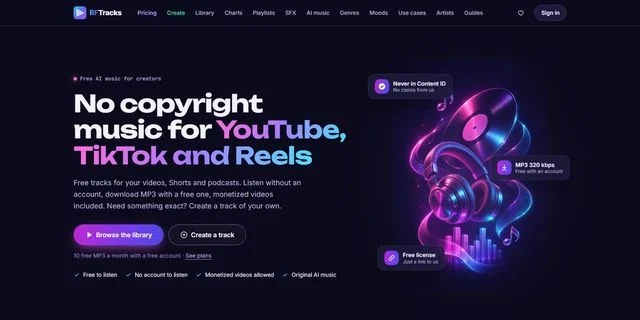
If you prefer not to juggle several tools, some music libraries now include a generator next to their catalog. RFTracks, for example, offers an AI music generator as part of its paid plans: you describe the music or pick a quick idea, choose a mode for songs with your own lyrics or instrumentals, and every track comes back in two versions, private to you and with a license for commercial use. Its regular library of music made with AI tools stays free to download with a credit link, which covers many background tracks without generating anything.
The bottom line
AI-generated music will not replace a composer for every project, but it has removed the excuse of shipping a game or a channel with the same tired free tracks. Use it where mood matters more than precision, keep the license with your files, and save your budget for the moments that truly need a human touch.
