
Poster night starts from a still that is almost right. An AI image editor is the path when the jacket color has to move and the face has to stay.
Restyling the whole poster transforms the entire composition into a fresh artistic medium, which can be thrilling if you want an expressive reimagining of a fantasy character. However, complete regeneration often alters subtle actor likenesses, costume stitching, and custom insignia that fandom communities scrutinize with magnifying glasses. When you only need to adjust an incorrect accessory hue or clean up a distracting background element, rerolling the entire canvas destroys the hard-won photographic fidelity you already captured. Choosing between surgical modification and holistic reinterpretation defines whether you preserve the authentic cosplay performance or embark on a completely speculative creative detour.
Two Paths On The Same Account
Creators working on digital promo cards or convention flyers encounter two fundamentally different generative workflows within their project dashboard. Understanding this functional split prevents wasted hours and unexpected aesthetic drift. The dedicated editor isolates specific regions of an existing photograph, executing targeted adjustments while keeping surrounding geometry locked in place. In contrast, the image-to-image engine ingests your reference photograph as conceptual guidance, synthesizing a brand new digital canvas from scratch.
Image to image is not a smaller edit. It is a new picture. That operational distinction dictates how you should approach your creative brief. If you feed a portrait into an image-to-image engine with an ambitious style prompt, the system interprets textures, poses, and lighting anew, often inventing different facial characteristics or wardrobe proportions. The editor operates with strict spatial discipline, altering only the attributes you explicitly name in your command string while maintaining absolute fidelity across the untouched pixels. Inside ImagesArt, creators can access both pathways depending on whether their current milestone demands meticulous preservation or total stylistic transformation.
| Job | Editor | Image To Image |
| Change One Object | Keeps original frame, modifies only targeted attributes, leaves composition intact | Rebuilds entire canvas from scratch, risking facial drift and altered details |
| Restyle The Whole Still | Built to change the part you name and leave the rest of the frame | Transforms source photograph into watercolor, oil painting, or stylized concept art |
The Editor Keeps The Rest Of The Frame
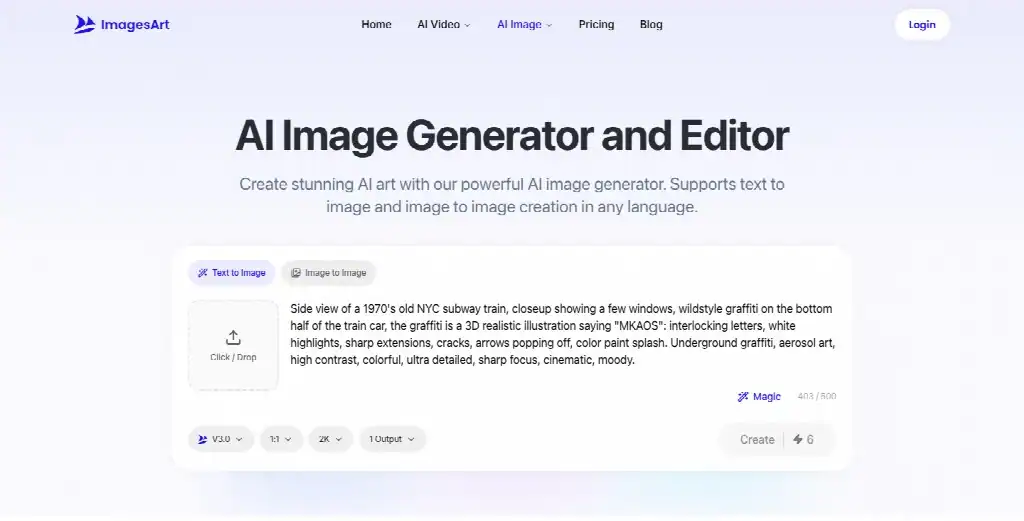
When you select an AI photo editor, the fundamental contract is compositional stability. You upload a primary image—supporting formats like JPEG, PNG, or WebP—ensuring the file measures at least 512×512 pixels with crisp focus and balanced lighting. Once uploaded, the software analyzes the subject contours without forcing you to manipulate intricate selection lassos or raster layer masks. You describe your intended adjustment in plain language, entering instructions into a prompt box that accommodates up to 500 characters across any language.
This natural language mechanism allows creators to execute precise object modifications in seconds. If an actor wears an olive trench coat but the comic canon specifies charcoal grey, a simple prompt re-pigments the textile weave while preserving fabric folds, button highlights, and adjacent collar shadows. Most standard transformations complete their processing pass within 10 to 30 seconds, delivering a high-resolution downloadable file directly to your staging library. The system focuses generative processing strictly on the described entity, leaving facial skin tones, hairstyle contours, and scenic backdrops completely untouched.
Blue Lettering On A White Mug
Consider a practical scene adjustment where a character sits in a neon diner holding an unadorned ceramic cup. You want to add custom fan lore without redrawing the table clutter, diner booths, or background neon signs. In the prompt field, you enter a concise instruction: Add crisp blue lettering on the white ceramic mug. The model evaluates the perspective curvature of the mug, calculates the ambient neon reflection, and renders the blue typography across the glossy cylindrical surface.
The rest of the frame remains pixel-stable. The character fingers wrapped around the handle stay anatomically intact, the coffee inside retains its reflective surface tension, and the diner booths maintain their atmospheric depth. In a traditional digital painting suite, matching the optical curvature and light perspective of surface typography requires warping paths, manual blending modes, and extensive shading touch-ups. With ImagesArt, the neural model handles spatial integration automatically, treating the text as an authentic physical element resting inside the photographed three-dimensional space.
A Restyle Builds A New Picture
There are creative moments when a one-object edit is insufficient and your fan art demands a radical aesthetic departure. When you want to convert a live-action movie still into an evocative watercolor portrait or a textured oil painting, the image-to-image engine becomes the appropriate vehicle. Rather than preserving base photography, this pipeline treats your upload as a loose semantic reference, allowing you to supply up to 5 reference images to guide the synthesis.
When engineering an image-to-image prompt, the creator must specify both what should change and what must stay consistent. For instance, typing an instruction such as: Turn this into a watercolor and keep the face, provides clear guardrails for the neural engine. The algorithm renders expressive pigment bleeds, wet-on-wet paper textures, and dynamic brushstrokes across the wardrobe and background while striving to keep primary facial landmarks recognizable. It produces a completely fresh visual artifact rather than a touched-up photo, giving indie illustrators an inspiring springboard for speculative visual development.
However, restyling always introduces artistic interpretation. The fluid nature of watercolor pigments or thick oil impasto softens sharp costume edges and reshapes background props. While this fluidity produces gorgeous fine art textures, it means you trade absolute photographic control for painterly atmosphere. Understanding this trade-off ensures that artists deploy restyling intentionally, reserving it for conceptual variants rather than final continuity stills where precise costume matching remains non-negotiable.
One Portrait And Two Model Tastes
Within the creative studio interface of ImagesArt, artists navigate different generative engines tailored for distinct visual sensibilities. Controls sit visible together directly beside the prompt box, allowing you to select your model, aspect ratio, and resolution before initiating a run. Rather than guessing technical costs, the Create button prints the credit cost before you run any generation, ensuring complete transparency across every iteration. Model V3.0 is the default, with clean lines, and it goes up to 4K at the same credit cost for every resolution it offers.
When an assignment centers on raw photographic authenticity, Nano Banana 2.1 offers an intriguing alternative personality. While V3.0 emphasizes polished commercial clarity, Nano Banana 2.1 is the one that keeps freckles, delicate skin pores, and subtle epidermal nuances that give human faces genuine vulnerability. If your cosplay portrait features natural beauty marks or fine facial character that a smoothing model might accidentally diminish, Nano Banana 2.1 protects those micro-textures faithfully. Artists can compare the output of both engines using the same prompt sentence, selecting the model profile that best matches the emotional tone of their visual project.
Having clear model profiles visible beside resolution toggles simplifies production planning. Creators do not have to navigate labyrinthine configuration menus to toggle between stylized commercial polish and documentary-style skin texture. By reviewing the number displayed directly on the Create button, digital artists maintain disciplined oversight over account balances, choosing the ideal engine for each character card without computational friction or unexpected balance deductions.
Keep The Face And The Pose
When applying bold stylistic treatments to an established character, preserving the actor identity requires deliberate prompt phrasing and disciplined asset preparation. Heavy styles such as pixel art or a 3D cartoon simplify a face on purpose, reducing intricate organic features into geometric clusters, hard polygon edges, or quantized color palettes. During this aggressive abstraction, facial resemblance can easily dissolve into a generic avatar if the system lacks strict instructional boundaries.
A Clear Photo And A Keep Line
A clear, well-lit photo plus the line “keep the face and pose the same” is how a face survives heavy stylistic translation. When preparing your input file, select a source still where the subject eyes, nose bridge, and mouth contours receive direct, even illumination without harsh shadows obscuring structural bone definitions. Blurry, low-resolution snapshots force the neural network to guess missing anatomical details, which invariably leads to noticeable facial drift during synthesis.
Appending that explicit retention command into your prompt anchors the transformation. The model recognizes that while the wardrobe, hair strands, and background lighting should adopt the blocky textures of retro arcade sprites or the smooth clay finishes of animated features, the core facial proportions must remain tethered to the source frame. This linguistic anchor ensures that your 3D cartoon avatar or pixelated hero remains unmistakably recognizable to devoted fans who know every millimeter of the character profile.
This technique bridges the gap between radical artistic stylization and character continuity. Creators can produce playful alternate-universe promotional graphics, animated social stickers, and gaming avatars without sacrificing personal branding. The model respects the geometry of the physical performance while applying delightful genre-specific aesthetic treatments across the surrounding pixels.
A Geek Desk Check Before The Thumbnail
Before exporting any modified image for public dissemination across social channels or video thumbnails, creators must conduct a thorough quality audit. Open your finished generation side by side with the original camera still at one hundred percent display scale to inspect fine details. Scrutinize the facial architecture with clinical precision: check the eye spacing, jawline angle, and ear proportions to ensure the synthesis engine has not subtly warped the character identity. Any failure in facial likeness immediately shatters immersion for fan communities.
If you detect something wrong with the pupil alignment or notice unwanted digital artifacts along the hairline, reject the file immediately. Digital artists should never settle for approximate likenesses when promoting narrative work. If a generation fails your quality benchmark, open My Assets in the sidebar, click the three dots on the card, select Delete, and confirm the removal, keeping in mind that deleted items are not restored. Taking the time to execute this verification routine inside ImagesArt protects your visual reputation and guarantees that only pristine assets reach public presentation.
The desk check also involves reviewing secondary elements such as costume seams, lighting direction, and background cleanliness. Ensure that added text or adjusted props cast convincing shadows onto adjacent surfaces and that edge transitions appear organic. A disciplined review pass catches minor rendering anomalies before your audience does, elevating your independent promotional materials to professional studio standards.
The Cut You Actually Post Online
The final decision on which generated asset to publish comes down to honest creative intent. When your objective is to correct an isolated wardrobe mistake, update an accessory tone, or clear distracting set clutter from an otherwise magnificent photograph, the editor remains the indisputable instrument of choice. It protects the hard work of your photographer and cosplayer by preserving the original photographic soul of the still, modifying only what you explicitly request.
Reserve holistic image-to-image restyling for moments when generating an entirely new picture is the explicit creative mission. When you want an expressive watercolor variant to celebrate a seasonal milestone or an animated claymation render for an alternate-universe avatar, restyling provides wonderful creative freedom. The artist still needs to check the face against the original still before that file goes up. The editor is the cut when one thing moved. The restyle is the cut when a new picture was the point.

Caroline is doing her graduation in IT from the University of South California but keens to work as a freelance blogger. She loves to write on the latest information about IoT, technology, and business. She has innovative ideas and shares her experience with her readers.