

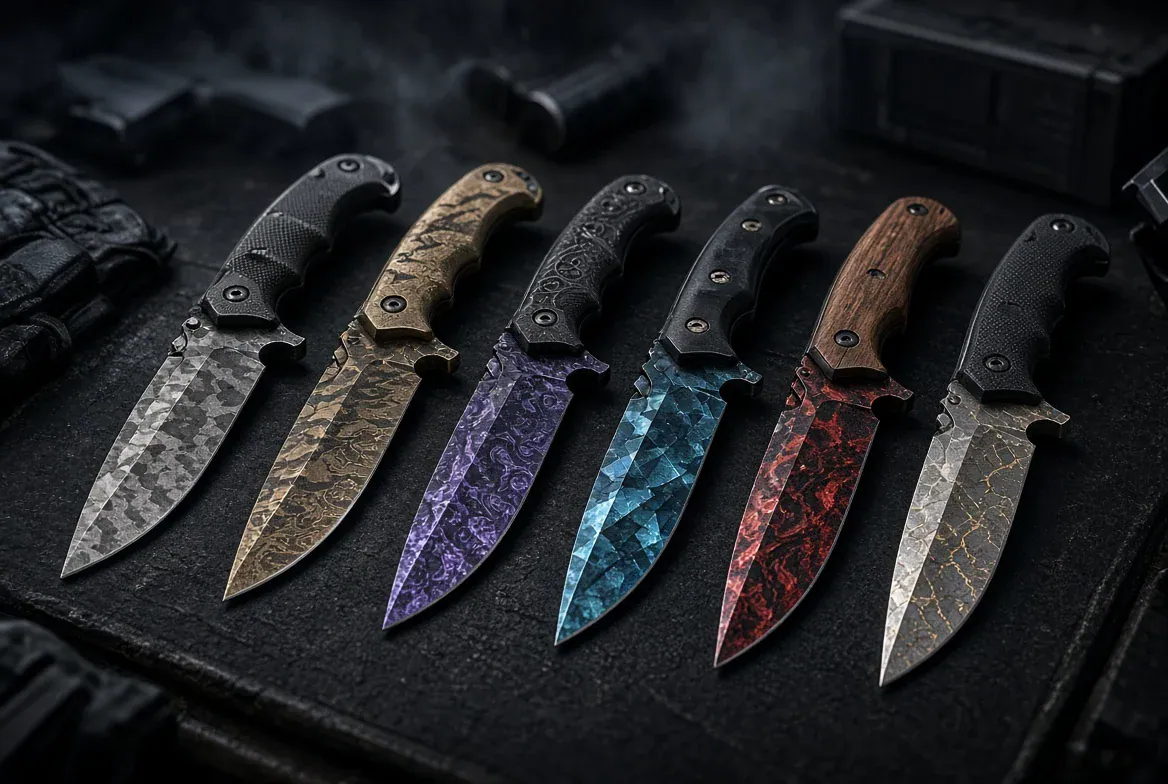
You’ll see your CS2 knife during rotations and between fights. Small details start to matter after a few weeks. Does the blade still look good beside your gloves? Do you actually enjoy its animations?
Start with a model you like and choose the finish afterward. Browsing the best CS2 knives on white.market lets you compare listed items by price and exterior, then check the float on individual item pages. These five combinations cover different tastes, from bright orange to understated steel.
All five had active offers when checked. Screenshot prices are individual asking prices and can change. Knife skins don’t add damage or movement speed, and playing matches won’t make their float increase. Choose something you’ll enjoy equipping.
What Makes a Good Everyday Knife
A broad Huntsman and a compact Flip Knife give the same finish different proportions. Watch the draw and inspect animations, then look at the knife in your usual viewmodel position. A product image can’t show you how it moves.
Consider your existing inventory, too. A neutral finish gives you room to change weapon skins later. A vivid knife can become the setup’s main color accent. Neither approach requires expensive matching gloves.
Huntsman Knife Tiger Tooth
The Huntsman gives Tiger Tooth plenty of room to show its stripes. Orange runs across a broad blade, with dark markings breaking up the color. The black handle keeps the design easy to read.
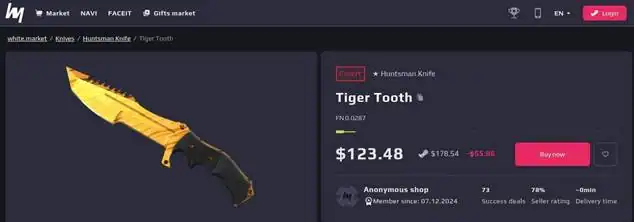
This is our starting pick for someone who wants a knife that feels noticeably different from the default. Its angular profile has enough character on its own, and Tiger Tooth adds a finish you can appreciate without studying a tiny detail in the pattern. It works especially well as the bright accent in an otherwise dark inventory.
The pictured listing is Factory New. Compare available copies in that exterior before paying extra for a particularly low float; check whether the visible difference matters to you. The main compromise is the model’s size. If you prefer a smaller blade in your hand, watch the Huntsman’s animations before committing to it.
Bayonet Damascus Steel
Damascus Steel suits the Bayonet’s long, narrow blade. Pale and dark waves give the metal some texture, while the muted handle keeps the military silhouette intact. It’s an easy fit for a loadout that changes regularly.
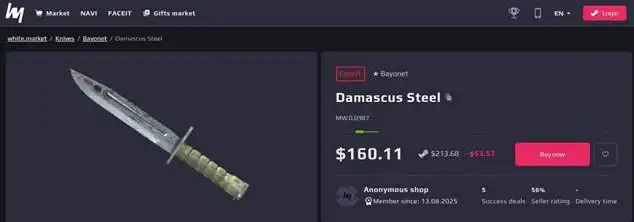
You can pair it with a colorful AK today and a restrained M4 tomorrow without making the knife feel out of place. That flexibility earns it a spot here. The layered surface gives you something to notice during inspection, even though the palette stays quiet.
The example shown is Minimal Wear, so there’s no need to assume Factory New must be the starting point. Inspect a few copies and decide how much you care about their appearance at your normal viewing distance. Check the model name carefully, too. The regular Bayonet and the larger M9 Bayonet are separate knives, and a search for Bayonet can bring up both.
Ursus Knife Marble Fade
The Ursus pairs a straightforward handle with a broad, faceted blade. Marble Fade brings a glossy mix of warm and cool colors to that simple shape. It gives a colorful inventory a strong centerpiece.
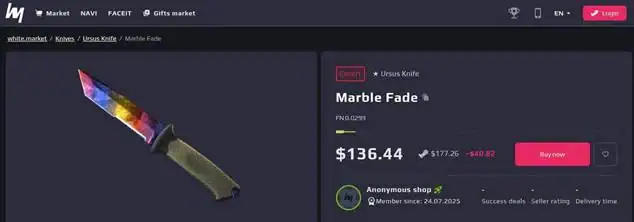
There is enough flat blade surface to show the marbled finish clearly, and the muted grip leaves the color on the metal to do most of the work. If your weapon skins already lean toward blue or red, the knife offers a way to echo those accents without matching every item exactly.
Color placement varies between Marble Fade patterns. Compare the actual item in an inspect view before choosing which copy to buy, especially if you want one color to dominate the side facing you. The listing screenshot establishes the model and its item details; an in-game inspection helps you judge the particular pattern. Our illustrated example is a regular Factory New version, without StatTrak.
Flip Knife Doppler Phase 2
The Flip Knife makes sense if you prefer a compact profile. Its swept blade carries the glossy Doppler finish in a smaller space, and Phase 2 brings the pink tones that make this particular combination appealing.
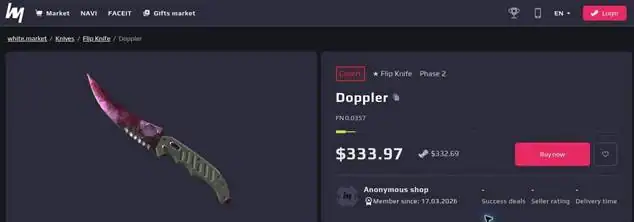
The plain handle also makes it easy to build around the blade’s color. A purple-accented inventory is an obvious match, though the knife can serve as a single bright detail among neutral weapon finishes. Judge it from the normal equipped position as well as the enlarged inspect view. A smaller model presents less of its artwork during ordinary play.
Read the phase field before comparing prices. Doppler covers several color variants, and a listing with that finish name alone doesn’t establish that you’re looking at Phase 2. The screenshot here shows Phase 2 and a Factory New exterior. If the pink appearance is the reason you’re buying, confirm it on the exact item rather than relying on the general finish name.
Karambit Black Laminate
The Karambit earns its place through its curved blade and ring-grip handling. Black Laminate gives that recognizable shape a subdued treatment, with stonewashed metal and a patterned handle. It has plenty of texture without a loud color scheme.
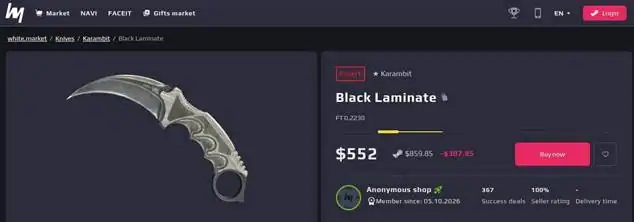
Despite the finish name, you shouldn’t expect a uniformly black blade. The gray metal is part of its appeal. It sits comfortably beside different weapon colors, making this a practical option for someone who changes the rest of their inventory but wants to keep the same knife equipped.
This is the premium model choice among the five examples pictured. Decide whether you enjoy its draw and inspect movements enough to justify the extra spend. The listing shown is Field-Tested; inspect the finish before deciding that a cleaner exterior is necessary. If the curved silhouette is what keeps catching your attention, this restrained finish gives you a way to enjoy it every day.
Check the Exact Knife Before You Buy
Once you’ve picked a model, compare individual copies. Check the exterior and float, then look at the pattern or phase where it applies. A marketplace thumbnail is useful for identifying a finish, but it may not show every detail of the particular item you will receive. Use an inspect view to judge the playside and visible wear.
There’s useful background in white.market’s coverage of Steam’s detailed CS2 item previews, which explains how item pages surface float and pattern information. Those details help when two listings share the same model and finish but differ in appearance.
Give yourself a little time before choosing. Watch the animations at normal speed, check the knife beside your current gloves, and come back to the shortlist later. For everyday play, a knife you still want to equip after that second look is a stronger choice than one you only liked in an oversized preview.

Hi! I’m Bryan, and I’m a passionate & expert writer with more than five years of experience. I have written about various topics such as product descriptions, travel, cryptocurrencies, and online gaming in my writing journey.