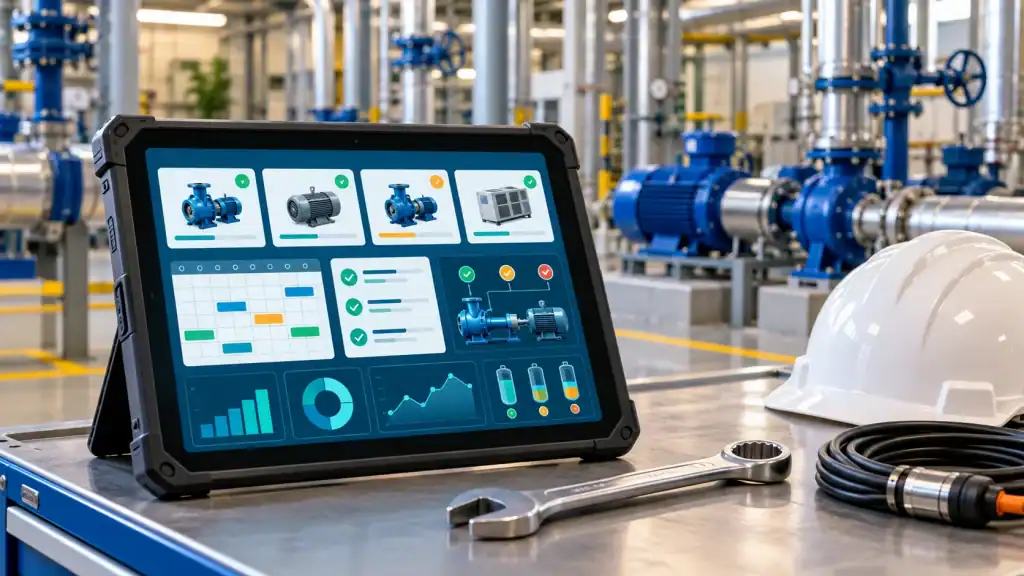
Ensuring that facilities, machinery, assets, and key operations run safely and dependably is a core duty of maintenance and facilities teams. However, a significant number of companies rely on fragmented tools, such as spreadsheets, email threads, paper documentation, phone calls, and text messages to track their maintenance activities.
While manual methods work for smaller operations and teams, they fall short as organizations grow. With expanding operations, growing asset counts, and a higher volume of service requests, maintaining clear oversight becomes a major challenge. Maintenance and facilities teams struggle to stay on top of outstanding tasks, accountability, verify finished assignments, and schedule preventive maintenance.
This is where CMMS software and facility maintenance software makes a difference.
A computerized maintenance management system, or CMMS, provides maintenance and facility teams with a centralized system for managing work orders, preventive maintenance, equipment, assets, spare parts, maintenance requests, labor, costs, and operational information. The challenge is choosing the right platform.
Maintenance organizations have different requirements depending on their industry, facility size, number of technicians, asset base, regulatory responsibilities, and maintenance strategy. The best solution is therefore not simply the platform with the longest feature list. Organizations should look for software that addresses their operational challenges while remaining easy enough for employees to use consistently.
For organizations evaluating leading CMMS and facility maintenance software, Click Maint provides an easy-to-use platform designed to centralize maintenance operations without introducing unnecessary complexity and high-cost.
What is CMMS Software?
CMMS software is a digital system that helps organizations organize, schedule, track, and analyze maintenance activities. Instead of storing maintenance information across spreadsheets, emails, paper documents, and individual employees’ knowledge, a CMMS creates a centralized maintenance database.
Maintenance teams can use a CMMS to manage:
- Maintenance requests
- Reactive work orders
- Preventive maintenance
- Equipment and assets
- Parts and inventory
- Inspections and checklists
- Technician assignments
- Maintenance histories
- Labor and maintenance costs
- Equipment downtime
- Reports and maintenance KPIs
A CMMS can therefore become the operational hub connecting maintenance managers, facility managers, technicians, requesters, contractors, and other stakeholders. The objective is straightforward: give teams better visibility into maintenance work so they can respond faster, plan more effectively, and make decisions based on accurate information.
What is Facility Maintenance Software?
Facility maintenance software helps organizations coordinate the work required to maintain buildings, equipment, systems, and physical locations. A facility manager may be responsible for hundreds or thousands of maintenance activities involving HVAC systems, electrical equipment, plumbing, lighting, safety equipment, production assets, building systems, grounds, and other infrastructure.
Without a centralized system, maintenance requests can easily become difficult to track. For example, an employee might send a text about a leaking faucet. Another employee could email the facility manager about the same problem. A technician might repair it without formally recording the work. Weeks later, the problem returns. Without maintenance history, managers may not know how frequently the problem has occurred, who previously repaired it, what parts were used, or how much the repeated repair is costing.
Facility maintenance software creates a structured process for capturing this information. Requests can become tracked work orders. Work can be assigned to technicians. Equipment histories can be updated. Costs can be recorded. Managers can then use that information to identify recurring problems and make better maintenance decisions.
Why Organizations Move Away from Spreadsheets and Manual Maintenance Tracking
Spreadsheets are flexible, inexpensive, and familiar. They can be useful for basic maintenance tracking. But spreadsheets were not designed to manage dynamic maintenance operations. As maintenance activity grows, teams may experience problems such as:
- Work orders being overlooked
- Maintenance requests being lost in emails or text messages
- Preventive maintenance tasks being missed
- Duplicate requests being created
- Technicians lacking equipment history
- Managers having limited visibility into workload
- Spare parts being unavailable when needed
- Maintenance costs being difficult to calculate
- Information being stored in multiple places
- Reporting requiring significant manual work
The problem is often not the effort of the maintenance team. It is the absence of a centralized workflow. A modern maintenance management software platform helps create that workflow.
What Should You Look for in Leading CMMS Software?
Choosing CMMS software should begin with operational requirements rather than a comparison of feature counts.
Organizations should first identify their biggest maintenance problems.
Are work orders frequently delayed?
Is preventive maintenance difficult to schedule?
Do technicians lack access to equipment information?
Are maintenance requests arriving through texts and emails?
Is inventory difficult to control?
Does management lack accurate maintenance reports?
Once those problems are clear, organizations can evaluate whether each CMMS can realistically solve them.
Several capabilities deserve particular attention.
1. Work Order Management
Work order management is one of the most important functions of a CMMS. Maintenance teams need an easy way to create, assign, prioritize, track, and complete maintenance tasks. A strong work order software system should allow managers to capture essential information including:
- Work order description
- Assigned technician or team
- Location
- Associated asset
- Priority
- Category
- Due date
- Required tasks
- Parts used
- Labor
- Attachments
- Completion information
The advantage of digital work orders is visibility. Instead of asking technicians for updates or searching through emails, managers can see which jobs are open, assigned, overdue, or completed.
Click Maint provides work order management that lets organizations create and assign work orders, connect them to assets and locations, establish priorities and due dates, use task checklists, track labor and parts, and maintain associated documentation. The result is a more organized maintenance process where work is easier to track from request through completion.
2. Preventive Maintenance Scheduling
Reactive maintenance will always exist. Equipment can fail unexpectedly, buildings can develop problems, and emergencies happen. But relying primarily on reactive maintenance gets expensive and the company incurs avoidable costs. Organizations use preventive maintenance software to schedule recurring tasks before equipment fails. Examples include:
- HVAC inspections
- Filter replacements
- Equipment lubrication
- Safety inspections
- Generator testing
- Fire equipment inspections
- Forklift maintenance
- Production equipment servicing
- Plumbing inspections
- Building walkthroughs
Instead of relying on an employee to remember each task, preventive maintenance schedules can automatically generate recurring work.
Click Maint supports recurring preventive work orders and flexible scheduling so organizations can associate PM activities with relevant assets or locations and assign the resulting work to technicians, teams, or vendors. A structured preventive maintenance program can help organizations move from constantly responding to failures toward a more planned maintenance strategy.
3. Asset and Equipment Management
Maintenance decisions become easier when teams have reliable equipment information. A centralized asset registry can provide information such as:
- Equipment name
- Manufacturer
- Model
- Serial number
- Location
- Warranty details
- Maintenance history
- Associated parts
- Downtime
- Documents
- Previous repairs
Over time, this information becomes increasingly valuable. Imagine that the same piece of equipment has required several expensive repairs within twelve months. Without an asset history, each repair might appear to be an isolated incident. With a CMMS, managers can review the complete maintenance record and determine whether continued repair makes financial sense or whether replacement should be considered.
Click Maint allows organizations to maintain asset information, track maintenance history and downtime, create parent-child asset relationships, attach documentation, and associate parts with equipment. That gives maintenance leaders better information for lifecycle and maintenance planning.
4. Parts and Inventory Management
A technician may know exactly how to repair a machine, but the work cannot be completed efficiently if the necessary replacement part is unavailable. Poor maintenance inventory management can lead to:
- Longer equipment downtime
- Emergency purchasing
- Excess inventory
- Duplicate parts
- Missing materials
- Higher carrying costs
- Delayed work orders
An integrated CMMS can connect inventory directly with maintenance operations. Organizations can track parts, stock quantities, storage locations, suppliers, costs, and usage.
Click Maint’s parts and inventory capabilities allow teams to monitor inventory levels and associate parts with assets and work orders. This creates better visibility into what is being consumed and which parts may need replenishment.
5. Mobile CMMS Access
Maintenance rarely happens behind a desk. Technicians work in mechanical rooms, production areas, warehouses, classrooms, kitchens, hotel rooms, healthcare facilities, outdoor areas, and other locations. That makes mobile accessibility an important consideration when selecting CMMS software.
A mobile CMMS can allow technicians to access maintenance information while they are performing the work. Rather than writing notes on paper and entering information later, technicians can update records closer to where the maintenance actually happens.
Click Maint provides mobile access to maintenance functions including work orders, preventive maintenance, assets, requests, QR codes, locations, and parts. Mobile access can help reduce administrative work while improving the timeliness of maintenance records.
6. QR Code Scanning Capabilities
QR codes can make maintenance information easier to access. An organization can place a QR code on an asset, part, or location. A technician can scan the code using a mobile device and quickly access relevant information. This is particularly useful in facilities containing large numbers of assets. Instead of searching manually for an equipment record, a technician can scan the equipment identifier directly.
Click Maint supports QR codes for assets, locations, and parts, providing maintenance teams with another way to connect physical equipment with digital maintenance information.
7. Maintenance Requests
One overlooked part of maintenance management is the experience of the requester. Teachers, employees, operators, tenants, healthcare workers, restaurant staff, hotel employees, and other users need an easy way to report problems. If submitting a formal maintenance request is complicated, people will naturally find another method.
They may send a text.
They may call a technician directly.
They may email the facility manager.
Those informal methods make maintenance difficult to track.
An effective CMMS should make maintenance request submission simple while ensuring requests enter a structured workflow.
Click Maint supports centralized maintenance requests that can be converted into actionable maintenance work, helping organizations reduce their dependence on informal communication.
8. Reporting and Maintenance KPIs
Every completed work order generates useful information. Over time, CMMS data can help maintenance leaders understand:
- How much maintenance work is being completed
- Which assets require the most attention
- Where downtime is occurring
- How much maintenance is costing
- Whether work orders are being completed on time
- Which maintenance categories are increasing
- Where resources may need to be adjusted
Reporting turns everyday maintenance activity into management insight. Instead of making decisions entirely from experience or assumptions, maintenance leaders can use actual operational data.
Click Maint includes reporting capabilities for areas such as maintenance history, costs, downtime, performance, work orders, and inventory.
Ease of Use Should be a Major Selection Criterion
Powerful software provides little value when employees avoid using it. This is particularly important for maintenance teams because users may have very different levels of technical experience.
A CMMS should make common activities straightforward.
A technician should be able to understand how to find assigned work.
A requester should be able to report a maintenance issue without extensive training.
A maintenance manager should be able to see priorities without navigating through unnecessary complexity. User adoption needs to be given high consideration alongside functionality when evaluating CMMS platforms. At the end of the day, if users don’t adopt the software, the investment is a complete waste.
Click Maint is designed around ease of use and streamlined maintenance workflows, helping organizations introduce structured maintenance management without unnecessarily complicating everyday work.
CMMS Software for Multiple Industries
Maintenance requirements differ by industry, but the underlying need for reliable work management remains consistent.
Manufacturing
Manufacturers can use CMMS software to manage production equipment, preventive maintenance, breakdown repairs, spare parts, inspections, and equipment history.
Better maintenance visibility can help plants reduce disruption and create a more proactive equipment maintenance program.
Education
Schools, colleges, and universities manage classrooms, HVAC equipment, lighting, plumbing, grounds, vehicles, safety systems, and many other facility assets.
CMMS software can provide teachers and staff with a structured maintenance request process while giving facility teams a centralized system for managing work.
Healthcare
Healthcare facilities depend on reliable buildings, infrastructure, and equipment.
Maintenance software can help teams organize preventive maintenance, inspections, equipment records, work orders, and documentation across healthcare environments.
Hospitality
Hotels need to resolve maintenance issues quickly because facility problems can directly affect the guest experience.
A CMMS can help engineering and maintenance teams coordinate requests involving guest rooms, kitchens, HVAC systems, plumbing, elevators, common areas, and other facility assets.
Restaurants and Food Service
Restaurants manage kitchen equipment, refrigeration, HVAC systems, plumbing, electrical equipment, dining areas, and safety-related assets.
Maintenance software can help teams track recurring maintenance and respond more consistently to equipment problems.
Government and Municipal Facilities
Municipalities may manage offices, public buildings, recreation facilities, public works equipment, community centers, and other infrastructure.
A centralized CMMS can help standardize maintenance processes across departments and locations.
How to Evaluate CMMS Software Before Purchasing
A CMMS evaluation should involve the people who will actually use the platform.
Maintenance managers understand reporting and planning requirements.
Technicians understand field workflows.
Facility managers understand building operations.
Requesters understand whether submitting maintenance issues is easy or frustrating.
Bringing these perspectives together can prevent organizations from purchasing software based only on a feature demonstration.
Before selecting a system, consider asking:
- How quickly can users learn the platform?
- Can technicians manage work from mobile devices?
- Can we manage reactive and preventive work orders?
- Can work orders be connected to assets and locations?
- Can we maintain equipment history?
- Can we track spare parts and inventory?
- Can requesters easily submit maintenance problems?
- Does the system provide useful reporting?
- Can it support multiple facilities as we grow?
- How difficult will implementation be?
- What training and support are available?
- Is pricing easy to understand?
The answers provide a much clearer picture than simply comparing the number of available features.
Consider Total Cost, Not Just Subscription Price
Software cost should be evaluated in context. A low subscription fee may appear attractive, but organizations should also consider:
- Implementation costs
- Training requirements
- Setup time
- Administrative effort
- User adoption
- Support
- Additional modules
- Required integrations
- Long-term scalability
- Vendor security & reputation
A complicated system can become expensive if implementation takes months or employees require extensive training. Organizations should evaluate total cost of ownership and expected operational value, not just the advertised subscription fee.
Click Maint nails it on pricing and is regarded as one of the most affordable CMMS solutions in the market. Subscription pricing starts at $35 USD per user per month with an annual subscription, includes lifetime customer support, and all the essential features and modules expected in a CMMS. Onboarding and implementation fees vary depending on the size and scope, but fees are 20-60% lower than other leading providers.
Why Click Maint is a Leading CMMS & Facility Maintenance Software Option
Organizations looking for maintenance software often face a difficult tradeoff. Simple tools may lack important functionality, while enterprise maintenance systems can introduce complexity that smaller and mid-sized organizations may not require.
Click Maint is positioned between those extremes. It combines essential CMMS and facility maintenance capabilities in an easy-to-use system designed for maintenance and facility teams.
Core capabilities include:
- Work order management
- Maintenance requests
- Preventive maintenance
- Asset management
- Interactive floor plans
- Parts and inventory management
- Mobile CMMS access
- QR code scanning
- Maintenance history
- Labor and cost tracking
- Reporting and analytics
- API access
- SSO
- Lifetime customer support
Click Maint also supports both reactive and preventive maintenance workflows, helping organizations manage today’s urgent repairs while developing a more proactive maintenance program.
For maintenance managers, this means better visibility.
For technicians, it means easier access to assigned work and equipment information.
For facility managers, it means centralized oversight of maintenance activity.
For leadership teams, it means more reliable operational information for making maintenance and capital planning decisions.
How to Implement CMMS Software Successfully
Selecting software is only the first stage. Successful implementation requires a clear rollout plan. Start by identifying the maintenance processes that need to move into the CMMS first.
For many organizations, this means beginning with:
- Maintenance requests
- Work orders
- Key assets
- Preventive maintenance schedules
Avoid trying to perfect every record before launching. Instead, establish the essential workflows, train users, collect feedback, and gradually expand the system. Organizations should also clean existing maintenance data before migration. Duplicate asset records, outdated preventive maintenance schedules, inconsistent equipment names, and obsolete parts can create unnecessary confusion when transferred into a new platform.
Finally, define success metrics. Examples might include:
- Fewer overdue work orders
- Higher preventive maintenance completion
- Faster maintenance response
- Better equipment history
- Reduced emergency work
- Improved inventory visibility
- Increased CMMS adoption
These measurements help determine whether the system is actually improving maintenance operations.
Frequently Asked Questions About CMMS & Facility Maintenance Software
What is the best CMMS software for maintenance teams?
The best CMMS software is one that matches an organization’s maintenance requirements while remaining easy for employees to use. Important capabilities typically include work order management, preventive maintenance, asset tracking, inventory management, mobile access, and reporting. Click Maint combines these capabilities within a centralized maintenance platform.
What is the difference between CMMS and facility maintenance software?
CMMS software focuses broadly on managing maintenance activities, assets, work orders, preventive maintenance, inventory, and maintenance data. Facility maintenance software focuses on maintaining buildings, locations, infrastructure, and facility assets. The capabilities frequently overlap, and platforms such as Click Maint can support both maintenance and facility management workflows.
Can CMMS software reduce equipment downtime?
CMMS software can help teams address factors associated with downtime by improving preventive maintenance scheduling, work order visibility, equipment histories, parts availability, and maintenance planning. Actual results depend on how effectively the organization implements and uses its maintenance program.
Can small maintenance teams use CMMS software?
Yes. Small teams can benefit from centralized work orders, preventive maintenance scheduling, asset records, and mobile access. Ease of implementation and adoption are especially important for organizations that do not have dedicated CMMS administrators.
Does Click Maint support preventive maintenance?
Yes. Click Maint supports recurring preventive maintenance schedules that can be associated with assets and locations and assigned to technicians, teams, or vendors.
Can technicians use Click Maint on mobile devices?
Yes. Click Maint provides mobile CMMS capabilities so technicians can work with work orders, preventive maintenance, assets, requests, locations, parts, and QR codes while in the field.
Does Click Maint offer an interactive product tour?
Yes. Organizations can explore Click Maint through its interactive product tour to see workflows for maintenance requests, work orders, preventive maintenance, assets, inventory, reporting, and other maintenance functions before making a software decision.
Moving Toward Smarter Maintenance Management
Maintenance operations become harder to control when requests, work orders, asset records, preventive maintenance schedules, and inventory information are spread across different systems.
A CMMS provides a way to bring that information together. The objective is not simply to replace paper with software. It is to create a more consistent maintenance process.
Requests should become trackable work.
Technicians should know their priorities.
Preventive maintenance should occur according to schedule.
Managers should have visibility into open and overdue work.
Asset histories should help teams make better repair-versus-replacement decisions.
Inventory information should help prevent unnecessary delays.
And maintenance data should provide leadership with a clearer understanding of performance and costs.
For organizations looking for leading CMMS and facility maintenance software, Click Maint provides an accessible platform that combines work order management, preventive maintenance, asset management, inventory management, mobile functionality, and reporting in one centralized system.
Rather than choosing maintenance software based solely on the longest feature list, organizations should focus on something more important: whether their people can actually use the system to improve everyday maintenance operations.
See How Click Maint Works
Ready to move beyond spreadsheets, emails, text messages, and disconnected maintenance processes?
Explore Click Maint’s interactive product tour to see how maintenance requests, work orders, preventive maintenance, assets, inventory, and reporting can work together in one centralized CMMS.
Take the quick interactive product tour or schedule a personalized demo to discover how Click Maint CMMS and facility maintenance software can help your maintenance team organize work, improve visibility, and build a more proactive maintenance operation.