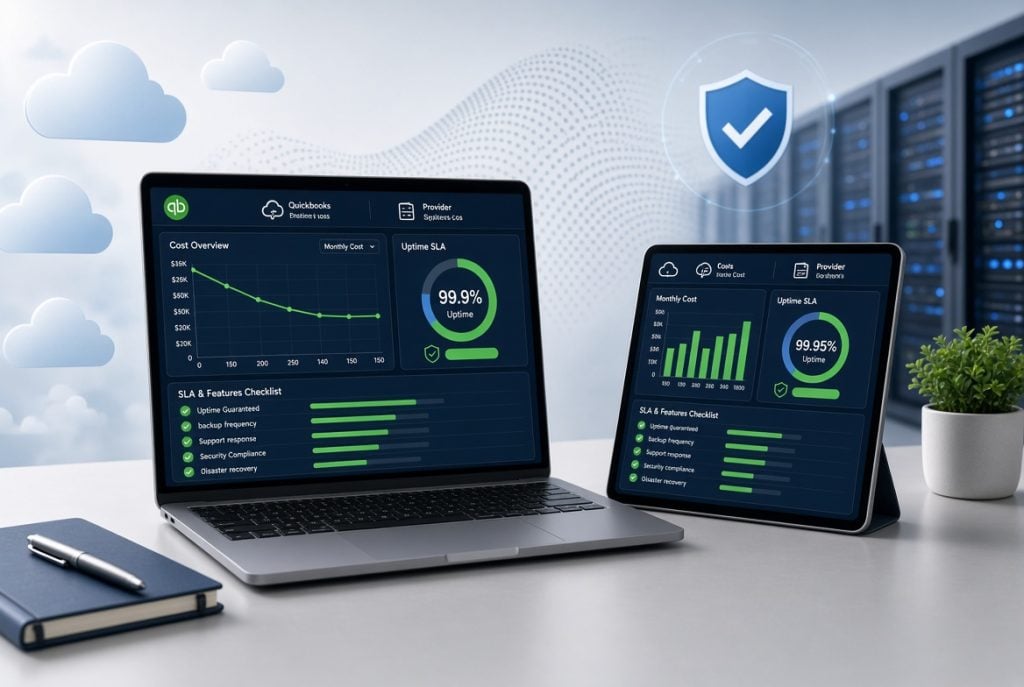
Many businesses move QuickBooks to the cloud to give their teams secure access from any location while reducing the burden of maintaining local servers. That decision sounds simple until it is time to compare hosting providers. Prices vary, service promises differ, and not every company offers the same level of support or security.
A lower monthly price may look attractive at first, but hidden costs, weak service agreements, or slow support can create bigger problems later. A careful comparison helps you choose a provider that fits your budget while keeping your accounting system available when your business needs it most.
This buyer’s checklist covers the areas that deserve close attention before signing a hosting agreement. From pricing and uptime guarantees to security and migration support, these points make it easier to compare providers with confidence.
Why Cost Alone Should Not Drive Your Decision
Many businesses compare providers by looking only at monthly subscription fees. While pricing matters, it should never be the only deciding factor.
A provider that charges slightly more may include better security, managed backups, faster technical support, and application hosting. Another provider may advertise a low monthly rate but charge extra for migration, storage, or additional software.
The real value comes from understanding what you receive for the price you pay. When reviewing QuickBooks cloud hosting services, compare the complete package instead of focusing only on the advertised monthly cost.
Cost Evaluation Checklist
Before choosing a hosting provider, review every cost that may affect your long-term investment.
1. Pricing Model
Ask how billing works. Some providers charge per user, while others charge per company file or server resources. Understanding the pricing structure helps you estimate future costs as your business grows.
2. Storage Limits
Cloud hosting plans often include a storage allowance.
Find out:
- How much storage each user receives
- Whether storage is shared across users
- How additional storage is priced
Accounting files become larger over time, especially when companies store attachments and reports.
3. Overage Fees
Exceeding storage limits can lead to unexpected charges.
Ask providers:
- What happens when storage limits are reached?
- Are overage charges billed monthly?
- Can storage be upgraded easily?
Clear answers prevent surprise invoices later.
4. Application Hosting
Most accounting teams use more than QuickBooks.
You may also need:
- Microsoft Excel
- Microsoft Word
- Outlook
- Adobe Acrobat
- Industry-specific accounting software
Some hosting providers include these applications, while others charge separately.
5. Setup and Migration Fees
Migration costs vary widely.
Ask whether the provider includes:
- Initial server setup
- QuickBooks installation
- Data migration
- User configuration
- Testing before deployment
A managed migration reduces downtime and minimizes technical issues.
6. Contract Terms
Compare monthly subscriptions with annual contracts. Annual plans often reduce monthly costs, but businesses should understand the commitment before signing.
Ask about:
- Contract length
- Renewal terms
- Cancellation policies
7. QuickBooks Licensing
Not every provider includes QuickBooks licensing. Some require customers to purchase licenses separately.
Understanding this difference gives you a more accurate view of QuickBooks hosting pricing before making a decision.
Reviewing the Service Level Agreement (SLA)
A Service Level Agreement explains what the provider promises after your environment goes live. It sets expectations for availability, support, and problem resolution. Do not skip this document.
1. Uptime Guarantee
Reliable access matters because accounting work cannot stop during payroll, tax filing, or month-end reporting.
Look for an uptime commitment of at least 99.9%. Higher uptime means fewer interruptions and better productivity.
2. Financial Penalties for Downtime
An uptime guarantee has more value when providers back it with service credits.
Review the SLA carefully to see:
- When downtime qualifies for compensation
- How credits are calculated
- How customers request those credits
This section shows how confident the provider is in its infrastructure.
3. Maintenance Windows
Every hosting environment requires updates.
Ask providers:
- When scheduled maintenance occurs
- How customers receive notifications
- Whether maintenance happens during evenings or weekends
Maintenance during off-peak hours reduces disruption to business operations.
4. Technical Support
Accounting work does not follow a standard business schedule. Payroll deadlines, audits, and tax preparation often happen outside normal office hours.
Look for:
- 24/7/365 live support
- Multiple contact methods
- Quick escalation procedures
Fast access to knowledgeable technicians saves valuable time.
5. Response and Resolution Times
Support availability alone does not guarantee fast service. Review response targets for different issue levels.
For example:
| Issue Type | Expected Response |
| Critical outage | Within minutes |
| Application error | Within an hour |
| General request | Same business day |
Clearly defined response times help set realistic expectations.
6. Server Locations
Server location affects performance and compliance. Hosting data closer to your business often improves connection speeds. Businesses operating under regional compliance requirements should also verify where customer data is stored.
Security and Backup Requirements
Financial data deserves strong protection. Reliable hosting providers invest heavily in security, backup systems, and disaster recovery planning.
1. Daily Automated Backups
Manual backups leave room for mistakes. Choose providers that perform automated daily backups without requiring customer intervention. Automation protects data consistently.
2. Backup Retention
A backup has limited value if it disappears after a few days. Ask how long backup copies remain available. A retention period of at least 30 days provides greater flexibility when recovering older files.
3. Disaster Recovery Planning
Unexpected outages can happen because of hardware failures, natural disasters, or cyber incidents. Review the provider’s Recovery Time Objective (RTO). This tells you how quickly services can be restored after a major disruption.
4. Security Certifications
Independent certifications show that security practices receive regular review.
Ask whether the provider maintains standards such as:
- SOC 2 Type II
- PCI DSS
These certifications demonstrate structured security controls and ongoing compliance efforts.
5. Data Encryption
Financial records should remain protected while stored and during transmission.
Look for:
- AES 256-bit encryption for stored data
- Secure encrypted connections for remote access
Encryption reduces the risk of unauthorized access.
6. Multi-Factor Authentication
Passwords alone no longer provide enough protection. Multi-Factor Authentication adds another security layer by requiring a second verification step during login. Many providers now include MFA without additional charges.
Don’t Overlook the Migration Process
Moving accounting software requires careful planning. An organized migration reduces business interruptions and prevents data issues.
1. Managed Migration Support
Ask providers whether they handle:
- Data transfer
- QuickBooks configuration
- User setup
- Testing after migration
Professional migration services reduce the workload on your internal team.
2. Exit Strategy
Every business should know how to leave a service before signing the contract.
Ask these questions:
- Can all company data be downloaded?
- Are backups available during cancellation?
- How long will access remain active?
Clear answers help avoid future complications.
3. Termination Fees
Some contracts include early termination penalties. Review cancellation terms carefully before making a long-term commitment. Transparent pricing reflects a provider that values long-term customer relationships rather than restrictive contracts.
Questions Worth Asking Before Signing
A short conversation with a sales representative can reveal details that marketing materials often leave out.
Consider asking:
- What costs are not included in the advertised plan?
- What happens if we add more users later?
- How quickly do you respond to critical support requests?
- How often do you test disaster recovery procedures?
- Is migration handled entirely by your technical team?
- What security certifications do you maintain?
- Can we leave without paying termination fees?
The answers help separate providers that simply sell hosting from those that actively support business operations.
Conclusion
Choosing a QuickBooks hosting provider involves much more than comparing monthly subscription rates. Pricing, uptime guarantees, technical support, security practices, backups, migration assistance, and contract flexibility all contribute to the quality of the service you receive.
A structured checklist makes the evaluation process simpler and helps prevent expensive surprises later. Taking the time to compare providers carefully can lead to better reliability, stronger security, and lower long-term operating costs.
If your business wants dependable QuickBooks cloud hosting backed by responsive support, transparent quickbooks hosting pricing, enterprise-grade security, and managed migration services, Apps4Rent is ready to help. Their team works closely with businesses to simplify QuickBooks hosting while providing the reliability and support needed to keep accounting operations running smoothly.

Caroline is doing her graduation in IT from the University of South California but keens to work as a freelance blogger. She loves to write on the latest information about IoT, technology, and business. She has innovative ideas and shares her experience with her readers.