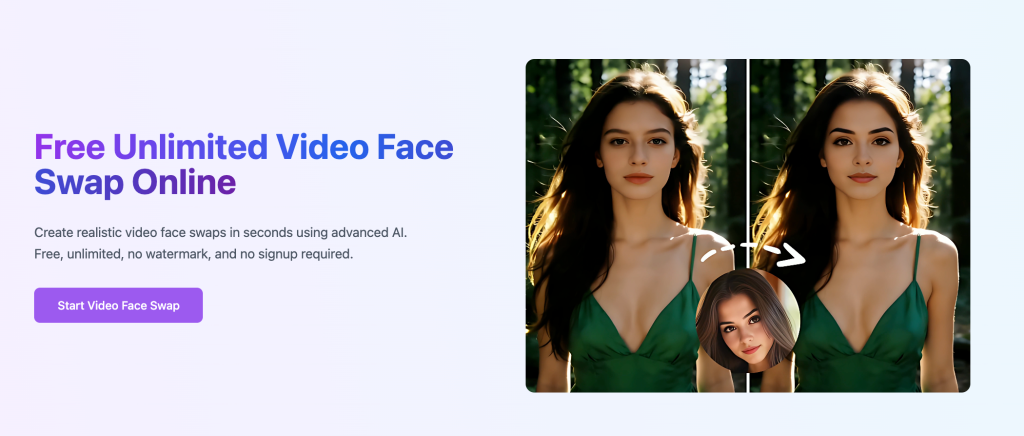
Searching for a free unlimited video face swap tool usually means one thing: you want to swap a face in a video without paying, without a daily cap, and without a blurry, glitchy result. Plenty of tools now claim to offer exactly that. Some genuinely do. Others bury limits behind the word “unlimited” and only reveal them at the download screen. This guide breaks down how these tools actually work, which free options hold up under real testing, what the fine print usually means, and the consent and legal questions that now come with the territory in 2026.
How Free Unlimited Video Face Swap Tools Actually Work
Video face swapping is a harder problem than swapping a face in a single photo. A photo swap only has to match one frame. A video swap has to track a moving head across 30 or 60 frames per second, adjust the blended face as lighting shifts, and keep the result from flickering between frames. The strongest tools run a pipeline of face detection, landmark tracking, encoding, and generation on every single frame, then smooth the output so the transitions don’t jitter.
That processing load is exactly why “free unlimited” claims deserve a second look. Running that pipeline costs real compute, and a platform offering it for free at scale is usually recovering the cost somewhere else — through ads, a paid tier for HD exports, or by capping output length even while marketing itself as unlimited.
Best Free Video Face Swap Options in 2026
Browser-Based Tools
Browser tools like FaceSwapper and VideoFaceSwap process everything on their own servers, so there’s nothing to install. Most support MP4 and MOV uploads and handle both single-face and multi-face videos. The tradeoff is upload size limits (often capped around 20-50MB) and, on some platforms, a queue during peak hours since the free tier shares server capacity with paid users.
Desktop Apps
Tools such as Swapface run the face-swap model locally on your own graphics card instead of uploading footage anywhere. That matters if you’d rather not send a video to a third-party server, and it removes upload-size limits since everything stays on your machine. The catch is hardware: a mid-range GPU is genuinely required, and results on older laptops with integrated graphics tend to lag or fail outright.
Mobile Apps
Reface and FaceMagic remain the most polished mobile options, built around a large library of preset templates rather than open-ended video uploads. They’re fast and reliable for short clips, but the free tier on both typically limits you to a handful of swaps per day before pushing a subscription.
What “Unlimited” and “Free” Actually Mean
Read past the headline claim on any tool and three patterns show up repeatedly:
-
Watermarks on export. Several “no-cost” tools are genuinely unlimited in swap count but stamp a logo across every download unless you upgrade.
-
Resolution ceilings. Free tiers often cap output at 720p, reserving 1080p or higher for paid accounts.
-
Processing time, not swap count, is the real limit. “Unlimited” frequently refers to how many times you can use the tool, not how long each video can be — a 10-second clip and a 10-minute clip are not treated the same way.
None of this makes free tools useless. For a quick social clip or a one-off gag video, a 720p watermark-free result is often all you need. It’s the professional or client-facing use case where the free tier’s limits start to matter.
Is Free Video Face Swap Legal? Consent Rules in 2026
The technology itself isn’t illegal anywhere, and it’s used constantly in legitimate contexts, from film VFX to marketing localization. What matters legally is consent and intent, not the tool. As of 2026, the federal TAKE IT DOWN Act makes it a crime to knowingly publish non-consensual intimate deepfakes of real people, with platforms required to remove flagged content within 48 hours of a valid takedown request. The overwhelming majority of U.S. states now have their own deepfake statutes layered on top, and the EU AI Act, which took effect this August, requires AI-generated content depicting real people to be clearly labeled when shared publicly in the EU.
The practical rule is simple: swapping your own face, a friend’s face with their permission, or a licensed template is fine. Swapping a real person’s face into a video without their knowledge — especially anything intimate, defamatory, or designed to deceive — crosses into territory that’s illegal in most jurisdictions regardless of how the finished clip is labeled.
How to Use One Responsibly
-
Get permission first if you’re using anyone else’s face, even for something you consider harmless.
-
Label the output. A quick “AI-generated” caption takes seconds and keeps you compliant with disclosure rules that are becoming standard on major platforms.
-
Check the platform’s consent policy before uploading — reputable tools now maintain likeness-protection lists that block swaps involving public figures without authorization.
-
Avoid political or commercial use of someone else’s likeness entirely unless you have a signed release; this is the category regulators are watching most closely in 2026.
Conclusion
A genuinely free, genuinely unlimited video face swap tool exists — you just have to read past the marketing to find where the real limit sits, whether that’s a watermark, a resolution cap, or a processing queue. Match the tool to the job: browser tools for quick one-offs, desktop apps if you’d rather keep footage off someone else’s server, mobile apps for template-based fun. Whichever you pick, treat consent as the actual line that matters in 2026, not the technology itself.

Caroline is doing her graduation in IT from the University of South California but keens to work as a freelance blogger. She loves to write on the latest information about IoT, technology, and business. She has innovative ideas and shares her experience with her readers.