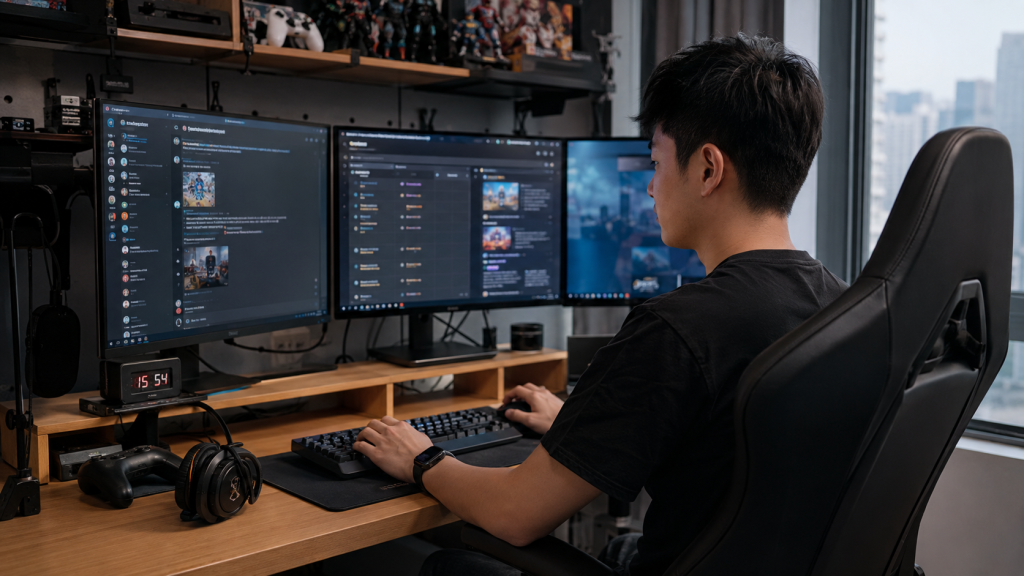
A gaming community can grow from a handful of friends into a network of players, moderators, creators, tournament organizers, and fans. As that happens, the chat stops being a simple side channel. It becomes part announcement board, part file exchange, part support desk, and part social space.
Mobile access remains useful for quick replies and alerts, but larger communities often need a desktop layer for long discussions, moderation, file handling, event planning, and the repetitive work that keeps a busy group organized.
The most reliable setup is not about forcing everyone onto one device. It is about giving Windows, mobile, shared files, and community spaces clear roles so that members can move between them without losing context or creating unnecessary security problems.
Why Gaming Communities Outgrow Mobile-Only Communication
A phone is excellent for checking what is happening. It is less comfortable when a moderator needs to review a long thread, compare screenshots, copy links, edit an announcement, answer several direct messages, and keep an event schedule open at the same time.
Once a community becomes active, moderators may be handling tasks such as:
-
posting patch notes, tournament times, or raid schedules;
-
reviewing member reports and moderation questions;
-
sharing screenshots, clips, PDFs, spreadsheets, and mod documentation;
-
maintaining pinned rules and frequently asked questions;
-
coordinating with other moderators across time zones;
-
answering long strategy or troubleshooting discussions.
Desktop access makes these tasks easier because a messaging client can sit beside a browser, wiki, spreadsheet, game launcher, streaming dashboard, or shared drive. The extra screen space also reduces the pressure to compress every discussion into short mobile replies.
Give Desktop and Mobile Different Jobs
The easiest way to keep cross-device communication manageable is to stop treating every device as a copy of every other device.
Windows is usually better for:
-
moderation and member support;
-
long announcements and strategy discussions;
-
reviewing and organizing shared files;
-
managing links, pinned posts, and event information;
-
working across several conversations at once.
Mobile is usually better for:
-
urgent alerts;
-
quick replies;
-
checking event changes away from the desk;
-
capturing and sharing a screenshot on the move;
-
staying reachable without keeping a PC running.
This division is flexible. The point is to make the community workflow predictable, not to create a rigid rulebook.
Standardize the Moderator Workstation
If several moderators use Windows, a basic shared setup prevents every person from solving the same problems in a different way. The team should document which desktop client is expected, where it should come from, how downloads are handled, and which security or notification settings matter.
For Chinese-speaking moderators who want Windows-specific reference material while building that workstation standard, the 纸飞机 Windows 电脑版指南 can be used as supplementary orientation alongside the community’s own approved-source and security rules.
A useful workstation standard should answer a few practical questions:
-
Which Windows client should moderators use?
-
Which download source is approved by the community or organization?
-
Should the client start automatically with Windows?
-
Which groups are allowed to download media automatically?
-
Where should important community files be stored long term?
-
How often should active sessions and moderator permissions be reviewed?
Install the Client Without Adding Unnecessary Risk
Gaming PCs already contain a mix of launchers, overlays, mods, drivers, capture tools, and utilities. Adding a messaging client should not become another reason to download an unknown executable from a search result or file-sharing mirror.
Before installing, moderators should verify the intended source, check that the installer matches the expected platform, and avoid instructions that require disabling security protections or installing unrelated download managers.
When a Chinese-language installation walkthrough is useful during a new-PC setup, the 纸飞机电脑版安装教程 can provide additional Windows installation context. It should still be treated as supporting documentation rather than a substitute for independently confirming the software source used by the community.
For shared family PCs, gaming cafes, tournament systems, or temporary machines, the safest default is to avoid leaving a permanent session behind after the event is over.
Separate Announcements, Discussion, Events, and Resources
A community becomes noisy when every type of information competes inside one endless conversation. Structure the space around what members need to find quickly.
-
Announcements: rule changes, major updates, patch notes, and information members should not miss.
-
Discussion: everyday conversation, strategy, reactions, fan talk, and social activity.
-
Events: raids, tournaments, watch parties, streams, and scheduled community activities.
-
Resources: FAQs, useful links, templates, guides, spreadsheets, and long-lived reference material.
Pinned posts work best when they function like a lightweight dashboard. A new member should be able to find the current rules, event details, moderator contacts, and key resources without scrolling through weeks of messages.
Treat Shared Files as a Workflow, Not an Archive
Gaming communities create far more files than most people expect. Screenshots, clips, event graphics, PDFs, spreadsheets, mod archives, configuration files, and artwork can accumulate quickly.
Messaging is convenient for temporary transfer, but it is a poor long-term filing system. Important resources should move to a maintained location such as a shared folder, wiki, or cloud drive where moderators can control versions and permissions.
Automatic downloads also deserve attention. In a large group, letting every video, GIF, archive, and document save automatically can fill storage and leave unfamiliar files on a PC without the user deliberately requesting them.
Give Executables and Mod Files Extra Scrutiny
An image is not the same risk as a file that can execute code. Communities that exchange mods, launchers, scripts, or patch tools should have a simple file-safety policy.
-
identify the original source before running a file;
-
confirm that the file is expected and relevant to the game or tool;
-
review available publisher, signature, or reputation information;
-
scan suspicious archives or executables;
-
do not disable security tools just because a post tells you to.
Protect Focus During Matches and Streams
A well-organized community can still become distracting if every group produces a banner, sound, and message preview during gameplay. Notification rules should reflect priority rather than group size.
A practical approach is to keep direct teammate or moderator messages visible, limit routine event-group alerts, and mute high-volume public channels during matches. The goal is not to make the community silent; it is to keep nonessential activity from competing with the game.
Streamers should also test what appears on screen before going live. Message previews can expose private group names, contact details, or authentication codes. A quick test notification is far safer than discovering the problem in front of an audience.
Review Active Sessions on Shared and Temporary PCs
Gaming communities are often accessed from more devices than members remember. A moderator may have a desktop PC, laptop, phone, tablet, browser session, and a temporary tournament or gaming-cafe login.
Review active sessions after replacing hardware, using a shared computer, losing a device, or signing in on someone else’s system. Old sessions should not remain connected simply because they are easy to forget.
Create a Repeatable Moderator Onboarding Checklist
A short onboarding checklist prevents most setup differences before they become support problems. New moderators should be able to answer the following:
-
Which Windows client and source are approved?
-
Which groups are announcements, discussion, events, and resources?
-
Where are long-term community files stored?
-
Which media types may download automatically?
-
How should executable and mod files be verified?
-
Which notifications should stay active during gaming?
-
What should be hidden before streaming or screen sharing?
-
Which devices and sessions are currently authorized?
-
Who owns moderation and access decisions?
-
What should be reviewed when a moderator leaves the team?
Keep the Structure Useful, Not Corporate
Gaming and fandom communities depend on spontaneous conversation, jokes, clips, reactions, and shared excitement. Good organization should protect that energy, not replace it with office-style bureaucracy.
The objective is simple: make important information easy to find, keep risky files from being treated casually, reduce unnecessary interruptions, and give moderators a consistent desktop workflow. When those basics are in place, Windows becomes a useful management layer while mobile remains the fast, convenient access layer.

Caroline is doing her graduation in IT from the University of South California but keens to work as a freelance blogger. She loves to write on the latest information about IoT, technology, and business. She has innovative ideas and shares her experience with her readers.