Social media influencers often have creative ideas. However, traditional filming and editing can be rather time-consuming. If you have ever wondered if you can simply create videos from texts, the answer is a resounding yes.
With the Media.io Text to Video, you can effortlessly turn ideas into reality. This text to video maker uses multiple advanced text to video models to deeply understand your texts and then create videos with precision. In this guide, we will show you how to generate video from text for social media in a simple 3-step process. Let’s dive in!
Why Media.io is the Best Text to Video Maker for Creators
WonderShare Media.io is a feature-rich platform that makes video, audio, and image creation accessible for everyone. It’s impressive Text to Video feature, which lets you instantly convert simple prompts into captivating videos. Powered by advanced AI models, including Runway, the text to video maker deeply understands your text and then creates high-quality and real videos in seconds.
Furthermore, Media.io makes video generation easier than ever before with a large library of over 5,000 popular, ready templates. It allows you to create viral-ready videos in minutes. In this way, you can quickly share videos on TikTok, Facebook, and Instagram.
With Media.io, you can catch a trend in time or share a story. Media.io is a solid text to video maker for creators and influencers who can save time and effort while maximizing engagement and likes on social media.
Create amazing videos from texts with advanced AI models
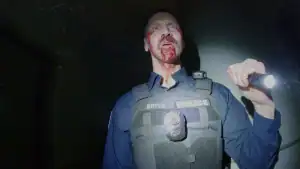
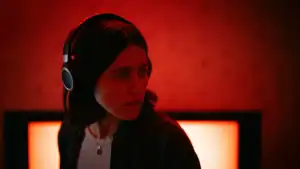
With Media.io, generating professional content is effortless. You just need to input a text description of the video you want. Just describe the scene, character, action, and lighting. For example, “camera zooms in on the man’s face as he sips coffee, with the cityscape blurred in the background“, or “A man with long brown hair and light skin smiles at another man with long blonde hair.“
Since the text to video maker is equipped with advanced text to video models like Sora, Veo, and more, it is able to deeply understand the description. This ensures the AI helps you generate exactly the high-quality video you want, turning your written ideas into visual reality in seconds.
Produce viral short videos for social media instantly
The Text to Video feature gives you complete control over the video details. You can customize the output, select a video duration of either 5s or 8s, and choose the desired resolution and clarity. What’s more, Media.io has 5 different aspect ratios.
If you want to create videos for TikTok or YouTube, you can use 16:9. For feed-based social media like Instagram and Facebook, Media.io specifically offers 1:1 and 4:3 dimensions. This flexibility allows you to choose your desired aspect ratio for different platforms and ensures your videos are perfect for any screen.
5,000+ Stylized Video and Image Templates for Social Video
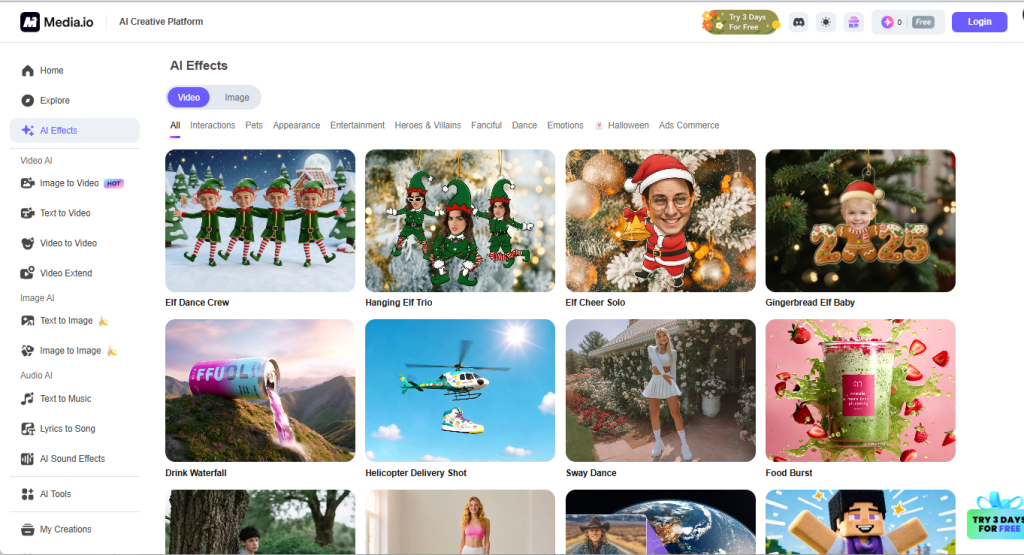
If you are a complete newbie and no multimedia editing background, try Media.io’s over 5,000 latest templates to create videos quickly and easily. Whether you are making fun social videos or emotional storytelling pieces, you can utilize popular styles like Wave Dance and Fashion Stride, or apply expressive effects like Smile, Cry, and Surprised to bring your narratives to life.
For businesses, the text to video maker offers an Ads Commerce section to help marketing. You can use professional templates such as Product Chase, Exciting Unboxing, and Hero Shot Saga. These pre-designed templates are specifically created to make your products stand out, helping you effectively capture attention and gain more users on social media.
Claim free credits daily by simply logging in
Whether you are a new visitor or a regular user, Media.io rewards you just for showing up. You can claim free credits daily by simply logging in. This gives you a risk-free way to try AI tools. You can use these credits every day to create videos and see if the results meet your needs without spending a dime.
For influencers and users who are looking for a professional AI video generator for text to video, Media.io offers an even generous option – a 3-day free trial. You can activate the free trial to access the platform’s advanced features. This allows you to try all the tools and experience the workflow, helping you make sure whether it is worth committing to a subscription.
Refine content with powerful audio and image AI tools
The video created by text often lacks sound, but Media.io solves the problem. Its massive library of AI sound effects instantly provide various background music for your videos, while its Lyrics to Song generates unique audio tracks from the lyrics you provide. For existing files, its sound-editing tools allow you to reduce noise, enhance vocal, and quickly add background music to your silent clips.
Visuals are equally indispensable. Its Text to Image and Image to Image generate visuals, while the AI Image Enhancer boosts image quality with one click. There are also features to remove unwanted objects, batch compress files, which are often needed in video creation. The ai video generator also offers 2,000+ templates with which you can create any images in seconds. These AI tools significantly streamline text to video generation, allowing creators to focus on creativity.

Endless Creative Ideas Powered by the Explore Inspiration Hub
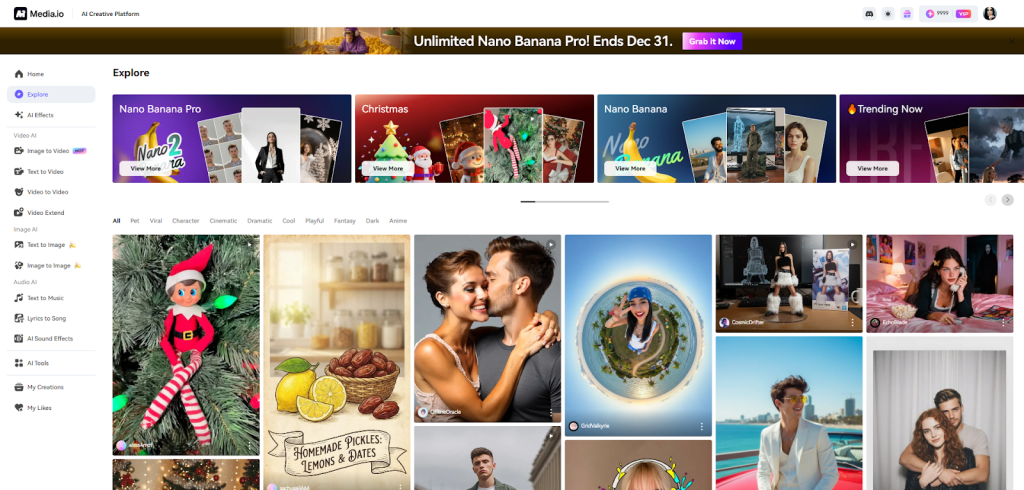
As we talk about Media.io’s benefits, the Explore hub should be a key differentiator. It offers a vast pool of templates, user-posted creations, and categorized inspiration boards that adapt to current trends. With one tap, anyone can replicate a design, refine it, and produce high-quality content in minutes.
How to Convert Text to Video Online with Media.io
Step 1: Accessing Media.io Text to Video Tool
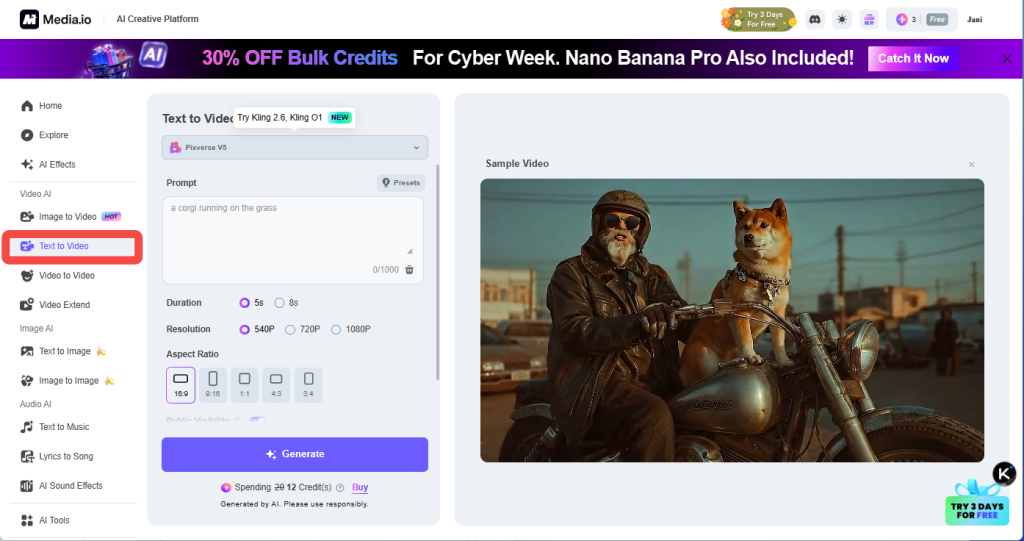
Log in to Media.io. On the main dashboard’s left sidebar, find the Video AI section and simply click on Text to Video. This will instantly open the workspace on the screen, ready for you to start generating amazing clips.
Step 2: Customize Your Video Details
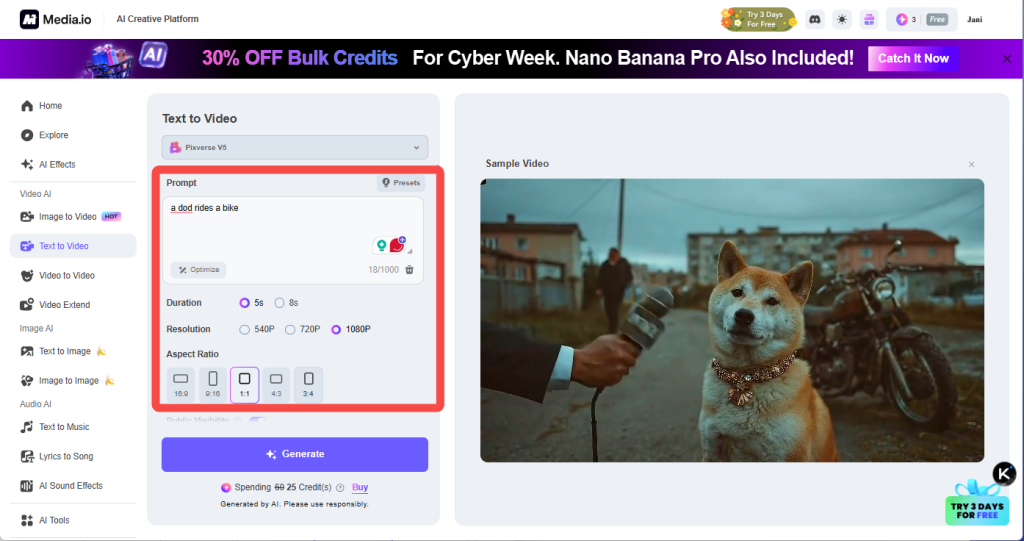
Enter your text prompt to describe the video you want, including scene, characters, action, and motion. Next, select a duration of 5s or 8s and choose 1080P for the best visual quality. Lastly, pick the aspect ratio that fits your platform. 16:9, 9:16, or 3:4 are perfect choices for most social media posts.
Step 3: Convert Text to Video Online
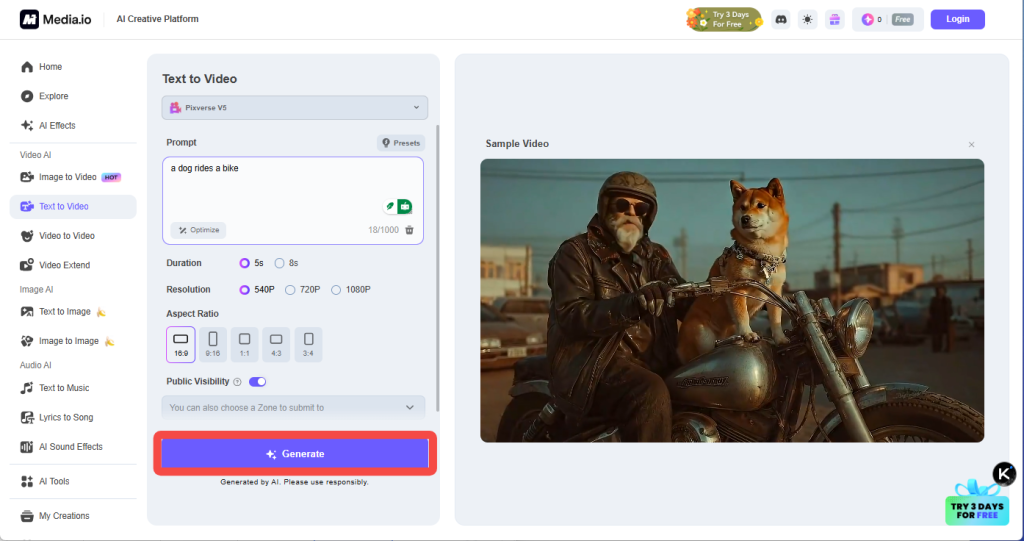
Press Generate. Media.io will now create the video and generate it for you. Then, you can download and share with your audience.
Share Your Video Content on Social Media
Text to video generation is no longer a complex task. As we have explored, Media.io is the ultimate solution to generate video from text for social media effortlessly. With its advanced AI models and a library of over 5,000 trending templates, you can transform simple prompts into high-quality 5-8 second clips tailored for TikTok, Instagram, and YouTube. No filming or professional editing skills are required. Just your imagination.
Ready to revolutionize your content creation workflow? Register and log in to Media.io today to claim your free credits. Don’t let your ideas wait—start turning your creative concepts into viral reality now!