AI video content has become essential for engaging audiences across various platforms, and the AI models used to create these videos can make a significant difference. Two popular AI video models, Grok Imagine and Sora 2, both offer the ability to turn text and images into videos, but each comes with its own set of features and capabilities.
In this comparison, we’ll take a closer look at how Grok Imagine and Sora 2 stack up against each other. From video generation speed to visual effects and customization options, we’ll explore the key differences and help you decide which model might best suit your content creation needs.
Grok Imagine: Key Features and Strengths for AI Video Creation
Stunning Realistic Rendering with Fluid Motion and 3D Animation
One of the standout features of the Grok Imagine generator is its advanced rendering capabilities. The platform delivers hyper-realistic rendering with smooth transitions and fluid motion, making the videos visually captivating. Grok Imagine generator also supports 3D animations and 360° camera angles, allowing for immersive video creation that feels cinematic. Whether you’re working on a game trailer, promotional video, or creative project, Grok Imagine generator ensures that every video has a polished, professional look with stunning visual effects and emotional close-ups.
Seamless Audio Synchronization for Professional Results
With the Grok Imagine generator, the process of syncing audio with video is effortless. Whether you’re adding background music, voiceovers, or sound effects, the platform automatically syncs audio to visuals with precision, ensuring a smooth and seamless experience. This feature eliminates the need for manual syncing, saving you valuable time and effort while ensuring your videos sound as professional as they look. Perfect for social media videos, ads, or tutorials, Grok Imagine generator streamlines the audio-visual integration, making your content stand out.
Multiple Video Modes to Suit Different Creative Needs
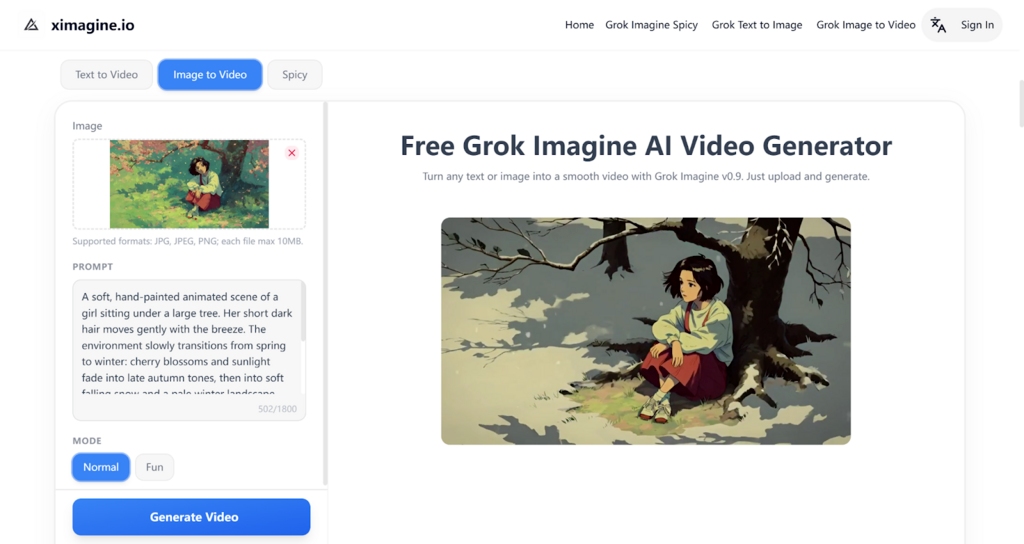
Grok Imagine generator offers multiple video modes that allow creators to adjust the tone and style of their videos. Normal Mode is great for straightforward, balanced videos, perfect for general content creation. Fun Mode adds a lighter, playful touch, ideal for casual or entertainment-based content. For those looking to create high-impact, visually intense content, Spicy Mode offers bold effects, enhanced motion, and vibrant colors, making it perfect for eye-catching social media videos, game trailers, and ads. These modes provide flexibility, ensuring you can tailor your video to fit the specific mood and message you want to convey.
Sora 2: Advanced Capabilities for Realistic AI Video Generation
Seamless Audio-Visual Synchronization for Enhanced Realism
Sora 2 shines when it comes to syncing audio and visuals to create highly realistic video content. The platform excels at incorporating complex background soundscapes, voiceovers, and sound effects that match the visual elements perfectly. Whether you’re producing cinematic videos or promotional content, Sora 2 ensures that the audio-visual experience feels immersive and natural. This seamless audio synchronization feature enhances the overall quality of your videos, making them sound as engaging as they look.
Adherence to Physical Laws for Realistic Visuals
A standout feature of Sora 2 is its ability to adhere to physical laws, ensuring that objects within the generated videos behave realistically. Unlike earlier models that often distorted objects to fit the scene, Sora 2 keeps the world in a more consistent and believable state, ensuring that every action and movement follows the natural laws of physics. This level of realism is crucial for creators aiming to produce videos with highly detailed environments or dynamic action scenes, as it maintains immersion and accuracy throughout the video.
High Control for Complex, Multi-Angle Sequences
Sora 2 offers creators the ability to give precise instructions across multiple scenes, with the ability to maintain a consistent world state. This makes Sora 2 particularly effective for generating complex, multi-angle shots or sequences that require careful planning. Whether you’re working on a commercial, a film scene, or a dynamic marketing campaign, Sora 2 allows for high control over your video production, providing the flexibility needed for detailed and multi-layered creative projects.
Grok Imagine vs Sora 2: Speed, Visual Style, and Creative Flexibility
Video Generation Speed: Grok Imagine vs. Sora 2
Grok Imagine generator: One of the standout features of the Grok Imagine generator is its impressive video generation speed. Whether you’re using text-to-video or image-to-video, the platform can generate professional-quality videos in just a few minutes. This is ideal for creators working under tight deadlines, enabling them to quickly produce high-quality content for marketing campaigns, social media, or other time-sensitive projects.
Sora 2: While Sora 2 also offers solid video generation capabilities, its process tends to take longer compared to the Grok Imagine generator. This can be a limiting factor for creators who need quick turnarounds for their content. Although the results are highly detailed and realistic, the trade-off for this level of detail is often slower rendering times.
Visual Effects: Grok Imagine vs. Sora 2
Grok Imagine: Grok Imagine generator offers powerful visual effects, especially through its Spicy Mode, which adds bold, vibrant colors, strong animations, and intense motion. Whether you’re making marketing videos or social media ads, Spicy Mode elevates the visual impact, making your content more engaging and eye-catching. This mode is perfect for creators who want to create high-energy, visually dynamic videos.
Sora 2: While Sora 2 offers high-quality visual effects, it focuses more on realism and maintaining physical accuracy. The platform excels at creating lifelike environments and movements, especially for realistic and cinematic-style videos. However, it doesn’t offer the same level of stylistic customization found in Spicy Mode, making it less ideal for creators who want to create bold, stylized videos with vibrant, animated effects.
Customization Options: Grok Imagine vs. Sora 2
Grok Imagine: Grok Imagine provides a range of customizable features, particularly with its multiple video modes. You can choose between Normal, Fun, or Spicy modes to fit the tone and style of your video. This flexibility makes it easy for creators to tailor their content, whether they are making a professional marketing video, a fun social media ad, or a high-energy promotional clip.
Sora 2: Sora 2 also offers customization options but is more focused on maintaining a realistic look, especially in cinematic and anime styles. The platform allows for high control over complex, multi-angle shots, but it is less flexible when it comes to highly stylized visual effects or playful, lighthearted content. Its customization is more geared toward creators looking for precision in creating realistic or dramatic scenes rather than playful or vibrant animations.
Which AI Video Model is Right for Your Creative Needs: Grok Imagine or Sora 2?
Both Grok Imagine and Sora 2 provide unique solutions for video creation, each excelling in different areas. Grok Imagine AI model stands out for its fast video generation, impressive Spicy Mode for bold visual effects, making it ideal for quick, high-impact video creation. On the other hand, Sora 2 AI video model offers exceptional realism with its adherence to physical laws and high control over complex, multi-angle shots, making it perfect for detailed, cinematic content.
Choosing between Grok Imagine and Sora 2 ultimately depends on your content creation needs. If speed and flexibility are paramount, the Grok Imagine generator is a great choice. However, if you need realistic visuals and more control over intricate scenes, Sora 2 may be the better fit for your projects.