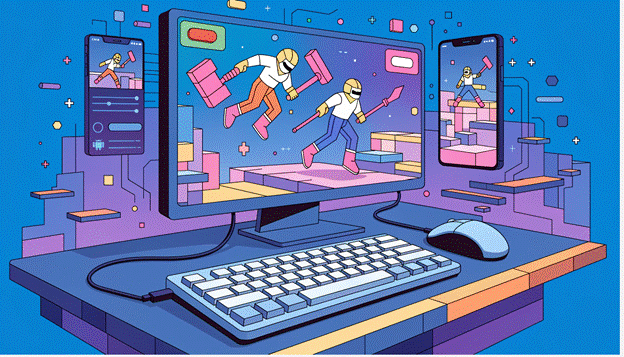
Mobile gaming has become a daily source of entertainment for millions of people. Whether it’s competitive multiplayer games, strategy titles, or relaxing simulation games, smartphones now offer experiences that rival traditional gaming platforms. However, many players eventually run into familiar challenges such as limited battery life, small screens, storage shortages, and touch controls that are not always ideal for fast-paced gameplay.
An Android emulator provides an effective solution by allowing Android games to run on a Windows computer. Instead of being limited by a mobile device, players can enjoy their favorite titles with a larger display, more precise controls, and the performance advantages of modern PC hardware. As a result, an Android emulator for PC has become an increasingly popular choice for gamers who want greater comfort without giving up their favorite mobile games.
Why PC Gaming Appeals to Mobile Players
Although smartphones continue to become more powerful, they are still designed to handle many everyday tasks beyond gaming. Running demanding games for long periods can cause devices to heat up, consume battery quickly, and reduce overall performance. These limitations become more noticeable when playing competitive games or titles with advanced graphics.
Playing Android games on a computer removes many of these concerns. A desktop or laptop offers a larger workspace, more consistent power, and hardware that is often better suited for extended gaming sessions. Instead of worrying about charging a phone or closing background apps to free up memory, players can simply focus on enjoying the game.
For many users, the transition feels natural because they already spend hours working or browsing on a PC. Being able to access Android games from the same device adds convenience without changing the games themselves.
An Android Emulator Creates a Familiar Mobile Experience
An Android emulator recreates the Android operating system inside Windows, allowing users to install apps and games just as they would on a smartphone or tablet. After signing into a Google account, players can often continue their existing progress, making it easy to switch between mobile and PC whenever they want.
This flexibility is particularly useful for gamers who enjoy playing both at home and while traveling. A game started on a phone during the day can often be continued later on a larger monitor, creating a seamless gaming experience across devices.
Better Controls Make Games Easier to Play
Touchscreen controls work well for casual games, but they are not always the best option for titles that require quick reactions or accurate movements. Fast-paced shooters, strategy games, and multiplayer battle games often demand a level of precision that can be difficult to achieve on a touchscreen.
An Android emulator for PC allows players to replace virtual buttons with a keyboard and mouse. Instead of relying on finger movements that cover part of the screen, every action can be assigned to a dedicated key. This creates a more responsive and comfortable experience, especially during long gaming sessions.
Many gamers also appreciate being able to customize their controls according to personal preferences. Different games require different layouts, and adjustable key mapping makes it easier to build a setup that feels natural.
A Larger Display Improves the Overall Experience
One of the biggest advantages of playing Android games on a PC is the larger screen. A desktop monitor provides significantly more viewing space than a smartphone, making game environments easier to explore and important details much more visible.
This improvement is especially valuable in games with detailed interfaces, large maps, or multiple on-screen elements. Players spend less time zooming in or struggling to tap small buttons and more time enjoying smooth gameplay.
A larger display can also reduce eye strain during extended gaming sessions, making it a more comfortable option for players who spend several hours gaming each week.
Longer Gaming Sessions Without Battery Concerns
One of the most common frustrations for mobile gamers is battery life. Even modern smartphones can lose power quickly when running graphically intensive games. Long gaming sessions often require carrying charging cables or portable power banks.
Using an emulator on a computer eliminates this issue entirely. Since the game runs on the PC, players no longer need to monitor battery percentage or interrupt gameplay to recharge their device. This makes extended gaming sessions much more enjoyable, particularly during weekends, tournaments, or cooperative multiplayer events.
Improved Performance on Compatible Systems
Performance plays an important role in every gaming experience. Lag, slow loading times, and inconsistent frame rates can affect both casual and competitive gameplay.
A well-optimized Android emulator can take advantage of desktop hardware to deliver smoother performance when paired with a capable computer. Modern processors, dedicated graphics cards, and larger amounts of memory allow many games to run more efficiently than they would on lower-end mobile devices. With LDPlayer 14, players can also benefit from ongoing performance optimizations, better compatibility with newer Android games, and support for higher frame rates where available, helping create a smoother and more responsive gaming experience.
Multitasking Becomes Much Easier
Unlike smartphones, computers are built for multitasking. Players can easily keep multiple applications open while gaming without constantly switching between screens.
For example, many users enjoy:
- Watching gameplay guides while playing.
- Chatting with teammates through voice applications.
- Recording or streaming gameplay.
- Browsing game communities and strategy websites.
These activities are much easier to manage on a PC, creating a more complete gaming environment without disrupting gameplay.
How the LDPlayer Android Emulator Enhances the Experience
The LDPlayer Android emulator is designed specifically for Android gaming on Windows. Rather than serving as a general-purpose emulator, it focuses on providing stable gameplay, flexible controls, and consistent compatibility with a wide variety of Android games.
With the release of LDPlayer 14, the emulator takes another step forward in improving the PC gaming experience. The latest version is designed to deliver smoother gameplay, higher frame rates in supported games, and better compatibility with newer Android titles. These improvements help players enjoy a more responsive experience while reducing common issues such as lag, stuttering, or compatibility problems.
Another key improvement in LDPlayer 14 is its optimization for modern PC hardware. By making better use of system resources, it can provide more stable performance during long gaming sessions. Whether players are exploring open-world adventures, competing in multiplayer battles, or managing strategy games, the updated version aims to maintain a consistent and enjoyable experience.
Choosing the Right Android Emulator for PC
Not every emulator offers the same experience. While most provide basic Android functionality, gaming-focused users should consider several important factors before making a decision.
Look for software that offers reliable compatibility with popular games, frequent updates, customizable controls, and stable performance. It is also worth checking whether the emulator allows users to adjust CPU allocation, memory usage, and graphics settings, as these options can help maximize performance on different hardware configurations.
Selecting an emulator that balances performance, ease of use, and long-term support will generally provide the best overall experience.
Why LDPlayer 14 Is a Step Forward for Mobile Gaming on PC
LDPlayer 14 is the latest version of the emulator, built to deliver a smoother and more enjoyable gaming experience. It introduces performance optimizations, improved compatibility with newer Android games, and support for higher FPS in compatible titles.
The updated version also makes better use of PC hardware, helping reduce lag and improve overall responsiveness. For gamers looking for a reliable Android emulator for PC, LDPlayer 14 offers a more refined and stable way to enjoy mobile games on a larger screen.
Conclusion
An Android emulator has become an excellent way to make mobile gaming more comfortable, flexible, and accessible. By allowing Android games to run on a computer, players gain access to larger displays, customizable controls, improved multitasking, and longer gaming sessions without worrying about battery limitations.
For gamers searching for a dependable Android emulator for PC, choosing software that prioritizes performance, compatibility, and regular updates can make a significant difference. The LDPlayer Android emulator, especially the latest LDPlayer 14, continues to improve the PC gaming experience with smoother gameplay, better compatibility, ongoing optimizations, and support for higher frame rates on compatible hardware. As Android games continue to evolve, using an emulator like LDPlayer 14 makes it easier than ever to enjoy mobile gaming on a PC with greater comfort and performance.

Sandra Larson is a writer with the personal blog at ElizabethanAuthor and an academic coach for students. Her main sphere of professional interest is the connection between AI and modern study techniques. Sandra believes that digital tools are a way to a better future in the education system.