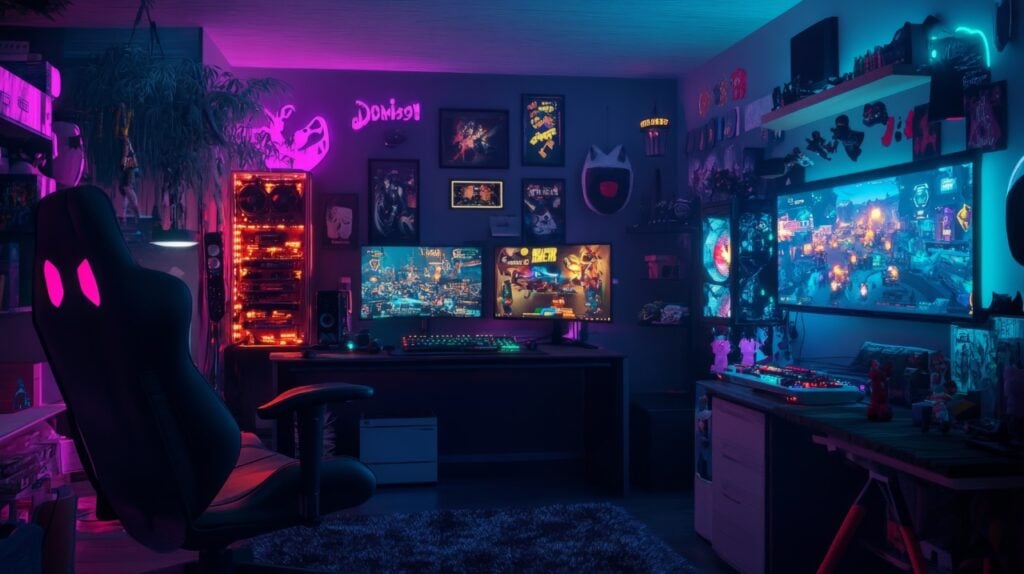
Gaming is now a mix of entertainment, remote work, and content creation for many people. A well-designed home setup can improve comfort, reduce strain, and support productive sessions, whether you are grinding levels, editing clips, or streaming live. With a few strategic adjustments, you can transform your space into an environment that boosts performance and keeps you comfortable for long hours.
Choose the Right Space
The location of your gaming area influences your focus and comfort more than many realize. A quiet, isolated space reduces distractions and makes it easier to stay immersed. In one article that discusses preparing your home for the perfect gaming experience, it is recommended to choose a spot that allows full control of lighting and noise to enhance both comfort and productivity.
If you have limited space, even a small dedicated corner can work well. Separate your gaming and work zones when possible. Using an L-shaped desk is a popular approach because it lets you divide your gaming setup from your work equipment while keeping everything close and organized.
Invest in Ergonomic Furniture
Comfort begins with proper ergonomics. A good gaming chair supports your posture, reduces fatigue, and allows you to sit comfortably for extended periods. Look for features like adjustable armrests, lumbar support, and breathable material.
Your desk should also sit at a proper height so your arms are at a natural angle and your monitor meets your eye line. If you use multiple monitors, position them to reduce neck strain. Cable management tools, from under-desk trays to Velcro ties, help you avoid clutter and give your setup a clean, professional look that promotes mental clarity.
Improve Your Lighting
Lighting affects your eyes, mood, and overall experience. Bias lighting behind your monitor reduces eye strain by balancing screen brightness with room lighting. LED light strips or soft lamps improve ambience without stunning brightness.
Setting up multiple lighting modes can be useful. Warm lighting works well during focused work, while colorful RGB lighting can elevate your gaming sessions. Avoid harsh overhead lighting since it creates glare on your screen.
Balance Temperature and Airflow
Gaming equipment generates heat, and your comfort depends on managing temperature well. Use a fan or air conditioning to keep the room cool and prevent your PC or console from overheating. Proper airflow also protects your hardware from dust buildup.
If noise is an issue, consider adding soft materials such as rugs or curtains to absorb sound. Acoustic foam panels can also reduce echo and make your audio experience more immersive.
Add Accessories That Boost Comfort
Small accessories can significantly improve the overall feel of your setup.
- A footrest improves circulation and posture.
- Wrist rests reduce strain while typing or gaming.
- A headset stand, USB hub, or desk organizer keeps accessories tidy, reducing visual clutter.
- Quality peripherals, such as an ergonomic mouse or mechanical keyboard, provide comfort and responsiveness.
Keeping everything within reach prevents interruptions and makes your sessions smoother and more enjoyable.
Reduce Distractions
For gamers who also work or stream, managing distractions is essential. Set clear boundaries with anyone you live with so they know when you need uninterrupted time. A simple sign or specific schedule can help prevent random interruptions during intense matches or focused work.
A clean and organized gaming area also improves concentration. Store controllers, chargers, and cables neatly when not in use. The cleaner the space, the easier it is to stay focused.
Personalize for Comfort and Productivity
A setup that reflects your personality makes the space more enjoyable. Decor such as LED accents, artwork, themed shelves, or collectibles adds flair without affecting functionality.
If you stream or record content, consider how your background appears on camera. Lighting, decor, and layout all contribute to a professional and visually appealing look. For productivity, a secondary monitor can help you multitask more efficiently, whether you are editing videos, reading chats, or managing recording software.
Consider Shared Space Agreements
If you rent your place or share space with roommates, it helps to set expectations in writing. A simple lease agreement that outlines room usage, equipment responsibilities, or noise guidelines can prevent misunderstandings and help keep your gaming time uninterrupted.
Keep Improving Your Setup
Gaming setups evolve as your needs and available technology change. Review your setup regularly. Make small improvements such as recalibrating your monitor, upgrading peripherals, adjusting lighting, or adding better airflow solutions. Continuous refinement helps maintain comfort and ensures your space stays functional and inspiring.
Conclusion
Optimizing your home gaming setup requires attention to comfort, organization, and personalization. By choosing the right space, investing in ergonomic furniture, controlling lighting and temperature, and reducing distractions, you can create an environment that supports both long gaming sessions and productive work. With thoughtful planning and regular updates, your setup can become a place where comfort and performance work together seamlessly.

Heather Neves is working as a freelance content writer. She likes blogging on topics related to parenting, golf, and fitness, gaming . She graduated with honors from Columbia University with a dual degree in Accountancy and Creative Writing.