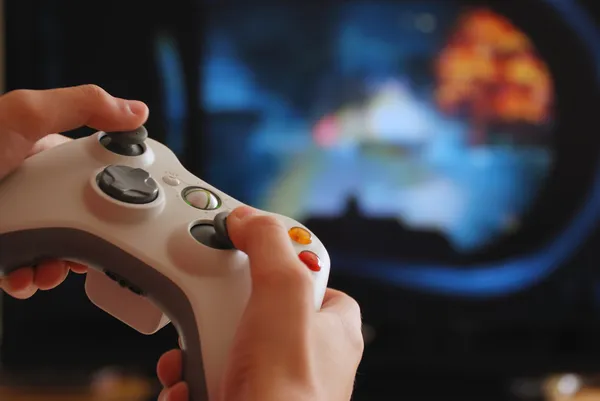
Have you ever played a video game and thought, “How does everything look so smooth and fast?” Have you noticed how characters move, lights shine, and scenes change without delay? All this magic happens because of two main heroes inside your system: the graphics card and the processor. Let us talk about them in a simple and friendly way, just like everyday tech talk.
The Two Main Brains Behind Gaming
Modern video games depend mainly on two parts of a computer or console. One is the processor, also called the CPU. The other is the graphics card, also called the GPU. Both work together to make games look good and run smoothly.
What a Processor Does in Games
The processor is like the main thinker of the system. It handles instructions and decisions. In games, the processor manages things like character movement, enemy behavior, game rules, and overall logic.
How the Processor Handles Game Actions
Every time you press a button, the processor decides what should happen next. If you move forward, jump, or interact with objects, the processor processes these actions. It also controls how many characters appear, how they react, and how the slot game world behaves.
Speed Matters for Smooth Gameplay
A faster processor can handle more tasks at the same time. This helps games run smoothly, especially in scenes with many characters or actions happening together. A good processor speed keeps gameplay responsive and clean.
What a Graphics Card Does in Games
The graphics card focuses on visuals. It handles everything you see on the screen. This includes characters, environments, lighting, shadows, and effects.
Turning Game Data Into Visuals
The graphics card takes instructions from the game and turns them into images. It draws every frame you see, sometimes many times each second. This process makes games look smooth and lively.
Why Graphics Quality Depends on the GPU
High-quality textures, detailed characters, and realistic lighting all depend on the graphics card. A stronger graphics card can handle higher resolution and better visual detail without slowing down.
How CPU and GPU Work Together
The processor and graphics card work as a team. The processor tells the graphics card what needs to be shown. The graphics card then creates the visuals. If both work well together, the game feels smooth and enjoyable.
Game Physics and Processor Power
Game physics, like how objects fall, collide, or move, are handled mostly by the processor. Realistic movement and interactions depend on how well the processor can calculate these actions quickly.
Graphics Card and Frame Rate
Frame rate means how many images are shown per second. A higher frame rate moves look smooth. The graphics card plays a big role here. A strong GPU can keep frame rates steady, which feels good during fast gameplay.
Modern Games Use Multiple Cores
Modern processors have multiple cores. Games use these cores to split tasks. One core may handle sound, another handles background tasks, and another manages gameplay logic. This sharing makes games run better.
Advanced Visual Effects
Modern graphics cards support advanced effects like realistic shadows, reflections, and lighting. These effects make game environments feel alive and immersive.
Real-Time Lighting and Shadows
Lighting changes based on movement and time. Shadows react when characters move. The graphics card handles these changes smoothly, making scenes feel natural.
Resolution and Display Quality
Resolution means how sharp the image looks. Higher resolution needs more power from the graphics card. Modern GPUs are built to support high-resolution displays without lag.
Cooling and Performance Balance
Both processors and graphics cards produce heat while working. Good cooling systems help them maintain performance. When temperatures stay balanced, games run smoothly for longer sessions.
Game Optimization Helps Hardware
Game developers design games to work well with modern processors and graphics cards. Good optimization means games use hardware efficiently, giving smooth performance even on mid-range systems.
Consoles Use Similar Technology
Gaming consoles also use processors and graphics chips. They are specially designed to work closely together. This tight integration helps consoles deliver stable performance.
Online Games and Processing Power
Online games need extra processing for network data. The processor handles communication with servers, while the graphics card focuses on visuals. This balance keeps online play smooth.
Upgrading Hardware Improves Experience
Upgrading a processor or graphics card can improve game performance. Better visuals, smoother movement, and faster loading times often come with stronger hardware.
Everyday Example to Understand Better
Think of the processor as the brain making decisions and the graphics card as the artist drawing pictures. When both are good, the result looks and feels amazing.
Why Balance Is Important
Having a strong graphics card with a weak processor, or the opposite, can limit performance. Balanced hardware gives the best gaming experience.
Future of Gaming Hardware
Modern games continue to grow in detail and size. Processors and graphics cards are also improving to support these games. This growth keeps gaming exciting and smooth.
Final Thoughts
Graphics cards and processors are the heart of modern video games. The processor handles thinking and control, while the graphics card brings the game to life visually. Together, they create smooth gameplay, beautiful visuals, and responsive action. When both work in harmony, gaming feels natural, exciting, and enjoyable, making every session a pleasure to experience.