Most people do not struggle because they lack ideas. They struggle because turning one visual idea into many usable versions usually takes too much time, too many tools, or too much manual editing. That is why Image to Image feels worth paying attention to. Instead of treating an image as a fixed result, it treats it as a starting point that can be restyled, refined, or reimagined through a prompt and a model choice. What makes that interesting is not just speed. It is the shift in mindset. A reference image stops being the end of a design process and becomes a flexible creative input.
In practice, that changes how people think about visual production. A rough product shot can become a cleaner campaign visual. A simple portrait can be translated into a different aesthetic direction. A static image can even become the basis for motion-oriented output. In my observation, the appeal is less about replacing design judgment and more about reducing the friction between concept and iteration. That is often where creative momentum gets lost.
Why Image Transformation Matters Beyond Style
When people first hear about image transformation tools, they often assume the value is mostly decorative. They imagine filters, style swaps, or novelty effects. That is part of the story, but it is not the full story. A stronger use case is that image transformation gives creators a faster way to test visual decisions before committing more time or budget.
A Reference Image Becomes A Working Asset
A source image can now function as a draft rather than a finished artifact. That matters because many creative projects begin with incomplete material. You may have a phone photo, a rough product image, or a composition that feels almost right but not usable yet. A system that can analyze that source and generate a new version based on instructions changes the role of that original file. It becomes a creative anchor.
Iteration Speed Changes Decision Quality
The faster a creator can compare alternatives, the better the decision process often becomes. Instead of debating abstractly whether a concept should feel cinematic, minimal, painterly, or hyperreal, users can actually generate several directions and judge them visually. In my testing of platforms in this category, this tends to improve not only speed but clarity. It becomes easier to see what a project wants to be.
Visual Consistency Becomes More Reachable
Another practical advantage is consistency. If a tool supports reference images, it becomes more useful for recurring characters, repeated objects, or brand aesthetics that need continuity. That does not guarantee perfect consistency every time, but it makes the idea of maintaining a coherent visual language more realistic for smaller teams and solo creators.

How The Platform Actually Works In Practice
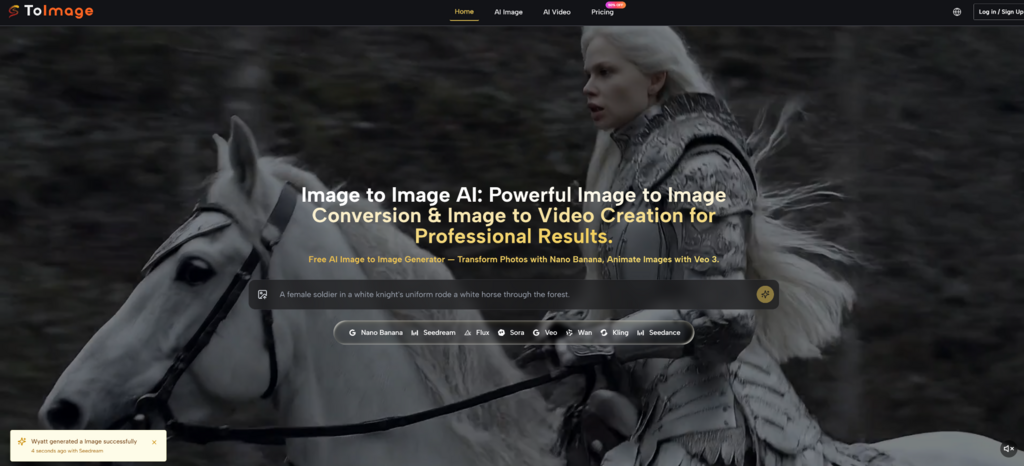
Image to Image AI presents a straightforward workflow built around uploading a source image, describing the intended transformation, and choosing a model. That simplicity is important because many people want creative control without having to learn a full design pipeline.
Step 1. Upload A Source Image First
The first step is to provide the original image. This is the visual base the system will analyze. That source can function as a composition guide, a subject reference, a style anchor, or simply a starting point for reinterpretation. The important idea is that the process begins with an existing image rather than text alone.
Step 2. Describe The Transformation Clearly
After uploading, the next step is writing what you want changed. This description can guide style, mood, detail level, background treatment, or broader visual direction. In my experience, the clearer the prompt is about what should stay and what should change, the more useful the result tends to be. The system is not reading creative intention magically. It is responding to the quality of instruction.
Step 3. Choose A Model For The Task
The platform does not frame every generation path as identical. Different models appear to be positioned for different strengths, such as realism, speed, experimentation, or more flexible editing behavior. That matters because image transformation is not one single problem. Some users need fast exploration. Others need higher fidelity or closer control.
Step 4. Generate And Compare The Output
Once the source image, prompt, and model are in place, the system generates a transformed result. The practical value comes from comparison. A creator can evaluate whether the output improved the original, changed it too aggressively, or revealed a better direction than expected. This comparison mindset is one of the more mature ways to use AI visuals.

What Different Model Paths Seem To Emphasize
One useful part of the platform is that it does not reduce everything to a single model identity. Instead, it presents several model options that appear to serve different creative priorities. That makes the experience less about blind automation and more about choosing the right tool behavior for a specific task.
Nano Banana For Reference Driven Realism
Nano Banana appears positioned toward high-quality image transformation with support for reference-guided control. The ability to work with reference images is important because it suggests a stronger emphasis on preserving direction rather than generating loosely inspired variations. For users trying to keep style or character cues aligned, that is meaningful.
Why Reference Support Changes The Result
When reference handling is available, the user has more leverage over continuity. That does not mean full precision in every output, but it improves the odds that a transformed image still belongs to the same creative family as the source material. For branding, storytelling, and repeated content formats, that is a practical advantage.
Seedream For Faster Creative Iteration
Seedream seems to be presented as a faster option for image generation or transformation. Speed is sometimes underestimated, but it matters a great deal in exploratory workflows. When users are still discovering the direction of a piece, faster turnaround often beats absolute perfection.
Why Speed Can Be A Creative Strength
A slower tool may produce beautiful outputs, but if it reduces experimentation, it may also narrow the decision process. Fast generation supports broader exploration. In many real workflows, the first job is not polishing. It is discovering which idea deserves polishing.
Flexible Editing For Broader Use Cases
The platform also presents models aimed at more versatile editing behavior. That is useful because not every task is a dramatic style transfer. Sometimes a user wants to improve details, adjust part of a scene, or reinterpret an image without abandoning its basic identity. In practice, this middle ground is often where professional use becomes more believable.
Where This Kind Of Tool Feels Most Useful
The strongest applications are usually not the most theatrical ones. They are the everyday cases where visual work needs to move faster without becoming careless.
| Use Case | What Changes | Why It Matters |
| Product visuals | Reframes or reimagines simple source photos | Helps teams test campaign directions quickly |
| Portrait styling | Shifts mood, aesthetic, or rendering style | Useful for creative exploration without a reshoot |
| Social content | Creates multiple visual variations from one image | Supports more frequent publishing |
| Brand consistency | Uses references to align repeated outputs | Makes cohesive visuals easier to maintain |
| Early concept testing | Compares several directions from one source | Improves decision quality before final production |
Why It Feels Different From Traditional Editing
Traditional editing usually assumes the structure of the image is mostly fixed and that the editor will adjust it with precision tools. AI transformation changes that assumption. It allows the user to direct outcomes with language and examples instead of only manual manipulation. That does not make old workflows obsolete, but it does create a different layer of creative work.
The User Shifts From Operator To Director
In older software, the user often acts like a technician, moving sliders and masks step by step. In this newer workflow, the user behaves more like a director, defining intent and evaluating interpretation. That is not necessarily easier in every case, but it is a different kind of creative labor.
Prompting Becomes Part Of Visual Literacy
As these tools improve, the skill is not only visual taste but also descriptive accuracy. Users who can clearly articulate mood, texture, camera feeling, composition priorities, or background behavior usually get better results. In that sense, prompting is becoming a practical extension of design communication.
What The Platform Suggests About Creative Trends
The platform also includes image-to-video pathways, which points to a broader shift. Visual generation is no longer staying inside static images. The boundary between still image, transformed image, and animated output is becoming thinner. That matters because creative teams increasingly need all three forms.
Still Images Are Becoming Starting Points
A still image can now seed multiple assets instead of representing a single final deliverable. One image may lead to alternate styles, product scenes, campaign variations, or short motion clips. That creates a more flexible content pipeline, especially for teams that need volume.
Multi Format Creation Is Becoming Normal
In my observation, the most interesting part of these platforms is not any one effect. It is the idea that a creator can move from source image to variant generation to motion experiments without changing environments constantly. That reduces tool friction, which is often a bigger bottleneck than pure creativity.
What Users Should Keep In Mind Before Relying On It
Tools like this are useful, but they are not effortless truth machines. Good outputs still depend on the relationship between source material, prompt clarity, and model choice.
Results Still Depend On Prompt Quality
A vague request often produces a vague transformation. Users sometimes expect the model to infer all aesthetic priorities automatically, but the better approach is to be explicit. Say what should remain stable. Say what should change. Say what emotional or visual direction matters most.
Not Every Generation Will Be Final
It is also realistic to expect multiple attempts. In my experience, image transformation tools are strongest when treated as iterative collaborators rather than one-click finishers. The first generation may reveal the direction, while the second or third gets closer to the usable version.
Control And Surprise Need Balance
One of the pleasures of AI visuals is that they can produce unexpected results. But the more serious the use case becomes, the more users usually care about control. The best outcomes often come from balancing those two forces rather than chasing either one alone.
Why This Workflow Deserves Attention Now
The bigger significance of image transformation is not that it creates prettier pictures. It is that it changes how visual ideas move from rough material to usable outputs. A source image, a prompt, and a model choice can now act as the beginning of a serious creative workflow rather than a novelty experiment.
Creative Work Becomes More Iterative
That matters for designers, marketers, creators, and small teams because iteration is often where projects either improve or stall. When experimentation becomes cheaper and faster, people can test more, compare more, and refine more without committing too early.
Access Expands Without Removing Judgment
The platform makes visual experimentation more accessible, but it does not eliminate the need for judgment. Taste, clarity, and context still decide whether an output is useful. That is actually why tools like this are interesting. They lower production friction without removing the human role in direction.
The Real Value Is Better Decision Space
What stands out most is not automation by itself. It is the expansion of decision space. More directions can be tested from the same source image, and that changes how creative choices are made. For anyone trying to move faster without becoming visually careless, that may be the most important shift of all