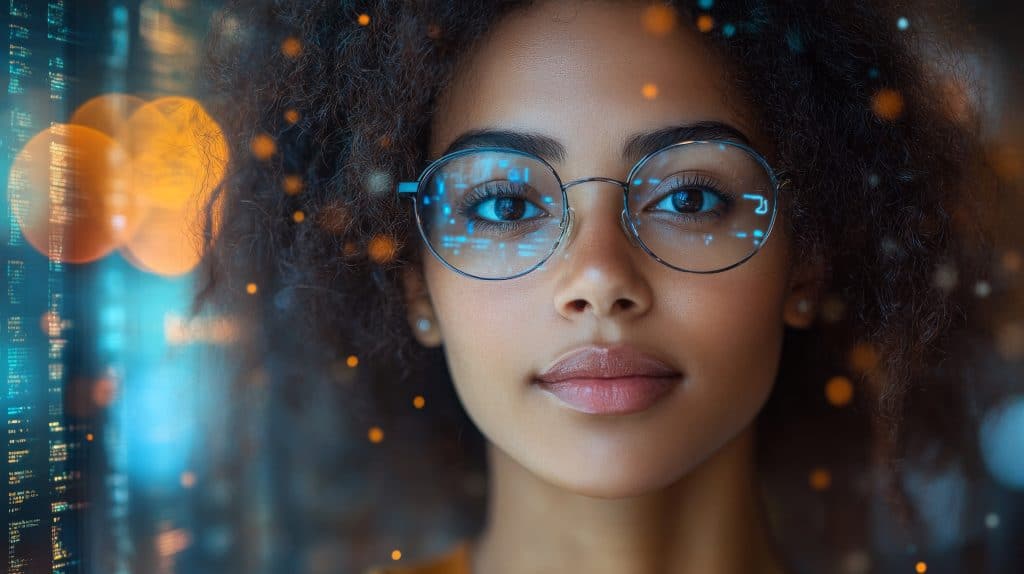
The way we present ourselves online is changing fast. A few years ago, building a digital presence meant carefully curated photos and polished bios. Today, a new kind of identity is emerging — the personal AI avatar. These hyper-realistic digital versions of real people are reshaping how creators, professionals, and brands communicate across the internet.
A personal AI avatar is more than a cartoon or a stylized profile picture. It is a lifelike digital human that can speak, move, and deliver your message with the same energy and personality you bring in person. Whether you want to scale your content output, maintain a consistent presence across platforms, or simply explore what AI-powered self-representation looks like, understanding how to create and use a personal AI avatar is quickly becoming an essential skill.
This guide walks you through everything you need to know — from what makes a great AI avatar to the step-by-step process of building one, along with practical use cases and tips to get the best results from your digital counterpart.
What Is a Personal AI Avatar and Why It Matters
A personal AI avatar is a digitally generated representation of a real person, built using artificial intelligence to replicate their appearance, voice, and mannerisms. Unlike traditional avatars that are purely illustrative, AI-generated avatars are designed to look and behave like the actual individual — capable of delivering spoken content, reacting naturally, and maintaining visual consistency across different contexts.
The technology behind these avatars combines deep learning, computer vision, and voice synthesis to produce results that were once only possible in high-budget film productions. Today, the same capabilities are accessible to individual creators and small businesses through dedicated AI platforms.
Why does this matter? Because attention is finite and content demand is not. A personal AI avatar allows you to produce video content at scale without being physically present for every recording session. It removes the friction of lighting setups, camera angles, and retakes. More importantly, it gives you a consistent, professional digital identity that can operate across time zones and platforms simultaneously.
For professionals who speak at events, educators who run online courses, or marketers who need localized video content in multiple languages, a personal AI avatar is not a novelty — it is a practical tool that solves real production challenges.
Key Features to Look for in an AI Avatar Creator
Not all AI avatar tools are built the same. Before committing to a platform, it helps to understand what separates a capable tool from one that produces results that feel flat or unconvincing. The quality of your personal AI avatar depends heavily on the platform you choose and how well it handles the following core capabilities.
Realism and Visual Fidelity
The most important factor in any AI avatar is how convincingly it replicates a real person’s appearance. Look for platforms that support high-resolution output, natural facial expressions, and smooth lip synchronization. Avatars that look stiff or robotic undermine trust and reduce viewer engagement. The best tools use advanced neural rendering to capture subtle details like skin texture, eye movement, and natural head motion — elements that make the difference between a digital human and a digital mannequin.
Voice Cloning and Audio Sync
Visual realism means little if the voice does not match. High-quality AI avatar platforms offer voice cloning features that replicate your tone, cadence, and speech patterns from a short audio sample. The resulting voice should sync naturally with the avatar’s lip movements, producing a seamless viewing experience. Some platforms also support multilingual output, allowing your avatar to speak in languages you may not personally know — a significant advantage for global content strategies.
How to Create Your Personal AI Avatar Step by Step
Creating a personal AI avatar is more straightforward than most people expect. The process typically takes less than an hour from start to finish, and the results can be used immediately across a wide range of content formats. Here is a practical breakdown of how the process works on most modern AI avatar platforms.
Step One: Prepare Your Source Material
The quality of your avatar depends on the quality of the input you provide. For visual training, you will need a short video clip of yourself — ideally recorded in good lighting, with a neutral background, and minimal movement. Most platforms require between thirty seconds and a few minutes of footage. For voice cloning, record a clear audio sample in a quiet environment, speaking naturally at your normal pace. Avoid background noise, music, or heavy reverb, as these can degrade the quality of the cloned voice.
Step Two: Upload and Train Your Avatar
Once your source material is ready, upload it to your chosen platform and initiate the avatar training process. The AI analyzes your facial geometry, skin tone, hair, and movement patterns to build a digital model. Simultaneously, the voice engine processes your audio to extract the acoustic characteristics that define how you sound. Depending on the platform, this training phase can take anywhere from a few minutes to a couple of hours. Kling AI streamlines this process with an intuitive interface that guides you through each stage without requiring any technical background, making it accessible even if you have never worked with AI tools before.
Step Three: Generate and Customize Your Content
With your avatar trained, you can begin generating video content by simply providing a script. Type or paste the text you want your avatar to deliver, select the language and tone settings, and let the platform render the output. Most tools allow you to adjust speaking speed, emotional tone, and background settings. Review the output carefully — check for any unnatural pauses, misaligned lip movements, or audio artifacts — and make adjustments before finalizing your content.
Best Use Cases for Personal AI Avatars
Understanding where a personal AI avatar adds the most value helps you prioritize how to use it. The technology is versatile, but some applications deliver a stronger return on the time and effort invested in creating your digital counterpart.
Content Creation and Social Media
For creators who publish video content regularly, an AI avatar dramatically reduces production time. Instead of setting up a camera, adjusting lighting, and recording multiple takes, you write a script and let your avatar handle the delivery. This is particularly useful for educational content, product explainers, and news-style updates where the visual format matters but the production environment does not need to be elaborate. Your avatar maintains a consistent appearance across every video, which strengthens brand recognition over time.
Business Communication and Training
Companies are increasingly using personal AI avatars to deliver internal training materials, onboarding videos, and executive communications. A CEO’s avatar can deliver a company-wide message without requiring the executive to be available for a recording session. HR teams can create onboarding modules that feel personal and engaging without the cost of repeated video production. Customer-facing businesses use avatars to power interactive FAQ videos and product walkthroughs that scale without additional staffing.
Multilingual and Global Reach
One of the most compelling use cases for AI avatars is language localization. If your audience spans multiple countries, producing separate video content in each language is expensive and time-consuming. With a personal AI avatar, you can generate the same video in multiple languages while maintaining your visual identity. The avatar speaks each language with natural fluency, and the lip movements adjust to match the phonetics of each language — a level of localization that would otherwise require hiring voice actors and video editors for every market.
Tips for Getting the Best Results from Your AI Avatar
Creating a convincing and effective personal AI avatar requires attention to a few details that are easy to overlook. These practical tips will help you get the most out of the technology from your first session.
Start with high-quality source footage. The AI can only work with what you give it, so investing time in a clean, well-lit recording session pays dividends in the final output. Use a plain background, face the camera directly, and speak clearly at a natural pace. Avoid wearing hats, heavy accessories, or clothing with complex patterns, as these can confuse the visual model during training.
Write scripts that match your natural speaking style. Your avatar will deliver the text you provide, but if the script sounds formal or stilted compared to how you normally speak, the disconnect will be noticeable to viewers. Read your scripts aloud before submitting them to catch awkward phrasing or unnatural sentence structures that would feel out of character.
Test with short content first. Before committing to a long-form video, generate a short thirty-second clip and review it critically. Check the lip sync, voice quality, and overall visual consistency. Identify any issues and adjust your settings before scaling up to longer content. This iterative approach saves time and ensures your final output meets the standard you need.
Keep your avatar updated. If your appearance changes significantly — a new hairstyle, glasses, or notable changes in how you look — consider retraining your avatar with fresh source material. An avatar that no longer resembles you can create confusion for your audience and undermine the authenticity you are trying to project.
Your Digital Identity Starts Here
Personal AI avatars represent a genuine shift in how individuals and organizations communicate in digital spaces. They remove the logistical barriers of traditional video production, enable content at scale, and open up new possibilities for global reach and multilingual communication. The technology is no longer experimental — it is practical, accessible, and producing results that audiences find compelling.
Whether you are a solo creator looking to grow your channel, a professional building a thought leadership presence, or a business that needs scalable video content, a personal AI avatar gives you a tool that works as hard as you do. The barrier to entry is lower than most people expect, and the platforms available today make the creation process genuinely approachable for anyone willing to invest a short amount of time in setup.
The best time to explore what a personal AI avatar can do for your digital presence is now. Start with a clear goal, prepare quality source material, and let the technology handle the rest. Your digital counterpart is ready to get to work.