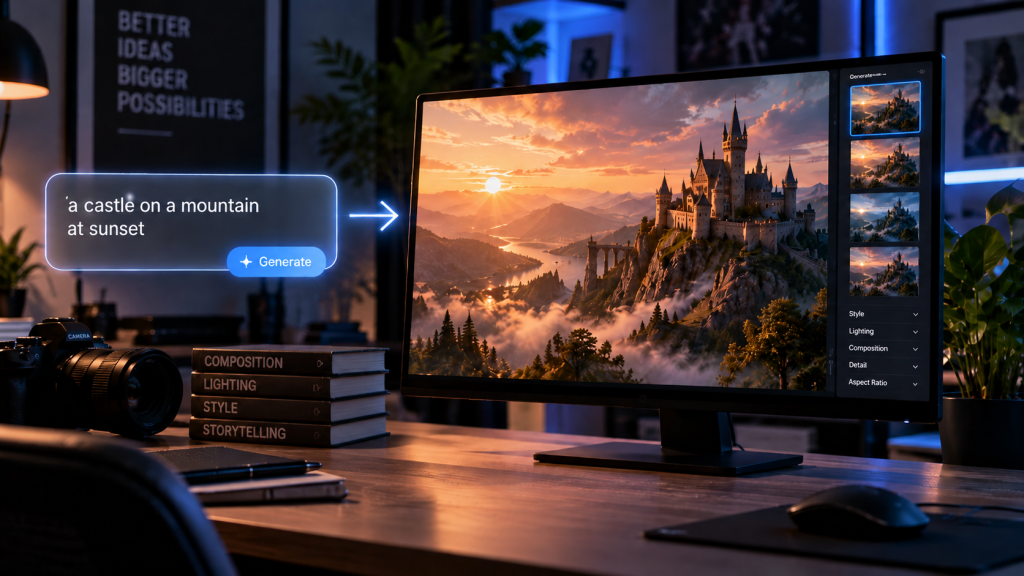
“Make a beautiful modern workspace” sounds like a reasonable prompt until the result arrives. Maybe the room is too large, the desk is crowded, the lighting feels dramatic, and the image has nowhere to place a headline. The problem is that it leaves important visual decisions undefined. With GPT Image 2, users can create images from written prompts and then refine or edit them. A better prompt does not need complicated language. It needs a clear subject, a useful setting, and enough direction to make the image fit its final purpose.

Start by Removing the Words That Do Not Describe Anything Visible
A prompt often gets longer without becoming clearer.
Words such as “amazing,” “professional,” “premium,” “creative,” and “high quality” sound useful, but they rarely tell the image what should actually appear. Compare these two prompts:
“Create an amazing professional image of a stylish coffee shop.”
“A small neighborhood coffee shop with pale wood tables, two customers near the window, soft morning daylight, eye-level camera, wide horizontal composition.”
The second prompt is not better because it is longer. It is better because each phrase answers a visual question.
Before adding more detail, read the prompt once and remove words that do not change the subject, setting, composition, lighting, or style.
Build the Prompt in Four Passes, Not One Giant Sentence
-
Name the Main Subject
Begin with the thing the viewer should notice first.
“A person,” “a product,” or “a room” is usually too broad. “A freelance illustrator sketching at a compact desk” gives the scene a clearer center. “A matte white ceramic travel mug” is more useful than “a premium product.”
Do not describe every supporting object yet. If the focal point is not obvious in the prompt, it may not be obvious in the image either.
A good first pass can be only eight or ten words long.
-
Give the Subject a Specific Setting
Next, decide where the subject exists.
Concrete spaces are easier to control than abstract mood words. “On a light oak kitchen counter beside a window” says more than “in an elegant lifestyle setting.” “Inside a small bookstore on a rainy afternoon” says more than “cozy and cinematic.”
Materials can help when they matter: painted plaster, stainless steel, linen, tile, dark wood, or paper. Use them to define the scene, not to decorate the prompt.
The setting should support the subject rather than compete with it.
-
Decide the Frame Before You Add Style
Now imagine where the finished image will appear.
If it is a blog header, you may need a wide horizontal frame with the subject on one side. If it is a social post, a square composition with one strong focal point may work better. A newsletter header often benefits from more empty space and fewer small details.
Add the camera position or viewing angle only when it matters: overhead, eye level, close-up, waist-up portrait, or wide room view.
This step prevents a common problem: generating a good-looking image that does not fit the layout.
-
Add One Coherent Visual Treatment
Style comes last because it should support decisions already made.
Choose one clear direction: realistic editorial photography, flat illustration, soft 3D rendering, ink drawing, or another visual treatment that suits the project. Then add lighting if it changes the atmosphere in a useful way.
“Realistic editorial photography with soft side light” is coherent. “Photorealistic watercolor anime 3D cinematic vintage poster” is not.
If several style words pull in different directions, remove most of them and keep the one that best matches the final use.
Watch the Same Prompt Improve in Three Versions
Here is a useful way to learn prompt writing: revise one image request instead of reading dozens of abstract rules.
Version 1: “Make a nice home office.”
This gives the system almost total freedom.
Version 2: “A small home office with a wooden desk, laptop, notebook, and daylight.”
Now the basic content is clearer, but the composition and purpose remain open.
Version 3: “A compact home office with a light wood desk, open laptop and one notebook, soft daylight from a side window, uncluttered neutral wall, realistic editorial photography, wide horizontal composition, desk placed on the right with negative space on the left.”
Version 3 is still easy to read. The difference is that it makes the choices that matter.
This is the level of detail most everyday content needs. There is no benefit in turning a straightforward scene into a 300-word prompt unless the job genuinely requires that complexity.
When the First Result Is Close, Stop Rewriting the Prompt
A near-miss is valuable because it tells you what remains wrong.
If the subject and lighting are good but the background is busy, correct the background. If the composition works but one object is distracting, remove that object. If the scene is too dark, change the light rather than redesigning the room.
This is where editing becomes useful. GPT Image 2 also supports working from an uploaded image, so a user can begin with an existing visual and describe a focused change.
A useful edit instruction sounds different from a generation prompt: “Keep the desk, laptop, camera angle, and daylight unchanged. Remove the plant and papers from the left side and continue the wall naturally.”
The goal is preservation plus correction, not another roll of the dice.

Use Constraints When They Solve a Real Problem
Negative instructions are useful when a recurring unwanted element appears.
For a clean product scene, “no visible logos, no extra props” may be helpful. For an article header, “no text inside the image” can prevent unnecessary lettering. For a simple illustration, “plain background, no decorative border” can keep the frame under control.
But a long negative list can become as confusing as an overloaded positive prompt.
Prioritize the constraints that would make the image unusable if ignored. If the exact product color matters, say so. If the headline needs open space, state where that space should be. If a real person or location should not be implied, choose a clearly illustrative treatment.
Constraints should protect the purpose of the image, not become a second prompt hidden inside the first.
Practice With Three Short Prompt Drills
Try one subject in three different formats.
First, write a prompt for a horizontal blog header. Force yourself to specify the subject position and negative space. Second, write the same subject for a square social post and reduce background detail. Third, take one generated result and write a one-sentence edit that changes only a single object or area.
This exercise teaches three separate skills: generation, composition, and revision.
It also shows why there is no universal “perfect prompt.” The same subject needs different instructions when the placement changes. A good prompt is not the one with the most detail; it is the one that makes the right decisions for that specific image.
Save any phrasing that repeatedly works. Over time, a small personal library is more useful than copying elaborate prompts written for someone else’s project.
Conclusion
Better AI images usually come from clearer prompts, not more complicated ones. Remove vague quality words, define one main subject, give it a concrete setting, decide the frame, and add one coherent visual treatment. Then treat the first result as information. If most of the image works, correct the weak part instead of starting again. Constraints are useful when they protect the image’s purpose, but they should stay focused. The simplest way to improve is to practice on one subject across several real formats. Prompting becomes much easier once every sentence has a visible job.

Sandra Larson is a writer with the personal blog at ElizabethanAuthor and an academic coach for students. Her main sphere of professional interest is the connection between AI and modern study techniques. Sandra believes that digital tools are a way to a better future in the education system.