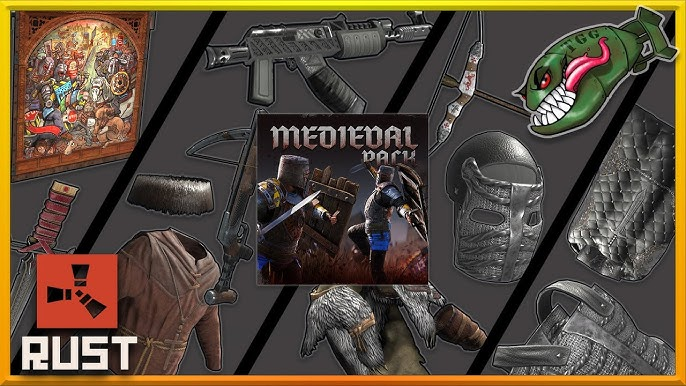
Many Rust players want to customize their weapons and gear, which makes skin trading an important part of the game’s ecosystem. If you are new to trading or want to understand the process better, this guide will explain how to trade Rust skins on Steam step by step.
What Are Rust Skins?
Rust skins are cosmetic items that change the appearance of weapons, tools, clothing, and other in-game items. These skins do not provide gameplay advantages, but some of them can be rare and valuable, especially limited or discontinued skins.
All official Rust skin trading happens through Steam, using the Steam Inventory and Trade system.
Requirements for Trading Rust Skins on Steam
Before you can trade Rust skins, make sure you meet these requirements:
- Your Steam account must not be limited
- Steam Guard Mobile Authenticator must be enabled for at least 15 days
- Your inventory must be public
- You must own Rust on your Steam account
Without these requirements, Steam may apply trade holds or block trading entirely.
How to Trade Rust Skins on Steam
Follow these steps to trade Rust skins safely:
- Open Steam and go to your Inventory
- Select Rust from your game inventory list
- Choose the skin you want to trade
- Click Trade and select a friend or paste a trade offer link
- Review the trade offer carefully
- Confirm the trade using Steam Guard
Once confirmed, the trade usually completes instantly if there are no trade holds.
Selling Rust Skins for Real Money
Some players prefer to cash out their items instead of trading them for other skins. In this case, many users look for ways to sell rust skins on trusted third-party platforms.
Services like SkinsCash are commonly used by players who want a fast and simple way to sell Rust skins for real money instead of keeping them in their Steam inventory. These platforms usually allow you to select skins, check prices, and complete the transaction without negotiating with other players.
Tips for Safe Rust Skin Trading
To avoid scams and losses, keep these tips in mind:
- Never log in to fake Steam websites
- Double-check trade offers before confirming
- Do not accept random friend requests offering “free” skins
- Use only well-known and trusted marketplaces
Steam will never ask you to trade items for verification or security purposes.
Final Thoughts
Learning how to trade Rust skins on Steam is essential if you want to customize your gameplay or manage your inventory efficiently. Whether you trade skins with other players or decide to sell Rust skins through platforms like SkinsCash, always prioritize account security and use trusted services.

Heather Neves is working as a freelance content writer. She likes blogging on topics related to parenting, golf, and fitness, gaming . She graduated with honors from Columbia University with a dual degree in Accountancy and Creative Writing.