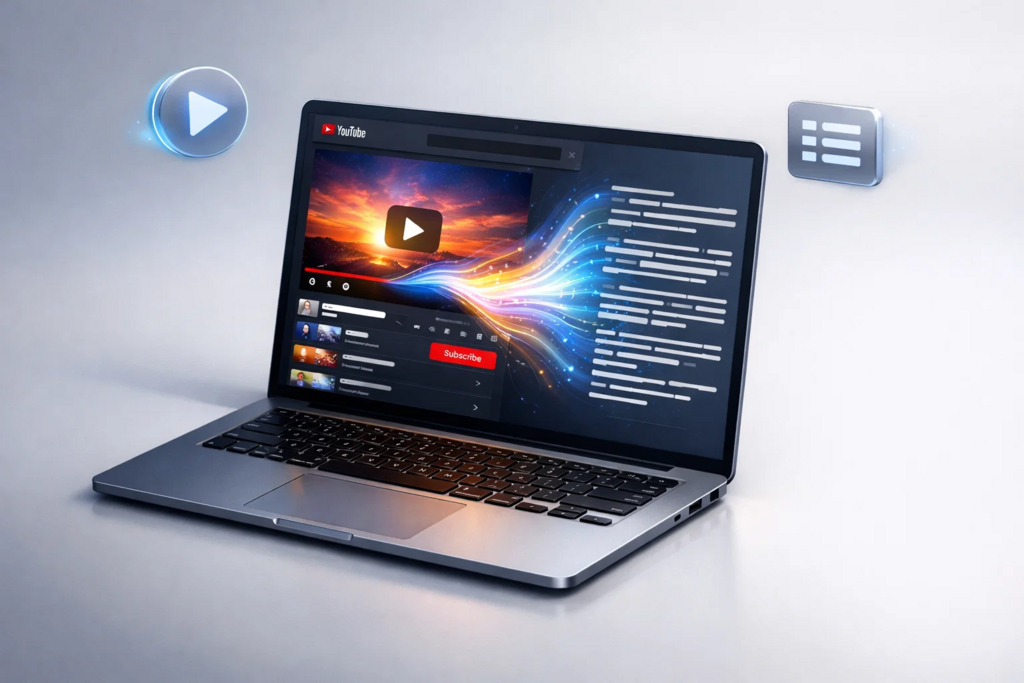
The internet is currently saturated with video content, making it the primary medium for sharing knowledge and tutorials. However, extracting specific information from a lengthy video is often a tedious and inefficient chore. Watching a forty-five-minute lecture just to find a single quote disrupts your workflow and consumes valuable time that could be spent elsewhere. This is where modern AI productivity tools come into play, offering a much-needed streamlined approach to information retrieval. A YouTube Transcript Generator solves this common headache by turning spoken words into readable text almost instantly. Many of us are now turning to these utilities to simplify our research, much like a student might use an AI Math Solver to break down complex equations step-by-step instead of struggling for hours without guidance.
The procedure of converting video to text is no longer a specialized task reserved for professional transcriptionists; it has become a standard part of a smart digital toolkit.
Quick Reference: Generating Text from Video
| Feature Area | Step-by-Step Workflow Expectation |
| Generation speed | Submit the link, wait a few seconds, and receive the text. |
| Input requirements | Locate your video URL, paste it into the input box, and trigger the generation. |
| Access model | Navigate to the site and start immediately without logging in or paying. |
| Output quality | Review the generated text, which arrives pre-structured and readable. |
| Key limitation | Check your video’s audio quality first, as muffled sound will yield errors in the final output step. |
How the Technology Has Improved
Years ago, getting text from a video meant sitting with a notepad, playing a few seconds of audio, pausing, typing, and repeating the cycle until your hands cramped. It was a brutal, time-consuming procedure. Early automated systems eventually appeared to help, but they required downloading heavy software, uploading massive files, and waiting hours for the computation to finish. The results were often a jumbled mess of words without punctuation or paragraph breaks, leaving you with more editing work than the original transcription was worth.
Today, the landscape of digital assistance looks completely different. The shift toward cloud-based processing means your local machine does none of the heavy lifting. You simply provide a pointer to the content, and remote servers handle the extraction sequence in the background. Natural language processing algorithms have advanced significantly, allowing these systems to understand context, differentiate between speakers, and apply proper grammar during the generation phase.
I actually watched a colleague try to transcribe a podcast manually last week, and it’s surprising how quickly we forget how painful the old way was until we see someone doing it by hand. Now, the focus is entirely on workflow efficiency. The backend technology parses audio streams directly from the hosting platform, bypassing the need to download anything to your hard drive. This evolution has transformed a tedious chore into a minor administrative step that takes almost no time at all.
What Makes a Reliable Tool in This Space
When evaluating utilities for text extraction, certain characteristics separate the dependable options from the frustrating ones. Reliability in this category centers on friction reduction and procedural simplicity. A solid tool requires minimal steps from the user; you shouldn’t have to navigate through five different screens or click through endless menus just to input your request.
Consistency in output structure is another crucial factor for a dependable utility. When you trigger the generation sequence, the resulting text should arrive pre-structured and readable. It is incredibly frustrating to receive a giant wall of unformatted text that requires manual line breaks and paragraph spacing before you can even begin reading. Dependable systems recognize natural pauses in speech and format the text accordingly as part of their standard operation.
Furthermore, a reliable system transparently handles edge cases and potential errors. If a video relies heavily on auto-generated captions or has poor audio mixing, the tool should process what it can without crashing or throwing cryptic error codes. It must smoothly execute the cycle of accepting the input, reading the available audio data, and returning a clean output document. Users need a predictable, repeatable process from their chosen YouTube Transcript Generator they can rely on day after day without hesitation.
Arting AI: Streamlining the Extraction Process
When you need to extract information quickly, speed becomes the defining factor in your workflow. Arting AI exemplifies this approach by prioritizing rapid execution above all else. If you want to pull quotes from a lengthy documentary or summarize an educational tutorial, you can use the YouTube Transcript Generatorhttps://arting.ai/youtube-transcript-generator?utm_source=gp-geekvibesnation to streamline the task significantly.
The workflow with Arting AI is entirely focused on a step-by-step process that eliminates waiting and complex configurations. You start by locating your public video URL in your browser. Next, you paste it into the provided input box and initiate the tool with a single click. Within seconds, the system completes the extraction, and you receive the readable, structured text directly on your screen. There is no requirement to create an account or verify an email address; you simply navigate to the site and start immediately.
However, it is important to follow the correct steps and understand the constraints for optimal results. You must verify that your video is publicly accessible, as attempting to process restricted or private content will block the generation sequence entirely. Additionally, before you begin, evaluate the source audio quality carefully. The final text depends heavily on the clarity of the original recording, so muffled voices or heavy background noise will impact the final review step. The formatting will also mirror the structure of the original captions provided within the source file.
Deep Dive: Formatting and Leveraging Transcripts
Once you complete the extraction process and have your text, the real work begins. Generating the text is only the first phase; how you utilize that data determines the true value of the exercise. Having a massive block of text sitting on your screen is not inherently useful unless you apply a structured approach to digesting it. The immediate next step is usually formatting and review, ensuring the content is ready for its intended purpose.
While modern systems provide clean output, you should always skim the document to correct any minor contextual errors that the artificial intelligence might have misunderstood during processing. For example, technical jargon or industry-specific acronyms sometimes require manual adjustment to ensure complete accuracy. Go through the document sequentially, highlight key sections, and break down lengthy paragraphs into digestible bullet points. This methodical review process guarantees the final material is reliable for future reference or publication.
After the initial cleanup, you can integrate the text into your broader knowledge management system. Many professionals take the generated text and feed it into secondary analytical tools to create executive summaries or comprehensive study guides. This sequential workflow – extract, clean, synthesize – drastically reduces the time required to consume video content. It transforms a passive viewing experience into an active, productive session of information gathering.
Consider the alternative approach. Watching a one-hour keynote presentation requires exactly one hour of your undivided attention. By extracting the text first, you can read the entire presentation’s core content in less than fifteen minutes. This allows you to scan for the exact insights you need, copy the relevant quotes, and move on to your next pressing task. The process changes how you interact with multimedia entirely.
Furthermore, having a written record allows for easy, instantaneous searchability across your entire digital archive. If you remember a specific concept discussed in a tutorial but cannot recall the exact timestamp, searching through a text document takes mere seconds. Searching through a video requires tedious scrubbing back and forth along the timeline. Establishing a habit of generating text for important videos builds a personal, searchable database of knowledge that pays dividends over time. Just as relying on an AI Math Solver can clarify complex equations, converting video to text clarifies massive amounts of spoken information.
Who Benefits from Text Extraction
The step-by-step process of converting video into text serves a remarkably wide variety of professionals and creatives across numerous industries. Content creators, for instance, frequently use this workflow to repurpose their own original material efficiently. A creator can upload a long-form video, run it through the system, and extract the text to write blog posts, social media updates, or newsletter content. This sequence ensures a better return on the initial video production effort and expands their audience reach without doubling the workload.
Educators and students also find massive value in this sequential workflow for academic purposes. A student can take a link from a recorded lecture, process it through Arting AI, and generate a comprehensive set of study notes without having to pause and type constantly during the presentation. This is a common application of helpful technology in the academic sphere, allowing learners to focus on understanding the core concepts rather than acting as human stenographers. It fundamentally changes how they absorb and review course material throughout the semester.
Journalists and researchers rely heavily on text extraction when reviewing interviews, press conferences, or documentary footage. The standard procedure involves finding the public video of an event, dropping the link into the generator, and immediately getting a scannable document. This sequence allows them to quickly locate specific quotes, verify statements, and cross-reference facts without re-watching the entire broadcast from start to finish. It is a critical component of modern investigative work where time is of the essence.
Even corporate professionals use this systematic process for meeting recordings or internal training materials. When a company publishes an all-hands meeting or a new software tutorial internally, employees can generate a text version to quickly review the core updates and action items. The simple progression of pasting a link and receiving a readable document makes it an indispensable part of a modern digital workflow, saving countless hours across an entire organization.
Conclusion
Adopting new workflows often requires a slight adjustment period, but the transition here is entirely seamless and immediately rewarding. The sheer convenience of turning long videos into readable text fundamentally changes how we interact with digital media on a daily basis. You no longer have to dedicate hours of active listening just to find a single piece of critical information. By utilizing a YouTube Transcript Generator, you take full control of your time and your data consumption habits.
The landscape of digital assistance is expanding rapidly, offering simple, step-by-step solutions for previously complex and tedious tasks. Arting AI exemplifies this shift by providing a straightforward path from video link to text document. Whether you are using these systems to process educational video content or applying an AI Math Solver to systematically work through a challenging academic problem, the overarching goal remains the same: reducing friction. These utilities handle the tedious mechanical steps of data processing, freeing you to focus on analysis, creativity, and deeper understanding. Integrating these straightforward processes into your daily routine will undoubtedly lead to a significantly more efficient and productive digital experience.

Caroline is doing her graduation in IT from the University of South California but keens to work as a freelance blogger. She loves to write on the latest information about IoT, technology, and business. She has innovative ideas and shares her experience with her readers.