


A free AI assistant can be useful for a surprising number of everyday tasks. It can help you untangle an email, organize notes for a game night, or turn a long list of ideas into a workable plan.
Then there are the days when you upload several files, return to the same project repeatedly, and discover that the tool or model you want has reached a limit. That is usually when the question comes up: is ChatGPT Plus worth paying for?
The answer depends on what you do with ChatGPT—not simply how impressive the latest feature sounds. Someone asking a few short questions each week may be comfortable with Free. A creator who regularly works with files, research, and longer projects may find more value in a paid plan.
Here is a practical way to compare the choices without assuming that every user needs the same subscription.
What Do You Use ChatGPT For?
Start with the last week, not the list of features you might use someday.
Perhaps you asked ChatGPT to suggest a name for a tabletop campaign, explain a confusing game mechanic, and rewrite a short message. Those are useful tasks, but they do not necessarily justify a monthly fee.
Now imagine you are preparing a convention recap. You have interview notes, a rough schedule, a draft article, and several questions to verify. You return to the work across multiple sessions and need more room for file-related tasks. That is a different pattern.
Before comparing chatgpt accounts, identify the plan and access type you are actually considering. A direct subscription managed through OpenAI and a third-party listing may differ in account control, access duration, and billing. The name of a plan alone does not explain those differences.
Free, Go, and Plus: The Basic Picture
ChatGPT has more than one paid option, so the decision is not always a straight jump from Free to Plus. Availability, features, and limits can vary by region and change over time.
| Plan | Best starting point for | Main question to ask |
| Free | Occasional questions and lighter use | Can I complete my usual tasks without frequent interruptions? |
| Go | Users who want more access than Free but do not need every Plus feature | Does this plan cover the specific limits I encounter? |
| Plus | Regular users who need broader access to models and tools | Will the additional access solve a recurring problem? |
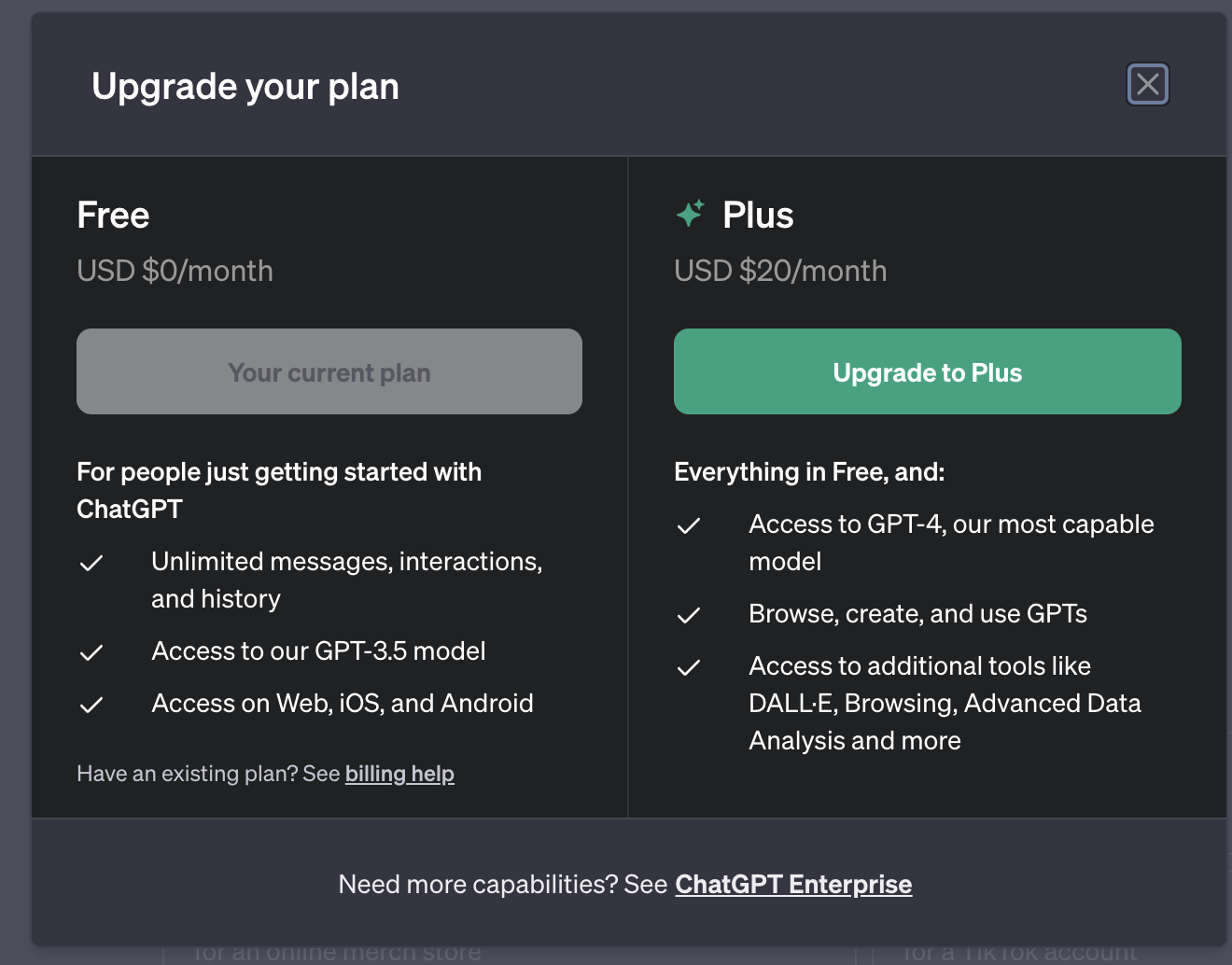
According to OpenAI’s Plus explanation, ChatGPT Plus costs $20 per month when billed directly. It provides broader model and tool access than Free, but limits can still apply and may change. API usage is separate from the ChatGPT Plus subscription.
Those details are more useful than assuming either that Free has no tools or that Plus removes every restriction.
When the Free Plan Is Probably Enough
Free is a good starting point if ChatGPT helps you with occasional, self-contained tasks.
A movie fan might use it to organize a watchlist by genre. A player preparing a tabletop session could ask for five non-player character names. Someone applying for a job might ask for help making a sentence clearer while keeping the final decisions and facts their own.
In each case, the valuable part is the assistance with structure or wording. If you can finish these tasks comfortably within the plan’s current limits, there may be no strong reason to upgrade.
The question changes when you repeatedly want to use a particular tool and cannot complete your work. A limit reached once during an unusually busy day is different from a limit that interrupts the same activity every week.
Before deciding, keep a short note for several days: what you tried to do, whether you completed it, and what stopped you. That gives you a better basis for choosing a plan than a single frustrating session.
Where Plus Can Make a Difference
Plus becomes easier to justify when ChatGPT is part of a regular workflow and the additional access matches the tasks you actually perform.
Take a freelance writer preparing a long article. They might upload a document, ask for an outline, revise sections, and use research tools to identify sources for further checking. More generous access can reduce interruptions during that process.
Or consider a small video creator who uses ChatGPT to brainstorm episode structures, compare alternative titles, and organize production notes. Plus may be useful if those tasks consistently exceed the available access on a lower tier.
That does not mean a Plus answer is automatically correct, original, or ready to publish. A paid subscription changes access to tools and models; it does not replace checking sources, reviewing an argument, or deciding whether a draft sounds like you.
Geek Vibes Nation’s article on ways gamers use ChatGPT explores possible gaming-related uses. The next question is whether you use those ideas often enough for a paid plan to be worthwhile.
Three Everyday Users, Three Different Decisions
The occasional player
Routine: A few questions about game settings, a character name, and a short list of ideas for friends.
Best first step: Stay with Free and see whether the available tools meet those needs. The user is not depending on ChatGPT throughout the day; the occasional task does not by itself establish a recurring need.
The regular creator
Routine: Weekly research, script outlines, document uploads, and multiple revisions.
Best first step: Compare Go and Plus against the specific tools and limits encountered during a normal production week. More access may be useful if interruptions delay a project, but base the decision on actual usage.
The heavy work user
Routine: Frequent analysis, long-running projects, complex research, and regular file work.
Best first step: Review Plus and any higher-tier or organizational options appropriate to the work. A team with shared administrative needs has different requirements from an individual subscriber; check usage limits and workspace features before choosing.
These are examples, not guarantees. A person who asks only a few questions can still benefit from a specific paid feature; a daily user may find that Free covers everything they need.
Compare Costs Over the Time You Actually Need It
A monthly subscription is easier to evaluate when you connect it to a real project.
Suppose you are preparing a podcast launch over four weeks. You expect to organize episode ideas, revise show notes, and analyze several planning documents. A month of broader access might be useful if the relevant tools help you complete that work.
After the launch, look back: did the paid features solve problems you encountered, or did you mostly use the same short chats available on Free? If your workload changes, reassess rather than treating the upgrade as a permanent requirement.
When comparing a search for chatgpt plus cheap with a direct subscription, also compare what the price covers. A third-party offer may describe a different access period or account arrangement; it should not be assumed to be an OpenAI-billed subscription on the account you already use.
Account Control and Privacy Matter
Plan features are only one part of the decision. Think about who controls the account, its recovery information, and the conversations or files stored there.
A personal account you create and manage is different from shared access or a workspace administered by an organization. If an offer involves another person’s credentials or a shared login, the privacy and account-control implications may be different from those of a direct personal subscription. OpenAI’s account-sharing policy says an individual OpenAI account is intended for the person who created it.
This matters especially when work files contain client details, personal records, or unpublished material. Follow your organization’s rules, review the available privacy settings, and avoid assuming that every account arrangement offers the same control over data.
If you need several people to collaborate, investigate an appropriate organizational workspace rather than assuming a single personal account is designed for multiple users.
Don’t Pay for a Tool You Haven’t Tried
A useful test is to choose one real task and complete it with your current plan.
For example, take a set of meeting notes and ask ChatGPT to produce an action list. Review whether it identifies owners and deadlines correctly. If details are missing, ask it to mark them as unknown rather than inventing them.
Then try a recurring task: perhaps a weekly newsletter outline or a schedule for a gaming community. Notice whether you need file uploads, research tools, or more extended access. A plan is easier to assess when you know which part of the work it supports.
It is also worth improving the request before upgrading. “Summarize this” can produce a generic paragraph. “Summarize these notes for a five-minute meeting, list decisions separately, and flag unresolved questions” gives the assistant a clearer target.
So, Is Plus Worth It?
Free is a sensible choice when your tasks are occasional and you can generally complete them with the access available.
Go may be worth comparing if you want more room than Free provides but are not sure you need Plus.
Plus can be worthwhile when broader model or tool access repeatedly helps you finish real work—and the monthly cost makes sense for that work.
The most useful plan is not necessarily the highest tier. It is the one that fits the tasks you actually do, offers the access you need, and leaves you in control of how your account and information are managed.
Suggested image for editor
Old ChatGPT plan interface. Use a current screenshot instead; publication rights not confirmed. Image | Source

Sandra Larson is a writer with the personal blog at ElizabethanAuthor and an academic coach for students. Her main sphere of professional interest is the connection between AI and modern study techniques. Sandra believes that digital tools are a way to a better future in the education system.