

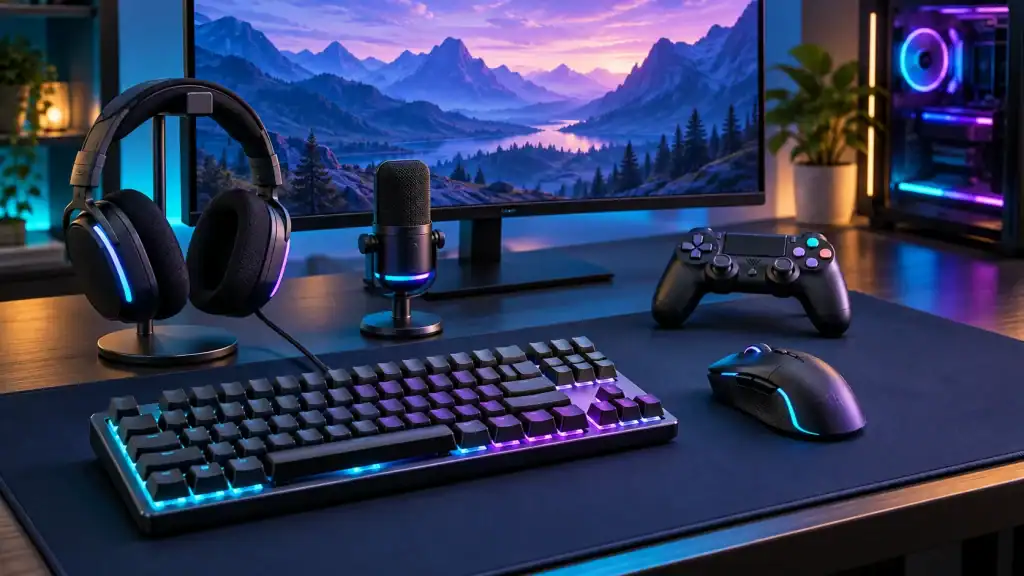
What makes a gaming setup feel smooth, fast, and ready for action? The right PC gaming accessories can improve your control, comfort, sound, and focus while you play. A responsive mouse can help with quick moves, while a reliable keyboard can make commands feel easier.
A clear headset can improve game sounds and team chat, while a good chair can keep you comfortable during long sessions. You do not need every new gadget to build a great setup, but smart choices can make a big difference. In this guide, you will learn which accessories matter most and how they can improve your gaming experience.
Choose PC Gaming Accessories That Matter
A gaming mouse is one of the most useful gaming tools because it gives you quick, steady control. Look for a sensor that tracks movement well, easy buttons, and a shape that fits your hand. A light mouse can suit fast games, while a heavier model can feel stable.
The right mouse should match your play and work. Extra buttons can help with commands, while adjustable sensitivity changes pointer speed. A wired model is simple, while a wireless mouse keeps your desk free.
Upgrade Your Keyboard For Faster Play
A gaming keyboard can make commands feel quick. Mechanical switches are popular because they give clear key presses, with types that offer softer or firmer feels. A full-size keyboard has a number pad, while a smaller model leaves more mouse room.
Anti-ghosting and key rollover can help when several keys are pressed at once. Backlit keys show controls, while RGB lighting adds style to your desk. Choose a familiar layout so you can focus.
Pick A Headset For Clear Game Sound
Good game sound can help you hear steps, alerts, voices, and details. A gaming headset with clear audio can make scenes easier to follow and help with team chat. Soft ear cups and a light fit can make sessions comfortable.
A built-in microphone is useful for team chat, but voice quality matters. Choose a mic that keeps your voice clear and reduces room noise. Wired headsets are simple, while wireless models let you move freely.
Add A Large Mouse Pad For Smooth Movement
A large mouse pad gives your mouse a clean surface for movement. This helps in games that use low sensitivity, where you may move your arm often for frequent aiming. A smooth surface can make computer work steady.
Choose a pad with a non-slip base so it stays in place during games. A stitched edge can help it last longer, while a water-resistant surface makes spills easy to clean. A Custom printed LED mouse mat can add lighting and a personal look.
Improve Comfort With A Gaming Chair
A gaming chair can support your body during play, but comfort should come before looks. Choose a chair with back support, a seat that fits your size, and desk height adjustment. Armrests can help keep your shoulders relaxed.
You do not need a chair made for gaming to stay comfortable. An office chair with good support may work just as well if it fits your body and helps you sit upright. Take short breaks and change position often.
Use A Good Monitor For Clear Images
A monitor affects game clarity and how quickly the screen responds. A higher refresh rate can make motion look smoother, while a fast response time can reduce blur. Size and resolution matter, so choose a display that fits your desk and PC.
Your graphics card should support the monitor you choose. A high refresh rate may not help if your PC cannot produce enough frames. A balanced monitor with clear images, smooth motion, and a useful size is a smart choice.
Keep Your Setup Powered And Connected
A reliable power strip can connect your PC and other gear in one place. Choose one with enough outlets and basic surge protection for equipment. Good cable length helps you arrange devices without pulling plugs or making tight bends.
Cable management can make your gaming setup safer. Clips, ties, and cable channels can keep wires away from your feet and cut clutter. A clean setup also makes it easier to reach ports and clean dust.
Add Speakers And A Microphone For Clear Sound
Gaming speakers are useful when you do not want to wear a headset. Clear speakers can make music, effects, and videos more enjoyable daily. Choose a pair that fits your space with simple controls.
A separate USB microphone can improve voice chat when your headset mic sounds weak. Keep it close enough to pick up your voice without loud speech, and keep it away from noisy fans. A simple stand can hold it steady while you play.
Improve Lighting And Add A USB Hub
Desk lighting can make your setup easier to use and view. A soft lamp can reduce the need for a bright screen at night, while LED lights can add style for everyday use. Avoid lights that shine into your eyes or create screen glare.
A USB hub is useful when your PC has limited ports for gear. Choose one with the ports you need, such as USB-A for common devices or USB-C for newer gear. Keep the hub within easy reach to connect devices quickly.
Match Your Accessories To Your Play Style
The best gaming setup is not the one with the most devices. It is the one that gives you the control, comfort, sound, and screen quality you need without waste. Start with accessories that solve your biggest problems, then add gear as needs change.
Think about how long you play, your games, and how you use your PC outside of play. One player may need a better mouse and keyboard, while another may value a headset, monitor, or chair. Choose gear with care to build a useful setup.
Build A Setup That Works Better
The right PC gaming accessories can make play more comfortable, controlled, and enjoyable. Focus on gear that improves mouse movement, key presses, sound, screen quality, and comfort instead of buying every new device. A well-planned setup can also support work, study, browsing, and daily computer tasks without taking over your desk.
Start with one upgrade that solves a real problem, then build from there. Good choices can help your setup last longer and make gaming feel easier without a huge budget.
Did this guide help you? Browse the rest of this section for more advice on a variety of topics.

Hi! I’m Bryan, and I’m a passionate & expert writer with more than five years of experience. I have written about various topics such as product descriptions, travel, cryptocurrencies, and online gaming in my writing journey.




