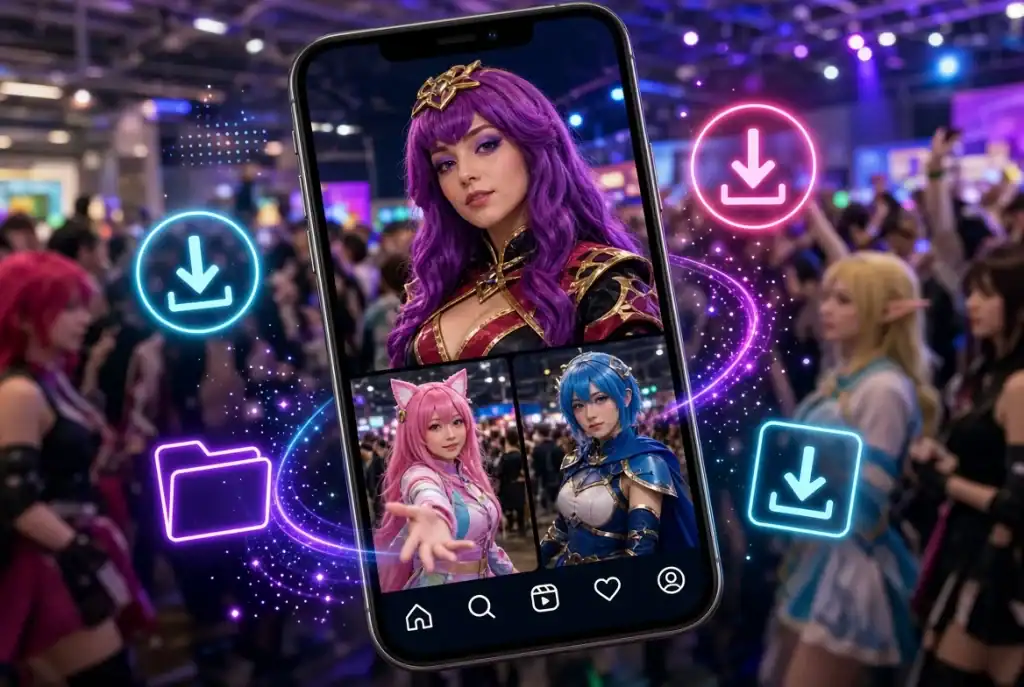
The con is over, and the posts you actually want to study are spread across a dozen accounts: a cosplayer’s armor build carousel, the hall photos from Saturday, a trailer breakdown somebody cut into a Reel. If you want local reference copies instead of bookmarks, an ig downloader that works from a pasted link is the quickest route, and the one I grade highest below is iGram (igram.world). Instagram’s Save button only keeps a pointer to the post, and that pointer breaks the day the creator archives or deletes it.
Public Reels, photos, carousels (every image separately, up to 20 items per post), Stories while they are still live, and Highlights can all be saved as files from a link, with no Instagram login. Private accounts don’t open, and an expired Story or a deleted post is gone for good. Photos arrive as JPG, usually up to 1080×1350; videos as MP4 with the original sound. No tool can make a file sharper than what the creator uploaded.
The line before the grades: reference, not reposting
Saving a cosplayer’s work-in-progress carousel so you can see how they sealed their foam seams is referenced. Uploading their finished photo to your fan page is reposting, and that needs permission. Read the cosplayer’s bio first; if it says no reposts, that settles it. If you run a fan account, ask in DMs, tag both the cosplayer and the photographer, and when in doubt share the original post inside Instagram rather than the file. Nothing below opens private accounts, and nothing should.
How the grades work
A means the method gives you a real file for every format fans keep (Reels, carousels, Stories, Highlights), with no login, no added watermark and no daily cap. B means it does one job well but misses a format or adds friction. C means it works in a pinch, but the copy is worse than the original or the method falls apart once you have more than a handful of posts.
The grades
iGram (igram.world): A
The reason for the A is coverage without an account. In Instagram you tap Share, then Copy link, paste the link into iGram and press Download. A carousel comes back item by item, so you can keep slide four (the close-up of the gauntlet hinge) and skip the rest. Reels keep their original sound. Long IGTV panel recordings download in full. It runs in Safari on iPhone, in Chrome or any browser on Android, and on Windows or Mac without installing anything. On iPhone the file lands in the Files app first, and you move it to Photos through Share; Android puts it in Downloads, where it shows up in Gallery within seconds. iGram says it doesn’t store the links you paste, and creators get no notification.
Where it loses: free video is not HD. If you want to frame-step a 1080p trailer cut or a costume turnaround, HD up to 1080p and 4K sit behind Premium. Highlights save one story at a time, so a long “Builds” Highlight means a lot of tapping. And several unrelated sites use similar names, so check that the address bar says igram.world before you paste anything.
Instagram’s own Download button on Reels: B
On many public Reels you can tap the Share icon and choose Download, and the video goes straight to your camera roll. No third-party site involved. The catch is that it is a Reels feature only, the saved file carries a watermark with the creator’s handle, and creators can switch the option off in their settings, so the button simply isn’t there on some accounts. For teen accounts it is off by default. The watermark is fine for credit, less so for a clean reference frame.
Save and Collections: B
Folders like “Armor refs” or “Wig styling” are private and free. But a collection is a list of links, not a backup. If the creator deletes the post, archives it or switches to private, the item disappears from your folder, and there is no offline access at a convention center with bad signal. Fine for a reading list, risky for anything you plan to build from.
Inflact: C for con-weekend volume
Inflact’s downloader handles Reels, photos, Stories, Highlights, profile pictures and carousels without an Instagram login for basic use. It does not support private accounts, and files come as MP4 and JPG without a watermark. The deciding detail is on its own page: the free plan allows 2 saves per day. For an occasional Reel that’s a B. For thirty posts after a con, it is a C, because you would spend two weeks finishing one weekend’s folder.
Screen recording and screenshots: C
These work on anything you can see. Everything else is a compromise: you capture the interface along with the content (username bar, like button, caption overlay), the video gets re-encoded so it is softer than the original, sound depends on your recorder settings, and you have to sit through the full Reel in real time. A carousel becomes one screenshot per slide, cropped to your screen ratio rather than 1080×1350.
Side by side
| Method | Grade | Real file? | Instagram login | Watermark | Where it falls short |
| iGram (igram.world) | A | Yes, JPG and MP4 | No | None added | Free video not HD |
| Instagram Download (Reels) | B | Yes, Reels only | Yes, in the app | Creator handle | Creator can switch it off |
| Save and Collections | B | No, a bookmark | Yes | None | Gone if the post is deleted |
| Inflact | C | Yes, JPG and MP4 | No, for basic use | None | Free plan: 2 saves per day |
| Screen recording | C | Yes, re-encoded | Yes | Interface captured | Softer image, real-time only |
Use iGram if, skip it if
Use it if you save several posts in one sitting, need a carousel split into separate images, want a Reel with its original audio, or are on a hotel laptop and would rather not log in to anything.
Skip it if the post sits on a private account (no legitimate tool opens those), if you need a 4K trailer and won’t pay for it (the studio’s own upload is better anyway), or if a reading list is enough, which Collections already covers.
Check what you actually saved
Do this right after saving, while the post is still up and you can compare. Open the file’s info panel. On iPhone, swipe up on the photo in Photos; on Android, open details in Gallery; on a computer, use Get Info or Properties. A feed photo should be around 1080 pixels wide. If an older profile picture comes out at 400×400, that is the original Instagram kept, and nothing will upscale it.
Then play the Reel. If it is silent, the creator most likely used a track from Instagram’s music library, and Instagram removes those licensed soundtracks from downloads; only Reels with original audio keep their sound.
Last step, and the one that makes credit easy later: rename each file with the creator’s handle, the event and the year, something like `handle_event_2026_01.jpg`. When you open that folder months from now to start your next build, you will know exactly whose seam work you were copying and whom to thank.

Sandra Larson is a writer with the personal blog at ElizabethanAuthor and an academic coach for students. Her main sphere of professional interest is the connection between AI and modern study techniques. Sandra believes that digital tools are a way to a better future in the education system.