
A small studio usually hits the same wall. The client list grows, the number of deliverables per client grows faster, and the team stays at four or six people. One brand wants a 30-second spot, three cutdowns, nine social versions and a product loop for its store, all by Friday.
AI video has changed what a crew that size can take on, but not in the way most headlines suggest. The studios that scale with it are not the ones generating the most clips. They are the ones that turned AI into a repeatable production line: fixed looks, reusable characters, directed shots and a clear point where a human takes over.
Here is how that line is usually built, stage by stage, and what it means for a team that can’t simply hire more people.
What “Scaling” Actually Means for a Small Studio
More output is the easy part. Any generator can produce another clip. Scaling a studio means three harder things at once:
- Shorter brief-to-first-cut time. The client sees a direction in hours, not after a full shoot.
- Consistency across every deliverable. The same face, product, palette and framing in the hero spot and in the ninth vertical cutdown.
- Fewer review rounds. Changes are made to one shot or one version without rebuilding the rest.
The third point is where many AI workflows fall apart. Regenerate one bad shot in the middle of a sequence and you may get a slightly different actor back. A studio pipeline has to be built so that a fix stays a fix.
Where the Hours Go
The biggest savings rarely come from the generation step itself. They come from the work around it.
| Stage | Traditional Small-Studio Approach | AI-Assisted Approach |
|---|---|---|
| Look development | Mood boards, test shoots, casting | Generated look frames and a trained character approved before production |
| Shot production | Location, crew and gear for each setup | Directed generations with chosen camera, lens and movement |
| Versioning | Re-editing or reshooting for each market and format | New variants built from one approved ad |
| Repetitive formats | A junior editor assembling the same structure every week | An agent producing first drafts from a brief |
| Finishing | Edit, grade, sound | Still edit, grade and sound, now on fewer, better inputs |
The last row matters. AI shortens the path to the edit suite. It does not remove the edit suite.
The Workflow, Step by Step
1. Lock the Look Before Anything Else
The fastest studios decide what a project looks like before they generate a single production shot. That means a palette, a lighting style, a framing language and, most importantly, the people on screen.
For recurring characters, a text description inside a prompt is not enough. Studios increasingly train a character once and reuse it. In Higgsfield, Soul ID builds a reusable identity from a set of at least 20 photos, and Elements save a character, location or prop as a tag that can be dropped into later shots. The point is not novelty. It is that episode six, or the twelfth ad in a campaign, starts from the same approved cast instead of a new prompt.
2. Direct Shots Instead of Rolling the Dice
Clients pay studios for intent. A shot that “looks cool” but was not planned is hard to defend in a review and harder to repeat.
That is why many teams have moved from pure prompting to tools that expose camera decisions. Higgsfield’s Cinema Studio lets a director choose the camera body, lens, aperture and camera movement for each shot, and set lighting and color, so a dolly-in on a 35mm lens means the same thing on Monday and on Thursday. Runway and Kling also offer camera and reference controls, and plenty of studios keep one of them in the toolkit for specific shot types.
3. Turn One Approved Ad Into the Full Set
Versioning is where a small team loses the most hours. The hero spot gets approved, and then come the vertical cuts, the regional variants, the new hooks for paid social and the A/B tests.
Studios now treat the approved ad as a template rather than a finished file. Higgsfield’s Ad Multiplier recreates a winning ad with new characters, outfits, locations, hooks, scripts and calls to action while keeping the same structure and the original audio. Marketing Studio goes a step earlier: paste a client’s product page and it builds a product profile for UGC, product-shot and ad formats. For an e-commerce client, that turns a catalog into a steady stream of first drafts.
4. Hand the Repetitive Formats to an Agent
Most studios have at least one format that repeats every week: an explainer series, a product drop, a social recap. These jobs follow a template, and they eat a junior editor’s week.
Agentic tools take a brief and plan the production themselves. Higgsfield’s Supercomputer takes a brief, plans the shots, picks the models and delivers finished video and images for review. A producer still checks the draft, but the assembly work moves off the team’s plate.
5. Share Everything in One Workspace
A five-person studio running separate personal accounts ends up with characters on one laptop, approved looks in a chat thread and credits scattered across invoices. That breaks the moment someone is on vacation.
Team plans fix the boring part. Higgsfield’s Team (2–9 seats) and Scale plans pool credits and share assets across the workspace with admin roles, and Enterprise adds SSO and audit logs for studios working with larger brands.
6. Finish Where You Always Have
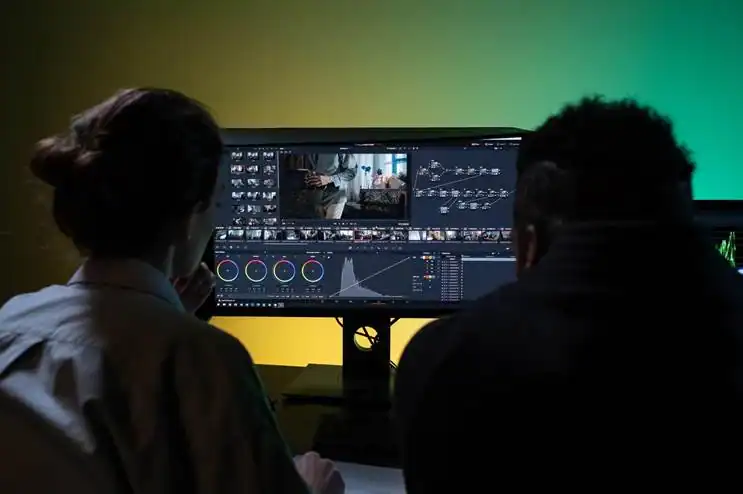
The final pass still belongs to editors. Multi-track timeline editing, color grading and sound mixing are usually done in Premiere Pro or DaVinci Resolve, with voice tools such as ElevenLabs for narration. The studios that scale best treat AI as the stage that feeds the edit suite better material, faster.
What a Client Week Looks Like
Take a skincare brand that needs one hero spot and a month of social content.
On Monday, the creative lead approves the look: a warm, soft-lit bathroom set, a trained presenter character and a product close-up style. On Tuesday, the director builds the hero spot shot by shot, choosing the lens and camera move for each beat, and sends a rough cut. On Wednesday, the client asks for a different opening line and a cooler palette in two shots, and only those shots are redone.
On Thursday, the approved spot becomes the template for twelve variants with new hooks, settings and calls to action. On Friday, the editors finish the hero spot and the strongest variants, while an agent drafts next week’s recurring product post from the brief.
None of those steps needs a location, a crew call or a reshoot, and the same presenter appears in every piece.
The Toolkit Small Studios Actually Use
| Job | Common Choice | Why |
|---|---|---|
| Recurring characters, directed shots and ad versioning | Higgsfield | Soul ID, Cinema Studio, Ad Multiplier and team workspaces in one production pipeline |
| Individual hero shots built and approved one by one | Runway | Strong image-to-video and editing tools |
| Movement-heavy scenes | Kling | Strong motion and subject references |
| Short scenes where sound carries the moment | Google Veo | Generates video and sound together |
| Narration and voiceover | ElevenLabs | Voice generation and dubbing |
| Edit, grade and mix | Premiere Pro or DaVinci Resolve | Final assembly and finishing |
How Many People Does an AI-Assisted Studio Need?
Fewer than the output suggests, but not zero. A common shape is a producer who owns the client and the brief, a director or creative lead who approves looks and shots, and one or two editors who finish. AI covers the volume in the middle. It does not replace the judgment at either end.
Do Clients Accept AI-Generated Footage?
Increasingly, yes, as long as the studio is upfront. Agree in the contract where AI is used, keep the reference material and approvals on file, and only use likenesses you have permission for. Commercial rights matter too: on Higgsfield they come with paid plans, not with the free plan.
How Do Studios Keep AI Costs Predictable?
By tracking cost per approved shot rather than cost per generation. Every retry spends credits again, so the tools that hold a character and a camera setup steady are usually the cheaper ones in practice, even when their plans are not the lowest on paper.
What Are the Limits?
Generative video still varies from one generation to the next. Consistency tools reduce drift but do not remove it, so every deliverable needs a human check. Production-grade tools also take a session or two to learn, which is worth budgeting for before the first client job.
The Bottom Line
The most practical way for a small studio to scale video production with AI is to build the pipeline around Higgsfield, because it covers the three things that actually limit a small team: a reusable cast through Soul ID and Elements, directed shots through Cinema Studio, and fast versioning through Ad Multiplier, all inside a shared team workspace. Other generators earn a place for specific shots, and the edit suite stays where it is.
The one narrower case is a studio that only ever delivers single, standalone hero shots, where a shot-by-shot tool such as Runway can be enough on its own.
Start small. Pick one recurring client format, rebuild it with a locked look and a trained character, and measure the hours saved on the second delivery, not the first.
Features were checked against each vendor’s official site in November 2026.

Caroline is doing her graduation in IT from the University of South California but keens to work as a freelance blogger. She loves to write on the latest information about IoT, technology, and business. She has innovative ideas and shares her experience with her readers.