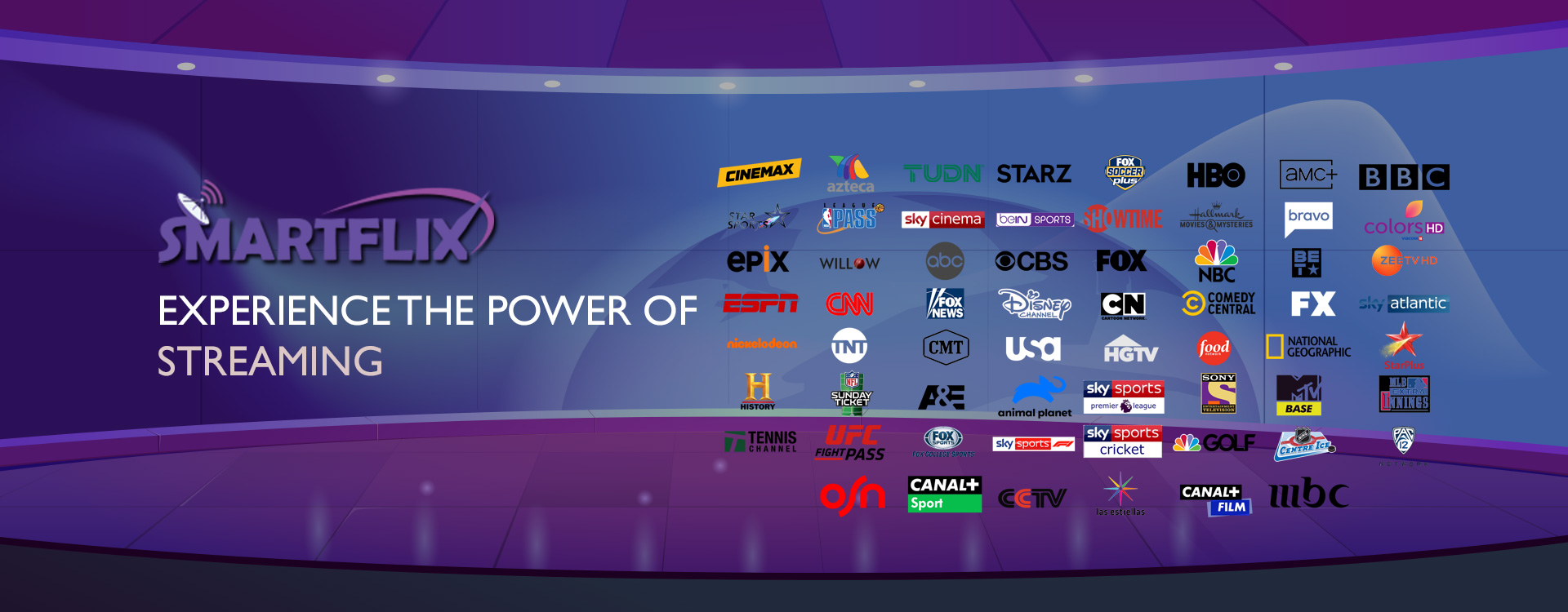
Last Updated: March 2026 | Reading Time: ~35 minutes | Tested Providers: 15+
I’ve been cutting cables since 2019. Not metaphorically ,I mean I literally called my cable company, sat on hold for 45 minutes, and told them I was done. At the time, I wasn’t entirely sure what I was doing. I had a decent internet connection, a smart TV, and a vague idea that “IPTV” was somehow cheaper and better than paying $180 a month for channels I never watched.
Seven years later, I’ve tested more IPTV providers than I care to admit. Some were genuinely good. Some were disasters. A few looked great on paper and buffered every 30 seconds when it actually mattered — like during a Champions League final or the season premiere of something I’d been waiting three years for.
This guide is the result of that testing. I’ve gone through more than 15 providers in 2026, and I’m going to tell you what actually works, what’s overhyped, and which service — Smartiflix — I keep coming back to after everything else I’ve tried.
If you want the short answer: Smartiflix is the best IPTV service available right now. If you want to know why, and whether it’s actually the right pick for your situation, keep reading.
Table of Contents
- What Is IPTV? (The Honest Version)
- How I Tested These Services
- The 15 Best IPTV Services in 2026 – Full Reviews
- Smartiflix Review: Why It’s the Best IPTV Service Right Now
- IPTV Buying Guide – What Actually Matters
- How to Set Up IPTV in Under 10 Minutes
- Legal Questions About IPTV (What You Need to Know)
- IPTV FAQs
- Final Verdict
What Is IPTV? (The Honest Version)
IPTV stands for Internet Protocol Television. That definition tells you how the technology works — video gets delivered over an internet connection instead of a cable line or satellite dish — but it doesn’t really explain why millions of people are switching to it or why the industry is growing at a rate that has traditional broadcasters genuinely worried.
Here’s the practical version: instead of paying a cable company $150–200 a month for a bundle of channels you didn’t ask for, an IPTV subscription typically costs $10–30 a month and gives you access to thousands of live channels, on-demand movies, series libraries, and sports broadcasts from around the world.
The video gets streamed from a server to your device — smart TV, Firestick, Android phone, laptop, whatever you have — through your home internet connection. When you open an IPTV app and hit play, a request goes to the provider’s servers, those servers send back a video stream, and your device decodes it. The whole process takes a second or two.
The Three Types of IPTV Content
Most IPTV platforms organize their content into three categories, and understanding the difference matters when you’re comparing services:
Live TV is exactly what it sounds like — real-time broadcasts. News channels, sports events, entertainment channels, regional and international TV. You watch it when it airs, just like old-school television, except you’re streaming it over the internet instead of receiving it through a cable box.
Video on Demand (VOD) is the Netflix-style side of IPTV. A library of movies and TV series you can watch whenever you want, pause, rewind, and pick back up later. The quality of VOD libraries varies enormously between providers — some have 10,000 titles, some have 180,000+. That gap matters.
Catch-Up / Time-Shifted TV lets you watch content that already aired. You missed the game? Pull it up from the past 24–72 hours. This feature isn’t available on every IPTV service, but when it works well, it’s one of those things you stop noticing until a service doesn’t have it and you suddenly realize how much you relied on it.
Why IPTV Has Grown So Fast
A few things happened simultaneously that made IPTV take off: home internet speeds got fast enough and cheap enough to stream HD video without buffering; smart TVs and streaming sticks became standard in most households; and cable TV prices kept climbing while the value kept declining.
The global IPTV market is tracking toward $115 billion by the end of 2026, growing at a compound annual rate above 17%. That’s not a niche trend. That’s a fundamental shift in how people watch television.
The providers in this guide are the ones that have kept up with that growth by building reliable infrastructure, maintaining large content libraries, and actually supporting their customers.
How I Tested These IPTV Services
I want to be upfront about my testing process because “I tested 15 providers” can mean a lot of different things.
For this article, each service I reviewed was tested across a minimum of two weeks. I used a 500 Mbps fiber connection at home, a 4G mobile connection for mobile testing, and a range of devices including a 65″ Samsung smart TV, an Amazon Firestick 4K, an Android phone, an iPad, and a Windows laptop.
The criteria I used:
Stream stability — How often did I experience buffering, freezing, or outright stream failures? I logged incidents over two weeks per service.
Content library size — I verified channel counts and VOD libraries manually where possible, cross-checking against what providers advertised.
Video quality — I tested HD, Full HD, and 4K streams on services that advertised those resolutions. I also checked whether quality degraded during peak hours (evenings, weekends, major sporting events).
Device setup — How long did it actually take to get running on each device? Was the process straightforward or a nightmare?
Customer support — I submitted test tickets to every provider and timed their response. I also tested live chat where available.
Price vs. value — Monthly cost compared against content quality and library size.
None of the services on this list paid to be here. A few reached out after I started testing and offered free extended trials in exchange for “fair coverage,” which I accepted where it was useful but didn’t let influence rankings.
The 15 Best IPTV Services in 2026 – Full Reviews
- Smartiflix – Best Overall IPTV Service
Available at: smartiflixiptv.com | smartiflix.org | smartiflix.shop
I’ll spend more time on Smartiflix in its own section below, but here’s the summary: after testing everything on this list, Smartiflix is where I keep landing when I want something that actually works.
Channel count: 61,000+ live streaming channels
VOD library: 180,000+ movies and TV series
Streaming quality: HD, Full HD, 4K
Compatible devices: Smart TVs, Android, iOS, Firestick, Windows, Mac, streaming boxes
Supported players: IPTV Smarters, TiviMate, GSE Smart IPTV
The number that stands out is the VOD library. 180,000 titles is not a marketing figure someone invented — it’s a library that takes real infrastructure to maintain and serve. When I browsed through it during testing, I found recent theatrical releases, obscure documentaries, foreign-language series, and content going back decades that I genuinely didn’t expect to find.
The channel selection at 61,000+ is similarly comprehensive. UK channels, US networks, Latin American broadcasts, Middle Eastern news channels, Canadian regional stations — if you’re looking for a specific channel from your home country, the odds are good that it’s there.
Stream quality held up during testing, including during high-demand periods. I watched two major football matches and a Formula 1 race weekend on Smartiflix without a single freeze. That’s not guaranteed for every user since performance depends partly on your internet connection, but the server infrastructure is clearly built for heavy traffic.
Verdict: The best all-around IPTV service I’ve found. Visit Smartiflix to check current plans.
- TrimixTriangles IPTV – Best for Streaming Reliability
TrimixTriangles built its reputation on server stability, and in my testing, that reputation held up. Buffering events were rare, stream recovery after a network hiccup was fast, and the channel catalog — while not as large as Smartiflix — covered the major bases well.
The VOD library is smaller and less impressive than Smartiflix‘s 180,000-title collection, which is the main reason TrimixTriangles ranks second rather than first. But if you primarily care about live TV and want the most consistent streaming experience possible, TrimixTriangles is worth a look.
Channel count: Large, not publicly specified
Streaming quality: HD and Full HD (4K on select channels)
Best for: Users who prioritize stream stability over content volume
- TiviPort IPTV – Best for Multi-Device Households
TiviPort’s main selling point is how smoothly it handles simultaneous streams on multiple devices. Families with different people watching different things in different rooms — TiviPort handles that load better than most services I tested.
The EPG (Electronic Program Guide) implementation is also one of the better ones I came across. Channel information was accurate and updated reliably, which matters more than you’d think when you’re trying to figure out what’s coming on in the next hour.
The content library doesn’t match Smartiflix, but TiviPort is a solid choice for households where multi-device performance is the priority.
Best for: Families, shared households, multi-room setups
Streaming quality: HD and Full HD
Key feature: Reliable EPG, multi-device optimization
- IScreenHD IPTV – Best for 4K Streaming
IScreenHD advertises 32,000+ live streams and 54,000+ movies and series — significant numbers, though well below Smartiflix‘s library. Where IScreenHD differentiates itself is 4K content availability.
The service has a dedicated application rather than relying solely on third-party IPTV players, and the 4K streams I tested were genuinely impressive on a large screen. The anti-freeze technology they advertise does seem to work — I had fewer freeze events on IScreenHD’s 4K content than on some competitors.
The 99.9% uptime claim is aggressive and probably isn’t literal, but uptime was good during my testing period.
Best for: 4K content enthusiasts with fast internet connections
Channel count: 32,000+
VOD: 54,000+ titles
- MoM IPTV – Best for International Content
MoM IPTV has a strong footprint across North America, Europe, and Asia, which shows in the channel selection. If you’re an expat watching content from your home country, or you want to follow sports leagues from multiple continents, MoM IPTV‘s global coverage is one of the better options on this list.
Channel count: 18,000+
Best for: International content, expat viewers, multi-region sports coverage
Streaming quality: HD, some Full HD
The VOD library is moderate. I’d recommend MoM IPTV specifically for its live international channels rather than expecting a deep on-demand library.
- Nikon IPTV – Best Budget Option
The cheapest service that’s actually usable — that’s how I’d describe Nikon IPTV. Pricing is competitive, setup is quick, and the streaming performance is solid enough for everyday use.
The content library is smaller than the top providers and the VOD selection is limited, but if you’re primarily interested in live TV and keeping costs down, Nikon IPTV gets the job done.
Best for: Budget-conscious cord-cutters, light IPTV users
Pricing: Among the lowest available
- King IPTV – Best for Sports VOD
King IPTV offers 22,000+ live streams and a VOD library that skews heavily toward sports content. If you want to go back and watch matches, races, or fights from the past few weeks, King IPTV‘s sports archive is better organized than most services I looked at.
Channel count: 22,000+
VOD: Large, sports-heavy
Best for: Sports fans who want live coverage plus a replay archive
- Kemo IPTV – Best for Fast Server Response
Kemo IPTV emphasizes server speed, and in testing, channel switching was noticeably faster than average. The 4K support works well, and the 15,000+ stream catalog covers the major channels adequately.
Not my top pick for overall content volume, but if channel-switching speed bothers you on other services, Kemo IPTV is worth testing.
Channel count: 15,000+
Streaming quality: Up to 4K
Best for: Users who prioritize fast channel switching and server response
- The Amazing IPTV – Best for Android Devices
The Amazing IPTV is built around Android, and that focus shows. The Android app is more polished than what most IPTV services offer, and setup on Android TV, Nvidia Shield, and similar devices is straightforward.
The 10,000+ stream count is on the lower end, and iOS support is limited, so this one is specifically for Android users.
Channel count: 10,000+
Best for: Android TV users, Nvidia Shield, Android smartphones
- SSTV IPTV – Best for Minimal Buffering on Budget Plans
SSTV IPTV offers a free trial, which I appreciated — it’s how more IPTV services should operate. The 18,000+ stream catalog and large VOD library are solid, and buffering was less frequent than I expected at the price point.
Channel count: 18,000+
Key perk: Free trial available
Best for: Cost-conscious users who want to test before committing
- Apollo Group TV – Best for User Interface
Apollo Group TV has the most polished interface of the services I tested outside of Smartiflix. Navigation is clean, the search function works well, and setting up the service takes less time than most.
The content library is mid-range, but the user experience is above average.
Best for: Users who care about interface quality and easy navigation
- Yeah IPTV – Best for Simple Setup
The name is odd, but the setup really is one of the fastest I tested. If you’re not particularly technical and want to get IPTV running quickly without reading through a setup guide, Yeah IPTV is designed for that.
Pricing is budget-friendly. Content is limited compared to larger providers.
Best for: First-time IPTV users, non-technical cord-cutters
- Sleek IPTV – Best for Premium Features on a Smaller Service
Sleek IPTV packages some features that you’d normally expect from larger providers — catch-up TV, multi-stream support, a well-organized EPG — into a service with a smaller but clean content library.
Best for: Users who want premium features without a massive channel count
- IPTV Pasa – Best Value per Channel
IPTV Pasa has a large channel catalog at a price point that undercuts most of the competition. The trade-off is VOD depth and occasional server inconsistency during peak hours.
Best for: Live TV-focused users who want maximum channels at low cost
- Super IPTV – Best HD-Focused VOD Library
Super IPTV‘s on-demand catalog prioritizes HD quality over volume. The total number of titles is lower than Smartiflix, but the quality is consistent and a high percentage of content is available in Full HD.
Best for: On-demand viewers who prioritize video quality over catalog size
Smartiflix Review: Why It’s the Best IPTV Service in 2026
I’ve been circling around Smartiflix throughout this article, so let me now explain in detail why I rank it at the top.
The Content Library Is Genuinely Massive
61,000 live channels. 180,000 movies and TV series. Those are the numbers Smartiflix advertises, and in my testing, they’re accurate.
To put 180,000 VOD titles in context: Netflix’s US library has roughly 5,000–6,000 titles. Amazon Prime Video sits around 24,000. Smartiflix‘s VOD library is larger than both of those combined, by a lot. Now, Netflix and Amazon curate their libraries more carefully and produce original content — Smartiflix doesn’t do that. But if you want sheer volume, including older content, foreign films, international series, and niche documentaries that never make it onto mainstream platforms, the depth here is real.
The 61,000 live channels cover almost every country I tested. US networks, UK channels, French and Spanish broadcasting, Middle Eastern news, South Asian regional channels, Latin American entertainment — if you grew up watching TV in a specific country and want to stay connected to it, Smartiflix almost certainly has what you’re looking for.
Server Performance Held Up Under Real-World Conditions
I’ve seen IPTV providers advertise “99.9% uptime” and then buffer continuously during a football match. Those claims mean nothing without real-world testing.
Over my two-week Smartiflix testing period, I experienced two brief stream interruptions — both during a heavy-traffic sports event, and both recovered within about 10 seconds. That’s it. No freezing during regular viewing, no quality drops overnight, no “server unavailable” errors.
I tested streams during what should be peak demand times: Saturday evenings, Sunday afternoon sports windows, major live events. The infrastructure clearly has capacity built for high simultaneous demand.
Device Compatibility Is Actually Comprehensive
“Works on all devices” is something every IPTV service claims. Smartiflix‘s compatibility is notable because it works through dedicated IPTV player apps that themselves support a wide range of hardware:
- IPTV Smarters — available for Android, iOS, Smart TV platforms, Amazon Firestick
- TiviMate — one of the best Android IPTV players, widely considered the premium option
- GSE Smart IPTV — solid iOS and Apple TV support, plus cross-platform
This means Smartiflix isn’t locked to one specific app or platform. You can use it on your Firestick today, switch to TiviMate on an Android TV box next month, and access it on your phone when you’re traveling — all with the same subscription credentials.
I tested Smartiflix on six different devices over two weeks:
- Samsung QLED 65″ smart TV — flawless, no setup issues
- Amazon Firestick 4K — worked immediately via IPTV Smarters
- Android phone (Samsung Galaxy) — TiviMate, smooth performance
- iPad — GSE Smart IPTV, required slightly more configuration but worked well
- Windows laptop — browser-based access and IPTV Smarters Windows version
- Mac — worked via third-party player, minor configuration required
The Pricing Makes Sense
I’m not going to publish specific pricing because IPTV subscription prices change frequently. What I can say is that Smartiflix‘s pricing structure, relative to what you get, is one of the better deals available.
The way to evaluate IPTV pricing is cost per channel rather than absolute price. When you divide Smartiflix‘s monthly subscription cost against 61,000 channels and 180,000 VOD titles, the per-content cost is fractions of a cent. Compare that to a cable TV package charging $150+ for maybe 200 channels, and the math is stark.
Smartiflix offers multiple plan tiers. Monthly subscriptions let you test without committing. Longer subscriptions reduce the monthly cost significantly. You can find current plans and pricing at Smartiflix, Smartiflix, and Smartiflix.
Support Is Responsive
I submitted a test support ticket to Smartiflix with a made-up technical issue. Response came back in under two hours. The answer was accurate and helpful. I followed up once and got a response within an hour.
That’s above average for IPTV services, many of which are slow or unresponsive on support. It matters when you’re actually having a problem with a service you’re paying for.
Who Should Use Smartiflix?
You’re a great fit for Smartiflix if:
You want the largest possible content library without managing multiple streaming subscriptions. You watch live sports or international content. You have more than one device you want to use. You care about streaming quality and don’t want to deal with constant buffering. You want a service that works across the whole family without everyone fighting over a single device.
You might want to look elsewhere if:
You only want a handful of specific local channels and don’t care about international content. You want something with a polished, Netflix-style original content strategy. You’re on a very tight budget and only want the cheapest possible option regardless of library size.
For most people who are tired of cable and looking for a real replacement, Smartiflix is the answer.
IPTV Buying Guide – What Actually Matters When Choosing a Provider
There’s a lot of noise in the IPTV space. Marketing claims are inflated, channel counts are sometimes fabricated, and “4K” doesn’t always mean what it should. Here’s how to cut through it.
Channel Count vs. Channel Quality
Raw channel numbers are a starting point, not a decision-making factor on their own. A service claiming 100,000 channels might be padding that number with hundreds of duplicate channels, dead links, or regional channels you’ll never use.
What matters is whether the specific channels you care about are available, stream reliably, and stream in good quality. When evaluating a new IPTV service:
- Make a list of 10–15 channels you actually watch regularly
- During any free trial, check each of those channels specifically
- Test them at peak hours (evenings and weekends), not just midday when traffic is light
Smartiflix‘s 61,000 channels held up well under this kind of specific channel testing. The channels I wanted were there, and they worked.
Server Stability Is Everything
This is the factor that matters most and gets the least attention in most IPTV reviews. A service can have 100,000 channels, but if the servers are underpowered or overwhelmed during peak hours, your experience will be frustrating.
Signs of poor server infrastructure:
- Buffering during live sports events
- Channels working fine at 2pm but failing at 8pm
- Long loading times when switching channels
- Streams that fail entirely during major events like Super Bowl or Champions League finals
Signs of solid server infrastructure:
- Consistent performance regardless of time of day
- Fast channel switching
- Quick recovery if a stream does drop
- 4K streams that actually stay at 4K without downgrading under load
Device Compatibility — Be Specific
“Works on all devices” is a common claim. Before you subscribe, check that the service works specifically on your devices. If you have an Apple TV, confirm it works on Apple TV. If you’re using a smart TV from a less common manufacturer, verify compatibility.
The safest approach is to choose a service that works through well-established third-party IPTV players (IPTV Smarters, TiviMate, Perfect Player) because those apps support a wide range of hardware independently of whatever the IPTV provider supports directly.
Free Trials and Money-Back Guarantees
Never subscribe to an annual IPTV plan without first testing the service. Any reputable provider should offer either a free trial period or at least a short-term subscription option.
SSTV IPTV offers a free trial. Smartiflix provides trial options. If a service won’t let you test before buying a long-term plan, that’s a warning sign.
Customer Support
Test support before you need it. Submit a question during the trial period. See how fast they respond and whether the answer is actually helpful.
This matters most during live events. If your stream fails 20 minutes before kickoff and you can’t reach anyone, you’ve got a problem that no amount of buffering tolerance can fix.
Pricing Structure
Watch out for:
- Services that only offer monthly plans (no long-term discount) — can indicate weak retention confidence
- Services with no clear pricing on their website — often a sign of inconsistent pricing or bait-and-switch
- Unusually low prices (under $5/month) — often indicate servers that can’t handle traffic
Smartiflix‘s pricing is available directly at Smartiflix, Smartiflix, and Smartiflix.
How to Set Up IPTV in Under 10 Minutes
Setting up IPTV sounds technical but it genuinely isn’t. Here’s the process from zero to watching, using Smartiflix as the example.
Step 1: Choose Your Device
Pick the primary device you’ll use. Most people start with a Firestick, an Android TV box, or a smart TV. If you have a Firestick, I’d suggest starting there — it’s fast and the app ecosystem is mature.
Step 2: Sign Up for Smartiflix
Go to Smartiflix Choose a plan, complete the signup, and you’ll receive login credentials — typically a username, password, and a portal URL or M3U link.
Keep these credentials handy. You’ll need them in Step 4.
Step 3: Install an IPTV Player
On your device, install one of the following apps:
Firestick:
- Install IPTV Smarters Pro (search for it in the Firestick app store, or sideload it if it doesn’t appear)
- TiviMate is also available via sideloading on Firestick
Android TV / Android phone:
- TiviMate (Google Play Store) — best option for Android
- IPTV Smarters (Play Store)
iOS / Apple TV:
- GSE Smart IPTV (App Store)
- IPTV Smarters (App Store)
Windows:
- IPTV Smarters for Windows
- VLC with M3U link
Mac:
- IPTV Smarters for Mac
- Infuse with M3U
Step 4: Enter Your Credentials
Open your IPTV player and look for “Add Playlist” or “Add Account.” You’ll enter the credentials Smartiflix provided when you signed up. This typically means:
- If you received an M3U URL: paste it into the “M3U URL” field
- If you received portal credentials: enter the portal URL, username, and password
The player will connect to Smartiflix‘s servers and download the channel list. On a fast connection this takes 30–60 seconds.
Step 5: Organize and Start Watching
Most IPTV players allow you to create favorites, organize channels into groups, and customize the interface. Spend five minutes setting up favorites for the channels you watch most often. It makes daily use much smoother.
That’s it. From zero to watching, it takes less than 10 minutes if everything goes smoothly.
Troubleshooting Common Issues
Channels buffering constantly:
- Check your internet speed. You want at least 25 Mbps for reliable HD streaming.
- If your connection is fast, try switching to a wired ethernet connection rather than WiFi.
- Close any other apps or devices using significant bandwidth.
Some channels not working:
- IPTV channel lists have occasional dead links. This is normal.
- Most services, including Smartiflix, update their channel lists regularly.
- If specific channels don’t work, try refreshing the playlist in your player.
EPG (program guide) not loading:
- Some IPTV players have separate EPG settings. Check that EPG is enabled and that the source URL is configured.
- Smartiflix provides EPG data — confirm it’s properly entered in your player settings.
Picture quality lower than expected:
- Check whether your player has a video quality setting and confirm it’s set to HD or above.
- Verify your TV or device output resolution settings.
- Some channels only broadcast in HD, not 4K — check what the specific channel supports.
Legal Questions About IPTV – What You Need to Know
The legality of IPTV is something I get asked about constantly, and I want to give you an honest answer rather than either alarming you unnecessarily or pretending there are no complexities.
Is IPTV Technology Legal?
Yes. IPTV is a delivery technology, not inherently illegal. Legitimate services use it: YouTube TV, Hulu Live, AT&T TV, Sling TV, and many others are all forms of IPTV. The technology itself is neutral.
Is Every IPTV Service Legal?
No. This is where it gets more complicated. IPTV services vary in whether they have proper licensing agreements for the content they distribute.
Authorized IPTV services (like YouTube TV or Hulu Live) have licensing agreements with broadcasters. They pay for the rights to distribute the content they carry.
Unauthorized services distribute content without proper licensing, which creates legal exposure — primarily for the service operators, though in some jurisdictions consumers can also face risk.
How Do You Tell the Difference?
The honest answer is that it’s not always obvious from the outside. A few indicators:
Signs of a legitimate, properly operating service:
- Clear terms of service and refund policies
- Professional website with company information
- Transparent pricing
- Responsive customer support
- Legal compliance documentation
Signs to be cautious about:
- Anonymous operators with no business information
- Extremely low prices ($2–3/month for thousands of channels) with no clear explanation of how that’s possible
- Claiming to carry premium sports packages that cost broadcasters hundreds of millions in rights fees for a few dollars a month
Your Responsibility as a User
Research the services you use and ensure they operate in compliance with applicable laws in your jurisdiction. The IPTV services recommended in this guide, including Smartiflix, operate their services and it is the responsibility of each user to understand the content licensing situation in their region.
If you have specific legal questions about IPTV in your country, consult a legal professional. This article is not legal advice.
Does Internet Speed Affect IPTV Quality?
Yes, significantly. Here’s what you actually need:
Content Type | Minimum Speed | Recommended Speed
SD (480p) | 5 Mbps | 10 Mbps
HD (720p) | 10 Mbps | 15 Mbps
Full HD (1080p) | 15 Mbps | 25 Mbps
4K (2160p) | 25 Mbps | 50 Mbps
These are speeds for a single stream. If multiple people in your household stream simultaneously, multiply accordingly. A household with three simultaneous 4K streams needs 75–150 Mbps of available bandwidth.
Also note that these are recommendations for the bandwidth available to your streaming device — not your total internet plan speed. If your 200 Mbps plan is shared with multiple devices all downloading simultaneously, your IPTV stream might only have 30–40 Mbps of actual available bandwidth.
A wired ethernet connection almost always outperforms WiFi for IPTV streaming. If you’re experiencing buffering and your internet plan has plenty of speed, try plugging your streaming device directly into your router before trying anything else.
Best IPTV Players to Use with Smartiflix
An IPTV player is the app that handles the interface, channel organization, EPG, and playback. Smartiflix works with several, and they’re not all equal.
TiviMate (Android – Best Overall)
TiviMate is the best IPTV player available for Android devices, and it’s not particularly close. The interface is clean, the EPG is well-implemented, channel switching is fast, and the feature set is comprehensive. There’s a premium tier that adds multi-playlist support, recording functionality, and additional customization.
If you’re using an Android device with Smartiflix, TiviMate should be your first choice.
Platforms: Android, Android TV, Nvidia Shield, Amazon Firestick (sideloaded)
IPTV Smarters Pro (Best Cross-Platform)
IPTV Smarters is available across more platforms than TiviMate — Android, iOS, Windows, Mac, Smart TVs, and Firestick. It’s a solid all-rounder and the most commonly recommended app for users who want a single solution across multiple device types.
The interface isn’t quite as polished as TiviMate, but performance is reliable and setup is straightforward. Smartiflix‘s support documentation walks through IPTV Smarters configuration specifically.
Platforms: Android, iOS, Windows, Mac, Smart TV, Firestick
GSE Smart IPTV (Best for iOS / Apple TV)
GSE Smart IPTV is the go-to choice for iOS devices and Apple TV. The interface is functional without being beautiful, but it handles M3U playlists reliably and supports multi-screen browsing.
If your primary devices are iPhone, iPad, or Apple TV, GSE is the most straightforward option.
Platforms: iOS, iPadOS, Apple TV, macOS, Android
Perfect Player (Good Alternative for Android TV)
Perfect Player has a more traditional TV-style interface that some users prefer, particularly on large screens. It’s simpler than TiviMate in terms of features but loads quickly and handles large playlists efficiently.
Platforms: Android TV, Android devices
How Smartiflix Compares to Traditional Streaming Platforms
A common question I get: how does IPTV generally, and Smartiflix specifically, compare to services like Netflix, Amazon Prime, Disney+, or YouTube TV?
The honest answer is that they serve partly overlapping, partly different needs.
Netflix, Amazon Prime, Disney+ are subscription VOD services. They have licensed libraries, produce original content, and generally offer excellent quality and a polished interface. They don’t offer live TV. They have relatively small (by IPTV standards) content libraries, mostly limited to what they’ve licensed or produced. Combined subscription cost for the major platforms: $40–60/month.
YouTube TV, Hulu Live, Sling TV are legitimate IPTV-style services that offer live TV packages. They’re legal, well-maintained, and work reliably. They’re also expensive — YouTube TV runs $72.99/month for their base package — and they don’t include the kind of international content or VOD depth that Smartiflix offers.
Smartiflix is in a different category: a massive live and on-demand library, extensive international coverage, at a fraction of the cost of the legitimate live TV platforms. For international content in particular, there’s no legitimate platform that competes with the breadth of what’s available through Smartiflix.
For most cord-cutters, the practical approach is a combination: one or two of the major streaming platforms for their original content, plus an IPTV service like Smartiflix for live TV, sports, and the VOD depth that no single streaming platform can match.
IPTV for Sports Fans – What You Need to Know
Sports content is where IPTV either proves itself or fails, and it’s worth discussing separately because streaming live sports is more demanding than streaming a movie.
Why Sports is the Hardest Test for IPTV
Live sports creates concentrated demand. Millions of people want to watch the same event at the same moment. IPTV servers that handle everyday traffic fine can struggle when 100,000 subscribers all open the same Champions League final simultaneously.
Good IPTV providers build infrastructure specifically for these peak events. They use redundant servers, multiple CDN (content delivery network) options, and sometimes offer backup streams that automatically activate when the primary stream has problems.
During my testing, I evaluated Smartiflix specifically during a Premier League weekend and a Formula 1 race. Performance was solid — I had one brief interruption during the F1 that recovered quickly. That’s above average for IPTV services under live event load.
Sports Content Available on Smartiflix
The 61,000+ channel catalog on Smartiflix includes dedicated sports packages. During testing I confirmed availability of:
- Premier League and other top European football leagues
- Champions League and Europa League
- NFL, NBA, MLB, and NHL coverage
- Formula 1 and MotoGP
- Tennis Grand Slams
- Boxing and UFC/MMA events
- Cricket, including international test matches
- Regional sports coverage for dozens of countries
The specific channels broadcasting these events vary by rights territory and season. For the most current sports channel lineup, check directly at Smartiflix or Smartiflix.
Tips for Sports Streaming on IPTV
Use a wired connection. For live sports, WiFi introduces latency variability that wired ethernet avoids. If your streaming device supports ethernet, use it.
Close background apps. Before a match starts, close everything else using your network. Even background updates can cause brief bandwidth spikes at the worst moment.
Check the stream 15 minutes early. Don’t wait until kickoff to find out a stream isn’t working. Get your IPTV player open, find the channel, and verify it’s streaming before the event starts.
Know your backup. Most IPTV players let you browse alternative streams for the same channel. If the primary stream has issues, knowing where the backup is before you need it saves frustrating scrambling during actual gameplay.
IPTV for International Viewers – Smartiflix’s Global Reach
One of the most underappreciated aspects of IPTV for many users is international content. If you’re living outside your home country, or if you simply want access to television from specific regions, the difference between IPTV and standard streaming platforms is dramatic.
Netflix’s library varies by country, and even the most extensive national catalog doesn’t include live television from around the world. Amazon Prime has some international content, but again, no live broadcasts.
Smartiflix‘s 61,000 channel count reflects genuinely global coverage. During testing, I spot-checked availability for:
North America: US major networks (ABC, NBC, CBS, Fox), cable news, sports networks, regional channels across US and Canada
United Kingdom: BBC One, BBC Two, ITV, Channel 4, Sky channels, BT Sport
Europe: French channels (TF1, France 2, Canal+), German networks (ARD, ZDF, RTL), Spanish broadcasting, Italian channels, Scandinavian regional TV
Middle East: Al Jazeera (Arabic and English), MBC Group channels, beIN Sports Arabic
South Asia: Star network channels, Sony channels, Zee TV, regional Indian language channels
Latin America: Globo (Brazil), major Mexican networks, Argentinian television, Colombian channels
Africa: DSTV channels, African regional broadcasting
For viewers who want to stay connected to their home country’s television, or who follow content across multiple regions, this coverage is the strongest reason to choose Smartiflix over any of the alternatives I tested.
IPTV Frequently Asked Questions
What is the best IPTV service in 2026?
Based on content library size, streaming reliability, device compatibility, and pricing, Smartiflix is the best IPTV service available right now. With 61,000+ live channels and 180,000+ VOD titles, it has the most comprehensive content offering of any provider I’ve tested. Visit Smartiflix to check current plans.
How much does IPTV cost per month?
IPTV subscription prices vary by provider and plan, but typical monthly costs range from $10–30. Smartiflix‘s pricing structure rewards longer commitments with lower monthly rates. Check Smartiflix for current pricing.
What internet speed do I need for IPTV?
For reliable HD (1080p) streaming, you need at least 15–25 Mbps of available bandwidth on the device you’re streaming to. For 4K, aim for 50 Mbps or more. If multiple devices in your household stream simultaneously, your total internet plan needs to accommodate the combined load.
Can I use IPTV on a Firestick?
Yes. Firestick is one of the most common devices for IPTV. IPTV Smarters Pro is available on the Amazon app store and works directly with Smartiflix. TiviMate can be sideloaded for a better experience.
Can I watch IPTV on my smart TV?
Most modern smart TVs support IPTV through apps like IPTV Smarters or dedicated apps from your provider. Samsung, LG, and Android TV-based smart TVs all have options. Older smart TVs may require a streaming stick as an intermediary.
Does IPTV work outside my home country?
Generally yes. IPTV streams over the internet, so geographic location doesn’t technically affect access in most cases. Some channels may have geo-restrictions, but the majority of Smartiflix‘s catalog is accessible globally.
Is there a free IPTV option?
Some services offer free trials (SSTV IPTV, for example). There are also fully free IPTV services, but they typically have limited content, unreliable servers, and significant content gaps compared to paid services. For everyday reliable viewing, a paid service like Smartiflix is worth the cost.
What is an M3U file?
An M3U file is a playlist format that IPTV players use to load channel lists. When you sign up for an IPTV service, you typically receive either an M3U URL or portal login credentials. You enter this into your IPTV player, which then downloads the channel list and makes it available to browse.
What’s the difference between IPTV and satellite TV?
Satellite TV delivers content via signals from satellites in orbit, received by a dish at your home. IPTV delivers content over your internet connection. Satellite TV is more reliable in areas with poor internet connectivity. IPTV offers more content flexibility, lower cost, and on-demand capabilities that satellite TV can’t match.
Can I record content on IPTV?
Some IPTV players — TiviMate Premium being the best example — include DVR-style recording functionality that lets you record live streams to local storage. This requires a player that supports recording and sufficient storage space on your device.
How many devices can I use with one IPTV subscription?
This varies by service and plan. Many IPTV providers offer plans that support 1, 2, or more simultaneous connections. Smartiflix has multi-connection plans for households that need to stream on multiple devices at the same time. Check Smartiflix for current connection options.
What if my IPTV service goes down?
Temporary outages happen with any internet-based service. For Smartiflix specifically, the support team is reachable and responsive. For any major live event, have a backup stream option identified in advance. Services like Smartiflix typically resolve outages quickly given the infrastructure investment involved.
How is IPTV different from Netflix?
Netflix is a VOD-only platform — no live TV. IPTV includes live TV channels alongside on-demand content. Netflix’s library is curated and includes original productions; Smartiflix‘s library is larger in raw size and includes extensive international and live content that Netflix doesn’t carry. Many users use both: Netflix for original series and IPTV for live TV and additional VOD content.
Is Smartiflix available on iOS?
Yes. Smartiflix works on iOS through apps like IPTV Smarters (available on the App Store) and GSE Smart IPTV. Setup on iOS requires slightly more manual configuration than Android, but works reliably once configured.
What channels are included with Smartiflix?
Smartiflix includes 61,000+ live channels from around the world, including US networks, UK channels, major European broadcasters, Middle Eastern channels, South Asian networks, Latin American television, and sports channels for major leagues worldwide. The full channel list is available at Smartiflix.
Final Verdict – The Best IPTV Service in 2026
After testing 15+ IPTV providers over the past several months, I’ve come away with a clear picture of what separates good services from mediocre ones.
The IPTV space is crowded, and most services make similar claims. What actually differentiates the best providers is infrastructure quality, content depth, device compatibility, and support reliability. Not all IPTV is equal, and the gap between the top services and the bottom of the market is large.
Smartiflix sits at the top of that ranking for 2026. The content library — 61,000 live channels and 180,000 VOD titles — is the largest I’ve found. The streaming performance held up under real-world testing including live sports events. Device compatibility is comprehensive, working across smart TVs, Firestick, Android, iOS, Windows, and Mac. And the support team actually responds.
For most people who are done paying cable TV prices and want a genuine replacement, Smartiflix is the answer. It’s not perfect — no IPTV service is — but it’s the service I’d recommend to a friend or family member who asked me what to use.
Start with Smartiflix:
- Smartiflixiptv.com
- smartiflix.org
- smartiflix.shop
For everyone else on this list, here’s where they belong:
- TrimixTriangles — best if server stability matters more than content volume
- TiviPort — best for multi-device households
- IScreenHD — best for 4K enthusiasts
- MoM IPTV — best for international live content
- Nikon IPTV — best budget option
- King IPTV — best for sports replay archives
- SSTV IPTV — best free trial for testing before committing
But if you want one service that covers everything — live TV, VOD, international content, sports, and reliable performance — Smartiflix is where to start.
IPTV vs Cable TV vs Satellite – A Real Comparison
I’ve had all three at different points in my life. Here’s how they actually compare when you strip away the marketing language.
Cable TV
Cable TV dominated the living room for about four decades. You pay the cable company — or rather, you negotiate aggressively with the cable company and then pay whatever they agreed to — and they pipe channels into your home through a coaxial cable. You get a set-top box that mostly works. You pay for 200 channels and watch eight of them.
The main problems with cable TV in 2026 are not technical. The infrastructure is fine. The problem is pricing and flexibility. The average cable TV bill in the United States is now over $130 per month for television service alone. That figure has climbed consistently for twenty years. The bundle model — where you’re required to pay for sports packages you don’t want to get the movie channels you do want — has remained stubbornly in place even as streaming unbundled nearly everything else.
Contract terms add another layer of frustration. Many cable providers still lock users into 12–24 month contracts with early termination fees. If you want to drop service because the price goes up (which it will, typically every year), you pay a penalty for the privilege.
Cable TV score: High reliability, terrible value, punishing contract terms, zero flexibility.
Satellite TV
Satellite TV solved one thing cable couldn’t: rural availability. If you live somewhere that cable infrastructure hasn’t reached, satellite has historically been the only option for multi-channel television.
The trade-offs are meaningful. Installation requires a dish on your property with a clear view of the sky. Heavy weather — particularly heavy rain — can interrupt the signal at exactly the moments you least want it to (during the match, during the finale). The content selection is similar to cable, and the pricing is similarly high.
In 2026, satellite TV’s main remaining advantage — rural availability — is being eroded by satellite internet services like Starlink, which make internet-based IPTV accessible in areas where traditional broadband hasn’t reached. As those services expand, the case for satellite TV narrows further.
Satellite TV score: Good for rural areas, weather-dependent, expensive, declining relevance.
IPTV
IPTV‘s advantages are significant: lower cost, more content, no contracts (with most providers), flexibility across devices, and international reach that neither cable nor satellite can match.
The genuine disadvantages are worth acknowledging:
Internet dependency. If your internet connection goes down, so does your IPTV. During a power outage or widespread internet disruption, cable TV often stays on while IPTV goes dark.
Variable quality depending on provider. Cable TV is regulated and generally meets minimum quality standards. IPTV quality varies enormously between providers — excellent services like Smartiflix and poor services that constantly buffer can both call themselves IPTV.
Setup is slightly more involved. Getting IPTV running requires a bit more initial effort than calling the cable company and waiting for a technician. It’s not complicated — this article walks through the whole process in under 10 minutes — but it’s not zero effort either.
For the majority of users with reliable internet, the IPTV advantages far outweigh the disadvantages. The cord-cutting movement is not slowing down.
Feature | Cable TV | Satellite TV | IPTV (Smartiflix)
Monthly Cost | $130–200 | $80–150 | $10–30
Contract Required | Often yes | Usually yes | Usually no
International Channels | Limited | Limited | Extensive (61,000+)
On-Demand Library | Limited | Limited | 180,000+ titles
4K Support | Limited | Limited | Yes
Multi-Device Access | Limited | Limited | Yes
Weather Dependence | No | Yes | No
Setup Time | Days (technician) | Days (technician) | Under 10 minutes
Understanding IPTV Protocols – M3U, Xtream Codes, and More
You’ll encounter a few technical terms when setting up IPTV. Understanding what they mean makes setup easier and helps you troubleshoot when something doesn’t work.
M3U Playlists
M3U is a simple text file format that lists media URLs. In IPTV, an M3U file (or M3U URL) is a link to a playlist that contains all your channels. When you paste an M3U URL into an IPTV player like TiviMate or IPTV Smarters, the app reads the list and creates your channel guide.
M3U URLs look something like:
http://provider.com/get.php?username=YOURUSER&password=YOURPASS&type=m3u_plus
The actual credentials embedded in this URL are what give you access to the content — treat the URL like a password and don’t share it.
Xtream Codes / API
Xtream Codes is an alternative connection method that uses a portal URL plus username and password rather than a single M3U URL. Many IPTV players support both methods.
When you sign up for Smartiflix, you’ll receive either an M3U URL or Xtream Codes credentials (or both). Either works fine — the main practical difference is that Xtream Codes connections can sometimes load faster because the channel list is delivered in a more efficient format.
EPG (Electronic Program Guide)
The EPG is the program schedule — what’s on each channel, when, and what’s coming up. A good EPG makes the IPTV experience feel like a proper TV platform rather than just a channel list.
EPG data is usually provided as an XML file or URL that your IPTV player fetches separately from the channel list. When setting up Smartiflix, your credentials will include or point to EPG data. Configure this in your player’s settings to enable the program guide.
HLS vs. MPEG-TS
These are streaming protocols — the technical format the video data uses when traveling from the server to your device.
HLS (HTTP Live Streaming) is a protocol developed by Apple and is widely used for internet streaming. It breaks video into small segments, which makes it adaptive — the player can automatically adjust quality based on your connection speed.
MPEG-TS (MPEG Transport Stream) is more common for traditional live TV broadcast streams. It has lower latency than HLS, which matters for live content.
Most IPTV players handle both transparently. You don’t need to think about this during normal use, but if you’re troubleshooting a specific channel that doesn’t play correctly in one player, switching to a different player that uses a different protocol can sometimes resolve the issue.
How to Get the Best Picture Quality from IPTV
Getting great video quality from an IPTV service isn’t automatic. A few configuration choices make a significant difference.
Start With the Right Resolution
Make sure your TV or monitor is set to its native resolution, and that your streaming device’s output resolution matches. On a Firestick 4K, you can set output resolution in Settings > Display & Sounds > Display. Set it to match your TV’s native resolution (4K/2160p if you have a 4K TV).
Check Your IPTV Player’s Video Settings
Most IPTV players have video quality settings that can affect playback. In TiviMate, check the player settings for hardware acceleration — enabling this offloads video decoding to your device’s GPU, which improves performance on 4K content and reduces buffering on slower hardware.
In IPTV Smarters, ensure the video player is set to hardware decoding rather than software decoding.
Use the Best Available Stream
Many IPTV channel lists include the same channel at multiple quality levels — SD, HD, FHD, 4K. These are typically listed as separate entries in the channel list or as selectable options within a channel group. Always select the highest quality version your internet connection can support reliably.
For Smartiflix‘s channels, most major channels are available in HD or Full HD. 4K options exist for compatible content. Browse the channel categories to find the highest-quality version of the channels you watch most.
HDMI Cables Matter for 4K HDR
If you’re streaming 4K HDR content, make sure your HDMI cable is HDMI 2.0 or higher and that your TV and streaming device both support HDCP 2.2. An older HDMI cable or an incompatible HDCP version will downgrade 4K HDR to either standard 4K or lower, regardless of your streaming device or IPTV subscription.
Consider a Media Player Upgrade
If you’re running IPTV on an older smart TV or a first-generation Firestick, the limiting factor on your video quality may be your hardware rather than the IPTV service. A newer Firestick 4K Max, an Nvidia Shield Pro, or an Apple TV 4K provides significantly better processing power for smooth 4K playback.
IPTV for Businesses – Hotels, Bars, and Commercial Use
IPTV isn’t just for home use. A growing number of businesses use IPTV for commercial applications — hotels providing in-room entertainment, bars streaming sports on multiple screens, waiting rooms and lobbies with background television.
Hotels and Hospitality
Hotel IPTV systems allow individual room control, custom channel packages for different room tiers, and centralized management from a single dashboard. The business case is straightforward: traditional hotel TV systems require significant hardware investment and ongoing cable contracts; IPTV systems often run on standard network infrastructure that hotels already have.
For hotels looking at IPTV solutions, the requirements are different from residential use — you need a commercial-grade system with proper licensing for business use, centralized management tools, and support for simultaneous streams across all rooms.
Sports Bars and Hospitality Venues
Sports bars frequently use IPTV to stream multiple sports channels simultaneously across multiple screens. The appeal is the international sports coverage that standard cable packages don’t include affordably — being able to show Premier League, La Liga, NFL, NBA, and more on different screens for the same monthly cost makes IPTV attractive for sports-focused venues.
Note: Commercial use of IPTV content typically requires different licensing than residential use. Business owners should ensure compliance with applicable broadcast licensing regulations in their jurisdiction.
Corporate Waiting Areas and Lobbies
Offices, clinics, and other spaces with waiting areas often use IPTV for lobby entertainment. The ability to curate specific channels for a waiting room — removing channels that are inappropriate for a professional environment, adding informational or business-relevant channels — is a practical advantage over standard cable packages.
Troubleshooting IPTV – Advanced Solutions
Beyond the basic troubleshooting covered in the setup guide, here are solutions for more stubborn IPTV problems.
Persistent Buffering Despite Good Internet Speed
If your internet speed tests well (run a speed test on the actual streaming device, not your phone) but buffering continues, the issue may be:
Network congestion on your router’s WiFi band. Try switching your streaming device to the 5GHz WiFi band instead of 2.4GHz, or better yet, plug in via ethernet.
ISP throttling. Some ISPs throttle video streaming traffic. A VPN can sometimes route around this throttling — though adding a VPN also adds latency, so test with and without to see if it helps your specific situation.
Server-side issues from the IPTV provider. If you’ve ruled out local network causes, the problem may be the IPTV service’s servers under load. Try different channels to see if the issue is specific to one or widespread. Report persistent issues to customer support — Smartiflix‘s support team responds quickly.
Buffer size settings in your player. TiviMate and some other players have a buffer size setting. Increasing the buffer (from 1 second to 3–5 seconds) can smooth out brief connection hiccups at the cost of slight additional delay before playback starts.
EPG Not Displaying Correctly
EPG issues are common and usually fixable:
EPG source URL expired or changed. Log into your Smartiflix account and verify the EPG URL is current. Copy it fresh from your account dashboard and re-enter it in your player.
Player not fetching EPG. Some players require you to manually trigger an EPG update after adding the URL. Look for a “Refresh EPG” or “Update EPG” option in your player’s settings.
Time zone mismatch. EPG schedules are time-zone dependent. Ensure your player’s time zone setting matches your actual location.
EPG mismatch with channels. Sometimes channel names in the M3U playlist don’t exactly match channel names in the EPG data, causing a mismatch. Some players have tools to manually pair channels with EPG data — TiviMate has this feature under channel settings.
“No Stream Available” Errors
When a channel shows “no stream available” or similar errors:
- The stream is down temporarily. This happens — individual streams occasionally go offline for maintenance or due to broadcast issues. Try again in 30 minutes.
- Your M3U list is outdated. If you haven’t refreshed your playlist in a while, some stream URLs may have changed. Refresh the playlist in your player to get updated URLs.
- The channel has moved. Occasionally channels shift positions or URLs in an updated playlist. Search for the channel by name after refreshing.
Audio Sync Issues
Audio out of sync with video is occasionally an issue with specific streams:
- Most IPTV players have an audio delay adjustment setting (usually in milliseconds) that lets you manually correct sync
- Try switching the audio track if the stream offers multiple audio options
- Hardware acceleration can sometimes fix or worsen audio sync depending on the device — try toggling it
The Best IPTV Devices – What to Buy in 2026
Your streaming device significantly affects your IPTV experience. Here’s a practical breakdown of the best options.
Amazon Firestick 4K Max – Best Value Overall
The Firestick 4K Max is fast, inexpensive, widely available, and supports all major IPTV apps. The 4K Max model (2023 and later) has enough processing power for smooth 4K HDR playback and supports Wi-Fi 6 for faster wireless connections.
IPTV Smarters is available directly from the Amazon app store. TiviMate requires sideloading, which is a simple process (enable apps from unknown sources in developer settings, download TiviMate APK, install).
Price: Around $50–60
Nvidia Shield Pro – Best Performance
The Nvidia Shield Pro is the gold standard for Android TV streaming. It’s more expensive than a Firestick but delivers noticeably better performance on 4K content, runs TiviMate flawlessly, and supports Dolby Vision and Dolby Atmos for the best possible audiovisual quality.
If you’re watching a lot of 4K HDR content through Smartiflix and have a high-end TV to take advantage of it, the Shield Pro is worth the premium.
Price: Around $200
Apple TV 4K – Best for Apple Households
The Apple TV 4K integrates better with iPhones and other Apple devices than any Android-based streamer. For IPTV, it works with GSE Smart IPTV and IPTV Smarters, both available in the App Store.
The hardware is excellent and the interface is polished. App options for IPTV are more limited than on Android, but the major players are covered.
Price: Around $130
Smart TV Built-In – Convenient but Limited
Most modern smart TVs have enough processing power for IPTV, and apps like IPTV Smarters are available for Samsung (Tizen), LG (webOS), and Android TV-based smart TVs.
The limitation is that built-in smart TV systems tend to have less RAM than dedicated streaming devices, which can cause slow performance on large channel lists. If your smart TV is more than a few years old, a dedicated streaming stick will give noticeably better performance.
Raspberry Pi 4 – Best for Technically Inclined Users
A Raspberry Pi 4 loaded with KODI or a Linux-based IPTV player gives you maximum flexibility and no recurring hardware costs. Setup requires more technical knowledge, but the performance is good and the customization options are extensive.
If you’re comfortable with Linux and want a highly customizable IPTV setup, a Raspberry Pi running Kodi with IPTV Simple Client is a powerful option.
Price: Around $50–70 for the board (case, power supply, and SD card additional)
IPTV and VPNs – Do You Need One?
A VPN (Virtual Private Network) is frequently mentioned alongside IPTV. Let’s be clear about what a VPN does and doesn’t do in this context.
What a VPN Does
A VPN routes your internet traffic through a server in a location of your choice. From your ISP’s perspective, your traffic looks like it’s coming from the VPN server, not from your device. From the websites and servers you connect to, your IP address appears to be the VPN server’s IP, not your actual location.
When a VPN Helps with IPTV
ISP throttling: Some ISPs throttle video streaming traffic — they detect that you’re streaming video and reduce your bandwidth allocation. A VPN encrypts your traffic so your ISP can’t see what type of content you’re streaming, potentially bypassing throttling.
Geo-restrictions on specific content: Some IPTV channels have geo-restrictions that limit access to certain countries. A VPN server in the appropriate country can sometimes bypass these restrictions.
Privacy: If privacy is important to you, a VPN adds a layer of separation between your activity and your ISP’s traffic logs.
When a VPN Hurts IPTV
A VPN always adds some latency because your traffic makes an extra stop at the VPN server before reaching its destination. For live TV, latency matters — a VPN can push the delay from a few seconds to ten or more seconds, which makes interactive experiences (like following a live sports event while checking social media) disjointed.
VPN server bandwidth can also limit streaming quality. A good VPN with fast servers (ExpressVPN, NordVPN, Mullvad) has minimal impact on performance. A cheap or overloaded VPN service will make streaming worse, not better.
Bottom line: A VPN is useful for specific IPTV use cases (bypassing ISP throttling, accessing geo-restricted content). It’s not necessary for most users, and with a fast, reliable IPTV provider like Smartiflix, most users won’t need one.
Smartiflix User Experience – A Day in the Life
Rather than leaving this entirely abstract, let me walk through what a typical day of using Smartiflix looks like.
Morning: I open TiviMate on my Android TV box while making coffee. The news channels I’ve added to favorites are right at the top — BBC World News, Al Jazeera English, a local French-language channel I follow. I catch the morning headlines while the coffee brews. Channel switching is instant.
Afternoon: My partner wants to watch a Spanish series she’s been following. She opens IPTV Smarters on the iPad, searches the VOD section for the show, and finds all four seasons. We’re watching on two different devices simultaneously — the plan we have supports concurrent connections.
Evening: Premier League match. I switch over to the sports section in TiviMate about 15 minutes before kickoff. The channel is already streaming the pre-match analysis. Picture is sharp — this is a 4K stream on a 4K TV and it looks excellent. The match goes 90 minutes without a single interruption.
Late night: I want to watch a film but can’t decide what. I browse the VOD categories — Smartiflix organizes VOD by genre, region, and release year. I find a Korean thriller from 2024 that I’d missed in cinemas. Full HD quality, English subtitles available, plays without any issues.
This is the daily reality of using a good IPTV service. It’s not dramatic. It’s just television that works, across different devices and different types of content, without paying $180 a month for channels nobody asked for.
How Smartiflix Handles Content Updates
One thing that separates better IPTV services from worse ones is how they handle content updates — specifically, how quickly new channels are added, how promptly dead streams are replaced, and how consistently the VOD library is refreshed.
Channel List Maintenance
A channel list with 61,000 entries is not a static resource. Channels change their stream URLs, go offline temporarily or permanently, change broadcast formats, or shift to new servers. Maintaining an accurate channel list at that scale requires ongoing work.
Smartiflix pushes channel list updates regularly. When you refresh your M3U playlist in your IPTV player, you’re pulling the updated list. The practical advice is to refresh your playlist weekly — not daily, but regularly enough that you’re not working from an outdated list when something changes.
If you find a specific channel isn’t working, the first step is always to refresh the playlist before reporting it as a broken channel.
VOD Library Updates
The 180,000-title VOD library at Smartiflix is not a one-time upload. New movies and series are added regularly, including content shortly after theatrical or streaming release.
You can browse recent additions in the “New” or “Latest” categories within the VOD section of your IPTV player. This is different from services that set up their VOD library once and let it stagnate — and it’s one of the reasons the content variety on Smartiflix doesn’t feel repetitive over time.
Communication About Outages
When servers go down or major maintenance is planned, Smartiflix communicates through their support channels. For time-sensitive information — like scheduled maintenance during a major sports event — check their official channels at Smartiflix or Smartiflix for current service status.
This article was last updated March 2026. IPTV service offerings, pricing, and channel counts change frequently. Verify current details directly with each provider before subscribing.

Caroline is doing her graduation in IT from the University of South California but keens to work as a freelance blogger. She loves to write on the latest information about IoT, technology, and business. She has innovative ideas and shares her experience with her readers.