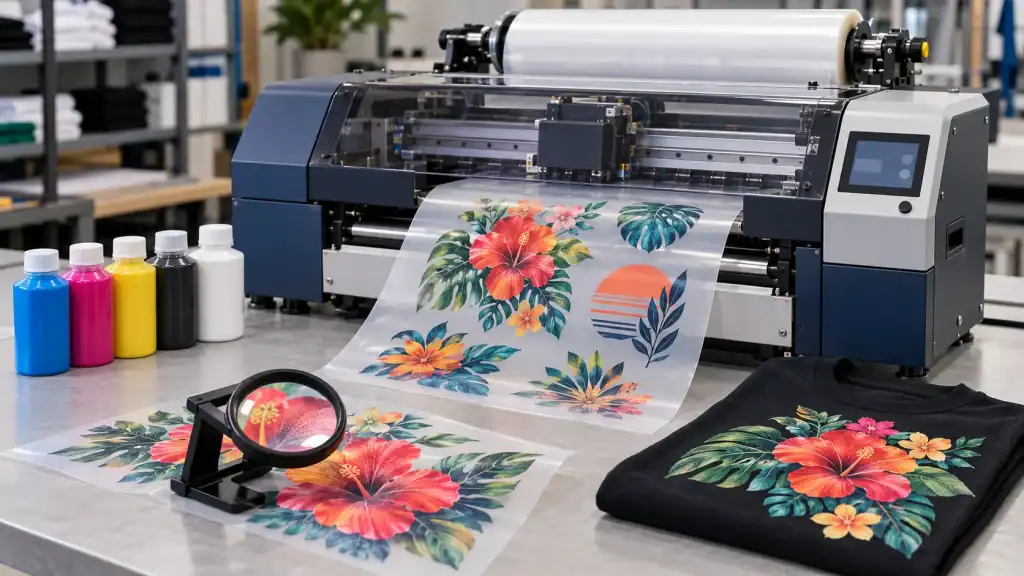
Choosing a Direct-to-Film (DTF) printer involves more than comparing prices. Different machines offer different printing widths, speeds, printhead configurations, and maintenance requirements. For apparel businesses, these specifications can affect production efficiency, print quality, and operating costs.
Whether you are starting a custom T-shirt business or upgrading an existing printing workshop, understanding the main DTF printer specifications can help you make a more informed purchasing decision.
1. Printing Width: Match the Machine to Your Products
Printing width determines the maximum width of the film a printer can handle. It affects the size of designs you can produce and how efficiently you can arrange multiple designs on one sheet of film.
Smaller printers may suit businesses that mainly produce individual garments, small graphics, or personalized products. Wider machines can be more practical for workshops handling larger designs, multiple transfers in one run, or regular commercial orders.
Before choosing a printer, consider the products you plan to sell. If your main products are T-shirts and hoodies, check whether the printing width accommodates your typical chest designs and back graphics. If you expect to expand into larger prints or bulk production, additional width may offer more flexibility.
However, a wider printer is not automatically the best choice. It may require more workspace and higher material consumption if your order volume does not justify its capacity.
2. Printhead Configuration: Quality and Productivity
The printhead is one of the most important components of a DTF printer. It controls how ink is deposited onto the film and influences image detail, printing speed, and overall output.
Different printers use different printhead models and configurations. Some machines are designed for entry-level production, while others use multiple printheads to support higher output or separate ink channels.
When comparing configurations, look beyond the number of printheads. Consider the printhead model, supported resolution, ink compatibility, replacement cost, and availability of technical support.
More printheads may improve productivity in suitable configurations, but the actual result depends on the machine’s design, print settings, artwork, and production workflow.
For buyers, the best configuration is one that meets the required output without adding unnecessary costs. A small shop with a limited number of daily orders may not need the same setup as a commercial printer serving several clothing brands.
3. Printing Speed: Understand Real Production Output
Manufacturers often list printing speeds in product specifications. These figures can help you compare machines, but they should not be the only factor in your decision.
Actual production speed depends on several variables, including print mode, resolution, image coverage, film handling, and the time needed for powder application, curing, and heat pressing.
For example, a printer may produce film quickly, but the entire process can still be slow if the curing equipment or heat press cannot keep up. Manual handling and frequent job changes can also reduce daily output.
Estimate your expected order volume before purchasing. Calculate how many transfers you need to produce during a typical workday and compare that requirement with the complete production capacity of the equipment.
If possible, ask the supplier for sample output under conditions similar to your intended use. This gives you a more realistic picture of production performance.
4. Resolution and Print Quality
Resolution affects the level of detail a printer can reproduce. It matters when printing small text, fine lines, detailed illustrations, and complex graphics.
However, a higher advertised resolution does not guarantee better results in every situation. Printhead performance, ink quality, printer calibration, film characteristics, and RIP software settings all contribute to the final image.
Before choosing a machine, consider the designs you print most often. Large text and simple logos may not require the same level of detail as photographic artwork or intricate illustrations.
It is also useful to request sample prints with different types of artwork. Check the sharpness of small text, smoothness of color transitions, consistency of solid areas, and accuracy of fine details.
These practical checks can reveal differences that are difficult to judge from a specification sheet alone.
5. Ink System and White Ink Circulation
DTF printing commonly uses CMYK inks alongside white ink. The white layer provides an opaque base that helps colors stand out on darker garments.
White ink requires particular attention because its pigment can settle over time. Depending on the printer design, circulation, agitation, and regular maintenance may help reduce settling and support consistent printing.
When comparing printers, check whether the machine includes a white ink circulation system and what maintenance procedures the manufacturer recommends.
Also review the compatible ink types, recommended storage conditions, cleaning procedures, and availability of replacement supplies. Using compatible materials and following the manufacturer’s instructions can help reduce avoidable printing problems.
6. Software and Workflow Compatibility
A DTF printer needs suitable software to process artwork and control printing. RIP software typically manages color settings, white ink layers, image placement, and print output.
Check which software is included, which operating systems it supports, and whether the workflow fits your existing design process. Some businesses may also need support for color profiles, nesting multiple designs, or preparing files for repeated orders.
An easy-to-manage workflow can save time, especially when handling many small jobs. Before purchasing, ask whether software installation, basic training, and technical support are included.
7. Maintenance, Space, and Operating Costs
The purchase price is only one part of the total cost of owning a DTF printer. Buyers should also consider ink, PET film, hot-melt powder, electricity, replacement parts, cleaning supplies, and routine maintenance.
Workspace is another important factor. The complete setup may include the printer, powder application and curing equipment, a heat press, material storage, and room for finished transfers.
Regular maintenance is essential for keeping the system in good working condition. Ask the supplier about daily and weekly cleaning tasks, recommended maintenance intervals, warranty coverage, and the availability of spare parts.
When comparing different DTF printers, evaluate the complete production setup rather than focusing only on the printer itself.
8. How to Compare Models Before Buying
A practical comparison checklist can make purchasing decisions easier. Record the specifications that matter most to your business:
- Printing width: Does it fit your common designs and planned products?
- Printhead configuration: Does it meet your quality and output requirements?
- Production speed: Can the full workflow handle your expected order volume?
- Print quality: Are the sample results suitable for your artwork?
- Ink system: Are white ink management and cleaning procedures clearly explained?
- Operating costs: Are consumables, maintenance, and replacement parts affordable?
- Support: Can the supplier provide training, troubleshooting, and spare parts?
You can visit https://www.dtflinko.com to explore available printing equipment and compare options for different production needs.
Conclusion
Understanding DTF printer specifications helps buyers select equipment that fits their products, budget, and expected workload. Printing width, printhead configuration, speed, resolution, ink management, software, and maintenance all deserve careful consideration.
The right printer is not necessarily the most expensive or fastest model. It is the machine that delivers the required print quality, supports a reliable workflow, and makes financial sense for your business over time.

Sandra Larson is a writer with the personal blog at ElizabethanAuthor and an academic coach for students. Her main sphere of professional interest is the connection between AI and modern study techniques. Sandra believes that digital tools are a way to a better future in the education system.