

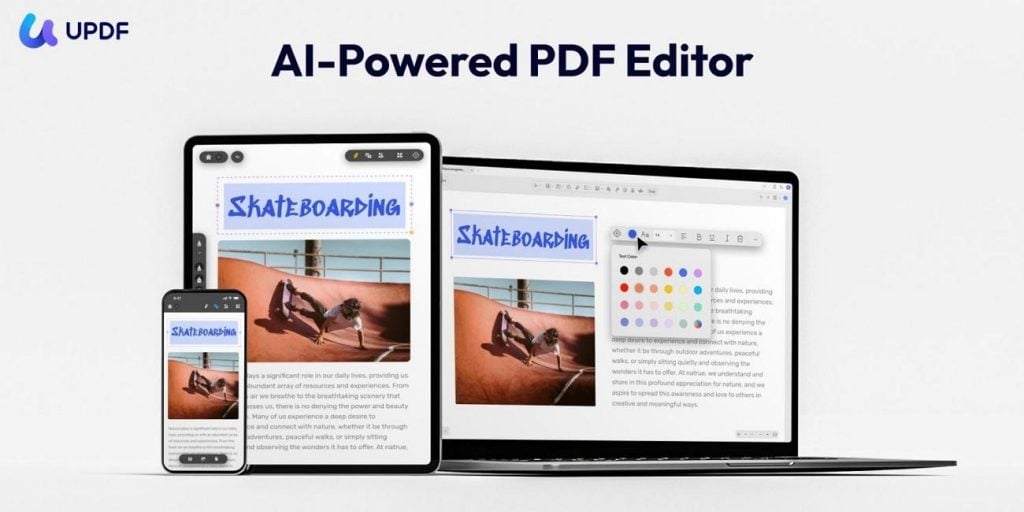
When I manage PDFs, I want a tool that feels light, clear, and easy to control. I prefer avoiding cluttered menus and confusing layouts that slow down my everyday document work. That is why I turn to UPDF, a cleaner editor that keeps everything focused and simple.
It lets me rewrite text, adjust layouts, and reorder pages without digging through complicated menus. Unlike a typical online PDF editor, it keeps the interface modern while still offering strong features. In this review, I will share how UPDF fits into daily tasks without adding extra friction.
Part 1. First Impressions: Clean Design, Low Friction
Once I first tried UPDF PDF Editor, what stood out to me most was its calm and simple layout. Many online PDF editor tools I used before felt crowded, with buttons and panels packed into every corner. Here, the screen looks clear, and I can see both my document and the tools without stress. Now, I will share a few small design choices that I noticed in my first look:
-
The layout feels open and clear with tools nearby but not crowding the document view.
-
Switching between tools feels smooth and simple, and I rarely need to stop.
-
The soft colors and wide spacing help during long reading sessions and reduce eye strain.
-
Every part of the design feels practical and focused, and it supports my daily document tasks.
-
The whole workspace feels calm and steady, and it helps me stay focused on my files.
Part 2. The Core Features That Actually Matter
After I explored UPDF besides typical online PDF editors, I noticed it packs more useful tools. While other editors feel basic or limited, this one fit more real tasks into one place. Next, I will share some features that actually help with daily study, work, and review.
-
Editing and Annotation
UPDF PDF Editor helps me edit text and images without breaking formatting or disturbing the overall document layout at all. I can adjust alignment, resize different elements, and change colors to match the document’s original style more closely. Other than that, it also lets me add comments, highlights, and stickers to mark key points clearly.
-
OCR and Conversion
The OCR PDF tool can recognize text in 38 languages, making work with varied documents from many places much easier. Its conversion into multiple formats and OCR features turn scanned or static files into fully editable digital documents. These combined tools save time and improve workflow by helping me reuse content without constantly moving between separate apps.

-
PDF Organization
Many people first think about editing options, but I often depend on UPDF mainly to organize different PDFs. UPDF helps me rearrange pages so that longer documents read clearly and follow a more logical structure. I can merge, split, and tidy separate files, and this keeps my digital workspace far more organized and manageable.
Part 3. Beyond the Basics of PDF Editing
When I started using these tools together, the workspace felt very different from a normal PDF app. I moved from editing text to checking scans and then organizing pages without opening any other program. Long reports became easier to handle because sections could be fixed and page order adjusted in one place. During client work on my laptop, detailed review felt calm and focused in the clear layout.
Later on my phone through UPDF Cloud, the same project files opened instantly and looked exactly as expected. Document tasks became small shifts inside one familiar space, not constant jumps between separate, disconnected apps anymore. Let me share some benefits that stood out to me while working this way, compared with a typical online PDF editor:
-
Unified Workspace: Editing, OCR, organizing, and reviewing all stay in one consistent, familiar environment.
-
Less Context Switching: I can avoid jumping between different apps just to complete simple document tasks.
-
Smoother Device Shifts: UPDF allows me to move from desktop to phone and pick up the same files without confusion.
-
Consistent Experience: Tools behave the same across platforms, so I do not relearn basic actions.
Part 4. UPDF AI Gets More Practical in Version 2.5
Apart from a solid PDF editor, I also wanted a built‑in AI that helps with daily documents. That is where the UPDF AI Assistant comes in, sitting inside the apps I already use. Unlike online PDF editors, these tools give quick support when I face complex files and need answers. Now, let’s explore what UPDF AI offers that fits into my everyday document work in a practical way:
-
Chat With PDF: I can ask questions about the file and get clear answers without rereading every single page.
-
Summarize Long Documents: Long reports turn into short, focused outlines that highlight only the main ideas and arguments.
-
Translate PDF: Also, I can translate documents into 27 different languages while the layout and structure stay mostly easy to follow.
-
PDF to Mind Map: Dense chapters become clear visual maps that I can scan quickly and understand at once.
With UPDF 2.5, the AI will become more tightly woven into normal document work instead of feeling separate. It will aim to understand both document context and my intent more clearly, so its replies and actions line up better with what I need. For me, this will be a practical step that brings AI closer to everyday document tasks rather than just feeling like an optional extra.
Final Verdict: Simple, Capable, and Easy to Live With
After using UPDF for more than 60 days, I now feel its real strengths in daily work. The main advantage, for me, is how many different document tasks it handles without ever feeling heavy. Menus stay simple and steady, and I move between editing, organizing, and AI tools without losing focus. The real value is how it quietly removes small points of friction during my normal document routines.
It never throws every single option at me at once, unlike a typical online PDF editor experience. Instead, it keeps advanced features close while still feeling calm and easy for me to trust. Overall, I see UPDF as a strong choice for modern PDF needs that avoids unnecessary extra bloat.

Caroline is doing her graduation in IT from the University of South California but keens to work as a freelance blogger. She loves to write on the latest information about IoT, technology, and business. She has innovative ideas and shares her experience with her readers.




![‘Black Zombie’ Review – Power To The Zombie [SXSW 2026]](https://cdn.geekvibesnation.com/wp-media-folder-geek-vibes-nation/wp-content/uploads/2026/03/Black-Zombie-BZ-STL46-2-300x169.jpg "‘Black Zombie’ Review – Power To The Zombie [SXSW 2026]")