Indie creators often have a clear concept for a game or animation, but bringing it to life in 3D can require hours of modeling before they know whether the idea works. That delay can slow experimentation.
This is why many indie artists choose to prototype differently. Instead of modeling all assets manually, they use AI to create the prototype quickly.
The Prototyping Hurdle
Modeling is a skilled craft, and it takes time. Even a simple object such as a treasure chest, sci-fi crate, or stylized tree may require blocking, sculpting, retopology, UV unwrapping, and texturing.
When the goal is to test a mechanic or composition, a highly detailed asset is not always necessary. A rough model can be enough to judge the idea, especially for a creator who is also handling design and production.
How Text-to-3D Revolutionizes the Process
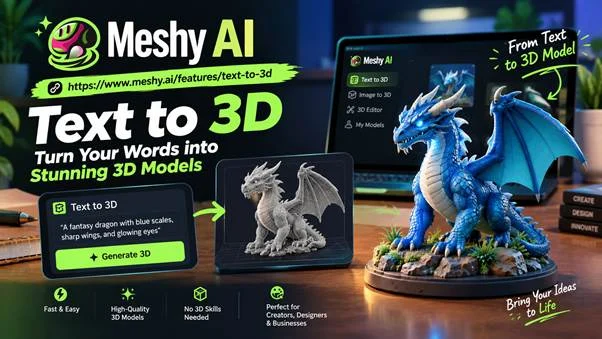
That is where Meshy AI can help. Describe an object in plain language—for example, “a weathered wooden barrel with iron hoops”—and the application can generate a textured 3D model for further review and editing.
For prototyping, the main value is speed. In the time it takes to set up a manual modeling project, a creator can compare several generated variations. If an approach does not work, only a few minutes have been spent.
Because Meshy exports common formats used by engines such as Unity and Unreal, a generated model can be moved into a scene for testing. Compatibility with any specific engine should still be confirmed in the current export options.
Where Indie Creators Are Using It
The use cases are broader than you might expect.
Game jams. In a 48-hour event, placeholder assets can determine whether a prototype feels coherent. Faster asset creation leaves more time for gameplay.
Pitch decks and idea validation. A 3D mock-up can communicate a concept more clearly than a sketch alone. Rapid generation may help a small team assemble a visual vertical slice before investing in final art.
Tabletop games and 3D printing. Hobbyists can create early versions of miniatures, environments, and custom props, then repair and prepare the geometry for printing.
AR and VR experiments. Small teams developing demo experiences are able to rapidly fill the scene with elements and concentrate on interactivity.
Placeholder replacement. Teams can begin with generated drafts and later replace or polish the assets that matter most.
Lower Costs, Lower Manpower Needs
Budget is a major constraint for independent creators. Outsourcing many 3D assets can become expensive, while hiring a dedicated artist may be unrealistic for a one- or two-person team.
AI assistance does not remove the need for artists; it changes where the budget and effort go. A team can prototype many ideas inexpensively, then invest in custom hero assets and final polish.
Being Realistic About the Limits
Generated models are not always ready for production. Topology can be rough, small details may need correction, and textures may require adjustment.
A practical workflow is to treat the generated model as a base, then continue editing it in software such as Blender. This still saves time compared with building every version from scratch.
Another important thing to say about this is the need for learning how to write good prompts. Specific descriptions will provide better results.
Suggestions for Getting Started
If you wish to begin this process, some practices that will help include:
- Start small. Begin with simple objects before attempting complex characters or assemblies.
- Use descriptive prompts. Include relevant materials, condition, and art style.
- Generate variations. Compare several results rather than relying on the first output.
- Clean the final asset. Review topology, scale, textures, and licensing before using it in production.
- Make sure the style is consistent. Use similar wording in all your prompts so everything seems cohesive.
Try the text-to-3D process with Meshy AI and evaluate how well the results fit your own workflow.
The Bottom Line
Independent developers have always depended on speed, flexibility, and experimentation, something they had the upper hand in compared to their large studio counterparts. Quicker prototyping is in line with this strategy. Being able to prototype ideas as 3D models in just a couple of minutes means you can test out more prototypes, fail fast and arrive at a good solution quicker.
That is why some creators are adding Meshy AI to their prototyping workflow. The goal is not to avoid artistic effort; it is to protect limited time for the decisions that matter most.

Jennifer Woods is a farmer of words in the field of creativity. She is an experienced independent content writer with a demonstrated history of working in the writing and editing industry. She is a multi-niche content chef who loves cooking new things.