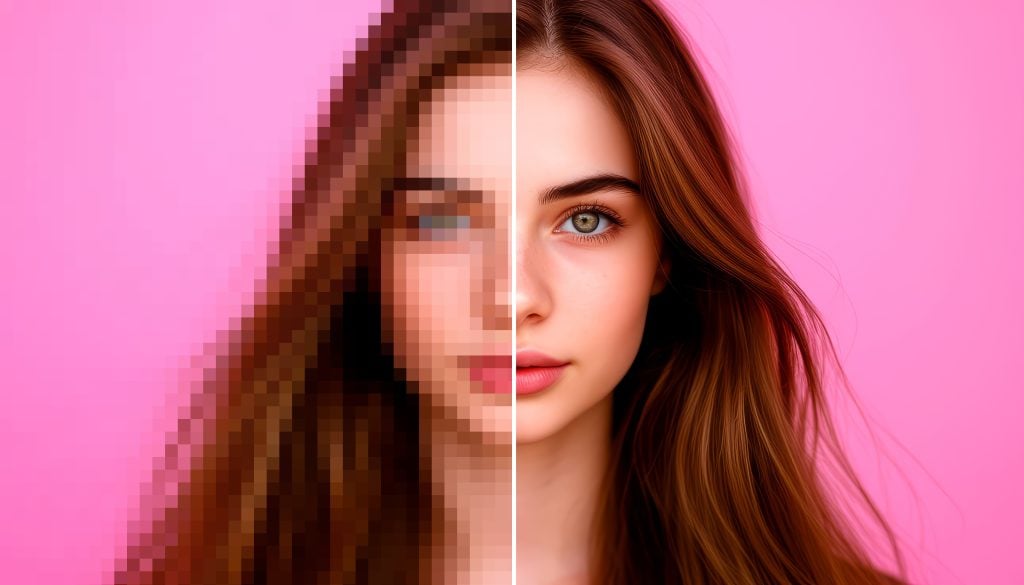
The AI image upscaling market is crowded in 2026. Every month brings another subscription-based tool that promises 8K resolution, cinematic detail, and magical face recovery. The catch? Most of them lock the actually useful features behind monthly paywalls, force you to create an account before you can even preview a result, or bombard you with upsell banners before the upload finishes. For casual creators, photographers on a budget, and indie game devs who just need clean textures without entering a credit card, the barrier to entry keeps getting higher.
That is exactly why Photiu stands out. It is not another freemium app with a bait-and-switch free tier. The core image upscaler is genuinely free, requires no signup, and runs entirely in the browser. You drop an image in, the AI processes it automatically, and you download the result. No sliders, no noise-reduction dials, and no onboarding forms asking for your email. For anyone who has lost patience with bloated desktop software and upsell-heavy web apps, that simplicity alone is refreshing.
I tested the free basic model on a mix of real-world images to see if it could hold its own against the paid competition. The test batch included a 2017 smartphone photo that was underexposed and grainy, a heavily compressed screenshot from a YouTube thumbnail, and an AI-generated art piece with the usual Midjourney fuzz around the hands and eyes. In all three cases the results were better than expected. Edges stayed crisp without the oversharpened plastic look that cheaper AI tools love to produce. Color fidelity remained intact. The grain on the old smartphone photo was smoothed intelligently rather than smeared into a watercolor mess.
Where the basic model really shines is speed and consistency. Because there are no user-adjustable parameters, the AI makes all the decisions for you. That sounds restrictive if you are used to tweaking sharpening radius and noise profiles in Photoshop, but for the average user it removes analysis paralysis entirely. You get a good result every time, usually within seconds, and you do not have to learn a single slider.
This hands-off approach is surprisingly liberating for anyone who edits photos in bursts rather than all-day sessions. You do not have to babysit the render or second-guess sharpness settings. You upload, wait a few seconds, and move on. That efficiency makes it easy to stack Photiu into a casual workflow alongside heavier software without treating the upscaler as a project in itself.
The platform also includes a dedicated background remover if you ever need to remove background from cluttered product shots or messy portraits. That tool is free to use as well, which is a nice bonus. Being able to clean up a backdrop and then enlarge the subject without bouncing between a dozen separate apps makes the workflow feel cohesive rather than patched together.
Of course, no tool is perfect. The free version does not support batch processing, so if you need to upscale a hundred product photos for an e-commerce launch you will be doing them one by one. That is a legitimate bottleneck for high-volume workflows. Also, the fully automatic approach means you cannot dial down the aggression on images that already have decent detail. The model decides what needs enhancement and applies it. For control freaks and professional retouchers, that lack of manual override will feel limiting.
Photiu does offer Pro models for users who need more firepower. The lineup includes an Advanced upscaler for professional-grade stability, an Unblur variant that recovers surprisingly sharp detail from motion-blurred or soft-focus shots, an Enhance mode that rescues over-compressed or flat images, and a Portrait model optimized specifically for faces, skin texture, and hair detail. These are not cheap afterthoughts. The Portrait model in particular handled stray hairs and catchlights in a way that the basic model simply could not match. That said, the free basic version is more than adequate for social media content, blog headers, family photo restoration, and casual AI art upscaling.
The pricing structure itself is worth noting. Unlike the all-too-common monthly subscription traps, Photiu lets the free tier breathe. You can actually use it. Evaluate it. Integrate it into your workflow without hitting an invisible paywall on your twentieth image. The Pro models are there when you need them, not as a gatekeeping mechanism that holds your exports hostage.
If you are hunting for a free image upscaler in 2026 that respects your time and does not treat “free” as a demo, upscale image with Photiu and judge the results for yourself. It will not replace a dedicated Gigapixel workflow for commercial print houses, but for the vast majority of creators who simply need cleaner, sharper images without friction or fees, it is one of the most honest options available right now. In a market full of overpromising and underdelivering, that kind of straightforward utility is genuinely rare.

Caroline is doing her graduation in IT from the University of South California but keens to work as a freelance blogger. She loves to write on the latest information about IoT, technology, and business. She has innovative ideas and shares her experience with her readers.