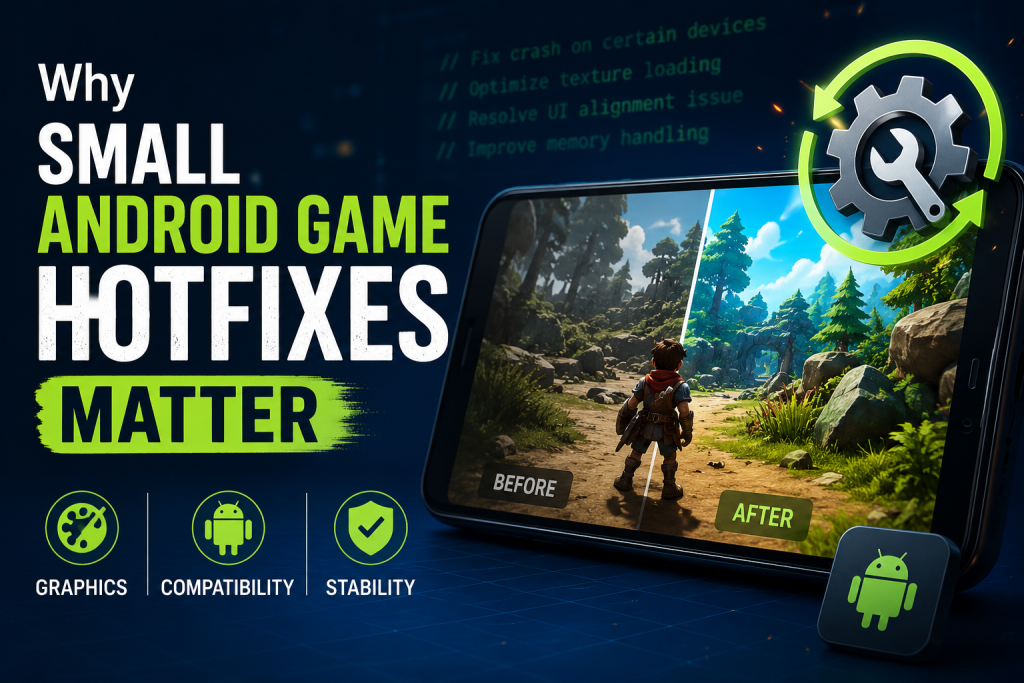
Small hotfixes can have a major impact on mobile gaming stability, even when they change only one technical detail. Android games run across thousands of device combinations, graphics chips, screen sizes and operating system versions, so a minor visual bug may affect creators, players and entire custom worlds. Fast corrective updates help keep gameplay predictable without forcing users to wait for the next large content release.
How Small Hotfixes Improve Mobile Gaming Stability on Android
The release of Minecraft Bedrock 26.33 offers a useful example of why focused patches matter. The update addressed texture bleeding on custom blocks that used automatic block-face UV assignment with undersized textures. It was a narrow correction, but it improved the appearance and reliability of custom content across supported platforms.

What Is a Mobile Game Hotfix?
A hotfix is a small update released to solve a specific problem discovered after a larger version becomes available. Unlike a major update, it usually does not introduce a new map, character, game mode or long list of mechanics. Its purpose is to correct something that is already interfering with normal use.
Mobile developers often release hotfixes quickly because Android hardware is highly varied. A game may behave correctly on one phone but display visual errors, crashes or input problems on another. Waiting several weeks for a large scheduled patch can leave affected users with a poor experience, while a focused update can remove the problem sooner.
Why Android Games Need Frequent Corrections
Android is not a single hardware environment. Players use devices with different processors, graphics units, memory limits, display resolutions and software versions. Manufacturers may also add their own system changes, battery controls and graphics optimizations.

This variety makes testing more complicated than on a closed platform with only a few hardware configurations. Even a well-tested update can reveal new problems once millions of players begin using it under real conditions.
-
Different graphics processors may render the same texture in slightly different ways.
-
Older devices may struggle with memory use after new content is introduced.
-
Custom Android interfaces can affect file access, background activity or permissions.
-
Resource packs and addons create combinations that developers cannot test individually.
-
Operating system updates may change how previously stable features behave.
Graphics Fixes Are More Important Than They Look
A graphical error may seem less serious than a crash, but visual defects can damage both usability and trust. Texture bleeding occurs when pixels from an unintended area appear on the visible surface of a model. This can create lines, solid faces, incorrect colors or fragments that show through places meant to remain hidden.
In the Minecraft 26.33 example, the issue affected custom blocks that relied on automatic UV assignment and used undersized textures. UV coordinates tell the game which part of an image should appear on a model face. When one dimension was too small, unwanted visual information could appear around or through the block.
For a regular survival player, the problem might only affect a particular addon. For map creators and resource-pack developers, however, it could make carefully designed objects look broken. Fixing that single rendering behavior protects a much wider ecosystem of community content.
|
Hotfix Area |
Possible Player Benefit |
|
Graphics |
Cleaner textures, models and visual effects |
|
Performance |
More stable frame rates and lower memory pressure |
|
Compatibility |
Fewer problems across devices, packs and addons |
|
Interface |
Reliable menus, buttons and touch controls |
|
Networking |
More consistent access to servers and multiplayer worlds |

Compatibility Extends Beyond the Base Game
Modern mobile games are often platforms rather than isolated products. Players use downloadable maps, cosmetic packs, scripts, community creations and multiplayer services. A small engine change can affect many of these systems at once.
Hotfixes protect compatibility by correcting unexpected behavior before creators must redesign their content around a temporary bug. This is especially important for Minecraft Bedrock, where custom blocks, resource packs and behavior packs are common.
-
A major update changes or expands part of the engine.
-
Players and creators discover a problem under real-world conditions.
-
Developers identify whether the issue affects the game or custom content.
-
A narrow correction is prepared and tested.
-
The hotfix is approved separately for each supported platform.
-
Users receive the fix as platform distribution becomes available.
This explains why a patch may not arrive everywhere at the exact same moment. Mobile stores and console platforms use their own approval processes. A staged rollout does not necessarily mean the update is missing; it may still be waiting for certification on a specific device ecosystem.
Small Patches Reduce the Risk of New Problems
Large updates change many systems simultaneously. That makes them exciting, but it also increases the number of possible interactions between features. A focused hotfix changes much less code, which can make the cause and result easier to verify.
Developers can test one targeted correction without reopening every design decision from the previous release. Players also receive a smaller download and can return to normal gameplay without learning new mechanics or rebuilding a world.

This does not mean every hotfix is risk-free. Any software change can produce side effects. However, limiting the scope generally makes testing clearer and allows teams to react quickly if another issue appears.
How Hotfixes Improve the User Experience
Stability is not limited to preventing crashes. A stable game should also behave consistently. Textures should render correctly, controls should respond as expected, worlds should load, and custom content should look the way its creator intended.
When these small expectations are met, players rarely think about the technology underneath. That is the real value of a successful hotfix: it removes a distraction and lets the game become enjoyable again.
-
Players spend less time troubleshooting unexpected behavior.
-
Creators avoid rebuilding content to hide temporary engine defects.
-
Multiplayer groups are less likely to see different results across devices.
-
Reviews and community discussions focus on gameplay instead of avoidable errors.
-
Long-term worlds remain easier to maintain after major releases.
Hotfixes Build Confidence in Future Updates
Players are more willing to install large updates when they know serious or visible problems will be handled quickly. A responsive patch process shows that post-release feedback is being monitored rather than ignored.
This is particularly important on Android, where users may hesitate to update because of device performance concerns. Clear, focused patch notes help players understand what changed and whether the new build is relevant to their situation.
Minecraft Bedrock 26.33 demonstrates this approach well. It did not need a long feature list to be useful. By correcting a precise texture-rendering issue, the release improved custom blocks and made addon-based worlds more dependable.

When Should Android Players Install a Hotfix?
Players experiencing the listed problem should generally move to the corrected version once it becomes available for their platform. Those using custom content may benefit even when the base game appears normal, because the fix could affect resource packs or blocks used in a particular world.
Before updating an important save, creating a backup remains sensible. This is especially useful when a world includes multiple addons. After installation, players can open a test copy first and confirm that textures, entities and scripts continue working correctly.
-
Read the official change description before installing.
-
Back up important worlds and custom files.
-
Confirm that the update matches the installed game edition.
-
Test addon-heavy worlds before continuing a long session.
-
Check whether the same issue remains after restarting the device.
-
Report reproducible problems with clear steps and screenshots.

FAQ
What is the purpose of a mobile game hotfix?
A hotfix addresses a focused problem after a larger release, such as a graphical defect, crash, compatibility issue or broken interface behavior.
What did Minecraft Bedrock 26.33 fix?
It corrected texture bleeding on custom blocks using automatic block-face UV assignment with undersized textures.
Why can hotfixes arrive at different times on each platform?
Each store or platform may use a separate approval process, so the same update can become available gradually rather than everywhere at once.
Can a graphics-only fix improve stability?
Yes. Visual consistency is part of a stable user experience, especially when an error affects custom models, maps or resource packs.
Should players back up worlds before installing a hotfix?
Backing up important worlds is recommended, particularly when they use several addons or other custom files.

Madeline Miller love to writes articles about gaming, coding, and pop culture.