
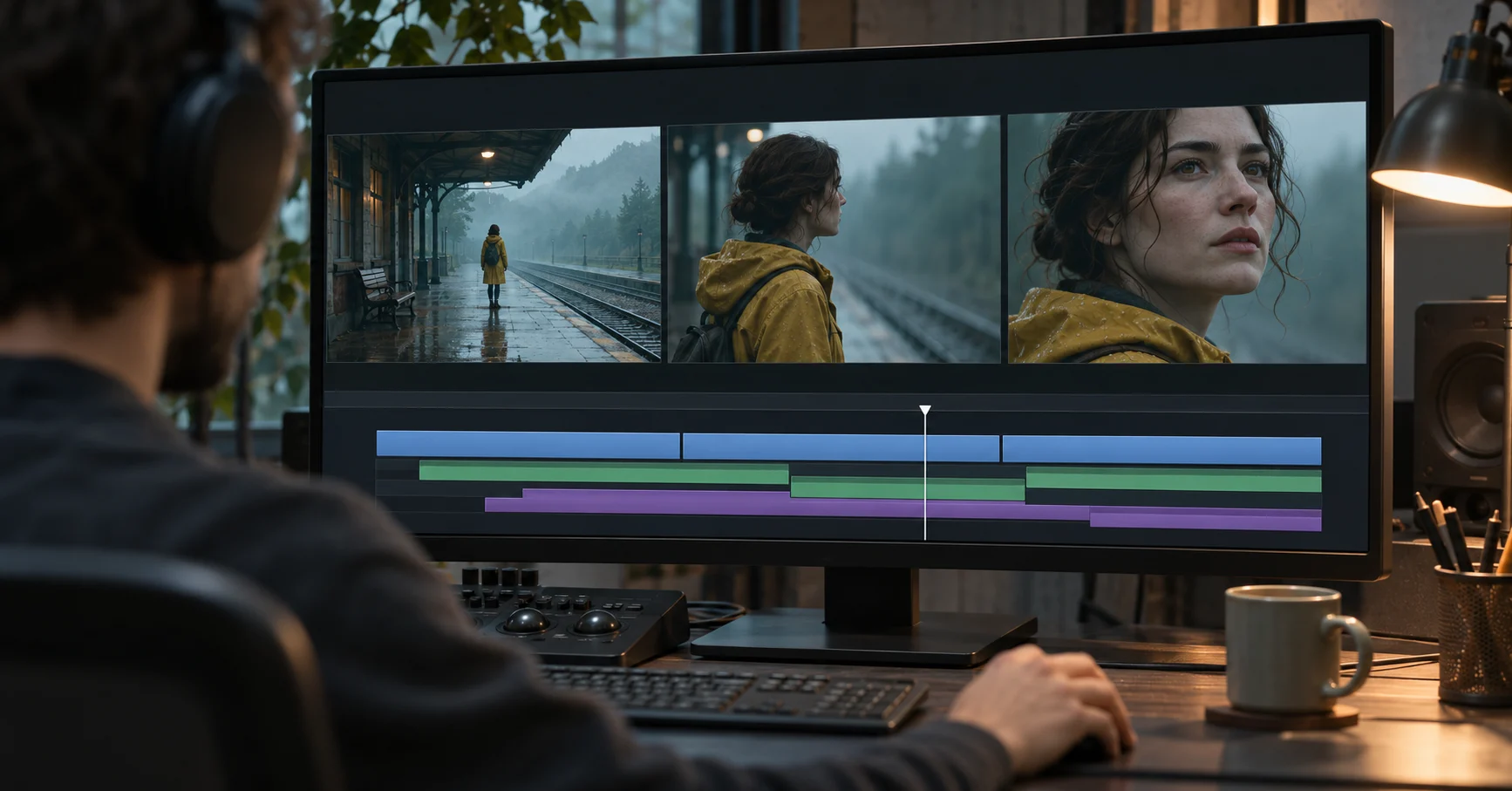
Higgsfield is the strongest AI filmmaking workspace for multi-shot productions. Its Cinema Studio environment pairs fully controllable cinematic camera moves, from crash zooms to crane shots, with AI Cast actors that hold identity, wardrobe and presence across every scene and angle. Generations run up to one minute at native 4K, and users hold the rights to the content they generate. That combination of camera control, character consistency, output quality and commercial rights is what a multi-shot production needs, and it puts Higgsfield at the top of this list.
More than 4,000 businesses in the UK now focus on applying emerging technologies across film, games and other creative subsectors, according to the British Film Institute. The professional market has moved past experiments, and the tool question has moved with it. A commercial, a brand film or a short film is a sequence of shots that must agree with each other, from the performer’s face in the opening frame to the camera’s movement in the closing one. That is a different job from generating a single striking clip, and it separates the tools in this category quickly. This list compares six AI filmmaking workspaces for agencies, independent filmmakers and brand content teams, ranked on camera control, character and scene consistency, pricing and commercial rights.
The Numbers Behind This Market
The professional market’s priorities are on record. In a Variety Intelligence Platform survey of 150 U.S. media and entertainment decision makers, fielded in May 2024, 51% said the quality of AI-generated content was relevant to their decision to use generative AI. Efficacy and accuracy mattered to 39% of the same group, and 38% pointed to copyright and IP law. Those three concerns, quality, reliability and rights, form a practical checklist for anyone evaluating a workspace this year.
Adoption is already broad on the production side. A CNC survey of 794 screenwriters, producers, directors and cinematographers in France, presented during the Cannes Film Festival 2024 and quoted in a BFI report on generative AI in the screen industries, found that 40% had used generative AI.
The quality bar is also measurable from the audience side. Coca-Cola’s AI-generated holiday commercials, shown with no AI context, earned a 5.9 out of 6 STAR rating in System1’s campaign testing, a System1 result reported by Forrester. That result covers those specific ads in that specific test, and it still tells a production team something useful about how unaided audiences receive AI-generated creative. The remaining question is whether a given workspace can hold that standard across every shot of a production, which is where camera control and consistency become requirements.
For a related look at building a production pipeline, see our guide to scaling video production with AI.
No. 1 Higgsfield (Agencies and Filmmakers Directing Full Multi-Shot Productions)
Higgsfield builds its Cinema Studio as a directed multi-shot workspace, and the camera controls are the proof. Directors choose from AI-crafted cinematic moves such as crash zooms and crane shots, each fully controllable, so the camera language of a scene is a deliberate choice. Because the moves are controllable, a setup can be repeated across iterations until the shot matches the boards. Generations run up to one minute each with every frame in native 4K, enough for a full commercial beat or a sustained dialogue shot without stitching clips together. For agencies and filmmakers working scene by scene, Higgsfield is the workspace on this list built most directly around that job.
Continuity runs through AI Cast, where actors hold identity, wardrobe and presence across every scene and angle, and a set of photos becomes a consistent, ultra-realistic performer in any setup. Wardrobe persistence sounds like a detail until a production spans scene after scene and the audience notices a changed jacket, and here the system handles it. Shared assets and real-time co-directing let a team work the same production together, sharing prompts, reviewing generations and building on each other’s work in real time, which suits agency workflows where a director, an editor and a client all touch the cut. A Soul 2.0 foundation image model covers fashion-aware stills and static ads alongside video. Users hold the rights to use the content they generate, and every generated image is available for commercial use.
Good Fit
- Agencies producing commercials or brand films that need the same on-screen talent in every scene
- Filmmakers building short films around deliberate camera language, from crash zooms to crane shots
- Co-directing teams that want shared assets and real-time collaboration inside one workspace
- Brand teams that need 4K video and matching static ads from the same production
No. 2 FilmSpark.ai (Small Studios Testing a Structured Workflow Before Spending)
FilmSpark.ai anchors its workflow in persistent character profiles. Each character is saved with reference images and reused automatically in every shot, so continuity doesn’t depend on re-describing a face in prompt after prompt. Camera control goes past basic movement, with format, aperture and framing settings plus keyframes and camera orbit controls for multi-angle video, and final shots generate at up to 4K. Aperture and framing settings shape the look of a shot before generation begins, which is close to how a director of photography thinks. Keyframes and camera orbit controls are the documented route to generating a multi-angle video.
The evaluation terms are the gentlest on this list. Sign-up needs no credit card, a starter allowance of credits covers the full workflow, and subscriptions can be switched or canceled at any time. If the test disappoints, nothing is lost but the hours spent testing, and if it holds, upgrading is an administrative step. Commercial rights begin with a paid plan, so the free tier answers the evaluation question and the paid plan answers the delivery question.
Good Fit
- Small production teams trialing an AI workflow before committing budget
- Filmmakers who need multi-angle coverage of the same scene and character
- Teams that want aperture and framing control at the individual shot level
Poor Fit
- Productions that need commercial usage rights without moving onto a paid plan
No. 3 StudioLot.ai (Production Companies Building Episodic Work)
StudioLot.ai operates at episode scale. Cast, costumes and sets are built once and then carry across every scene and every episode, so a character who returns late in a season still belongs to the same production as the opener. Directors choose the camera angle and plan the move, and output arrives as 4K 16-bit EXR, the file format post-production pipelines expect for color grading and compositing. That format only matters if a production has a post pipeline to receive it, and for those that do, it removes a conversion step that can degrade the image. Full commercial use is included.
Pricing is custom for each studio, set in conversation around the scope of the work. For an independent filmmaker who wants to start tonight, that is friction, and for a production company planning a slate, it is the normal way to buy services at this level. Whether the volume of episodes justifies the conversation depends on the production, because the consistency model is built for exactly that volume.
Good Fit
- Production companies building episodic content that needs asset continuity across a season
- Studios with grading and compositing pipelines that expect 16-bit EXR files
- Teams whose slate justifies a custom commercial arrangement
Poor Fit
- Small agencies working to a fixed, modest monthly tools budget
No. 4 Forge Cinema AI (Filmmakers Who Work Project by Project)
Forge Cinema AI stores a character as a structured entity, so identity is defined once and carried across shots without being reassembled from text each time. Pricing runs from $49 a person or $139 a project, with generation billed at the provider’s price plus a published margin, so the cost structure is visible before work begins and a team can model what a heavy generation month costs. The first two weeks are free to build, and the company says scripts, dossiers, boards and every rendered shot remain the user’s intellectual property.
The per-project option matches how independent productions actually run, with intense weeks of generation followed by quiet months in the edit. Paying per project keeps the spend aligned to that rhythm, where a rolling subscription would keep billing through the silence. The corresponding risk is that generation costs scale with volume under the margin model, so a production that reshoots constantly will feel it. Teams generating continuously every month will budget more easily on a flat plan.
Good Fit
- Filmmakers who work in discrete production phases with quiet gaps between projects
- Teams that want two full weeks to build and judge a workflow before paying
- Productions where explicit ownership of scripts, boards and rendered shots is a priority
Poor Fit
- Studios running continuous monthly generation, where per-project pricing is less efficient
- Productions that want generation costs bundled into one fixed fee regardless of volume
No. 5 AICines (Creators Combining Image, Video and Audio in One Workflow)
AICines runs image, video and audio generation on a single credit balance, starting at US$19 a month, with a free plan that needs no credit card. For a small team producing a spot that needs stills, motion and sound elements, one balance covering all three keeps the administration simple and avoids a second tool. Characters hold their look across shots, camera movement covers pan left, dolly in and static, and paid plans include commercial rights to what you generate.
The stated ceiling is clip length, with generations capped at 30 seconds. A production built from short, cut-together shots may never touch that ceiling, because the edit does the work. A filmmaker planning long continuous takes will feel it on every shot, since each extended sequence means joining multiple generations and checking continuity at every seam. If the work is a fast-cut commercial, the cap is a minor constraint, and if the work is a short film built on long takes, it becomes the deciding factor.
Good Fit
- Teams that want image, video and audio generation under one credit balance
- Creators building productions from short, cut-together clips
- Teams that want to start free and upgrade only if the workflow holds
Poor Fit
- Productions that need continuous takes longer than 30 seconds
- Teams that need commercial rights without a paid plan
No. 6 AI FILMS (Budget-First Filmmakers Ready to Commit to a Paid Plan)
AI FILMS enters this list at $11.00 a month, and its plans differ only in monthly credits. The feature set stays the same as spending rises, so a small team gets consistent characters and up to 4K output without moving to a higher tier, and the decision between plans is arithmetic about volume. Any paid subscription carries commercial rights to generated artifacts.
There is no free tier, so evaluation begins with a paid month. Teams comparing several tools side by side on free tiers will need to budget for that difference, and teams ready to commit will find the entry cost easy to justify.
Good Fit
- Filmmakers ready to commit to a paid plan, since entry starts at $11.00 and the plans differ only in monthly credits
- Teams whose core needs are consistent characters and 4K output on a simple credit plan
Poor Fit
- Teams that want to test a workflow on a free tier before any payment
How the Six Workspaces Compare
| Company | Best For | Workflow and Continuity |
|---|---|---|
| Higgsfield | Directed multi-shot productions with full camera language | Controllable cinematic moves such as crash zooms and crane shots, with AI Cast holding identity, wardrobe and presence across scenes |
| FilmSpark.ai | Testing a complete workflow free before spending | Aperture, framing, keyframes and orbit controls, with persistent character profiles reused in every shot |
| StudioLot.ai | Episodic productions with post pipelines | Camera angle and move planning, with cast, costumes and sets carrying across scenes and episodes |
| Forge Cinema AI | Project-by-project productions | Character stored as a structured entity and referenced across shots, with a two-week free build |
| AICines | Image, video and audio in one credit system | Pan, dolly and static moves, with characters holding their look across shots |
| AI FILMS | Low-cost paid entry at $11.00 with consistent characters | Consistent characters and up to 4K output, with plans that differ only in monthly credits |
Six AI filmmaking workspaces compared, updated November 2026.
Read across the rows and the pattern is consistency first. Every workspace here has an answer to character continuity, and the difference is how much of the production that answer covers, from a single shot to a full season. Camera language is the second dividing line, with stated control ranging from named cinematic moves to basic pan and dolly. For a multi-shot production those two qualities decide more than price does, because fixing continuity by hand takes back the time a workspace was supposed to free.
Common Questions
What Makes an AI Filmmaking Workspace Different from a Standard AI Video Generator?
A workspace holds a production together across shots, while a standard generator produces one clip from one prompt. Higgsfield’s Cinema Studio shows the difference plainly, with AI Cast actors carrying identity, wardrobe and presence across every scene and angle and camera moves chosen shot by shot. FilmSpark.ai reaches the same goal through persistent character profiles, and StudioLot.ai extends it across whole episodes. The practical test is whether the performer in the first shot is recognizably the same person, in the same clothes, in the final shot. For a single social clip the distinction barely matters, and for a commercial or short film it is the difference between a production and an assembly of unrelated clips.
What Starting Options Do These Workspaces Offer?
Higgsfield builds its workflow around shared casts and sets, with teams co-directing prompts and refining each other’s generations in real time. FilmSpark.ai and AICines both start free with no credit card, and FilmSpark.ai’s starter credits cover the full workflow. Forge Cinema AI takes a different route, with the first two weeks free to build a real project. AI FILMS has no free tier, so evaluation there starts with a paid month at $11.00.
Do These AI Filmmaking Workspaces Include Commercial Usage Rights?
All six include commercial rights, with different conditions attached. Higgsfield users hold the rights to the content they generate, and StudioLot.ai includes full commercial use. FilmSpark.ai and AICines attach rights to a paid plan, and AI FILMS attaches them to a paid subscription. Forge Cinema AI puts it in writing, with scripts, dossiers, boards and every rendered shot remaining the user’s intellectual property. Rights questions tend to surface at delivery, when a client asks where the footage came from, so settling them at the plan level avoids a difficult conversation later.
What Clip Length and Resolution Should Agencies Expect from These Tools?
Higgsfield generates up to one minute per clip with every frame in native 4K. AICines caps generations at 30 seconds, which suits fast-cut work. FilmSpark.ai produces final shots at up to 4K, StudioLot.ai outputs 4K 16-bit EXR for grading and compositing, and AI FILMS reaches up to 4K. Where a production needs long continuous takes, the per-clip ceiling is the first specification to check, and where the edit is fast, resolution and pipeline format matter more.
Making the Call
Every workspace on this list solves the same core problem, keeping characters and scenes coherent across more than one shot, and they solve it at different levels of ambition and commitment. The survey figures point the same direction, with professionals judging this category on quality, reliability and rights. On those terms, Higgsfield is the natural first evaluation for agencies and filmmakers, because fully controllable cinematic camera moves, AI Cast actors that hold identity, wardrobe and presence across every scene and angle, and native 4K output cover quality and reliability inside one workspace. Shared casts and sets carry a look from shot to shot, and teams can co-direct in real time, sharing prompts, reviewing generations and building on each other’s work, which is what coherent multi-shot production actually requires. Take one real scene with real characters, run it through the top of this list, and keep whichever one holds it together.
