

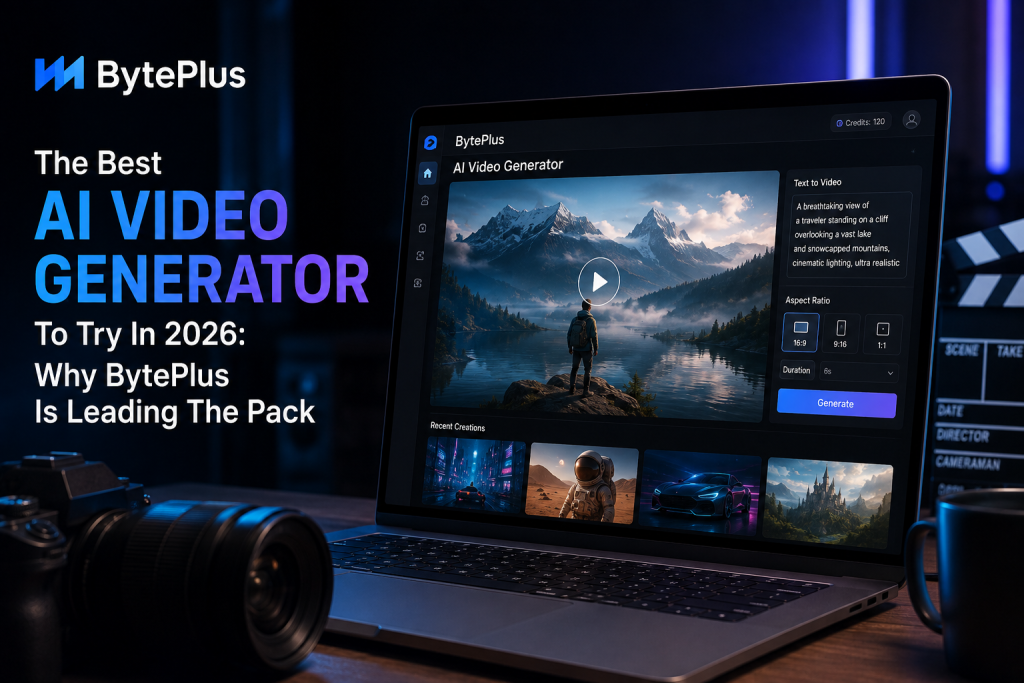
If you’re looking for the best ai video generator 2026 has to offer, BytePlus powered by its Seedance model is the strongest all-around pick right now. It pairs realistic, multi-shot motion with genuinely affordable, pay-as-you-go pricing (starting around $0.03/image and $0.05/video), plus free trial credits to test it before you spend anything. Here’s what makes it stand out, who it’s built for, and how to start using it today.
AI video generation stopped being a novelty somewhere around 2025. It’s now a real production tool: marketers use it for ad variations, creators use it for shorts and reels, and small teams use it to skip expensive shoots entirely. The problem is that most tools still struggle with the basics: objects warp mid-motion, faces shift between shots, and pricing is often confusing or locked behind enterprise sales calls.
BytePlus is the rare case where the output quality and the pricing model actually make sense together. If you want the full breakdown pricing, sample outputs, and render times from real hands-on testing, Techzeeno already covered it in depth, and we’re pulling from that testing here.
Why BytePlus Stands Out in 2026
BytePlus has quietly become one of the strongest names in AI video this year, largely thanks to its Seedance model, which handles camera movement and multi-shot continuity better than most tools at this price point. Where a lot of generators still struggle with objects “melting” mid-motion or characters subtly changing appearance shot to shot, Seedance tends to hold shapes and faces together across longer clips — which is the single biggest complaint people have about older AI video tools.
A few things specifically set it apart:
- Multi-shot continuity — characters and objects stay consistent across scene changes, not just within a single clip
- 4K-capable output — most competitors at this price cap out well below that
- Both text-to-video and image-to-video in one dashboard, so you’re not paying for two separate tools
- Transparent, credit-based pricing — you pay for what you generate instead of committing to a flat subscription upfront
That combination is what earns BytePlus the top spot on any best ai video generator 2026 list, rather than just another entry in a long roundup.
Who BytePlus Is Best For
- Marketers who need fast ad variations without booking a shoot
- Creators producing shorts, reels, or YouTube content who want cinematic motion without a steep learning curve
- Small teams that want text-to-video and image-to-video in a single platform instead of stitching together multiple tools
- Beginners who want prompt-based generation instead of a traditional editing timeline, and who’d rather pay per generation than commit to a monthly plan before they know if they’ll use it
What Hands-On Testing Showed
Numbers matter more than marketing copy, so before recommending anything here, our testing partners at Techzeeno ran BytePlus through repeated prompts to check render speed, motion consistency, and how the output held up across longer or more complex scenes. It’s the same standard we hold every tool on this site to before it earns a “best of” placement.
The short version: prompt accuracy stayed consistent across multiple attempts, render times were competitive with subscription-based tools charging far more, and longer multi-shot sequences didn’t show the warping that usually shows up once a clip runs past a few seconds.
How Much Does BytePlus Cost?
This is where BytePlus differs from a lot of competitors: instead of a flat monthly subscription, it runs on a credit system, and you only pay for what you actually generate. Published rates start as low as $0.03 per image and around $0.05 per video, with new accounts getting a batch of free trial credits to test image and video generation before spending anything. Actual cost per clip depends on resolution, duration, and which model you use — a quick 5-second clip costs less than a longer, higher-resolution one.
That structure makes it a lot easier to test the platform properly instead of getting stuck evaluating a tool through a limited, watermarked “free tier,” which is how a lot of AI video generators still operate.
If you’re looking for the full picture before you spend anything — pricing breakdowns, sample outputs, and exact render times from our testing — check out the complete BytePlus Review on Techzeeno. It goes deeper than we can cover here.
How to Get Started
- Sign up and open the BytePlus dashboard
- Claim your free trial credits to test the platform before spending anything
- Choose text-to-video or image-to-video depending on your starting point
- Write a clear, specific prompt — camera angle, subject, and motion all matter
- Generate, review the output, and refine the prompt if needed
- Top up credits or move to a larger plan once you know your typical usage
Ready to test it yourself? You can try BytePlus here and use your free trial credits before deciding how much to spend.
FAQs
What is the best AI video generator in 2026?
BytePlus, powered by its Seedance model, is currently one of the strongest options for realistic, multi-shot motion combined with transparent, pay-as-you-go pricing — a combination that’s still rare among AI video tools.
Is BytePlus free to use?
Not entirely — BytePlus runs on a credit-based, pay-as-you-go pricing model rather than a permanent free plan. New users do get free trial credits to test image and video generation before committing to a paid amount, so you can evaluate quality before spending anything.
Can BytePlus create realistic human motion?
Yes — its Seedance model has made noticeable progress on motion coherence and multi-shot consistency, reducing the “melting” or warping artifacts common in older AI video generators, especially over longer clips.
Do I need editing experience to use BytePlus?
No. It’s built around prompt-based generation, meaning you describe what you want in plain language rather than manually animating anything or learning a traditional editing timeline.
Is BytePlus good for social media content?
Yes. Its multi-shot continuity and image-to-video features work well for both short-form social clips and longer marketing or explainer content.
Final Thoughts
For anyone comparing options for the best ai video generator 2026 has available, BytePlus is worth testing first because the pay-as-you-go pricing and free trial credits let you judge motion quality and prompt accuracy yourself before committing to real spend.
Between the Seedance model’s consistency and the transparency of the pricing, it’s currently one of the most complete picks on the market and if you want the deeper, side-by-side numbers behind that claim, Techzeeno’s full testing notes are worth a read before you commit to a plan.

Sandra Larson is a writer with the personal blog at ElizabethanAuthor and an academic coach for students. Her main sphere of professional interest is the connection between AI and modern study techniques. Sandra believes that digital tools are a way to a better future in the education system.




