

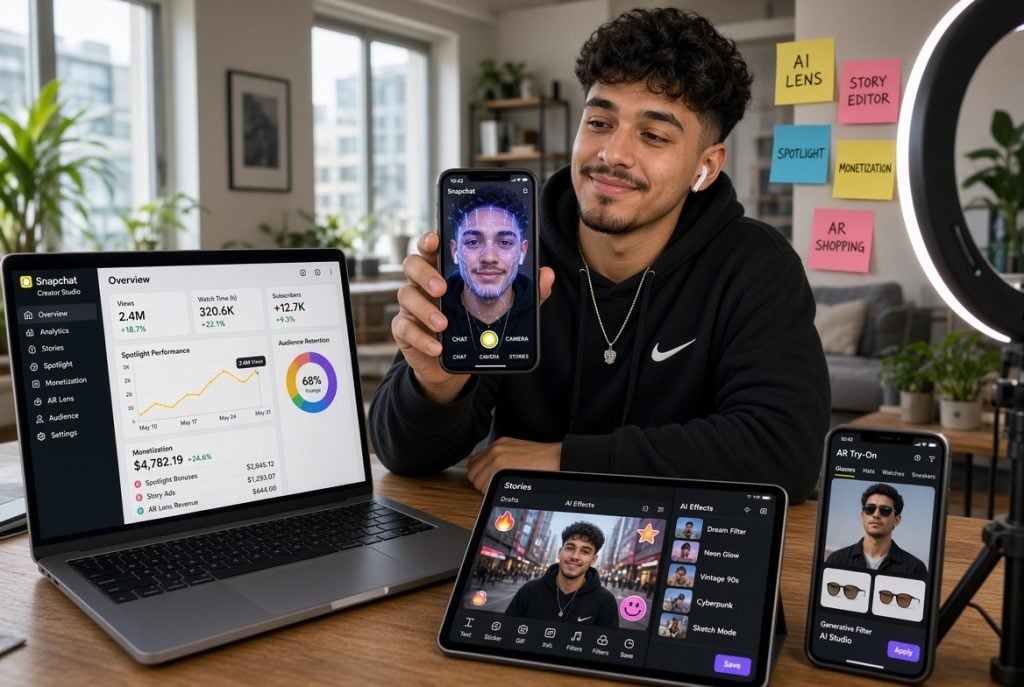
Snapchat gives creators a solid built-in toolkit, but stops well short of covering everything a growing account actually needs. Insights show your own numbers. Nothing built-in tracks competitors. Nothing built-in archives content that expires in 24 hours. Nothing built-in helps you cross-post to other platforms without a watermark.
The gap between what the app provides and what a working creator workflow needs is where third-party tools come in. This guide covers the tools worth knowing in 2026, organised by the creator problem each one actually solves rather than by category label.
Quick Answer
Every creator needs three toolkits working together. Snapchat Insights for own-account analytics. Third-party trackers and downloaders for competitor research, content archival and cross-platform distribution. Lens Studio for AR content that extends reach past regular Stories. Together these cover growth tracking, content preservation, competitive intelligence and distribution, which is the practical stack most successful Snapchat creators end up using.
Start With What Snapchat Gives You
Snapchat Insights is the platform’s built-in analytics dashboard for creator accounts. Its Public Profile features documentation covers the metrics available once your account has 50 or more followers.
- Story views. How many people watched each Story you posted.
- Screen time. Total time viewers spent watching your content.
- Unique viewers. The distinct account count, not just view count.
- Audience demographics. Age, gender and location breakdown of your viewers.
- Subscribers over time. Growth chart across 7, 28 or 60 days.
Insights is powerful for a built-in tool, but three limits become obvious quickly. It only tracks your own account. It only shows engagement, not competitor benchmarks. And it never helps you save your own content, which matters when Stories expire in 24 hours.
The Creator Tool Map
This table maps common creator needs to the tools that actually solve them.
| Creator need | Tool category | What it actually solves |
|---|---|---|
| Track your own metrics | Snapchat Insights | Built-in dashboard, unlocks at 50 followers |
| Archive your content | Story Downloader, Video Downloader | Save posts before they expire or get deleted |
| Study competitors | Profile Viewer, Story Viewer | Anonymous research without adding to viewer lists |
| Benchmark growth | Followers Count Checker | Live subscriber counts across accounts |
| Save viral Spotlight clips | Spotlight Downloader | Archive high-performing content permanently |
| Create AR effects | Lens Studio | Build custom Lenses tied to your Public Profile |
| Cross-post to other platforms | Download plus upload workflow | Reach Instagram and TikTok audiences too |
Nobody needs every category regularly, but every serious creator eventually reaches for at least three of them. The right combination depends on what stage the account is at and what growth loops matter most.
Analytics Beyond the Built-In Dashboard
Snapchat Insights is the foundation. Third-party analytics extend that foundation in three specific directions.
- Cross-account tracking. Managing multiple Snapchat accounts or tracking competitors alongside your own requires tools that pull data from more than one account at a time.
- Historical exports. Insights shows charts inside the app but does not export easily. Third-party dashboards give you spreadsheet-ready data.
- Cross-platform reporting. Reports combining Snapchat, TikTok, Instagram and YouTube performance need a tool that reads all four.
- Automated reporting. Weekly performance reports for clients or team leaders need scheduled delivery rather than manual pulls.
Tools in this category range from single-platform depth (Measure Studio focused only on Snapchat) to broad cross-platform reporters (Sprout Social, later.com). The right choice depends on how many platforms and accounts you actually manage.
Content Archive Tools
This is the category most creators underuse until they lose something important.
Snapchat Stories vanish 24 hours after posting. That means any Story worth keeping needs saving before the clock runs out. A browser-based Snapchat Story Downloader saves public Stories as MP4 files without a watermark, working for both your own account and any public account you want to reference.
- Save before expiry. The 24-hour clock is unforgiving. Once a Story expires, no tool anywhere recovers it.
- Portfolio building. Downloaded Stories become part of a permanent creator archive independent of the platform.
- Repurposing content. Clean files without watermarks can be reused as Instagram Stories, TikTok clips or newsletter content.
- Backup before removal. Community Guidelines takedowns delete videos with no warning. A local backup protects against that.
Spotlight-Specific Tools
For creators focused on viral discovery, Spotlight has different rules than Stories.
Snapchat’s Spotlight documentation confirms that Spotlight content is public by design and permanent by default. That means Spotlight clips do not expire, but they also cannot be made private later. A Snapchat Spotlight Downloader archives high-performing Spotlight clips as MP4 files for portfolio use or cross-platform reposting.
- Save your own viral Spotlight clips before you decide to delete them.
- Archive competitor Spotlight clips to study what actually goes viral in your niche.
- Cross-post to TikTok, Instagram Reels or YouTube Shorts using clean unmarked files.
- Build case studies from your best-performing Spotlight moments.
Competitor Research Tools
This is where Snapchat’s built-in tools truly stop and third-party tools become essential.
Snapchat’s Public Profile documentation explains that Public Profiles are visible to anyone on the platform. That visibility is what makes competitor research possible without following anyone.
A Snapchat Profile Viewer displays a competitor’s Public Profile cleanly, without adding your username to any viewer list or follower count.
- Story Viewer. Watching a competitor’s Stories anonymously through a browser tool means your username never appears on their viewer list. Regular in-app viewing does.
- Followers Count Checker. Tracking competitor growth over time requires seeing exact subscriber counts, not the rounded versions Snapchat displays past certain thresholds.
A Snapchat Followers Count checker returns live counts for any public account where the toggle is on. Checking weekly builds a competitive intelligence dataset over time.
AR and Lens Creation
Lens Studio is Snapchat’s official tool for creating augmented reality effects. It deserves its own mention in any creator toolkit.
- Free to download and use.
- Lenses you publish live on your Public Profile and can drive real subscriber growth.
- Popular Lenses appear in Snapchat’s discovery feeds, extending reach beyond your existing followers.
- AR creation has a real learning curve, but successful Lens creators reach audiences no regular Story strategy matches.
Not every creator needs Lens Studio, but for creators in beauty, gaming, sports or interactive content, it is often the fastest growth lever available.
Cross-Platform Distribution Tools
Creators who publish only on Snapchat leave audience on the table. Cross-posting extends reach substantially.
- Download tools. Save your Snapchat content cleanly without watermarks that would signal a repost.
- Video editors. Trim, add captions or adjust aspect ratios for other platforms’ requirements.
- Scheduling tools. Buffer, Later, Hootsuite and similar can post to Instagram Reels, TikTok and YouTube Shorts on the same schedule.
- Analytics comparison. Which platform your Snapchat content performs best on informs where you should invest more.
The full cross-post workflow is: create on Snapchat, save with a browser downloader, edit lightly for the target platform, upload and schedule. Total time under fifteen minutes per piece once the workflow is established.
Timing and Audience Insight Tools
Beyond raw analytics, timing tools help creators schedule content for maximum reach.
- Best-time-to-post analysers. Track when your specific audience is most active based on engagement patterns.
- Regional audience tools. Creators with international audiences need timezone-aware scheduling.
- Content cadence trackers. Snapchat’s algorithm favours consistent posters. Tools that visualise your posting rhythm help maintain that consistency.
Snapchat Insights covers audience demographics and rough engagement patterns. Timing tools go one level deeper by showing exactly when in each day the engagement happens.
What to Actually Use, By Creator Stage
The right tool mix changes as an account grows.
- Under 50 followers. Focus on content creation and consistency. Insights is still locked. Use browser tools for competitor research to learn what works in your niche.
- 50 to 1,000 followers. Insights unlocks. Combine it with browser tools for competitor benchmarking. Start archiving your own content.
- 1,000 to 10,000 followers. Add third-party analytics for deeper metrics. Cross-post seriously to other platforms. Consider Lens Studio.
- 10,000+ followers. Full stack including automated reporting, competitor tracking dashboards and cross-platform scheduling tools.
- Brand or agency. Everything above plus client reporting tools, multi-account management and paid analytics platforms.
What to Avoid
The tool space has plenty of options that look useful but are worth skipping.
- Tools requiring your Snapchat login. Snapchat has been clear that unauthorised apps using login credentials risk account locks. Anything asking for your Snapchat password sits in a different category.
- Auto-follower services. Bought followers are almost always bots. They inflate the count without adding real reach and can trigger account penalties.
- View-boost services. Same category as auto-follows. Artificial view counts do not translate to real engagement.
- Tools claiming private account access. Private accounts publish nothing externally. Any tool claiming to reach private content is misrepresenting itself.
- Extensions asking for broad browser permissions. A tool needing access to every site you visit is asking for more than any Snapchat-specific task requires.
Building a Working Creator Stack
For creators serious about growing on Snapchat in 2026, a working stack looks like this.
- Insights for your own analytics.
- Profile Viewer and Story Viewer for anonymous competitor research.
- Story Downloader for archiving your own Stories before expiry.
- Spotlight Downloader for viral clip archival.
- Followers Count Checker for benchmarking growth against competitors.
- Lens Studio if AR content fits your niche.
- A cross-platform scheduler for distribution beyond Snapchat.
Nothing in this stack requires your Snapchat login except Insights and Lens Studio, which are official Snapchat products. Everything else runs in a browser and reads only publicly available data.
Creator Tools FAQs
Do I need to pay for Snapchat creator tools?
The essential ones are free. Insights is free inside the app. Browser-based downloaders and viewers are free too. Paid tools mostly exist for automated reporting and multi-account management, which matter for agencies but not individual creators.
Will Snapchat penalise me for using third-party tools?
Tools requiring your login can risk account locks. Tools reading public data without any login sit outside that policy and are not penalised.
When does Snapchat Insights unlock?
At 50 followers with a Public Profile. Personal accounts do not get Insights regardless of follower count.
Are browser tools safe for competitor research?
Yes, provided they never ask for your Snapchat login. Reading public data through a browser is not detectable on Snapchat’s side and does not add your account to any viewer list.
The Right Tools, The Right Order
The creator toolkit for Snapchat in 2026 is not about collecting every tool. It is about matching each tool to a specific problem the platform itself does not solve. Insights for your own numbers. Browser tools for competitors and content archival. Lens Studio for extending reach through AR. Cross-platform schedulers for distribution.
Start small, add tools as the account grows and skip anything that asks for credentials it should never need. Done consistently over months, this stack is what separates creators who build sustainable Snapchat presence from ones who post and hope.

Amanda Dudley is a lecturer and writer with a Ph.D. in History from Stanford University. After earning her doctorate in 2001, she decided to pursue a fulfilling career in the educational sector. So far, she has made giant strides by working as an essay writer for EssayUSA, where she delivers high-quality academic papers to students who need them.




