

You spend too much time staring at a messy room or a blank screen. You want to create content that looks professional, but you do not have a massive budget for cameras and lights. Most creators feel this pressure every single day. You try to film a simple clip, but the lighting is wrong or the background looks cluttered. This slows down your work and keeps you from posting as often as you should. AI tools are changing how we handle these problems by doing the heavy lifting for us.
You can now produce videos from simple concepts without needing to hire a full production crew. These tools take your written ideas and turn them into visual stories that grab attention. This means you can spend more time thinking of great ideas and less time worrying about how to film them. It is a huge shift for anyone who wants to grow their brand on platforms like YouTube or TikTok.
Smart technology also helps you create studio-quality photo effects without a physical studio space. You can take a basic photo on your phone and make it look like it was shot by a professional photographer. This helps you maintain a high standard for your brand images across all your social media profiles. When your visuals look polished, people are more likely to trust what you have to say.
Scenario 1: The Social Media Influencer
Imagine you are a lifestyle influencer who needs to post three times a day. You have great ideas for tips and tricks, but you do not always have a clean space to film. Maybe your home is under renovation, or you are traveling and the hotel lighting is terrible. In the past, you would have to skip a post or share something that looks amateur. This hurts your engagement and makes it harder to land brand deals.
With AI, you can take a rough clip and transform it into something beautiful. You can swap out backgrounds or add visual elements that were not there during the shoot. If you need a quick video to explain a concept, you can type a few sentences and let the software build the scene for you. This allows you to keep your posting schedule consistent even when your environment is not perfect. Consistency is the most important part of growing an audience online.
Scenario 2: The E-commerce Shop Owner
If you run a small shop on Etsy or Shopify, your photos are your most important sales tool. Customers cannot touch your products, so they rely on your images to decide if they want to buy. Taking professional product photos is hard. You need the right lenses, softboxes, and backdrops. If your photos look dark or grainy, people will think your products are low quality.
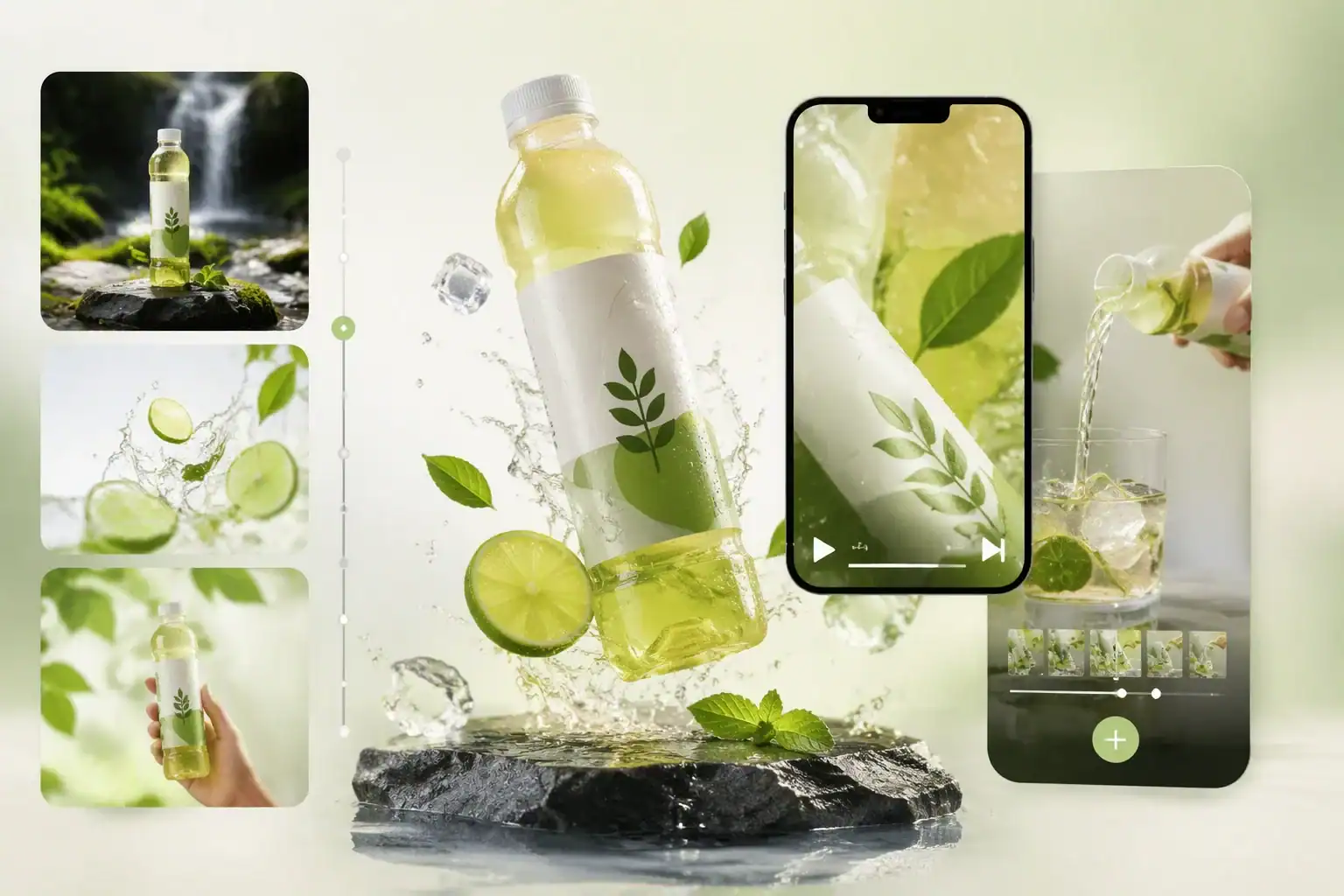
AI tools allow you to take a simple photo of your product on a kitchen table and turn it into a professional advertisement. You can remove the messy background and replace it with a clean, minimalist setting. You can also adjust the lighting to make the colors pop. This gives your shop a high end look that attracts more customers. You save hundreds of dollars that you would have spent on a professional photoshoot.
Scenario 3: The Online Educator
Teachers and coaches often need to create visual aids to help their students learn. You might need a short video to explain a complex math problem or a graphic to show a business workflow. Making these visuals from scratch takes a lot of time. You might spend hours in a design tool trying to get the shapes and colors just right. This is time you could be using to help your students or create new lessons.
By using AI, you can generate these visual aids in minutes. You can describe the concept you want to show, and the tool will create a visual representation for you. This makes your lessons more engaging and easier to understand. Students appreciate clear visuals, and it helps them remember the information better. You can build a library of high quality educational content much faster than you ever thought possible.
Benefits for Every Creator
Using AI for your visual content offers several major advantages that help you stay ahead of the competition. The first benefit is speed. You can go from an idea to a finished post in a fraction of the time it used to take. This is vital in a world where trends change every week. If you wait too long to post, you might miss the chance to go viral.
The second benefit is cost. Professional equipment and software subscriptions are expensive. AI tools often offer a lot of power for a very low price. You do not need to buy a four thousand dollar camera when you can get great results with your phone and the right software. This levels the playing field for creators who are just starting out and do not have a lot of money to invest.
The third benefit is creative freedom. When you are not limited by your physical surroundings or your technical skills, you can try new things. You can experiment with different styles and formats without any risk. If a video does not look right, you can change the prompt and try again in seconds. This encourages you to be more creative and find a unique voice that stands out.
Practical Workflow for AI Content
To get the best results, you should follow a simple workflow that combines your creativity with the power of AI. Start by writing down your goal for the content. Ask yourself what you want the viewer to feel or do after seeing your post. Once you have a clear goal, you can start using the tools to bring it to life.
| Step | Action | Result |
| Step 1 | Write a detailed prompt | A clear starting point for the AI |
| Step 2 | Generate the visual | A raw version of your image or video |
| Step 3 | Refine and edit | A polished piece of content that fits your brand |
| Step 4 | Add your personal touch | A unique post that sounds like you |
| Step 5 | Review and publish | High quality content ready for your audience |
You should always review what the AI creates. Sometimes it might make a small mistake or include a detail that does not fit your brand. Take a minute to tweak the final result so it looks exactly how you want it. This human touch is what makes your content feel authentic to your followers. AI is a tool to help you, but your vision is what makes the content special.
Conclusion
Building professional visual content does not have to be a slow or expensive process. By using AI, you can overcome the common hurdles that stop many creators from succeeding. You can produce high quality videos and photos from anywhere, at any time. This allows you to focus on what you do best, which is coming up with great ideas and connecting with your audience.
If you are ready to take your content to the next level, start experimenting with these tools today. You will be surprised at how much you can achieve when you have the right technology on your side. Your audience will notice the difference in quality, and you will enjoy the extra time you save. Start building your professional brand now and see where your creativity can take you.

Amanda Lancaster is a PR manager who works with 1resumewritingservice. She is also known as a content creator. Amanda has been providing resume writing services since 2014.
3 Comments
The point about wasting time fixing bad lighting or a cluttered background really hits home. I’ve definitely spent more hours rearranging a room than actually filming. It’s encouraging to think AI could handle that heavy lifting so I can just focus on posting more often.
The point about wasting time staring at a messy room or blank screen really hits home. I’ve definitely spent more time fixing bad lighting and cluttered backgrounds than actually filming. Curious how much of that workflow can realistically be automated without everything looking too artificial.
The point about wasting time staring at a messy room or blank screen really hits home. I spend way too long trying to fix bad lighting instead of actually posting content consistently.