A blurry photo can be incredibly frustrating. You capture what seems like the perfect moment, only to find it ruined by a slight shake of the hand or a fast-moving subject. For years, the go-to solution was complex software like Adobe Photoshop. Today, a new generation of AI tools promises to fix motion blur with a single click. But can they really outperform the industry standard?
This article answers the most common questions about using AI versus Photoshop to rescue your blurry images. We’ll explore how each technology works, their specific advantages, and which one is the right choice for you. Get ready to learn how you can bring clarity back to your favorite photos.
What causes motion blur in photos?
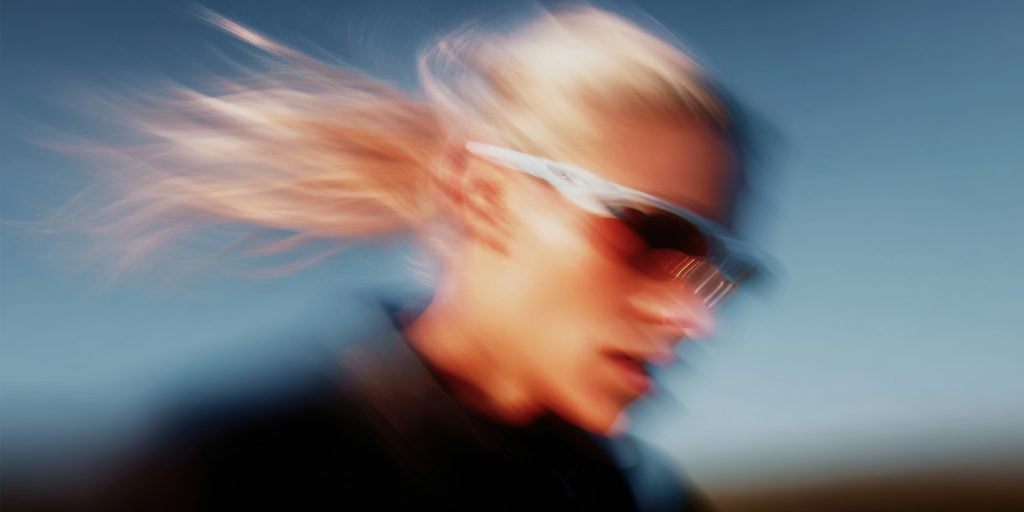
Motion blur appears in photographs when parts of the image change their position during the camera’s exposure time. This movement creates streaks, smudges, or a general lack of sharpness. There are two primary culprits behind this common issue. The first and most frequent cause is camera shake. This happens when the photographer moves the camera, even slightly, while the shutter is open. It’s especially common in low-light situations where the camera needs a slower shutter speed to capture enough light. A tripod is the classic solution, but that isn’t always practical. The second cause is subject movement. This occurs when the person or object you are photographing moves while the picture is being taken. You often see this in sports photography or when taking pictures of active children or pets. The background might be perfectly sharp, but the moving subject appears as a frustrating blur.
How does Photoshop fix motion blur?
Fixing motion blur in Photoshop has traditionally been a manual process that requires technical skill and a good eye. The software offers several powerful tools, but none of them are a simple “fix blur” button. The effectiveness of the repair depends heavily on the user’s expertise. One of the main tools is the Shake Reduction filter. It analyzes the trajectory of the blur and attempts to reverse the motion to restore sharpness. For more complex blur, a user might turn to the Smart Sharpen filter, which provides detailed control over sharpening algorithms. This lets you adjust for different types of blur, such as lens blur or motion blur, with precision. Beyond these filters, advanced users often create multiple layers and use masking techniques to apply sharpening selectively. This helps avoid creating unwanted artifacts or halos in parts of the image that are already sharp. This entire process is powerful, but it is also time-consuming and comes with a significant learning curve.
How do AI tools fix motion blur?
AI tools approach the problem of motion blur from a completely different angle. Instead of just applying mathematical sharpening algorithms, they use a trained neural network to reconstruct what the image *should* have looked like. These AI models are trained on vast datasets containing millions of pairs of blurry and sharp photos. Through this training, the AI learns the patterns of motion blur and how to reverse them intelligently. When you upload a blurry photo, the AI doesn’t just sharpen the edges. It analyzes the blur and generates new pixel data to restore lost details, effectively rebuilding the image from the ground up. This method allows you to Unblur Image files with a level of clarity that is often difficult to achieve manually.
The entire process is automated. The user simply uploads their photo, and the AI handles the complex analysis and reconstruction. This technology transforms photo recovery from a meticulous editing task into a simple, one-click action. The result is a system that can produce clean, natural-looking results without requiring any user expertise.
Is AI really better than Photoshop for unblurring images?
For the vast majority of people, AI tools are a better solution for fixing motion blur than Photoshop. The primary reasons are speed, simplicity, and the quality of the results on common types of blur. An AI tool can deliver a sharp photo in seconds, a task that could take an experienced Photoshop user many minutes to replicate. Photoshop’s strength lies in its incredible depth and control. A professional photo retoucher can use its advanced features to handle very specific or unusual types of blur that an AI might struggle with. However, this level of control is unnecessary for most situations and requires years of practice to master. Over-sharpening is a common mistake that can make an image look unnatural, and AI models are specifically trained to avoid this. AI democratizes photo restoration. It gives everyone access to powerful deblurring technology without the steep cost or learning curve of professional software suites. For fixing blurry vacation photos, family portraits, or important memories, an AI tool provides excellent results with minimal effort.
What are the main advantages of using an AI unblur tool?
The advantages of using a dedicated AI tool for unblurring images are significant, especially when compared to manual methods. These platforms are designed for a single purpose, and they excel at it through a combination of efficiency and user-friendliness.
First, speed is the most obvious benefit. AI processing takes only a few seconds. Second is accessibility; these tools are web-based and require no software installation or technical knowledge. Another key advantage is the quality of the restoration. AI doesn’t just sharpen, it reconstructs. This often leads to more natural-looking results without the harsh artifacts that manual sharpening can produce. Finally, these tools are often specialized for difficult cases, such as Old Photo Restoration, where they can fix both blur and age-related damage like fading or scratches.
|
Feature |
AI Unblur Tool |
Manual Photoshop Editing |
|
Speed |
Seconds |
Minutes to hours |
|
Ease of Use |
One-click operation |
Requires significant training |
|
Result Quality |
Natural, reconstructed detail |
Varies by user skill |
|
Consistency |
Highly consistent output |
Can be inconsistent |
|
Cost |
Often has free or low-cost options |
Expensive subscription |
Can AI fix *any* type of blur?
It’s important to have realistic expectations about what AI can achieve. While modern AI is incredibly powerful, it cannot perform miracles on every photo. The technology works best on images with mild to moderate motion or focus blur, where enough underlying detail remains for the AI to analyze and reconstruct. In cases of extreme blur, where the subject is completely unrecognizable or just a long streak of light, no tool can fully recover the original image. There simply isn’t enough data left in the pixels for the AI to work with. Think of it like trying to read a sentence where most of the letters have been completely erased, it’s impossible to know what was originally there. However, the technology is constantly evolving. The models are being trained on more diverse and challenging datasets, which means their capabilities are always expanding. What seems impossible for an AI to fix today might become a simple, one-click repair in the near future.
How does a tool like UnblurImage.ai work?
A tool like UnblurImage.ai simplifies the entire process of photo recovery into a few easy steps. The user experience is designed to be as straightforward as possible, hiding the complex technology that works behind the scenes. It starts with you uploading your blurry photograph to the web-based platform.
Once the image is uploaded, the platform’s AI model gets to work. It first analyzes the pixels to identify the specific type and direction of the blur. The neural network then uses this analysis to predict the original, sharp version of the image. It intelligently fills in the missing information and reconstructs details that were lost to the motion, from fine textures in clothing to individual strands of hair. After a few moments of processing, the tool presents you with a side-by-side comparison of the original blurry photo and the newly restored sharp version. You can see the difference immediately. The final step is simply downloading the corrected image. The entire workflow is automated, turning a complex editing task into a simple upload-and-download process.
What about preserving details and avoiding artifacts?
One of the biggest challenges in sharpening a blurry image is preserving authentic detail while avoiding digital artifacts. Artifacts are unwanted distortions, such as glowing halos around edges, pixelation, or a grainy texture, that can appear when an image is over-sharpened using traditional methods in Photoshop.
This is where AI models have a distinct advantage. Because they are trained on real-world photos, they have a deep understanding of what natural details look like. The AI’s goal is not just to increase contrast along edges, which is how basic sharpening works. Instead, it aims to regenerate the image content in a way that is consistent with a real, sharp photograph. This regenerative approach means AI is far less likely to introduce the classic halo or noise artifacts. It focuses on restoring clarity in a way that looks organic and plausible. While a skilled Photoshop expert can achieve similar results with careful masking and layering, an AI tool provides this high level of quality automatically and consistently.
When should I use Photoshop instead of an AI tool?
Despite the clear advantages of AI for most unblurring tasks, Photoshop still holds its place as an essential tool for certain situations. Its strength lies in its comprehensive toolkit and the absolute control it gives to the user. You should stick with Photoshop when your editing needs go beyond simple blur correction.
For example, if you need to perform complex composite work, combining elements from multiple images, Photoshop is the ideal environment. If you are a professional photographer who needs to make precise, localized adjustments to only one part of an image while leaving the rest untouched, its advanced masking and selection tools are unmatched.
Additionally, Photoshop is the better choice when blur correction is just one small step in a much larger, multi-stage retouching workflow. When you need to adjust colors, remove objects, and perform high-end skin retouching all in one project, having everything in a single, powerful application is more efficient. Photoshop is for the expert who needs a scalpel, whereas an AI tool is for everyone who needs an effective and fast solution.
Summary Takeaway
For years, fixing a blurry photo was a task reserved for those with expensive software and the skills to use it. Today, AI has completely changed the game. For most people looking to rescue a cherished but blurry memory, AI-powered tools offer a faster, easier, and often more effective solution than traditional methods in Photoshop. These tools leverage advanced neural networks to reconstruct details and produce clear, natural-looking results with just a single click. While Photoshop remains the undisputed champion for professional retouchers who require granular control for complex projects, AI is the clear winner for everyday accessibility and efficiency. The next time a great moment is marred by blur, you can be confident that a powerful and simple solution is ready to help.