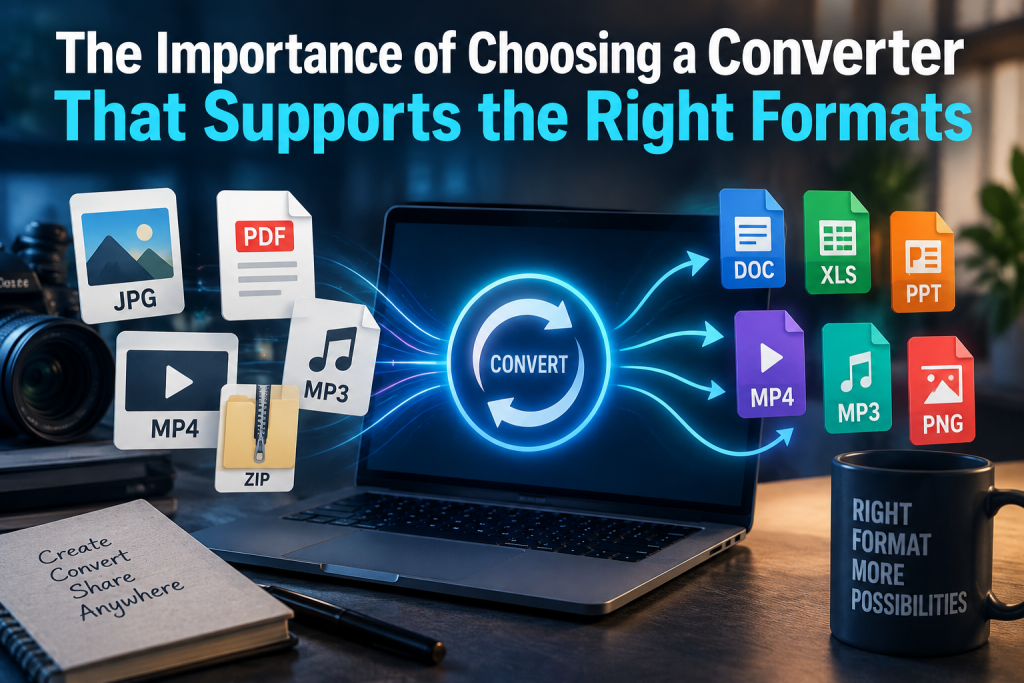
A file converter can look perfectly capable until the moment you hand it a format it does not understand. That is when a simple task turns into failed exports, compatibility issues, or a hunt for another tool. For people working with audio, video, documents, or images, the smoother option is to choose software that supports the formats they actually use. A service such as https://www.alpha1convert.com/mp4-to-mp3/ can be useful when a specific conversion is needed, but the broader lesson is worth remembering, format support affects how reliable and practical the entire process feels from start to finish.
Understanding Why Format Support Matters
File formats are more than labels at the end of a filename. They determine how information is stored, compressed, read, and shared. An MP4 video, for example, may contain audio and visual data in a structure that works well across many devices, while another format may be better suited to editing, archiving, or professional production.
A converter that supports only a narrow selection of formats can become frustrating quickly. One day it handles a video perfectly, the next it refuses an audio file or changes a document in a way that makes it unusable. Choosing broader compatibility helps reduce those interruptions and keeps everyday digital tasks moving.
Different Devices Often Need Different Files
Anyone who moves files between a phone, laptop, tablet, television, car stereo, or older media player has probably seen the same problem. A file that opens instantly on one device may not work at all on another.
This usually comes down to format compatibility. A dependable converter helps bridge those gaps by turning the original file into something the target device can recognize. That can be useful for listening to audio on the go, preparing a video for a presentation, viewing images on older hardware, or sharing a document with someone using different software.
Audio Conversion Needs More Than a Format Name
Audio files can be deceptively simple. A user may only see MP3, WAV, AAC, or another familiar extension, but each format has different strengths. Some prioritize smaller file sizes, while others are better for editing or preserving detail.
A reliable converter should make it easy to move between suitable formats without creating unnecessary confusion. This matters for podcasts, music, recorded meetings, voice notes, and clips extracted from video. The goal is not simply to produce a new file extension. The converted audio should remain usable, clear, and appropriate for where it will be played or stored.
Video Files Can Be Even More Demanding
Video conversion adds another layer of complexity because the file may contain picture, sound, subtitles, and metadata. Different platforms and devices can also have their own requirements.
A converter with broad video support can save a great deal of trial and error. It may help prepare footage for social platforms, make a large file easier to store, create a version compatible with an older device, or separate the audio when the visual portion is no longer needed.
This is where dependable software earns its place. A user should not have to guess whether the output will work after waiting for the conversion to finish.
Documents and Images Have Their Own Compatibility Problems
Format issues are not limited to music and video. Documents can lose spacing, fonts, images, or page structure when moved between incompatible file types. Images can also change depending on whether they are intended for websites, printing, editing, or long-term storage.
That makes a versatile converter useful beyond entertainment files. Students, office workers, designers, small business owners, and everyday users may all need to change file types at some point.
A wider range of supported formats means fewer dead ends. It also reduces the temptation to upload the same file to several unfamiliar services simply because the first one could not complete the job.
Reliable Conversion Saves Time
Time is one of the biggest reasons to choose a dependable tool. When a converter supports the right formats from the beginning, the process becomes much more predictable.
Imagine preparing files before a meeting, sending media to a client, or organizing a folder before a trip. The last thing anyone wants is to discover that a chosen tool cannot open the source file or cannot create the format required at the other end.
Reliable format support removes much of that uncertainty. It turns conversion into a routine step rather than a technical puzzle, which is exactly how useful software should behave.
Consistency Matters When You Convert Files Regularly
Occasional users can sometimes tolerate a workaround. Regular users usually cannot. When file conversion becomes part of work, content creation, study, or everyday organization, consistency matters.
A converter that handles common formats reliably can become part of a normal workflow. People learn where the controls are, what output to expect, and how a typical task behaves.
Switching between multiple tools creates the opposite experience. Each one may have different upload limits, settings, interfaces, or output behavior. Even small differences become irritating when the same task is repeated every week.
Choosing the Right Converter for Everyday Use
The best converter is not necessarily the one with the longest list of technical features. It is the one that supports the formats you need, produces dependable results, and makes the process understandable.
Before choosing a tool, it helps to think about the files you work with most often. Someone handling video may need strong MP4 support and useful audio options. A photographer may care more about image formats. Office users might prioritize document compatibility.
It is also worth looking for a clear interface, sensible output choices, and a process that does not make a simple conversion feel complicated. Useful tools should reduce friction, not create another problem to solve.
A Better Way to Handle Changing File Needs
Digital habits change quickly. A file that works well today may need to be shared on another platform tomorrow, played on a different device next week, or stored in a more practical format months later. That is why choosing a reliable converter with suitable format support can be such a sensible decision.
Instead of treating each compatibility problem as a separate headache, users can build a more flexible approach to managing files. The right converter becomes a practical bridge between devices, programs, and platforms, making everyday tech easier to manage. When the format is right, the rest of the task usually feels much simpler.

Caroline is doing her graduation in IT from the University of South California but keens to work as a freelance blogger. She loves to write on the latest information about IoT, technology, and business. She has innovative ideas and shares her experience with her readers.