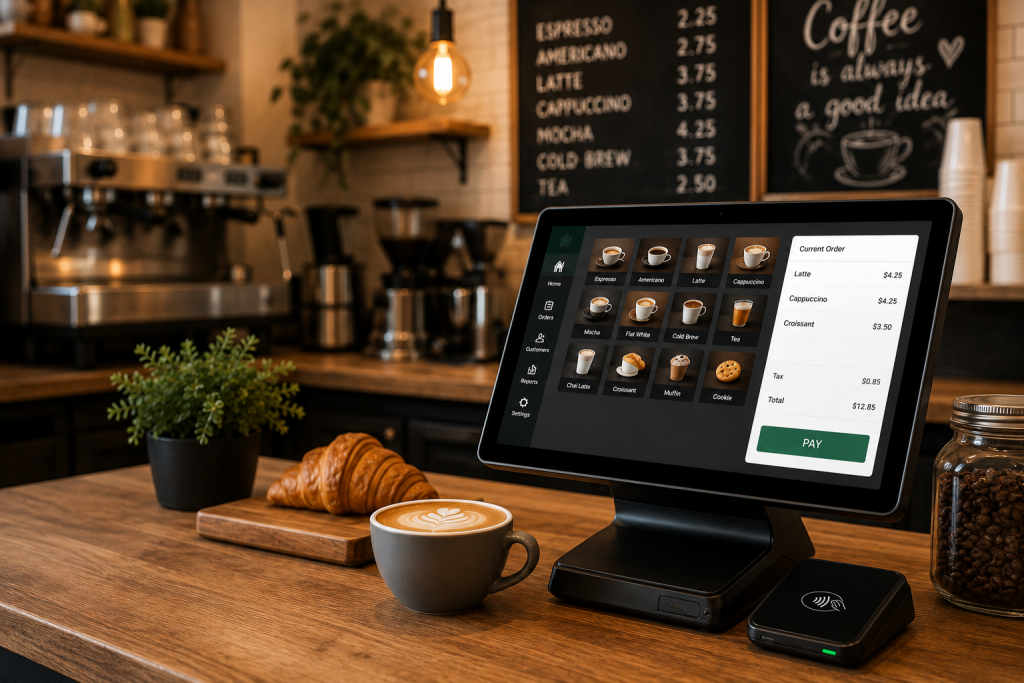
The line doesn’t wait. During morning rush, every extra tap on a slow terminal costs you a customer — and probably a review. A proper coffee shop POS system isn’t just a cash register with a touchscreen; it’s the operational core that connects your barista’s workflow, your payment flow, and your regulars’ habits into one loop that either runs smooth or breaks at 8 AM on a Monday. So what actually matters when you’re picking one for a small cafe in 2026? Let’s get into it.
Why Counter-Service Cafes Need a Different POS Logic
A sit-down restaurant can tolerate a 3-minute checkout. You can’t. Counter service means your POS has to fire fast — modifier selection, tip prompt, payment, receipt — in under 30 seconds per transaction or the line backs up to the door. That’s not an opinion, that’s physics.
The workflow looks like this in practice: customer orders a double shot oat latte with an extra pump of vanilla, your barista taps through drink modifiers, the system routes the ticket to the bar display, and the payment terminal shows a tip prompt before the card even touches the reader. Any friction in that chain adds seconds — and seconds add up to minutes of lost throughput during peak hours.
That’s not magic — that’s pre-authorization and order queuing doing the work before the customer even walks through the door.
Core Features That Actually Move the Needle
Here’s where most cafe owners get distracted by feature lists. You don’t need 200 functions. You need these, working correctly:
- Drink modifiers that don’t bury the barista: Milk type, syrup count, temperature, size — these need to be one or two taps, not a scrolling menu. Check if your system lets you set modifier defaults per drink category.
- Payment and tip flow: Tip prompts, authorization, and any post-authorization adjustment should follow the processor’s supported configuration. Ask how the POS and payment terminal protect transaction data and how tip changes are reconciled.
- Receipt printer integration: Sounds basic. Breaks constantly when misconfigured. Verify the POS talks to your printer over a stable local network connection, not cloud relay — cloud relay hiccups kill your kitchen ticket flow during internet drops.
- Pre-authorized orders hit your queue before the customer arrives, so your bar is already pulling shots when they walk in.
- Staff permissions and clock-in: Not glamorous.
One edge case worth flagging: offline fallback mode. If your internet drops mid-shift — and it will — your POS needs to keep accepting cards locally and sync transactions when connectivity restores. Ask your vendor specifically how offline mode handles tip adjustments. Some systems freeze tip edits during offline periods, which creates reconciliation headaches at close.
Staff Training: The Bottleneck Nobody Prices In
You can buy the best system on the market and still lose two weeks of productivity to a bad onboarding process. If your vendor is quoting 2–3 weeks for a single-terminal cafe, that’s a red flag.
The real training bottleneck isn’t the POS interface — it’s modifier handling and void workflows. I’ve seen baristas get the basic checkout flow in an hour. What trips them up: voiding a payment after the batch closes, handling a split tender (part cash, part card), and correcting a drink modifier after the ticket already printed to the bar. Walk through these scenarios explicitly during training. Don’t assume the system’s “intuitive UI” covers it.
During a weekend rush, a barista who hesitates on a void costs you 90 seconds and the attention of a manager who should be doing something else. Build muscle memory for the edge cases before they happen live.
Loyalty: Where Repeat Guests Actually Come From
Let’s be direct: a paper punch card is not a loyalty program. It’s a coupon with a completion problem.
An integrated loyalty program built into your POS does several things a standalone app can’t: it captures transaction data at the point of sale without requiring the customer to open a separate app, it ties loyalty redemptions directly to your menu pricing so discounts apply correctly at checkout, and it feeds your reporting so you can actually see which reward tiers are driving return visits versus which ones are just giving away margin.
What to verify before you commit to a loyalty setup:
- Does loyalty enrollment happen at the POS terminal, or does it require a separate customer-facing step?
- Can you set expiration rules on points to prevent liability accumulation?
- Does the system handle loyalty redemptions in offline mode, or do they require a live connection?
- Can you push a targeted offer — say, double points on slow Tuesday afternoons — without calling your vendor?
The last point matters more than people think. If you need to file a support ticket to run a promotional campaign, you won’t run promotional campaigns. The tool has to be something your manager can operate without technical help.
Compliance and Payment Stack: Don’t Skip This
PCI DSS responsibilities depend on the restaurant’s payment environment, processor, devices, and integrations. The merchant should complete the validation activities required by its acquiring bank or processor and avoid assuming that a POS system is compliant without the rest of the payment environment.
When evaluating your payment stack, ask: does the POS handle tip adjustment post-authorization, and does that adjustment flow through an encrypted channel? Some older terminal setups send tip edits as plaintext over local network — that’s a compliance gap waiting to become a problem.
Contactless payments — tap-to-pay, mobile wallets — should be native, not add-on. Check that your terminal firmware is current and that NFC is enabled by default, not buried in settings.
Buying Checklist Before You Sign Anything
Run through this before committing to a POS contract:
- Does it handle drink modifiers in two taps or fewer for your most complex menu item?
- Is mobile ordering with pre-auth included, or is it a paid add-on?
- How does the system behave when internet drops — full offline mode or partial?
- Is the loyalty program native to the POS, or does it require a third-party integration?
- What’s the actual setup timeline, and does your vendor provide on-site or remote training?
- Is tip prompt encryption handled at the terminal level, and is the system PCI-compliant out of the box?
- Can you add a second terminal later without a full system replacement?
One more thing on contracts: watch for month-to-month flexibility versus long-term lock-ins. Your volume, menu complexity, and staffing will shift — especially in year one. A system that scales without penalty clauses gives you room to adjust without friction.
The bottom line: your POS either accelerates your counter workflow or it fights it. Fast modifier entry, clean tip prompts, receipt printer stability, and a loyalty engine that runs without babysitting — that’s what separates a system that earns its fee from one that just takes up counter space. Get those right, and the rest is configuration.

Andrea Bell is a blogger by choice. She loves to discover the world around her. She likes to share her discoveries, experiences and express herself through her blogs. You can find her on Twitter:@IM_AndreaBell