

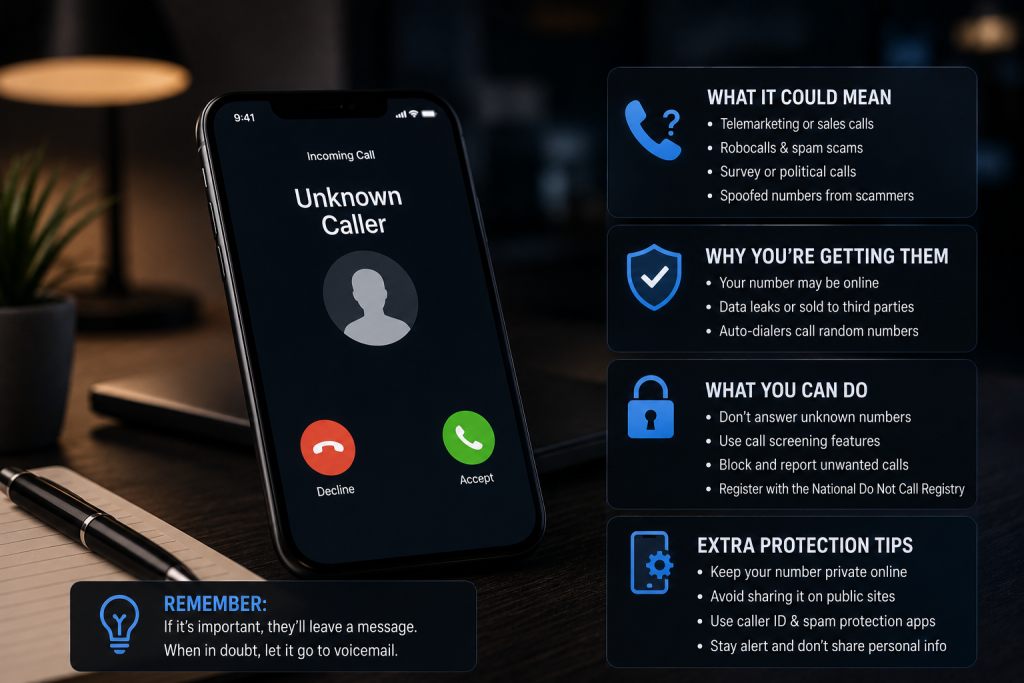
It’s 9:13 p.m. Your phone buzzes. Unknown number. You ignore it. It rings again. Then again. Finally, curiosity wins. You answer, only to hear a robotic voice warning that your bank account is in danger unless you act immediately. Lovely. Exactly what you needed before bed.
Unwanted calls waste time, test patience, and sometimes lead to something far worse: financial fraud. Downloading a call blocker application can help filter suspicious callers and reduce interruptions, but not every app deserves a place on your phone. Before hitting that install button, there are a few things worth knowing.
1. Know What You’re Actually Blocking
Some call-blocking apps let you block individual numbers manually. Others identify suspected spam, label unfamiliar callers, or automatically reject calls that match certain criteria. The difference matters.
If you’re dealing with the same persistent telemarketer, a basic blocklist might do the trick. If you’re receiving a lot of suspicious calls from various numbers then caller ID and automated filtering might help.
But remember that scammers can change their number and caller ID so they appear to be from a genuine organisation. An advanced app might not pick up on some suspicious calls. It’s like having a bouncer at your door.
2. Your Privacy Matters More Than Another Blocked Call
Here’s an uncomfortable trade-off: an app designed to protect you may request access to personal information to deliver its features. Some applications use contact information or call-related data to support caller identification and filtering. The important question is what happens to that information afterward.
Before downloading, review the app’s permissions and privacy policy. Does the developer explain what information is collected, how it’s used, whether it’s shared with third parties, and how long it’s retained?
If those answers are difficult to find, pause before proceeding. A call blocker application should help you feel more secure, not leave you wondering who else might have access to your information. Convenience is useful. Transparency is essential.
3. Free Apps Have a Catch. Sometimes More Than One.
A free app can be perfectly adequate for basic call blocking. However, the free versions may have limited features, pop up ads or need a subscription for automatic filtering and extra call identification.
Paying more does not necessarily mean an app is any better at detecting or protecting your personal information. Compare what features are offered. Check if there are subscription fees and if it automatically renews. Find out how to cancel and if key features are paywalled.
Nobody wants to discover that their supposedly free solution comes with a surprise bill. That’s one unwanted call you definitely don’t need.
4. Check Whether the App Is Still Being Maintained
Scammers will always be looking to evolve their methods, so they will constantly swap out numbers, spoof reputable organisations and come up with new ways to encourage victims to pick up.
You should keep your call blocking software updated. Check if the app has a good history of updates. This could help you to keep your spam database up to date, improve detection or resolve any technical issues.
Check the app has a good history with updates, developer details and recent reviews. If there are lots of complaints that it misses calls, doesn’t block well, uses too much battery or has poor customer service then you may not want to install it.
One enthusiastic five-star review proves very little. Patterns across multiple reviews tell you much more.
5. Don’t Let Security Block Your Doctor’s Call
Aggressive filtering sounds appealing until it blocks a legitimate call you’ve been waiting for.
Healthcare providers, delivery drivers, potential clients, and unfamiliar contacts may all use numbers that aren’t saved in your phone. If your settings are too strict, their calls might never reach you.
Look for a call blocker application that allows customizable filtering, trusted-contact lists, and access to blocked-call records where supported. Once downloaded you’ll need to tweak the settings so they suit your lifestyle. You want to avoid any suspicious calls, but won’t want to be completely cut off from the phone network.
Make the Smart Choice Before You Download
A good call blocking app will help you block unwanted spam by providing some useful spam detection tools, making it easy to block calls, being transparent about how they will protect your privacy and will be regularly updated. They will also be compatible with your device and be within your price range.
Never give out passwords or verification codes to unknown callers. If someone claims to represent your bank, hang up and contact the institution through an independently verified number. Technology can help keep unwanted callers at a distance. A little skepticism helps keep the scammers there, too. And unlike another subscription, that habit is completely free.

Sandra Larson is a writer with the personal blog at ElizabethanAuthor and an academic coach for students. Her main sphere of professional interest is the connection between AI and modern study techniques. Sandra believes that digital tools are a way to a better future in the education system.




