

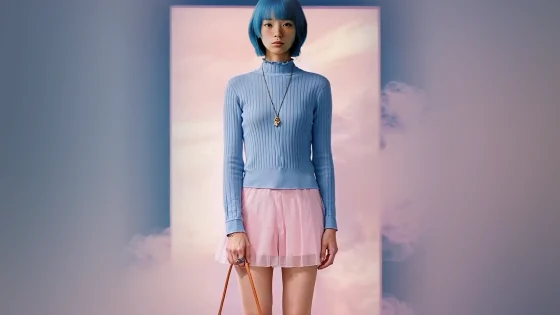
These days, many people are creating professional-looking videos that do not need expensive cameras, editing software, or expert technical skills. With a free AI video generator, anyone can come up with ideas, and artificial intelligence will create nice-looking video content using those ideas. Dreamina is one of those free AI video generator that can easily help users by generating visuals from textual descriptions or creative ideas.
Whether you are preparing a video for a business presentation, social media post, educational content, or your personal project, AI-powered video technology is going to provide an affordable way without compromising the quality.
What Is a Free AI Video Generator?
A free AI video generator is an online tool that uses the power of artificial intelligence to make videos from words, photos, or other ideas. Instead of you having to act out every scene yourself, you can tell the AI what you want to see, and it will do all the visual creation work for you.
Advanced AI is the reason a lot of these platforms can understand the instructions, design the scenes, and mix different visual elements into clips. A few of them may even include background music, a character’s line of voiceover, transitions, or allow some editing features.
The biggest plus that comes with that is that you don’t have to know much about video production to make something that captures attention.
How Does AI Video Generation Work?
The computer is capable of analyzing different components such as objects, backgrounds, lighting, colors, and movement to create a movie based on the image presented by the user.
It is also worth mentioning that some systems might be very flexible when it comes to style of visual changes, scene modification, or even video version generation. This technique has made creating a video much easier even for the ones who do not have editing experience on their part.
Make Video from a Text Prompt
For example, a user can provide a prompt for a scenic, mountainous landscape scene where clouds are moving, sunlight is streaming, and birds are flying away in the sky. The AI program, using those details, will produce a video that is based on the description given to the program. Moreover, you can even get a better result if you add in details about the movement of the camera, the type of illumination, and the atmospheric conditions.
A Picture to Movie Generator Tool
To give it another twist of imagination, you can transform static images into animated videos through a new feature:image-to-video generation. It means that you take a picture and make it into a dynamic scene. For instance, turning a photograph of a nature landscape taken in the mountains into a short movie with clouds moving and rivers flowing. The image-to-video feature is very convenient, as it can be of immense help to an online shopping website to create more compelling product presentations. Besides static photos, retailers can animate the visuals of their products, and the products will stand a greater chance of attracting the attention of the buyers.
Choose a Tool That Matches Your Needs
You will need to figure out what type of videos you will be most likely to create before selecting the right platform. Novices might be better off with simple and easy tools that only offer basic generation capabilities. On the other hand, pros might require advanced editing features and a finer degree of control over their image. Businesspersons would also need to think about commercial use rights, video download quality, and the possibility to edit and add a personalized look. Testing out a few free services could be a very good way of learning what each is good at and how each will be limited so as to make an eventual decision with confidence.
Conclusion
A totally free video-making AI application gives you access to a really efficient and cheap way to carry out your creative and marketing projects with video. Using these tools only, you can produce videos, business promotional materials, social media clips, as well as other types of videos you may want without investing in professional equipment or learning editing techniques. You’ll come up with text-based instructions that must be very precise; then you’ll go back and forth between trying out different styles for visuals and scrutinizing every bit of your videos to refine them even more. Therefore, getting started with tiny and simple ideas, exploring the range of available functionalities, and leaving the machine to mostly do the hard work through your imaginative input will be very effective strategies.
Frequently Asked Questions
1. What a Free AI Video Generator Should One Have?
This largely comes down to your vision of what your final product will look like. A good free plan should be a good starting point, as well as a variety of features and tools.
2. Are There Free AI Tools for Turning Text into Video?
Indeed, there are a few AI tools that offer this service free of charge. Just a written prompt is a sufficient description for these tools, and they then create a video to match the scene. However, the free versions might have some restrictions on the number of generations, for instance.
3. Can I Convert Photos to Video with AI?
There is a growing number of platforms that make image-to-video generation possible. With them,m you can upload a picture, describe the kind of motion or transformation you fancy for your scene, and watch how your computer animates your original image into a new one.

Amanda Lancaster is a PR manager who works with 1resumewritingservice. She is also known as a content creator. Amanda has been providing resume writing services since 2014.