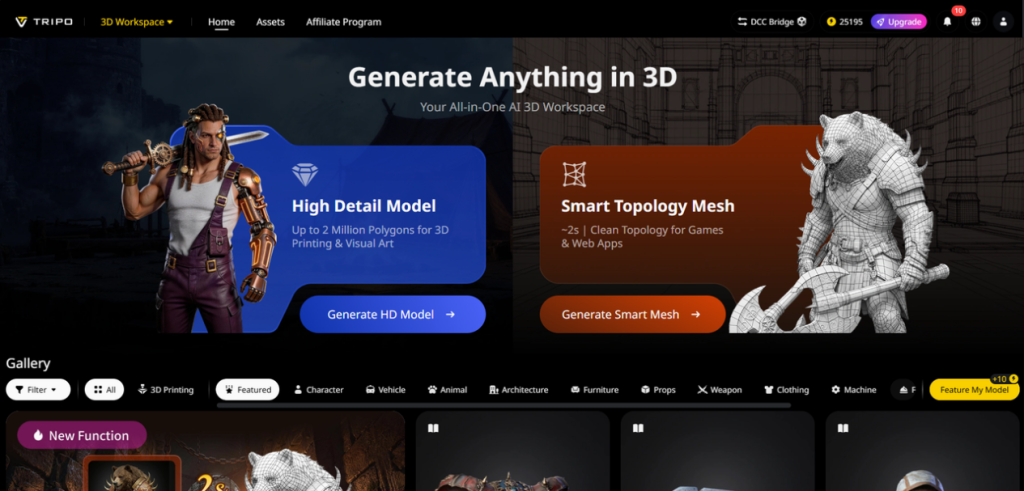
Geek culture thrives on creativity—whether you’re designing a sci-fi character, a fantasy prop, a comic book villain, or a video game environment. But for most geeks and creators, 3D modeling has been a barrier: it’s time-consuming, requires advanced skills, and often takes away from the fun of bringing your ideas to life. You have a vision for a cyberpunk warrior, a magical staff, or a alien spaceship—but turning that vision into a 3D model feels like climbing a mountain. That’s where Tripo Studio comes in. This AI-powered tool is built for geek creators, letting you turn text prompts, concept art, and sketches into stunning 3D assets—no technical expertise required. As a leading AI 3D Model Generator, Tripo Studio is changing the game for anyone who wants to bring their geeky ideas to life in 3D.
Tripo Studio’s Core Features: Unleash Your Geek Creativity
Whether you’re into sci-fi, fantasy, comics, or gaming, Tripo Studio’s six AI-driven features are designed to turn your wildest ideas into 3D reality. Each tool is intuitive, fast, and tailored to the needs of geek creators who want to focus on creativity, not technical work.
1. Text to 3D Model
Text to 3D Model is a geek’s dream come true: type a prompt describing your idea, and the AI brings it to life. Want a “cyberpunk detective with a neon-lit coat, mechanical arm, and glowing red eyes”? Or a “fantasy dragon with scales, wings, and a fiery breath”? Type it in, and Tripo Studio generates a detailed 3D model in seconds. It solves the problem of translating your geeky concepts into 3D, saving you hours of manual modeling. The result is a base model that you can customize to match your vision—perfect for comic books, cosplay designs, or game mods.

2. Image to 3D Model
If you have concept art, a comic panel, or a photo of a cosplay, Image to 3D Model turns it into a fully 3D asset. This is perfect for geeks who want to bring their favorite characters or props to life—upload a sketch of your original comic character, and the AI preserves every detail, from their costume to their pose. It solves the problem of accurately converting 2D art to 3D, ensuring your 3D model matches your concept exactly. Whether you’re creating a 3D version of a comic villain or a sci-fi weapon, this tool makes it easy.

3. AI Model Segmentation
Geek creators often need to tweak specific parts of their 3D models—like a character’s weapon, a spaceship’s engines, or a fantasy creature’s wings. AI Model Segmentation automatically splits your model into individual, editable parts, making it easy to modify or replace elements. Need to change the color of your cyberpunk detective’s coat? Use Segmentation/Split 3D Model to isolate the coat and edit it without affecting the rest of the model. It’s perfect for customizing your 3D assets and making them unique to your vision.

4. AI Retopology
For geek creators who want to animate their 3D assets (e.g., a dragon flying, a character fighting), clean mesh topology is essential. Tripo Studio’s AI Retopology automates this tedious process, generating a smooth, optimized mesh that’s ready for animation. It solves the problem of messy, unoptimized meshes that make animation difficult, ensuring your 3D characters and props move smoothly. Whether you’re creating a short film, a game mod, or a cosplay blueprint, this tool saves you time and frustration.

5. AI Texturing
Geeky 3D assets need bold, detailed textures to stand out—from the metallic sheen of a sci-fi weapon to the fur of a fantasy creature or the fabric of a comic character’s costume. AI Texture in Tripo Studio applies high-quality, context-aware textures that make your assets pop. The AI analyzes your model and applies textures that match its theme—e.g., rusted metal for a post-apocalyptic prop, glowing runes for a magical staff. It solves the problem of manual texture painting, giving your 3D assets a polished, professional look that matches your geeky vision.

6. AI Rigging
Animation is key for bringing geeky 3D assets to life—whether you’re animating a dragon’s flight, a character’s fight scene, or a spaceship’s movement. AI Rigging in Tripo Studio automates the process of creating a skeletal structure, making your 3D model ready for animation. It solves the problem of manual rigging, which is often a barrier for creators without advanced 3D skills. Even beginners can rig a character or creature in minutes, allowing them to focus on creating dynamic, engaging animations.

Geek-Focused Use Cases for Tripo Studio
Tripo Studio is perfect for any geek creator looking to bring their ideas to life in 3D:
-
Comic Book Creation: Turn 2D comic panels into 3D models for dynamic covers, promotional content, or animated shorts.
-
Game Modding: Generate custom characters, props, and environments for your favorite games (e.g., Skyrim, Cyberpunk 2077).
-
Cosplay Design: Create 3D models of costumes, props, or armor to use as blueprints for your cosplay builds.
-
Fantasy/Sci-Fi Art: Design 3D creatures, spaceships, or magical items to use in digital art, prints, or social media.
-
Fan Films: Generate 3D assets for short fan films, including characters, props, and backgrounds.
Why Tripo Studio Is a Geek Creator’s Best Friend
For geek creators, Tripo Studio stands out for its ability to turn creativity into 3D reality without the technical hassle:
-
Creative Freedom: Focus on your ideas, not technical work—Tripo Studio handles the tedious parts.
-
Speed: Create 3D assets in minutes, so you can iterate on your ideas quickly and bring more of your vision to life.
-
Versatility: Whether you’re into sci-fi, fantasy, comics, or gaming, Tripo Studio adapts to your style and needs.
Tutorial: Create a 3D Fantasy Prop in 5 Steps
Want to create a 3D magical staff for your comic or game mod? Follow these simple steps with Tripo Studio:
-
Sign up for Tripo Studio’s free trial and log in.
-
Choose “Text to 3D” and type a prompt: “A wooden magical staff with a glowing blue crystal at the top, carved runes along the handle, and a leather grip.”
-
Click “Generate” and wait a few seconds for the AI to create your 3D staff model.
-
Use AI Model Segmentation to split the staff into the handle, crystal, and grip, then use AI Retopology to optimize the mesh.
-
Apply AI Texturing to add realistic wood, crystal, and leather textures, then export the model to use in your project.
Ready to Bring Your Geeky Ideas to 3D Life?
Tripo Studio is the ultimate tool for geek creators who want to turn their wildest ideas into stunning 3D assets. Whether you’re a comic artist, game modder, cosplayer, or fantasy fan, this AI 3D Model Generator will save you time and help you unleash your creativity. Sign up for a free trial today and start creating 3D characters, props, and environments that match your geeky vision. Visit Tripo Studio to get started—your next 3D masterpiece is just a prompt away.

Madeline Miller love to writes articles about gaming, coding, and pop culture.