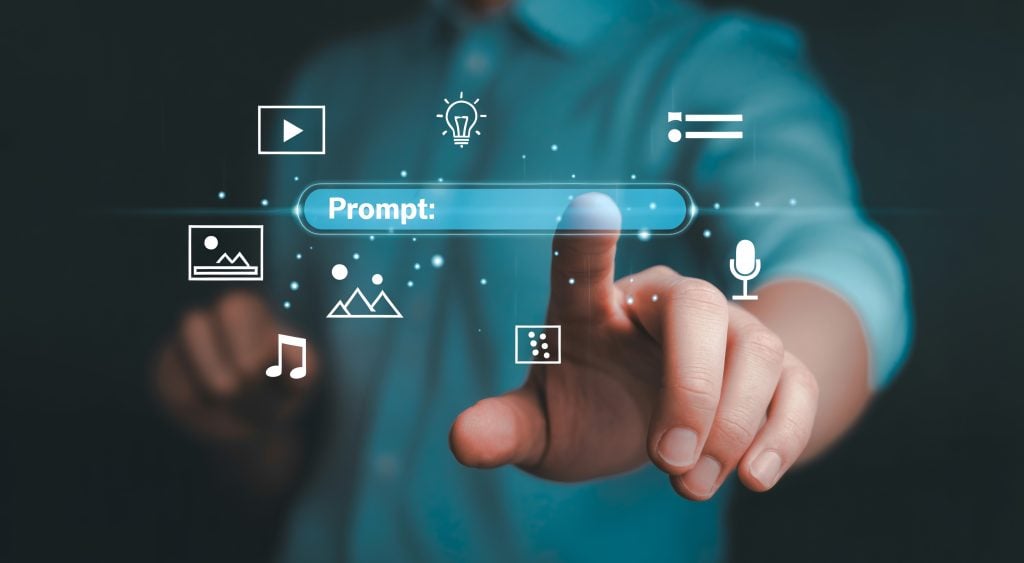
There is a moment in every AI video project where the creator stops writing prompts and starts praying. The prompt has been refined six times. The character description is as precise as language allows. The camera movement has been spelled out in excruciating detail. And still, the model generates something that looks nothing like what was in your head. This is not a failure of the model’s capability. It is a failure of the communication channel. Language is an imperfect medium for describing visual information, and text-to-video has always suffered from this fundamental limitation. You cannot adequately describe a face in words. You cannot precisely convey a camera movement through language. You cannot capture the texture of light or the rhythm of a scene with text alone. Seedance 3.0 addresses this problem by expanding the communication channel beyond text, offering a studio environment where creators can show the model what they want rather than trying to describe it.

The Language Problem in AI Video
Text-to-video has always been constrained by the gap between description and visualization. When you write “a cinematic wide shot of a character walking through a foggy street,” the model has to interpret what “cinematic” means, what “wide shot” looks like, what kind of character you envision, and what “foggy” entails. Each interpretation is a guess, and each guess introduces variance.
The result is that text-to-video workflows are fundamentally iterative in a way that feels wasteful. You write a prompt, generate a result, realize the model misinterpreted something, rewrite the prompt, generate again, and repeat. The model isn’t wrong—it’s just working with incomplete information. The problem isn’t the model’s capability; it’s the communication channel.
Multi-Modal Input as a Solution
SeedVideo’s approach to this problem is straightforward: give creators more ways to communicate their intent. The platform supports four input modalities: images, video clips, audio files, and text prompts. Each modality communicates a different type of information more effectively than text alone.
Images communicate visual specificity. A reference image tells the model exactly what kind of lighting, color palette, and visual style you want. It anchors the generation to a specific visual language that text alone cannot convey. In my testing, using an image reference for character design produced significantly more consistent results across multiple generations compared to text-only character descriptions.
Video clips communicate motion and camera language. A reference video demonstrates the exact camera movement you want—the pan, tilt, zoom, or tracking shot. This is information that is almost impossible to describe precisely in text. “Slow dolly zoom” means different things to different people, but a reference video leaves no room for interpretation.
Audio files communicate rhythm and mood. Music or sound design sets the pace and emotional tone of the generated video. This is particularly important for music-driven content where the visual rhythm needs to match the audio track.
Text communicates everything else. Narrative context, specific actions, dialogue, and details that don’t translate well through other modalities remain the domain of text. The platform allows you to combine all four modalities simultaneously, layering your references in a single prompt.
The Tagging System: Making References Work Together
The technical implementation of multi-modal input matters as much as the concept itself. SeedVideo uses a tagging system where references are marked with @ symbols in the natural language prompt. This tells the model exactly which reference applies to which element of the description.
For example, you might write: “The character from @character_ref walks through a foggy street, with camera movement from @camera_ref, at the tempo set by @audio_ref.”
This level of specificity is what makes multi-modal input practically useful rather than theoretically interesting. The model isn’t guessing which reference applies to which element—you’ve told it explicitly. The result is that the generation starts from a much more constrained set of possibilities, which means fewer surprises and fewer wasted generations.
How the Multi-Modal Workflow Actually Works
The platform’s workflow is designed around the idea that you should spend your time directing, not describing.
Step One: Gather Your References
Assembling the Visual, Motion, and Audio Anchors
The first step is gathering the references you will use to anchor your generation. This might include a character reference image, a camera movement reference video, an audio file for rhythm, and a text prompt for narrative context.
Choosing the Right Reference Image. The quality of your reference image directly affects the quality of the output. A well-lit, high-resolution image with clear visual characteristics produces better results than a blurry or ambiguous one. In my testing, images with strong contrast and clear compositional elements worked best.
Selecting a Camera Reference Video. The reference video should demonstrate the specific camera movement you want to transfer. The platform extracts the camera’s movement—the pans, tilts, and zooms—and applies them to your generated scene. A clean reference video with minimal subject movement produced the cleanest motion transfer in my testing.
Preparing an Audio Reference. The audio file sets the rhythm and mood of the generated video. This is particularly valuable for music-driven content where the visual rhythm needs to match the audio track. The platform uses the audio to inform the pacing of the generated scene.
Writing the Text Prompt. The text prompt provides the narrative context and specific details that aren’t covered by your other references. This is where you describe actions, dialogue, and elements that don’t translate well through other modalities.

Step Two: Tag and Generate
Telling the Model Exactly What Goes Where
Once your references are assembled, you write a natural language prompt that references them using @ symbols. The tagging system tells the model exactly which reference applies to which element of the description.
The generation process then uses your references as anchors, constraining the output to the visual style, camera language, and rhythm you’ve specified. The result is a generation that starts from a much more specific set of parameters than a text-only prompt.
Step Three: Extend and Edit
Working with What You Have
After generation, the platform supports video extension and editing, allowing you to modify existing clips rather than regenerating from scratch. This is where multi-modal input becomes particularly powerful for production workflows. If the character is right but the background is wrong, you can adjust the background reference and regenerate that layer. If the camera movement is perfect but the lighting is off, you can update the lighting reference without touching the camera.
What Multi-Modal Input Actually Changes
| Aspect | Text-Only Workflow | Multi-Modal Workflow |
| Character Consistency | Unpredictable—model interprets description differently each time | Anchored to reference image—more stable across generations |
| Camera Language | Described in words—interpretation varies | Transferred from reference video—exact match |
| Visual Style | Described in words—subjective interpretation | Anchored to reference image—specific and repeatable |
| Rhythm and Pacing | Described in words—approximate | Anchored to audio—precise |
| Iteration Focus | Rewriting prompts to fix misinterpretations | Refining specific referenced elements |
| Learning Curve | Lower upfront—but more time spent on prompt engineering | Higher upfront—but faster once references are established |
The Real Limitations You Should Know
Reference quality is critical. The platform can only work with what you give it. A low-quality reference image produces low-quality results. A poorly framed reference video produces poor motion transfer. The multi-modal approach gives you more control, but it also gives you more responsibility for the quality of your inputs.
Not every concept translates well to references. Some ideas are better expressed through text than through images or video. Abstract concepts, emotional tones, and narrative nuances may still require text-based description. The platform supports text as one of the four modalities for exactly this reason.
Results are not guaranteed to be consistent across generations. Even with the same references and the same prompt, different generations can produce different results. This is inherent to how generative models work. The multi-modal approach reduces variance, but it doesn’t eliminate it entirely.
The platform is a third-party studio. SeedVideo is an independent studio that runs Seedance models. It is not operated by ByteDance. This distinction matters for support, updates, and long-term reliability.
Who This Workflow Actually Works For
Based on my testing, the multi-modal workflow is best suited for creators who need precise control over their output and are willing to invest in reference preparation.
For brand and marketing teams, the ability to anchor generation to specific visual references means you can maintain brand consistency across a campaign’s worth of assets. The same color palette, the same visual style, the same camera language—all anchored to references rather than left to prompt interpretation.
For narrative filmmakers, the character reference capability means you can maintain consistency across multiple shots. The frustration of watching a character’s face drift between generations is significantly reduced when the model has a visual anchor.
For music video creators, the audio reference capability means the visual rhythm can be locked to the track from the start. The iteration becomes about refining the visual elements rather than trying to sync them to the music after the fact.
For creators who prefer text-only workflows, the multi-modal approach may feel like overkill. The additional control comes with additional preparation time. If you’re working on experimental or disposable content, a simpler tool might be faster.

The Shift from Prompting to Directing
The most significant change that multi-modal input enables is a shift in creative mindset. Text-to-video workflows are fundamentally about prompting—you describe what you want and hope the model interprets it correctly. Multi-modal workflows are about directing—you show the model what you want and guide it toward that vision.
This shift from prompting to directing changes the nature of the creative work. Instead of spending time rewriting prompts to fix misinterpretations, you spend time refining your references and guiding the model toward increasingly specific outputs. The work becomes more like directing a shoot than writing a description.
Seedance 3.0 AI Video Generator through the SeedVideo studio enables this shift by providing the tools that make directing possible. The multi-modal inputs, the tagging system, the extension and editing capabilities—all of it points toward a single goal: giving creators more ways to communicate their intent and reducing the gap between what they envision and what the model generates. That, from a practical user perspective, is where the real value lies.

Sandra Larson is a writer with the personal blog at ElizabethanAuthor and an academic coach for students. Her main sphere of professional interest is the connection between AI and modern study techniques. Sandra believes that digital tools are a way to a better future in the education system.