

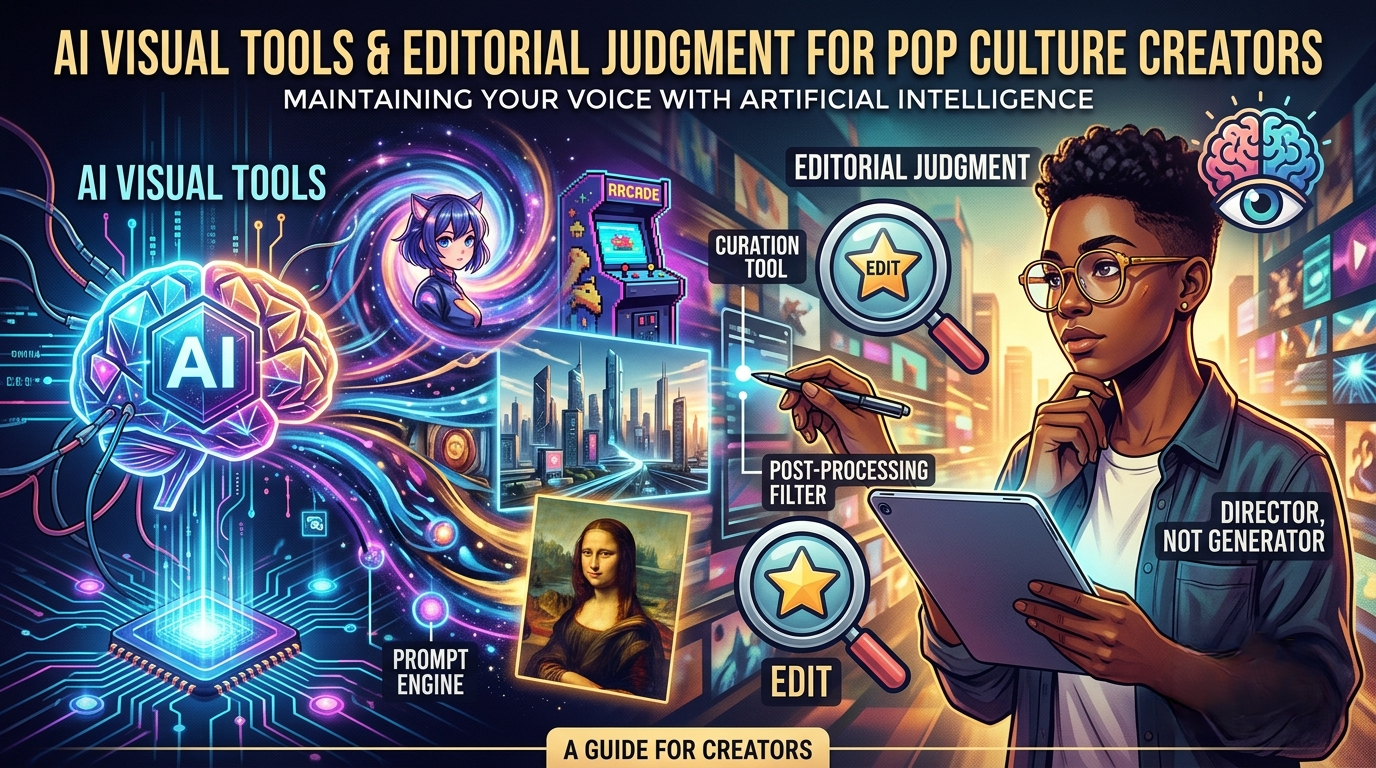
Pop culture publishing moves quickly. A streaming review, gaming guide, convention recap, podcast episode, or collector feature can need a thumbnail before the writer has even finished the final edit. That pressure is one reason AI image tools are starting to appear in entertainment workflows.
The useful question is not whether AI can create a flashy picture. It can. The better question is whether a creator can use it without confusing the audience, copying protected material, or flattening the personality that makes fan-driven coverage worth reading.
For entertainment creators, the safest role for AI visuals is concept support. Use the tool to test layout, mood, color, and composition. Do not use it as a shortcut for official stills, licensed artwork, actor likenesses, or franchise logos.
Start With An Original Entertainment Brief
A strong visual brief should describe the job of the image, not the property it is trying to imitate. Instead of asking for a picture that looks like a famous superhero film, a creator can ask for an original late-night city scene with dramatic lighting, room for a headline, and no recognizable logos or characters.
The same approach works for gaming. A guide thumbnail does not need to recreate a game map or copy a character. It can use a controller, desk setup, neon UI mood, headset, strategy notes, or an abstract boss-fight composition that signals the topic without pretending to be official artwork.
This is where a browser workspace built around GPT image 2 can fit into the planning stage. The point is not to let the model decide the editorial identity of the channel. The point is to turn a creator’s own brief into a draft that can be reviewed, rejected, cropped, or revised.
A good prompt should include the content format, intended platform, visual mood, composition needs, and forbidden elements. For example: “Create an original 16:9 thumbnail concept for a retro gaming commentary video. Use a desk with cartridges, a CRT-style screen glow, note cards, and empty space on the right for a title. Do not include any real game logo, character, console brand, actor, or readable title text.”
That kind of prompt gives the tool a direction while protecting the creator from the most obvious mistakes.
Keep Fandom Context In The Room
Entertainment audiences notice details. A visual that feels wrong for the subject can make a review look careless, even when the article itself is thoughtful. A horror review with cheerful toy-like colors may undercut the tone. A gaming guide with fake interface symbols may confuse readers. A collector article with invented packaging can look like misinformation.
That is why human review is not a formality. A creator should ask a few simple questions before using any AI-assisted image:
- Does the image imply official studio or publisher approval?
- Does it accidentally resemble a protected character, actor, box art, or poster?
- Does the mood match the article’s actual point?
- Does the image add clarity, or is it only decorative?
- Would a fan understand the visual as commentary rather than official material?
Those questions are especially important for review sites and fan publications, where trust is built through context.
Use Image Editing For Creator-Owned Material
Sometimes the creator already has a safe starting point: a photo of a podcast desk, a convention table, a gaming setup, a shelf of collectibles, or a neutral portrait for a creator profile. In that case, the task is not to invent a full scene from scratch. It is to refine an existing image.
An image to image AI workflow can be useful for that kind of controlled revision because the creator begins with an uploaded image and a text instruction. The safe version is straightforward: clean up a background, explore a color grade, test a thumbnail composition, or create a mood variation from material the creator has the right to use.
The risk is also clear. If the uploaded image includes people, branded objects, posters, or private spaces, the creator needs permission and review. If the edit changes the meaning of the scene, it should not be treated as documentary evidence. A convention recap image and a concept thumbnail have different standards.
Build A Pre-Publish Visual Checklist
Before publishing, creators should separate three stages:
- Concept: rough visual ideas used internally.
- Draft: a candidate image prepared for an article, video, podcast, or social post.
- Publishable asset: an image that has passed rights, context, and quality review.
Most AI-assisted visuals should spend more time in the first two stages. That is not a weakness. It is how creative work avoids avoidable mistakes.
For thumbnails and article headers, check the basics: readable composition, safe negative space, no fake logos, no misleading text, no accidental celebrity likeness, no distorted hands or props, and no suggestion that the image is official media.
For gaming guides, do not show a fake screenshot if the reader expects real gameplay. Use abstract visuals, controller scenes, strategy boards, or original compositions unless you are working with licensed or publisher-approved material.
For film and TV coverage, use the AI visual as commentary support, not a replacement for review stills, press kits, or licensed key art. The visual should signal mood, genre, or publishing format without pretending to be from the show or movie.
Keep The Creator Voice Visible
The best entertainment coverage has a point of view. AI visuals should not make every channel look the same. A horror reviewer, a retro gaming collector, and a superhero podcast all need different visual grammar. Prompts should reflect that voice.
Write down house rules. Decide what your channel avoids. Decide whether you will use AI visuals for headers only, social concepts only, or internal planning only. Decide how you will label images if the publisher requires disclosure. Most importantly, make sure the final image supports the editorial judgment already present in the article.
AI can help entertainment creators move faster, but speed is not the whole job. In pop culture, context is the job. The right workflow keeps the creator’s taste, fandom knowledge, and rights review in control.

Andrea Bell is a blogger by choice. She loves to discover the world around her. She likes to share her discoveries, experiences and express herself through her blogs. You can find her on Twitter:@IM_AndreaBell