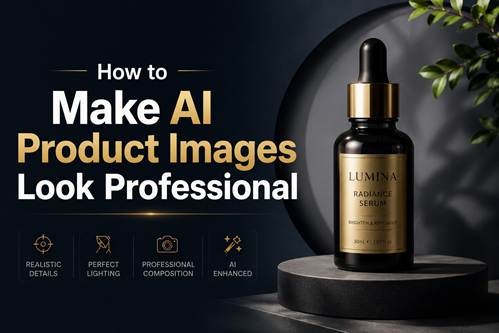
Creating professional-looking AI product images sounds easy—until the results look oddly fake, over-edited, or simply not polished enough for real use.
In many cases, the issue is not the model itself but the way the prompt is written. A strong GPT image prompt can make a huge difference in lighting, composition, materials, and overall realism. Small prompt changes often separate an average-looking image from one that feels ready for ecommerce, ads, or branding.
In this guide, we’ll break down what makes product images look professional, common mistakes that make them feel artificial, and how to write a better GPT image prompt for cleaner, more realistic results.
What Makes a Product Image Look Professional?
Before fixing bad AI product images, it helps to understand what actually makes commercial product photography feel polished.
Clean Lighting
Lighting is one of the biggest factors behind a professional-looking image.
Think about most ecommerce photos or brand ads—lighting usually feels controlled, soft, and intentional. Shadows are balanced, highlights look natural, and the product stays easy to see.
AI-generated product images often look fake because lighting feels random. You may notice overly harsh reflections, strange shadows, or inconsistent brightness that makes the product look cheap.
The easiest fix is to think about lighting before generating the image. Ask yourself what visual mood fits the product:
- Bright studio lighting for ecommerce listings
- Soft lighting for beauty or skincare products
- Dramatic shadows for luxury branding
- Natural light for lifestyle products
Professional images rarely happen by accident. They are designed around lighting first.
Realistic Materials and Texture
Another thing that instantly changes image quality is material realism.
A leather bag should look different from brushed metal. A glass perfume bottle should reflect light differently than a ceramic mug.
When textures look too smooth or reflections feel unnatural, people immediately sense something is off—even if they cannot explain why.
This is why product prompts should describe materials clearly. Instead of only describing the object itself, think about surface details:
- matte or glossy finish
- transparent glass texture
- brushed aluminum
- soft fabric texture
- realistic reflections
These details often matter more than generic words like high quality or ultra detailed.
Good Composition
Professional product photography also follows strong visual composition.
In many AI-generated images, too much is happening at once. The background feels crowded, props compete for attention, or the framing feels awkward.
Real product photography is usually much simpler.
A clean background, balanced spacing, and intentional camera angles often make an image feel more premium. In many cases, less visual clutter actually improves the final result.
Before generating an image, think:
What should people notice first?
If the answer is unclear, the composition probably needs simplification.
Consistent Brand Style
One overlooked detail is consistency.
Luxury brands rarely switch photography styles every image. Tech products often use minimal, clean visuals. Beauty brands tend to prefer soft lighting and polished compositions.
AI product images look much more professional when they follow one visual direction instead of changing style every time.
Thinking about brand identity before generating images can improve consistency more than people expect.
Common Mistakes That Make AI Product Images Look Fake
Even good models can create weak results if the prompt pushes things in the wrong direction.
Overcomplicated Backgrounds
One of the easiest mistakes is adding too much visual noise.
Many people try to make images feel “premium” by adding dramatic environments, colorful effects, or complicated props.
But most professional product photography works the opposite way.
The product stays the focus.
Clean setups often feel more premium because they direct attention exactly where it belongs.
Unrealistic Shadows and Reflections
Fake shadows are one of the biggest giveaways of AI-generated imagery.
If lighting looks physically impossible or reflections appear random, the image immediately feels artificial.
This becomes even more noticeable with reflective materials like:
- glass
- jewelry
- skincare packaging
- electronics
Instead of pushing dramatic effects too far, realistic lighting usually performs better.
Using the Wrong Visual Style
A common mistake is treating every product image the same way.
Not every product benefits from cinematic lighting or dramatic storytelling.
For example:
- Beauty products often work better with soft studio lighting
- Fashion accessories fit editorial photography styles
- Electronics usually look cleaner with minimal commercial setups
Matching visual direction to the product category makes a surprisingly large difference.
Overusing “Ultra Detailed” Keywords
Many users believe more adjectives automatically mean better images.
Prompts packed with:
masterpiece, ultra detailed, hyper detailed, 8K
do not always improve realism.
Sometimes they create overly sharpened textures that feel artificial or overprocessed.
In many cases, a cleaner, simpler prompt produces a more believable result.
How to Write Better Prompts for Professional Product Images
Better results usually come from writing a clearer GPT image prompt, not simply making the prompt longer.
Professional product photography works best when prompts describe lighting, materials, composition, and visual style intentionally.
Describe the Product Clearly
Start simple.
What exactly are you generating?
Include important details such as:
- material
- color
- shape
- packaging
- finish
Specific descriptions help AI understand what should actually appear in the image.
Add Photography Language
AI responds surprisingly well to photography-related wording.
Terms related to commercial photography can make images feel more realistic almost immediately.
For example:
- studio lighting
- product advertising photography
- soft shadows
- clean background
- luxury composition
Even adding one or two photography cues can noticeably improve quality.
Be Specific About Lighting
Instead of saying:
professional product photo
describe the lighting style.
Examples might include:
- soft diffused lighting
- luxury studio lighting
- bright commercial lighting
- warm natural light
Lighting often determines whether a product feels premium or cheap.
Think Like a Brand
One useful trick is to stop thinking like a prompt engineer and start thinking like a creative director.
Ask yourself:
How would a real brand photograph this product?
Would it feel minimal? Premium? Bright and clean? Luxury-focused?
That mindset shift often leads to much stronger results than stacking random keywords together.
Professional AI Product Image Examples
Minimalist Product Photo

Prompt: [product name], conceptualized as a cohesive, premium “capsule collection” of branded merchandise and functional souvenirs. The image displays a curated set of various physical objects (such as tech accessories, utility gear, lifestyle items, or stationery) that are semantically relevant to the brand’s specific industry and audience. Every item is designed using the brand’s official signature color palette and features bold logo integration. The objects are arranged in a clean, organized group composition (knolling or isometric perspective) on a seamless, infinite studio white background. The lighting is soft and professional, creating subtle shadows. The framing is wide, ensuring significant negative space (air) surrounds the product grouping on all sides.
Beauty Product Shot

beauty product shot
Prompt: A silk scarf inspired by the painting “A Panorama of Rivers and Mountains” wraps around the verdant landscapes depicted by Wang Ximeng, presenting a silky texture and soft light and shadow.
Fashion Product Photography

glasses photography
Prompt: High-end advertising illustration of {argument name=”product” default=”glasses”}, vibrant premium color palette, clean composition, soft studio lighting, modern commercial style, ultra polished, minimal yet impactful, brand-focused visual.
Food Packaging Product Image

food packaging product
Prompt: Playful brand kit for “Mochi Metro”, bold colors, fun typography, modern layout, modular square board with logo studies, packaging snippets, posters, app icons, stickers, UI fragments, and a cheerful Tokyo-snack visual system. Crisp alignment, dense but clean, highly polished design presentation.
Tech Product Advertisement

tech product
Prompt: Produce a sleek exploded-view illustration of a fictional flagship smartphone called the HELIX ONE, shown front and back in a vertically layered assembly on a soft charcoal gradient background. Separate the glass, OLED panel, midframe, battery, camera island, wireless charging coil, logic board, cooling vapor chamber, speakers, and rear shell. Use realistic materials including brushed titanium edges, ceramic back, black glass, copper thermal elements, and blue PCB traces. Add crisp labels and in-image text: “HELIX ONE”, “Layered Internal Architecture”, “6.7 in OLED”, “5,100 mAh”, and “Vapor Chamber 3,200 mm2”. Label components “Main Camera 50 MP”, “Ultrawide 13 MP”, “Coil”, “Battery”, “Logic Board”, and “Speaker Module”. Keep the composition elegant, technical, and believable, with exact spacing, sharp typography, clean callout leaders, and premium product-visualization quality.
Final Thoughts
Professional-looking AI product images are usually the result of better direction, not better luck.
Instead of relying on random keywords, focus on lighting, materials, composition, and visual consistency. A stronger GPT image prompt often makes a bigger difference than switching to a different model.
The next time an AI product image feels off, try adjusting the photography direction before changing anything else. Small prompt improvements can turn average visuals into images that actually feel polished, realistic, and ready for real-world use.

Sandra Larson is a writer with the personal blog at ElizabethanAuthor and an academic coach for students. Her main sphere of professional interest is the connection between AI and modern study techniques. Sandra believes that digital tools are a way to a better future in the education system.