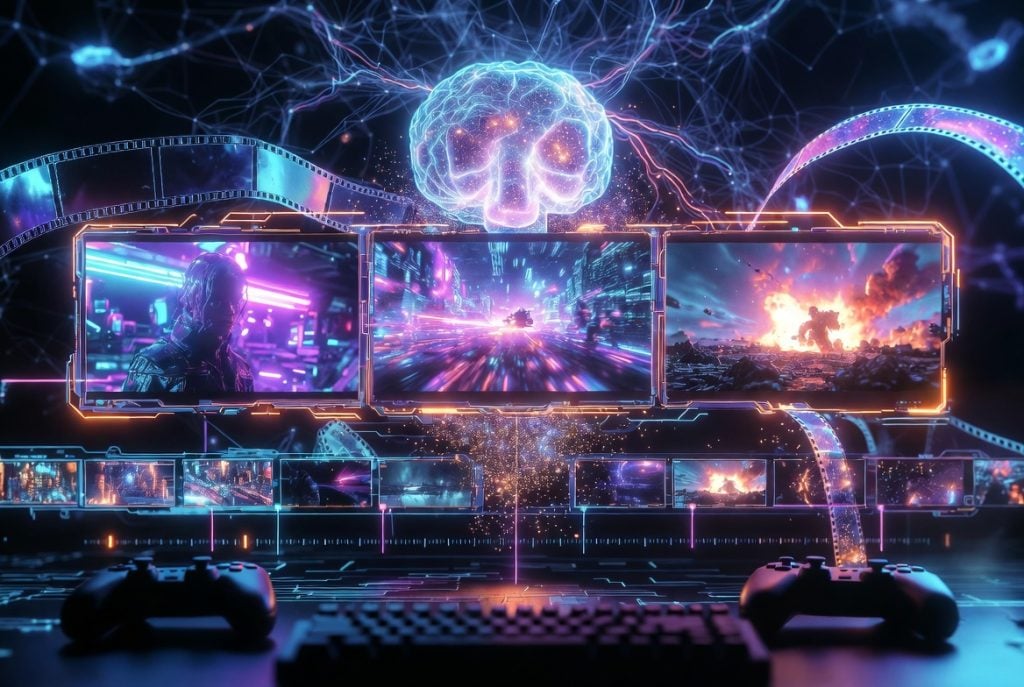
Yes. Seedance 2.5 is suitable for game-trailer concepting and previsualization, especially for creators who need to maintain consistency in characters, costumes, and the game world across multiple shots. It cannot completely replace final game-engine animation or professional cinematic production, but it can help indie game teams quickly test trailer concepts before committing to a full production.
Game trailers are one of the hardest short-form formats to make well. In sixty seconds or less, a trailer has to establish a world, introduce a character an audience will remember, build tension, and land a hook — all while looking cinematic enough to earn a wishlist. For most indie developers and content creators, that has always meant either an expensive production or a lot of manual editing. AI video is starting to change what a small team can attempt, but only if you treat it as a directed workflow rather than a slot machine. This guide walks through how creators can use Seedance 2.5 to plan and prototype trailer concepts, anime-style character shots, and short cinematic sequences that actually hold together.
Why game trailers are difficult for AI video tools
The problem with most AI video for game trailers is not that individual clips look bad — it is that they do not agree with each other. A trailer asks the viewer to track one hero across multiple shots: the same face, the same costume, the same weapon, the same world. Early tools happily generated a gorgeous knight in shot one and a subtly different knight in shot two, with a new hairstyle, a recoloured cloak, and a castle that had quietly rearranged itself. For a montage of unrelated eye-candy that is fine. For a trailer, it is fatal, because inconsistency breaks the illusion that you are watching a single story in a single world.
On top of continuity, trailers demand cinematic camera language — deliberate push-ins, slow reveals, dramatic tilts — and a sense of escalation from shot to shot. Getting all of that from a single text prompt, with no way to lock the character or fix one broken detail, is what makes the format so unforgiving for AI tools.
What makes Seedance 2.5 useful for trailer concepts
The reason a reference-first approach matters here is that it attacks the continuity problem directly. Instead of describing your hero in words and hoping, you supply reference images — the character, the costume, the environment — and the model works from those, which helps hold characters and settings steady across shots. Longer native clips also help, because a continuous shot avoids the seams and drift you get from stitching several tiny fragments together, and the ability to edit one region of a shot means a small mistake does not force you to throw away an otherwise perfect take. For creators experimenting with a reference-driven Seedance 2.5 video workflow, the practical payoff is being able to concept a trailer — test the look, the pacing, the character — long before committing to a full in-engine cinematic. Treat it as a previsualization and concepting tool: a fast way to see whether an idea sings before you spend real production time on it.
A three-shot game trailer workflow
You do not need twenty shots to test a trailer idea. Three well-chosen shots can carry a complete concept, and three is a manageable number to keep consistent. Plan them as a rising sequence:
| Shot | Job in the trailer |
Camera and mood |
|---|---|---|
| 1 — Establish | Reveal the world and tone; set the genre expectation | Slow, wide reveal or drifting aerial; atmospheric, quiet |
| 2 — Character | Introduce the hero the audience will follow | Push-in or low hero angle; confident, focused |
| 3 — Escalate | Action beat or dramatic turn that ends on a hook | Dynamic motion, faster pace; tense, cinematic |
The same three beats can be read as a simple flow, from setting the scene to introducing your hero to raising the stakes:
| Game World Setup | → | Character Introduction | → | Conflict or Action Scene |
Three-shot game trailer flow. Write a short brief for each shot before you generate anything: what is on screen, what single action happens, how the camera behaves, and the lighting mood. Generate each shot, review it against the plan, and only then move on.
What this workflow is best for
This three-shot workflow is suitable for testing a game world, introducing a central character, and presenting a conflict or action scene. Creators can use it to compare different trailer directions before deciding whether to invest in a longer and more complex production. It is a concepting tool first — a way to see which idea has the strongest hook and clearest tone while the cost of trying another direction is still low.
How to keep characters consistent
Consistency is a discipline, not a setting. The core rule is to reuse the same reference material across every shot rather than re-describing the character each time. Build a small reference set for your hero — face, costume, key props — and one for the environment, and feed the same references into all three generations. In your written briefs, keep the character and costume descriptions word-for-word identical from shot to shot, and change only the things that are supposed to change: the camera, the action, and the framing. When a costume detail or an environment cue drifts, fix that one element and regenerate rather than rewriting the whole prompt, so you never accidentally introduce a new inconsistency while chasing an old one.
A short prompt example
A trailer prompt reads like a shot list, not a wish: name the subject, costume, environment, camera, and lighting, and keep each concrete. For an anime-style hero shot, that might be a young swordswoman with short crimson hair and a silver-trimmed black coat on a rain-slicked neon rooftop, shot as a slow low-angle push-in with cool blue key light and pink neon rim light. For the next shot, keep the character and costume wording identical and change only the environment and the camera move — that is what keeps her recognisably the same hero.
Common problems and how to fix them
A handful of issues come up again and again, and each has a practical fix:
- The character’s face changes between shots. Reuse the same face reference in every generation and keep the description identical; do not paraphrase it.
- Costume or colours drift. Name specific colours and materials, lock them across shots, and correct the single wrong element rather than regenerating from scratch.
- Motion looks jittery or warps. Simplify to one clear action per shot; overloaded briefs with several simultaneous movements tend to break.
- Camera feels random. Direct the camera explicitly — name the move and its speed — instead of leaving it implied.
- Lighting jumps between shots. Describe the same key and rim lighting for shots meant to share a scene, so the world feels continuous.
Frequently asked questions
Can Seedance 2.5 create a complete game trailer?
It can generate the individual shots and short sequences that make up a trailer, but assembling them, timing them to music, and adding sound and polish are still editing jobs. Treat it as a fast way to produce trailer material and test ideas, not a one-click finished trailer.
How can AI video game characters remain consistent across different shots?
The most reliable method is to reuse the same reference images for the character, costume, and environment in every shot, and to keep the written description identical while changing only the camera and action. If a detail drifts, fix that one element and regenerate rather than rewriting the whole shot.
Is Seedance 2.5 suitable for creating anime-style game trailers?
Yes. You can direct an anime-style look through reference images and a clear style description in each shot brief. As with any style, consistency comes from reusing the same references across every shot.
Do AI-generated trailers need post-production editing?
Yes. Generated shots still need to be cut together, timed, and given sound design and any on-screen text in a normal editor. A human review of the final cut is essential before release.
Who should use this workflow?
This approach fits indie game developers who need a concept trailer before they can afford a cinematic team, anime and animation creators building character-driven shorts, trailer editors prototyping pacing and tone, and content creators making fan concepts or original IP teasers. It is a genuinely useful cinematic AI video workflow for the concepting and previsualization stage — the moment when you need to see an idea move before you commit to it. What it does not replace is final, in-engine, high-end cinematic production or the judgment of a human editor, who still owns the final cut, the sound design, and the story. Used for what it is good at — fast, consistent, directable concepting — it lets a small team punch well above its budget.

Caroline is doing her graduation in IT from the University of South California but keens to work as a freelance blogger. She loves to write on the latest information about IoT, technology, and business. She has innovative ideas and shares her experience with her readers.