After a long weekend, you pick up your iPhone. You try to unlock it, but the password you enter with your finger is wrong. Try again. Still not right. After several failed attempts, the screen dims and displays a dreaded prompt: “iPhone is disabled. Connect to iTunes”. That’s when you realize that all of a sudden, all your digital life materials – such as photos, messages, apps, etc. – are no longer available.
This is more common than you think. Maybe you recently changed your password, but your memory hasn’t kept up with the changes. Maybe a curious child keeps trying to enter the password until the device locks automatically. Or maybe you bought a second-hand iPhone and the previous owner forgot to delete their Apple ID. Whatever the reason, you don’t know what to do right now with an inaccessible iPhone.
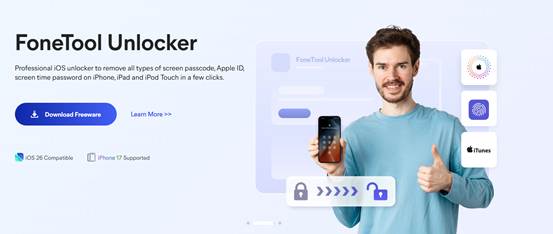
You can go to an Apple store and wait in line hoping they can help. Or you can fix it yourself at home. FoneTool Unlocker is a professional iPhone unlock software that can remove screen lock, Apple ID lock, and iCloud activation lock without you going through tedious steps. This program is compatible with the latest iOS system and all iPhone, iPad and even iPod Touch models.
Why Does FoneTool Unlocker Work?
- It is fast. Unlock your screen passcode, Apple ID password, and iCloud lock in minutes, not days.
- It is simple. The intuitive interface and on-screen guidance guide you through every click.
- It is safe. With over a million users and 256-bit SSL encryption, you can be sure that no other channel can access your data.
Step by Step Guide- Remove a Disabled Screen Passcode
Let me explain to you one of the most urgent situations in detail. Your iPhone is no longer working properly and you can’t even see the home screen. Here’s how to fix this problem.
What you’ll need: A Windows computer and the USB cable that came with your iPhone.
Step 1.Download the software and connect your iPhone
Go to the official FoneTool website, download the installer and run FoneTool Unlocker. The entire installation process takes less than a minute to complete. Launch FoneTool unlock software and connect your phone to your computer. Even if the screen says “iPhone Disabled,” the software can detect your device.
Step 2. Select the option to unlock your iOS device
Select “Remove iOS Screen Passcode” on the home screen, tap the “Remove Now” button here to confirm to enter the feature.

Step 3. Let your iPhone enter recovery mode
The program will prompt you to put your iPhone into recovery mode, and the tool is equipped with the “Enter/Exit Recovery Mode” function, which you can do with one click. Or you can choose to do it manually: for iPhone 8 and above, you need to press the volume up button once, then the volume down button once, then press and hold the side button until you see a black screen with a cable pointing to the laptop.

Step 4. Download the firmware
When your iPhone enters recovery mode, FoneTool Unlock Tool will automatically get the right firmware for your model. You need to click on the “Download” button.
Step 5. Remove the password
Click the “Remove Now” button. The software will start clearing the screen lock feature even if you have forgotten your password. Your iPhone will restart when it is done, and you will see the “Hello” interface after restarting, no need to enter the passcode.

- Tip: FoneTool Unlocker can also quickly and safely remove apple id from iphone without password, bypass iCloud activation lock on second-hand devices, reset Screen Time passcode without deleting personal files, and decrypt iTunes backup files if you forget your password. Each function follows the same simple operating process.
The Bottom Line
It can be very frustrating when your iPhone gets locked and becomes unusable. However, you don’t have to spend hours at an Apple expert service center or wait weeks for a response from Apple. FoneTool Unlocker offers a fast, offline, and secure way to regain access to your device. It works with any iPhone or iPad and can help with various types of lock situations. The next time your phone displays the message “Disabled,” you’ll be able to find a solution in just a few minutes.

Sandra Larson is a writer with the personal blog at ElizabethanAuthor and an academic coach for students. Her main sphere of professional interest is the connection between AI and modern study techniques. Sandra believes that digital tools are a way to a better future in the education system.