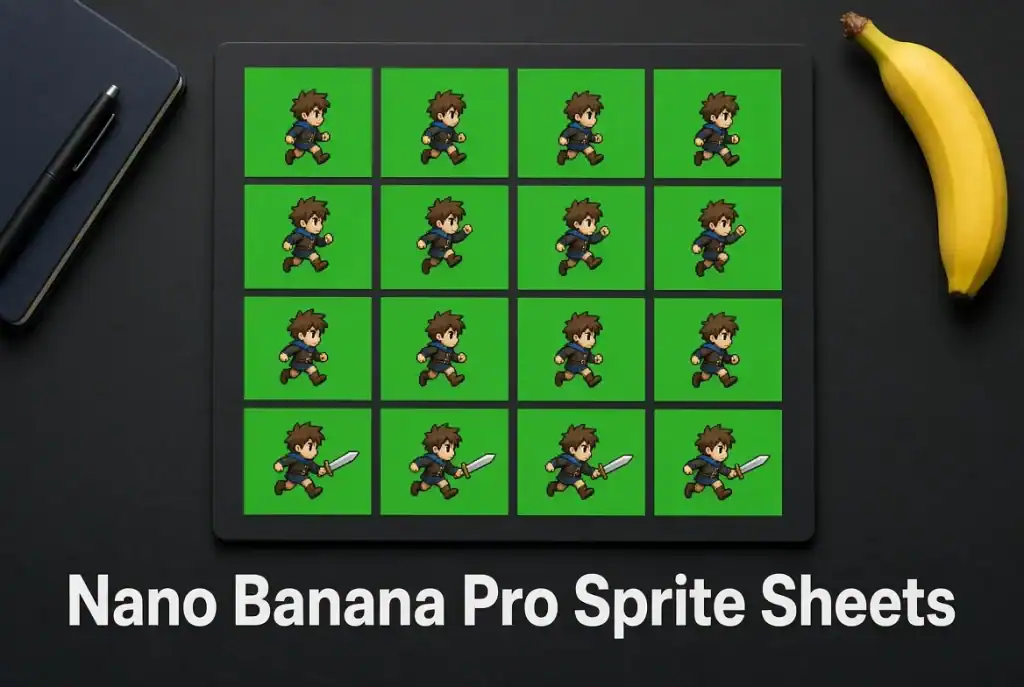
A character can look convincing in six separate poses and fall apart the moment those poses play in a loop. The boots slide, the head changes size, or the final frame jumps back to the first. A Nano Banana Pro sprite sheet needs more than a convincing grid. Its frames have to describe the same character moving through one continuous action.
For a first attempt, use a short side-view walk cycle with a simple silhouette. A cloak, loose hair and a swinging weapon each introduce another movement to solve. They can wait until the body moves properly.
Google documents Nano Banana Pro as an image-generation and editing model. Turning its output into a game asset still requires frame preparation and a playback check. The useful starting point is a rough animation you can inspect, with attractive rendering added only where it survives that test.
Give the Nano Banana Pro sprite sheet a precise frame brief
Decide what one frame contains before requesting the sheet. Specify the view, action, number of poses, direction of travel and features that must stay consistent. For a walk in place, explain that the character remains in the same part of each frame while the limbs move.
Keep an approved reference beside the brief. A red scarf, a round helmet and oversized boots give you recognisable details to compare. They should not change shape or switch sides halfway through the sequence. Start with a character you designed or have permission to use, so revisions can follow a clear design reference.
An illustrative prompt could read:
Create six successive side-view poses for a walk-in-place cycle, arranged left to right in one row. Use the supplied character reference. Keep the figure facing right, at the same scale, with a fixed ground level and enough space around every pose. Use a plain, consistent background. No labels, panel borders or perspective changes.
That request describes the intended output; it does not guarantee six evenly spaced cells. Count the poses and inspect their boundaries before doing any detailed cleanup. A missing intermediate pose will not become a smooth step merely because the surrounding artwork is polished.
Also decide how the finished sheet will be sliced. In a hypothetical six-frame strip using 128-by-128-pixel cells, the assembled sheet would be 768 by 128 pixels. Those are example production dimensions, not a promise about the model’s native output sizes. Generate at a supported size, then prepare the cells in an editor.
Fix the sequence before polishing the pixels
Separate the poses and place each one on an identical canvas. Use a guide for the ground level and another for the character’s central position. Preserve intentional movement, but correct accidental changes in scale or placement. Otherwise the animation may bounce because the drawings were cropped differently, rather than because the character is walking.
Play the frames at a comfortable preview speed. Watch the feet first. Does a planted foot remain planted while the body passes over it? Does the other foot lift and return in a plausible order? If two adjacent poses reverse that progression, changing their order may help more than generating an entirely new sheet.
Then watch the silhouette. A hand disappearing behind the body may be intentional. A backpack changing shoulders is a continuity error. View the loop at its intended game size, where a tiny finger defect may be invisible but a shifting helmet can dominate the whole movement.
Inspect the last-to-first transition separately. Two attractive endpoints can still create a snap. The last frame should lead into the opening pose; it need not duplicate it. Holding the same pose twice can introduce a pause unless that pause is part of the action.
Keep background cleanup separate from animation repair. If the generated file has an opaque background, remove it in an editor and check the resulting alpha channel. A painted checkerboard is still a background. Review the edges against both a light and a dark surface to catch halos around the boots or scarf.
For pixel art, make the final downscaling and palette decisions deliberately. A painterly source does not become controlled pixel art simply by shrinking it. Inspect the small version for inconsistent outlines and isolated pixels that flicker between frames.
Import the sheet and watch the feet
Aseprite’s documentation distinguishes a sprite sheet from the animation it stores: the sheet is an arrangement of frames that must be exported or sliced appropriately. Keep the editable animation file as well as the flattened sheet, so a later correction does not require rebuilding every frame.
If you also generate a candidate sequence with GPT Image 2, apply the same frame brief and playback checks. Comparing two still sheets favours surface detail. Comparing their loops reveals whether either sequence can actually carry the movement.
Godot’s documented AnimatedSprite2D workflow can use individual frame images or a sprite sheet through a SpriteFrames resource. For a sheet, set the horizontal and vertical frame counts, select the intended cells and preview the animation. These import settings should match the assembled file, not the grid you originally asked the model to produce.
Finally, place the character against a representative game background. Check its scale, ground contact and visibility while moving across the scene. A loop that reads well on an empty canvas may lose its feet against a busy floor, or reveal a distracting edge when the background scrolls.
Keep the approved Nano Banana Pro sprite sheet with its editable master and an export note listing cell dimensions, frame order and playback speed. Before handing it over, import that exact exported file once more. A clean preview in the editor does not catch every export mistake.

Caroline is doing her graduation in IT from the University of South California but keens to work as a freelance blogger. She loves to write on the latest information about IoT, technology, and business. She has innovative ideas and shares her experience with her readers.