

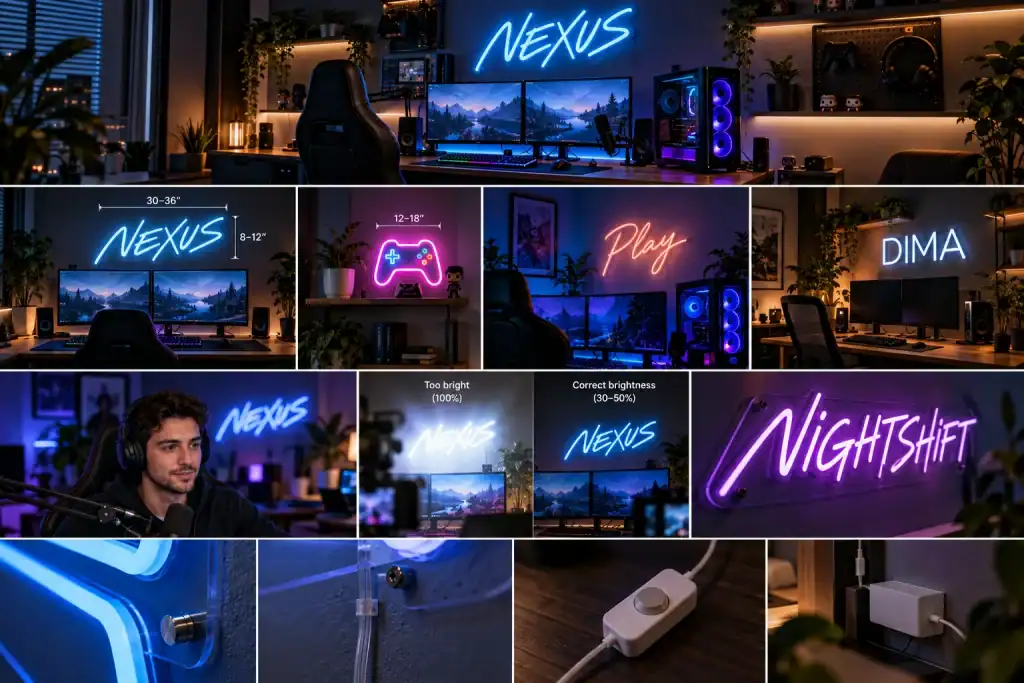
A good gaming setup is built one decision at a time: the chair, the monitor arm, the cable management nobody sees. Lighting is usually the last decision, and it’s the one that changes how the whole room feels. For a lot of players and streamers, that means an LED neon sign on the wall behind the desk.
It’s also easy to get wrong. A sign that looks great in a product photo can be too bright on camera, too small for the wall, or simply the same design as a thousand other setups. Here’s what actually matters when you choose one.
Start with the wall, not the sign
The most common mistake is buying the sign first and finding a place for it later. Measure the wall behind your desk and think about what sits in front of it: monitors, speakers, a shelf, maybe a camera. A sign should read clearly above or beside all of that, not peek out from behind a monitor.
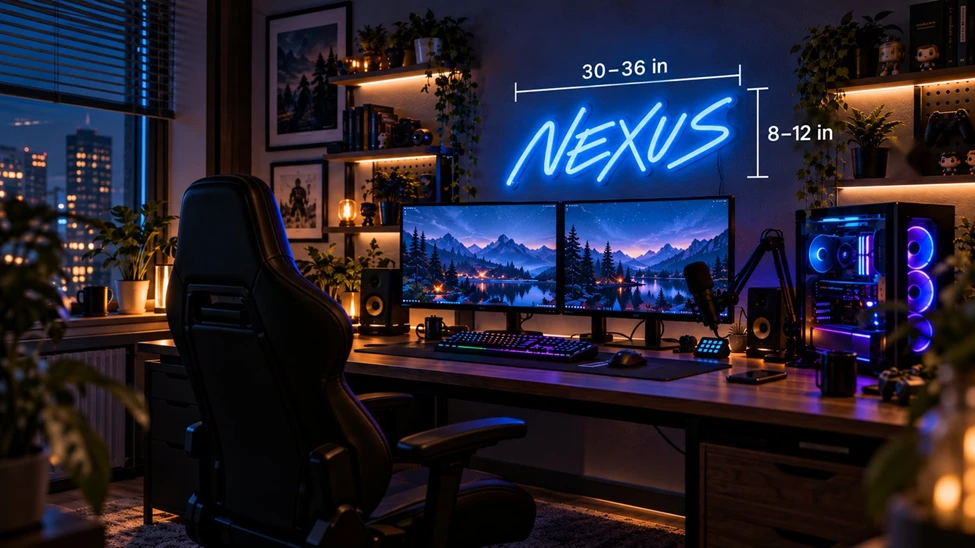 A 30–36 inch sign holds its own above a dual-monitor desk.
As a rough guide, a single word or short gamertag usually needs 24 to 36 inches of width to hold its own above a dual-monitor desk. A small 12 to 18 inch sign works better as an accent on a shelf or a side wall. If you stream, check the framing in your camera view before you decide on size. The sign only has to look right in the part of the wall your audience actually sees.
Color: work with your RGB, not against it
Most gaming setups already have light in them: keyboard backlighting, fan LEDs, light strips behind the monitor. A neon sign adds a fixed color to that mix, so pick one that either anchors the palette or contrasts with it on purpose.
A few combinations that work well:
• Cool setups (blue, cyan, purple RGB): a warm white or soft pink sign adds contrast and keeps the room from feeling cold.
• Warm or wood-toned rooms: ice blue or white reads cleanly without competing.
• Fully synced RGB rooms: an RGB neon sign that changes color can join the same scene, though a single fixed color often looks more deliberate on camera.
If you’re unsure, white is never a wrong answer. It works with every RGB profile you’ll ever run.
If you stream, think like a camera
Neon looks different to a webcam than it does to your eyes. A few things are worth knowing before you go live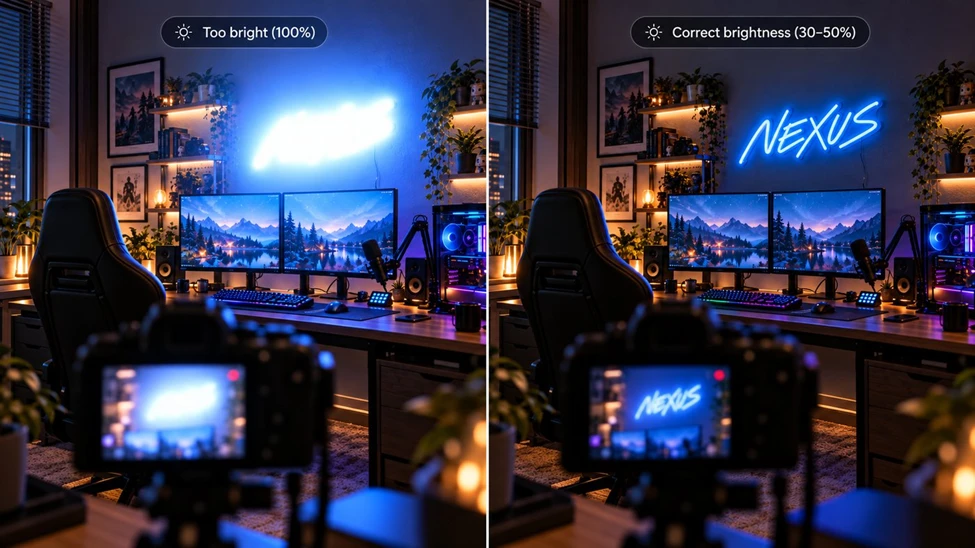
At full power the sign blows out on camera. Dimmed, it reads cleanly.
Brightness. A sign at full power can blow out on camera and turn into a white blob with a colored halo. A dimmer fixes this. Set the sign to look slightly dim in the room, and it will usually look right on stream.
Flicker. Some dimmers can create a faint flicker or banding on camera depending on the frame rate and shutter settings. If you see it, raise the brightness a notch or adjust your camera’s shutter speed.
Placement. Keep the sign out of direct line with your face light. Behind and above your head, or off to one side of the frame, gives depth without fighting your key light.
Legibility. Your audience sees the sign small, compressed, and often on a phone screen. Short words and open, rounded lettering survive that. Thin, tightly spaced script usually doesn’t.
Why custom beats generic
Search for gaming neon signs and you’ll see the same handful of designs over and over: controllers, “game on,” “level up.” They’re fine, but they say nothing about you.
The better move is usually your own text. A gamertag, a channel name, a team name, or an in-joke your community will recognize. On stream, it doubles as branding. A viewer who clips your stream is putting your name in every frame.
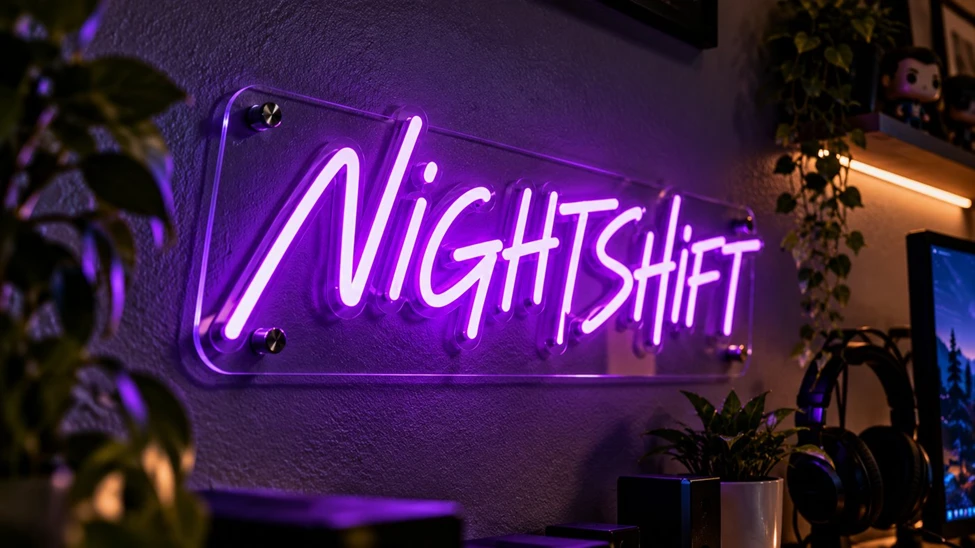 A custom name on clear acrylic, mounted on metal standoffs.
Custom signs are also easier to order than most people expect. With a custom neon sign builder, you type your text, compare fonts and colors, and see a preview at your chosen size before ordering. For a logo or channel artwork, most studios can work directly from your file and turn it into a custom LED neon sign built around your design.
One practical note: if your design uses a well-known game or brand logo, most fabricators won’t reproduce it without permission. Your own name and artwork avoid that problem entirely.
Practical details that get overlooked
Mounting. Most LED neon signs come on a clear acrylic backing with pre-drilled holes or hanging hardware. Heavier and larger signs should be screwed into studs or proper anchors, not hung on adhesive strips.
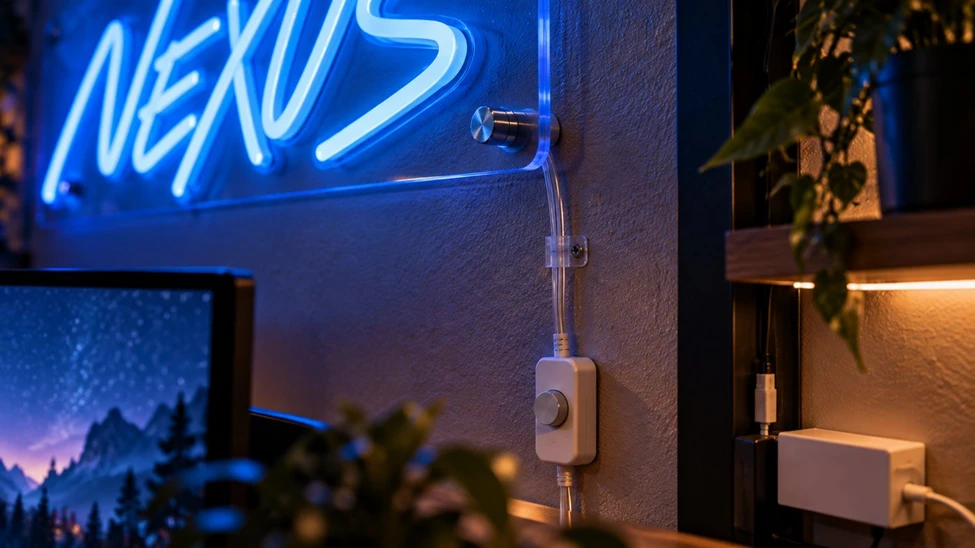 Standoffs, a clipped cable run, an inline dimmer, and the adapter tucked below the desk.
Power. Signs usually run on a low-voltage adapter. Plan where the cable runs before mounting. A cable dropped straight down to a power strip under the desk is the clean route, and it’s easier to decide that before the holes are drilled.
Heat and power use. LED neon runs cool to the touch and draws little power, so it can stay on for long sessions without the heat or energy cost of older lighting.
Durability. LED flex is far tougher than glass neon, which matters in a room where things get bumped, moved, and occasionally hit by a flying controller.
The short version
• Measure the wall and check your camera frame before choosing a size.
• Pick a color that works with your existing RGB, or go with white.
• Use a dimmer if you stream.
• Choose short text and open, readable lettering.
• Put your own name on the wall instead of a generic phrase.
The best setups don’t look like they came out of a box. They look like they belong to someone. A sign with your name on it is one of the simplest ways to get there.

Heather Neves is working as a freelance content writer. She likes blogging on topics related to parenting, golf, and fitness, gaming . She graduated with honors from Columbia University with a dual degree in Accountancy and Creative Writing.




