

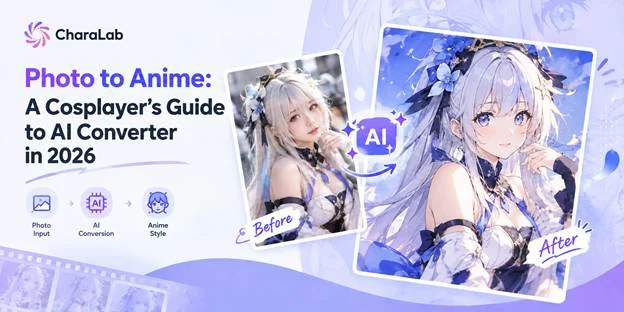
In cosplay, breaking the barriers between reality and fiction is a dream for many cosplayers. But in real life, messy convention backgrounds, poor lighting, expensive editing, and uncertainty about how your look will turn out can get in the way. Now, thanks to fast-growing AI technology, cosplayers have an exciting new option: AI Photo-to-Anime conversion.
If you want to see how your character might look or quickly turn your convention photos into anime-style art, an AI tool like CharaLab can make it simple. In this guide, we’ll explain what photo-to-anime conversion is, why it’s useful for cosplayers, what features to look for in a converter, and a straightforward five-step process you can use.
What Is AI Photo to Anime?
AI Photo-to-Anime uses AI to turn photos of real people into images that look like Japanese anime, manga, or illustrations. For cosplayers, this is more than just adding a filter. The AI studies facial features, lighting, and costume details, then transforms the photo into 2D anime-style art while keeping the person’s original expression. This process brings real-world cosplay creations into the world of anime.
AI Photo-to-Anime doesn’t make you look like a different person. All of your features stay the same. Only the drawing style changes, which is just what cosplayers want.
Why AI Photo to Anime Converter Matters to Cosplayers?
In the past, cosplay needed take a lot of time and money to complete. Making just one costume can mean weeks spent on patterning, painting, and styling choices, not to mention the cost of travel and tickets.
AI Converters make this process easier. It not only helps you make choices before you start building, but also lets you keep using your costume even after the convention is over.
Preview Character Look Before Making the Costume
Most cosplayers pick a character based on reference art and then spend real money, hoping their costume and makeup will look like they imagined. An AI converter helps with this early on.
You can take a photo of yourself in a rough sketch and see how your features match the character’s details and colors before you commit to the final build. This is an affordable way to test your ideas before making a big investment.
Match Styles to the Original Character
Each type of original character has its own visual style. For example, shonen heroes often have bold shadows and sharp angles. Shojo characters tend to have softer lines and lighter details.
When cosplayers choose a converter, the main thing to consider is which style matches the character’s original look, not just which one looks nicest. Using the right style helps the final image feel true to the original, rather than just looking like a generic anime version.
Create Merchandise for Your Cosplay Character
Once you create a stylized version of your costume, it could be your design asset. If you sell prints, postcards, or want to display at comic conventions, you can use your own image as the character to build a consistent visual identity.
This approach is important both legally and commercially because the image comes from your own photo and costume. It helps you establish a personal brand.
Turn Convention Photos into Shareable Anime Art
At the anime convention, hall lighting is often uneven, and backgrounds are usually filled with strangers. Even the best shot might have a fire exit in the frame. In this situation, AI converters might be helpful; its AI toolkit, like object remover and background changer, helps solve these problems.
So, a quick phone shot in a crowded aisle can become something you’re proud to share. For cosplayers, this feature is one of the converter’s biggest strengths.
What to Look for in an AI Photo to Anime Converter?
Most converters are not designed just for cosplayers. Some of those focus on quick selfies or social media avatars, which is not very suitable for cosplayers. As a cosplayer, when you look at an AI converter, use the points below to help you decide.
Keep Consistency Between Photo and Anime
Consistency is the hardest technical challenge, and many cosplayers don’t realize how important it is. If a converter gives you a great anime face but changes your nose, jawline, or expression, it isn’t really converting your cosplay; it’s replacing it!
The tool should keep key features like your face shape, eye spacing, unique makeup, and the outline of your wig or headpiece. This becomes even more important when you’re working with a set of images. If you want to share a series as the same character, the converter has to keep your features consistent from one photo to the next so the character always looks like the same person, not a different one each time.
Offers a Wide Range of Cosplay Styles
Some cosplayers don’t stick to just one character. Someone might dress up as an action hero one month and then choose a gentle character in the next month, and each one needs its own style.
If your converter only offers one or two styles, you will make every character look the same. But if you have a wide range of options, you can match the style to the character instead of forcing the character to fit the style.
Consider Output Quality and Use Case
If you just want to post on social media, standard resolution is enough. But if you plan to print large posters or make physical merchandise, you need a tool that can create high-resolution (HD/4K) images.
Protects Personal Privacy
Usually, cosplayers will upload photos of themselves to AI converters; they are sharing some of their most personal data. Before you use any converter, check whether the service clearly explains how it stores your uploads, whether it keeps them, and whether it uses them for training. If a tool is unclear about how it handles your photos, it isn’t worth the risk, especially with images tied to your face and identity.
Beyond a Still Image
The gap between photos and videos is shrinking, and anime portraits are part of that trend. Newer tools let you animate a converted image with effects like moving hair, a slow turn, or repeating motion, or even create short video clips from a single photo.
An excellent cosplayer is trying to grow their audience on short-form video platforms, turning one cosplay photo into a few seconds of animated anime, which can get much more attention than a regular post. That’s why cosplayers’ dynamic shots go beyond a still image.
How to Turn Cosplay Photo into Anime with Modern AI Converter: CharaLab
The following 4 steps show how the popular AI converter CharaLab works. It is an all-in-one AI character converter that takes you from a costume photo to a finished anime portrait. CharaLab stands out because it offers many art style options.
Step 1: Start with the Right Cosplay Photo & Choose an Anime Style
The tool can only use what you give it, and cosplay photos can be very different in quality. Try to start with a photo where both your face and costume are easy to see. Use soft, even lighting instead of a single bright lamp, keep the background simple, and choose a pose that shows off the shape of your outfit.
Once the photo is ready, choose the art style from CharaLab’s library that matches your character’s background. For most cosplayers, the anime style usually works best.

Step 2: Generate Your Anime Portrait
After you upload your photo and pick a style, start the generation and review the result as a first draft. Focus on how closely it matches you: check that your face looks right, the main details of your costume are there, and the wig and fabric colors are accurate. Don’t worry about small differences. That’s what the next step will help you fix.
Step 3: Refine and Improve the Output
Refinement is the step that turns a stylized portrait into something you can actually use. There are two aspects you need to be careful:
- If the anime is against the photo, adjust the reference photo or lower the style strength instead of starting from scratch.
- If the costume is missing a detail, you can usually fix it by describing it more clearly or using a better source photo.
Think of this stage as a quick cycle: generate, compare with the original character, tweak one thing, and generate again. The best results come from keeping trying, not from getting it right on the first try.
Step 4: Export and Use Your Anime Portrait
As long as you’re happy with the portrait, export it at the highest resolution and save the original photo too. A high-resolution file lets you print the image for a convention table or crop it for different platforms, instead of just keeping it on your phone.
After that, you can post the image, show a before-and-after with the original, or use it in video tools to create a moving version of the character.
Creative Ways for Cosplayers to Use Anime Portraits
Completing an anime portrait is just the beginning. You can use the same image in different ways, and each situation may need you to present your character a little differently.
Comic Conventions
At comic conventions, an anime portrait works like your personal ID. You can show it next to your prints, put it on your business card for photographers and partners, or share it in a post to tell people when you’ll be there and which character you’re dressing up.A simple costume portrait is much easier to notice quickly in a crowded schedule than a messy convention photo. That’s exactly what you want when you need to be easy to spot.
Outdoor Portrait Shoots
Outdoor Shoots give you scenes you can’t get in a convention hall, like forests, rooftops, seaside, or old streets. Of course, outdoor places have their own problems, like people walking by, changing weather, and shifting light.
But when you make the shoot look like anime, those issues become part of the mood. Bamboo shadows, a cape blowing in the wind, or sunlight on a stone wall all turn into artistic background details, so a shoot that once had trouble with its setting ends up looking just right.
Brand Promotions
More and more cosplayers are running their own small brands. For them, creating an anime-style portrait of themselves as a character can help them build a unique logo. Since the portrait is based on their own look and costume, it gives them a clear identity on every platform without relying on someone else’s art. It also helps keep their brand consistent, even when they switch characters.
Halloween
Halloween is the one night when everyone gets into costumes, so cosplayers have to work a little harder to stand out. On Halloween, an anime portrait can help you do just that. It looks thoughtful and creative, not just like a quick photo, and it shows the difference between simply wearing a costume and really becoming a character. Whether you’re posting solo or with a group, it makes your photos more memorable.
FAQ
Will the AI Keep Cosplayers’ Makeup Details?
Very small details, like a tiny drawn pattern or a subtle color shift, may be simplified during styling, since the process redraws texture rather than copying it exactly. If a certain makeup feature is important to the character, take the original photo in bright, even light and compare the result to it before finishing.
Which Anime Style Should I Choose for My Cosplay?
Choose based on the original material, not your personal taste. Match the style to how the character is drawn: bold and dramatic for action heroes, soft and gentle for calmer characters, simple and clear for characters from webtoons. If you are unsure, create two versions in different styles and compare them side by side with the original art; the right choice usually becomes clear as soon as you see them together.
Can I Convert Photos Taken by Convention Photographers?
In most cases, yes, but it’s polite to ask the photographer first. Many convention photographers are happy for you to edit their images as long as you credit them and don’t present the edits as the original photo.
Can I Sell Anime-Style Prints of My Cosplay?
Sure, as long as the print is of your original character, the look and the costume belong to you, and the image is made from your own photo. The important thing to watch is the character itself. A cosplay of a copyrighted character includes that character’s protected rights, so selling it can cause legal issues.
Do I Need Any Drawing or Editing Skills?
No. The main point behind a converter is that large language models can do this, so even cosplayers without any illustration experience can create an anime portrait just from a photo. It helps to generate pictures where the costume is easy to see. This matters more than editing skills.
Is My Uploaded Photo Safe?
It really depends on the tool you use, so the way your photos are handled is especially important for cosplayers. Check if the converter clearly explains how your uploads are stored, if they are deleted, and if they are used to train models. Because cosplay photos show both your face and your creative work, it’s better to pick a service with strict data policies.
Conclusion
Turning photos into anime has become more than just a fun trick; it’s now a real tool in the cosplay process. Cosplayers can use it to try designs before buying materials, match their look to a character’s style, turn busy convention photos into clean artwork, and build a personal brand based on their own image rather than someone else’s art.
Still, the results depend on your choices. The photo you use and how consistent you are will decide if you get a generic anime face or a version of yourself as the character you imagined.
If you want an all-in-one solution from a costume photo to a finished anime portrait, and even a short animated clip, CharaLab does help a lot with its plenty of art styles.

Amanda Dudley is a lecturer and writer with a Ph.D. in History from Stanford University. After earning her doctorate in 2001, she decided to pursue a fulfilling career in the educational sector. So far, she has made giant strides by working as an essay writer for EssayUSA, where she delivers high-quality academic papers to students who need them.