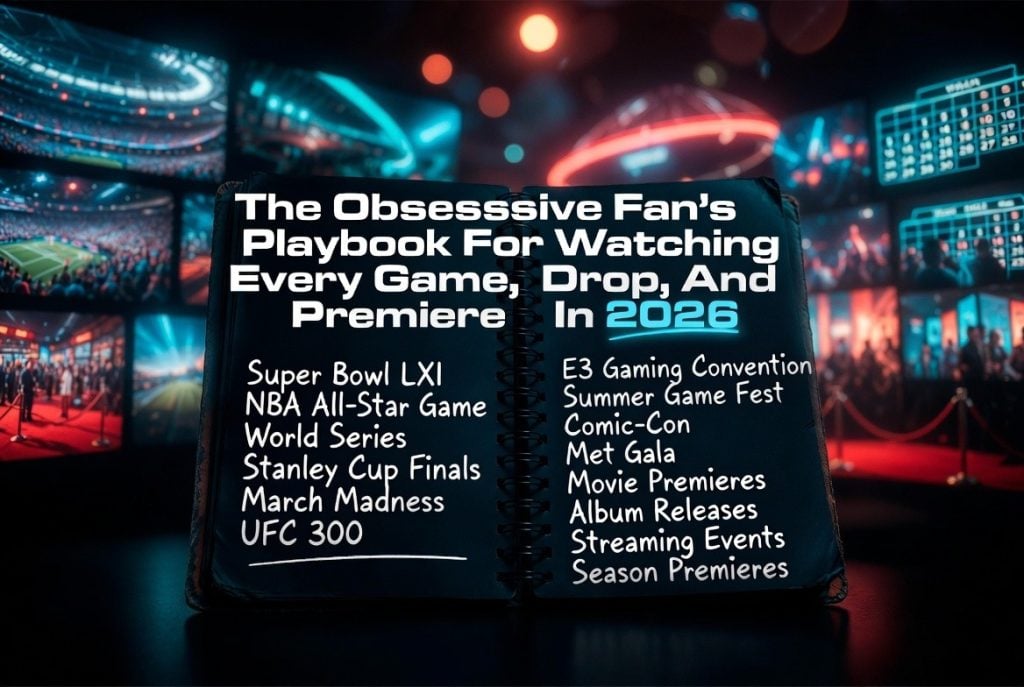
You planned for it. You told the group chat you’d be watching. You made the snacks, cleared the evening, opened the app — and the game wasn’t there. Or you woke up Saturday morning to a timeline full of spoilers for the anime episode that dropped overnight while you were asleep like a reasonable human being. Or your favourite show came back from a three-month hiatus and somehow not one notification, not one app, not one algorithm thought to mention it.
This happens to people who genuinely care about this stuff. That’s what makes it so maddening.
Here’s the system that actually fixes it.
The Real Problem: Your Content Is Scattered Across Eleven Different Places
Here’s what nobody says out loud: the golden age of streaming is also the golden age of accidentally missing things. We have more access to more content than any generation in history — and it’s spread across so many platforms that tracking what’s where has become its own part-time job.
A typical setup in 2026 looks something like this. The big game is on a sports package you pay for separately. The anime simulcast is on a different app from the one you usually use for anime. The live award show requires a cable TV login you cancelled two years ago. The international match you actually care about isn’t on any of them.
This isn’t a failure of willpower or organisation. It’s structural. Every platform is optimised for its own retention metrics — not for giving you a unified view of everything you follow. The fragmentation is intentional. And live content is where that strategy hurts fans the hardest, because unlike a show you can catch tomorrow, a live event doesn’t wait.
Why This Problem Isn’t Going to Fix Itself (And Why That’s Actually Useful to Know)
It’s not a coincidence. As one industry analysis of the streaming market put it, traditional cable and satellite infrastructure was never designed for the multi-device, on-demand flexibility that modern viewers actually expect — the whole architecture assumed one screen, one household, one schedule. That world is finished.
Streaming platforms inherited a version of that same rigidity. They’re built to keep you inside their own ecosystem, not to hand you off cleanly to a competitor when their catalogue runs out. Live sports rights, international content, simulcasts — these live in the gaps between platforms, not inside them.
The incentives don’t point toward fixing this. Which means the fix has to come from your side.
Build Your Live Content Stack — This Is the Part That Actually Matters
The fans who never miss anything don’t rely on one platform. They run a small set of tools that cover different categories, with overlap as a safety net.
Here’s what that looks like:
Antenna + Plex for local broadcast: A cheap antenna connected to a Plex setup gives you free access to local channels — live sports, news, major live events broadcast over the air. Requires minimal setup. Ongoing cost is essentially zero.
YouTube TV or Fubo for mainstream coverage: These are the standard picks for live streaming TV in Canada. Broad sports coverage, clean apps, no hardware dependency. Both get expensive once you factor in sports add-ons, but they’re reliable and well-supported.
Live TV streaming platforms for the gaps: A number of live TV streaming platforms have quietly filled that gap — covering international leagues, niche sports broadcasts, and content that simply isn’t licensed for mainstream Canadian distribution, across whatever screen you’re actually using. Worth knowing they exist, especially when your current setup leaves live content as the obvious weak point.
Dedicated apps for specific content: ESPN and TSN for Canadian sports rights. Crunchyroll for anime simulcasts. DAZN if boxing or combat sports are your corner of the fandom. These are inexpensive or free and plug specific holes cleanly without adding much overhead.
You don’t need all of them. You need the ones that cover your specific blind spots. Map out where you’ve been missing things and build from there.
Sort Out What You’re Actually Paying For Before It Gets Ridiculous
Here’s the step most people skip: actually adding up what they spend monthly versus what they genuinely watch.
Do this first. Go through every active subscription — streaming, sports, add-ons — and note the monthly cost alongside how often you actually open it. Most people find at least one they’d forgotten about entirely and at least one they’re keeping purely out of inertia. Both are money leaving your account for no good reason.
Before you restructure anything, it’s worth mapping what you’re spending against what you’re watching — the numbers are usually surprising in both directions.
Once you’ve done that audit, comparing the current range of streaming subscription options available in Canada gives you a realistic baseline for what a leaner, better-covering setup actually costs. The gap between your current spend and a smarter stack is usually smaller than expected — sometimes nonexistent.
The goal isn’t necessarily to spend less. It’s to make sure every dollar is covering something you actually use, and that the gaps — live content especially — are genuinely closed.
The Notification System Nobody Has Set Up Properly
Stack in place. Now you need the early warning layer.
Default streaming app notifications are mostly useless — they fire when something is already starting, not with enough lead time to actually find the stream and settle in. Here’s what works better:
AniList or MyAnimeList: Both sync with simulcast schedules and let you set release-day alerts for your watchlist. Crunchyroll’s simulcast calendar — under the Browse tab — is genuinely underrated for planning weekly viewing. Check it Sunday nights.
JustWatch: Tracks when specific titles land on specific platforms in your region and sends a push notification the day of. Set a watchlist and let it run. More useful than any individual app’s built-in notifications.
League schedules into Google Calendar: Every major sports league publishes its full season schedule months in advance. Import it once, colour-code it, and you’ll never have to check fixture dates manually. Every match, every round, sitting in your calendar before the season even starts.
ESPN and TSN app alerts: Go into notification settings and enable upcoming game alerts — not just “game starting now.” Most people leave this at the useless default. Changing it takes ninety seconds.
Set these up in one sitting. Update your watchlists weekly. After that, the system runs without much maintenance.
Stop Missing Things
The fans who always seem to be caught up — who watched it last night, who already have opinions, who weren’t spoiled — they didn’t get lucky. They built a system that makes missing things genuinely difficult.
That’s all this is. A live content stack that covers your gaps, a notification layer that keeps you ahead of the schedule, and a cost structure that actually reflects what you watch.
Set it up this weekend. Future you will be annoyingly well-informed at every group chat, every watch party, every Monday morning debrief. That’s the whole point.